How to create a model portfolio in 7 easy steps.
Explore our one-page guide on what a model portfolio is and how you can make one today.
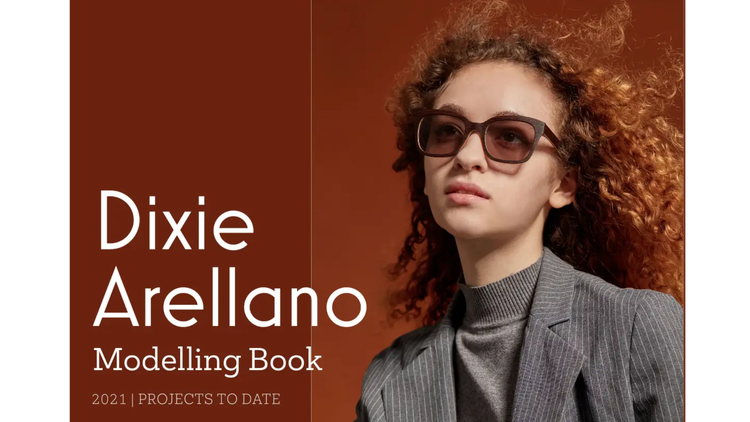




In modelling, how you present yourself visually is everything, no matter what stage you are in your career. A strong model portfolio gives you the chance to stand out and show agencies or prospective clients what you bring to the table. It’s your calling card, helping you make a great first impression and potentially land more bookings.
Discover what you need to create a standout modelling portfolio and get started with Adobe Express today.
What is a model portfolio?
A model portfolio is a collection of photos used to highlight a model’s look, skills, and versatility for various jobs. It serves as a visual reference for potential clients, agencies, and recruiters to understand a model’s strengths beyond a single image or casting.
A strong portfolio demonstrates your ability to adapt to various roles and gives a better understanding of you. It is an essential tool for a successful career in the modelling industry.
What are the key elements of a model portfolio?
When building a standout modelling portfolio, it’s important to include the right elements. Think sharp, high-quality images and key details that highlight your strengths and versatility.
Personal information and contact details:
Including information on how people can reach you is vital.
- Personal details: Your name, age, and location.
- Contact details: Your email and phone number are important to include. It may also be beneficial to feature your social media handles if you post your work online, too.
Physical attributes:
Include some details on your features and measurements.
- Height: Including your height in both centimetres and feet can be helpful.
- Measurements: It may be useful to include measurements of your chest, waist, and hips. You could also add your shoe size here.
- Physical features: Include your hair and eye colour, plus any other physical features you think would be useful to highlight.
Headshot:
A good headshot should be high-quality, showing from your shoulders up to your neck. It should focus on your facial structure, which means minimal makeup or styling alteration.
Full-length shot:
This photo will show your body proportions and physique. Depending on what type of modelling you want to do, you’ll want to feature images in a variety of outfits.
Versatile looks:
Showing a range of images that show your versatility helps potential clients gain a better understanding of the looks you can offer and the type of modelling gigs you’d be best for.
recipe
How to make your model portfolio in 5 simple steps.
Whether you’re breaking into the industry or just looking to refresh your current portfolio, this step-by-step Adobe Express guide can help you create a professional portfolio that captures attention and showcases the best of you.
1. Decide what type of model you are.
What industry do you want to model in? Whether that’s fashion, commercial, or editorial, defining your niche will help you influence the types of photos you need to include – and the modelling jobs you’ll go for.
2. Research photographers & shoot.
Finding an experienced photographer who specialises in working with models can ensure your photos are of the best quality possible. Check their previous work and reviews to understand what you could expect if you choose them.
Before you shoot, prepare outfits and poses you want to showcase to help your portfolio stand out.
3. Illustrate your range.
Potential clients and agencies want to see how adaptable and versatile you are, so make sure you include a mix of different styles, themes, expressions, and settings. Consider a variety of shots – some that are in both studio and natural light, commercial and high-fashion, and full body and close-ups.
4. Curate your shots.
Your portfolio should highlight your best work and showcase your potential, so choose 10-20 of your best photos and try to tell a story with them. Start with a strong headshot, followed by a series of full-body shots and creative editorial-style images.
Finally, finish with a variety of extra looks you want to showcase. Avoid using similar images, and end with a photo that illustrates your strengths. If you’re unsure, you could ask family and friends for their opinion on which photos stand out.
5. Edit and arrange your photos.
Use high-quality images and avoid filters or heavy retouching, as this can make it difficult for potential clients to get a good idea of your true features. Simple editing techniques, such as lighting adjustment, colour correction, or cropping, are useful for polishing your photos without altering your features. You can use tools like the Adobe Express image enhancer to make these simple changes in seconds.
If you’re looking to add some colour variation, black-and-white images can convey emotion and highlight facial angles, while showcasing your creative and artistic vision. You can use photo effects to seamlessly bring these ideas to life.
6. Build your online portfolio.
Now it’s time to put everything together in a standout digital portfolio. With the Adobe Express portfolio maker, you can showcase your work using customisable templates and professionally designed themes.
If you’re unsure about what design you want, you can browse our portfolio landing page templates to see which one best compliments your work.
Once you’ve put your portfolio together, the next step is to create a web page. The Adobe Express web page maker makes it easy to build and share your online portfolio. With customisable templates and eye-catching themes ready to go, you can showcase your work professionally in just a few clicks.
7. Rearrange and review.
Before you go live, give your portfolio a good once-over and ask a few trusted friends, your photographer, or a mentor to take a look. A fresh pair of eyes can help spot anything you've missed.
Once you’re happy, publish the page to get your unique URL – perfect for sharing with agencies and potential clients.
Final tips and tricks.
Once your modelling portfolio is complete, there are a few final steps to ensure it’s as strong as possible. These tips will help you stay up-to-date, visible, and professional as you grow in the industry:
- Add your portfolio to your socials. Add a link to your portfolio on your social media, such as your Instagram bio. This allows people to easily access more of your work.
- Refresh your photos regularly. As you land new work or change your style or niche, update your portfolio to reflect your updated experience and strongest photos. It shows you’re active and advancing in your career.
- Research other portfolios. Look at the portfolios of other established models in your niche, or models you aspire to emulate. Take a look at what they include in their portfolios, what themes they use, the shots taken and how they present themselves. This can help give you a solid vision and direction.
- Keep a printed version of your portfolio. If you attend castings, a potential client or agency may want to view a printed version of your portfolio. It’s important to print it in high-quality and to make sure it’s in the same narrative order as the digital version.
- Create a comp card. A comp card is like a model’s business card, and typically features a headshot, body shot, and additional image – along with key stats like your height, measurements, and contact details. These are handy to leave with potential clients at castings or share when networking.
- Network with industry professionals. When attending castings, events or shows, connecting with other models, scouts, and photographers can create genuine connections. It could also inspire potential future collaborations.
recipe
How can Adobe Express help you create your model portfolio?
Adobe Express makes it easy to edit, design, and share a professional modelling portfolio, all in one place. From templates to photo editing tools and web page building, here’s how you do it.
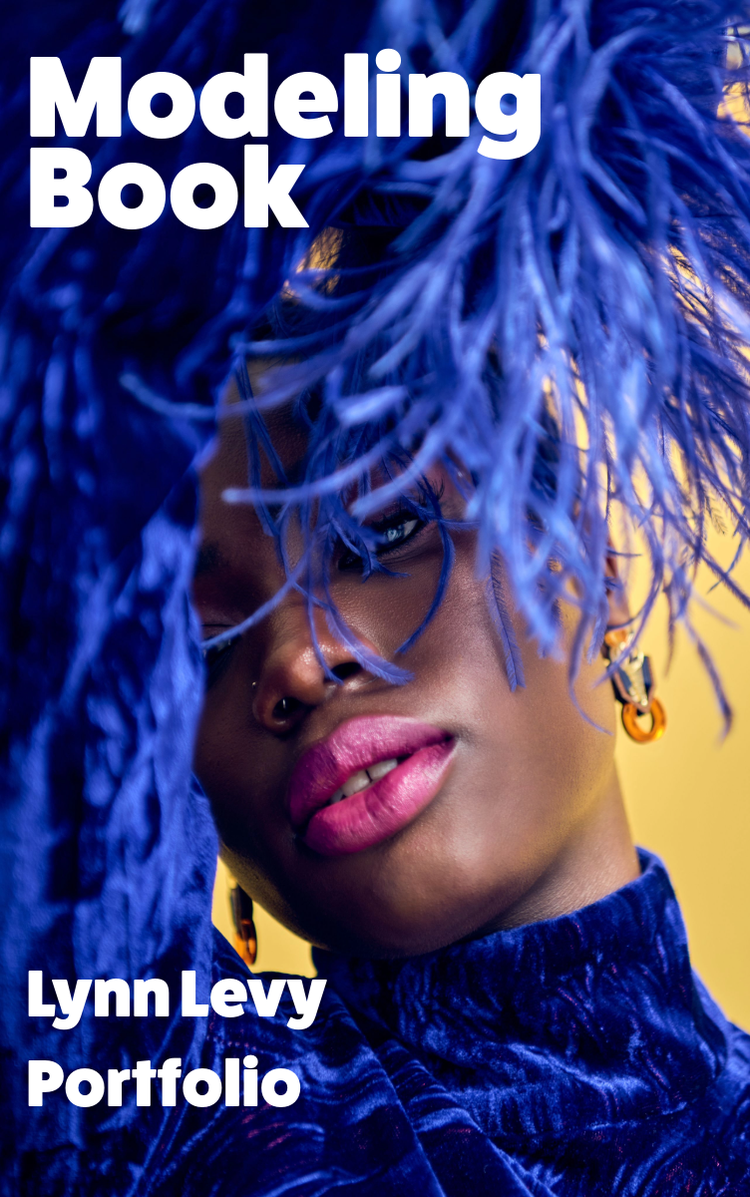
Use the Adobe Express AI tool to turn your portfolio into a presentation.
Want to take your portfolio a step further? Effortlessly turn your portfolio into a polished presentation using the free AI Presentation Maker. This AI-powered tool can help you create visually captivating presentations, either from scratch or using one of the professional, high-quality templates. Simply enter a prompt and let the generative AI bring your ideas to life, creating flashy titles or amazing visuals to suit your design preferences and project purpose.
Discover more you might like.
You might also like...