

Create extraordinary images with free photo effects.
From filters and animation effects to detailed retouching, make a standout shot in just a few clicks with our free online photo editor.
1. Select image.
Upload images from your device or browse thousands of free Adobe Stock images to find the perfect photo for your project.

2. Apply photo effects.
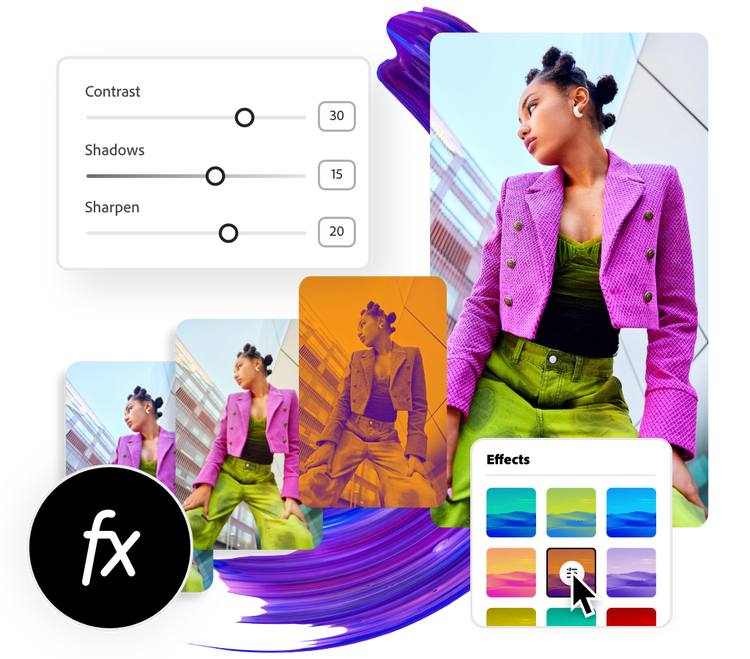
Select your photo to apply preset filters or enhance it in a snap. Adjust contrast, brightness, warmth, and more to achieve your visual style.

3. Continue editing.
Keep editing and add animation, icons, or text to your photo. Download your newly edited photo with effects to share online across your digital channels and social platforms.

Remove the background from your photo to highlight your subject.
Use the remove background tool to add a transparent background to your photo in seconds. Select your image, select the Remove Background option, and watch as Adobe Express works its magic. Add a shape crop to your newly edited image to make it stand out even more.
Enhance your image instantly.
Open the online Adjustments tools for further personalization. Adjust the lighting of your photo to define contrast, adjust photo brightness, highlight, and shadow. Curate the color aesthetic with the image saturation and warmth options. Then, use the Sharpen sliding scale to add definition to a blurry photo or edge to your image.


Add animation to your image.
Transform any image into an animated design with the animation feature. Select from a library of animation effects to add life to the photo in your design. Use this tool to capture the attention of your audiences across your digital platforms.
Customize your photo online with filter effects to make it your own.
Adobe Express makes professional editing tools accessible for anyone, so you can learn how to enhance and optimize images yourself. Transform standard images into high quality, eye-catching designs with our free photo filters. Then, further personalize your design by making enhancing adjustments, adding text, and topping it off with animation. There are endless ways to create stunning content for any channel, on any device.

Frequently asked questions.
How can I add effects to a photo for social media?
Choose a canvas size based on your desired social media channel — you can do this by searching for a template using the platform as a keyword or using the Resize option to change the canvas size to preset, popular social media sizes. Then, add your desired image to your project, apply effects, and instantly download your finished work right to your device to share online.
How many filters does the Adobe Express photo effect tool have?
Adobe Express features 8 primary filter styles, and most of those have dozens of options within them. Choose your favorite filter, then use the Shuffle option to explore different variations and colors.
Can I add effects to the photo on my phone?
Absolutely. Download and launch the free Adobe Express app on your mobile device and instantly add photo effects to your images so you can make standout content wherever you go.
Does the size or quality change after adding effects to the photo?
The size and quality should remain the same, unless you resize your image while editing it, or choose a canvas size that is larger or smaller than your original image. If you wish to maintain the same size of your image from the start, select the option to Start from your photo.
Can I get Adobe Express for free? If so, what’s included?
Yes, Adobe Express has a free plan that includes core features like photo editing tools and effects and thousands of free templates. Learn more about our plans and pricing.

