
Create realistic AI voiceovers with ElevenLabs voice cloning.
Bring your scripts and stories to life with innovative ElevenLabs AI voice generation tools in Firefly.
https://main--cc--adobecom.aem.page/cc-shared/assets/img/product-icons/svg/firefly-80.svg
Adobe Firefly
https://main--cc--adobecom.aem.page/cc-shared/assets/img/product-icons/svg/firefly-80.svg
Adobe Firefly
The next evolution of creative AI is here for all your ideas, with image, video, audio and vector tools.
Turn scripts into realistic speech with ElevenLabs AI.
ElevenLabs uses AI voice cloning technology to bring life to your text. The software uses industry-leading text-to-speech tools and a wide library of voices and sounds to create lifelike speech. It considers pitch, accent, affect and tone to make your voiceovers sound real and authentic.
Just look for ElevenLabs in the Model dropdown menu in Adobe Firefly’s Generate Speech feature.
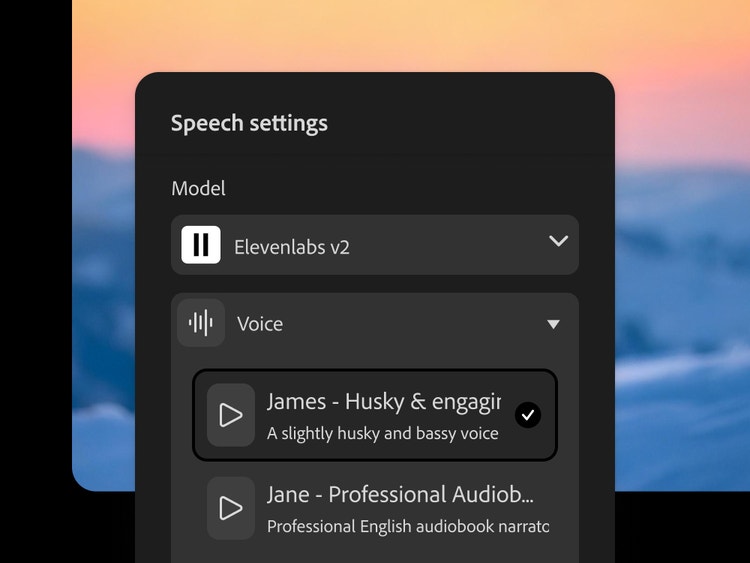
Choose from several languages and accents with ElevenLabs AI.
Turn text into high-quality, realistic voiceovers with the ElevenLabs AI voice model.
- Highly realistic voices and accents. Use ElevenLabs AI to generate voiceover that mimics human speech and intonation. It even adapts to lifelike pacing to deliver conversational, industry-leading results.
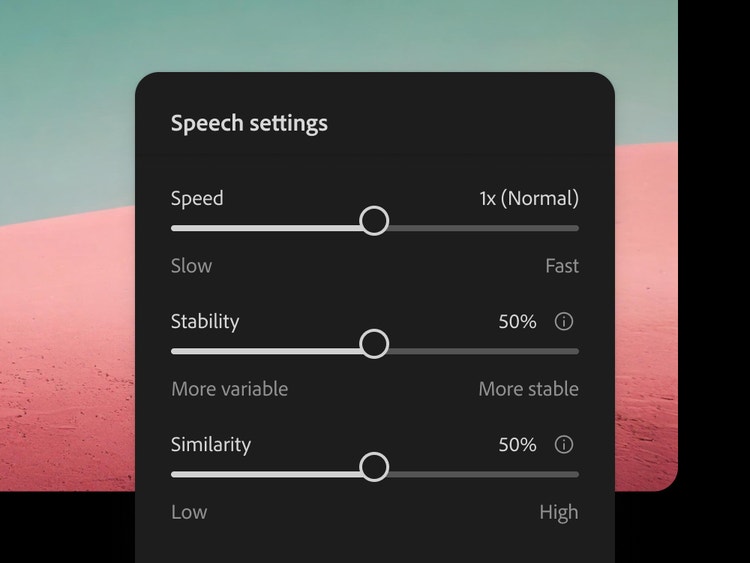
- Use simple controls to fine-tune results. Make key adjustments to voiceovers using simple and accessible tools. Adjust speed, consistency and style, and even exaggerate and add personality.
- Create voiceovers in multiple languages. Reach global audiences by generating speech with ElevenLabs’ wide library of languages. Create AI voiceovers for audiences across the world.
Streamline and simplify with ElevenLabs AI.
- Quickly select from a library of voices. Use ElevenLabs’ huge library of varied voices to create diverse AI voiceovers.
- Everything you need, all in Firefly. Using Adobe single sign-on, you can access the Firefly Speech model within your existing projects. Quickly generate natural speech across multiple languages without shifting software.
- Integrate ElevenLabs models into your workflow. Use ElevenLabs AI voice tools within Firefly’s Generate Speech software as part of an integrated workflow. Choose your model and edit your voiceover – all in minutes.
How to use ElevenLabs to create AI voiceovers in Adobe Firefly.
It’s quick and easy to use integrated ElevenLabs voice tools to create high-quality AI voiceovers. All you need to do is:
- Open Firefly. Head to the Generate Speech tool in the Audio tab.
- Choose your Model. Open the Model dropdown and select “ElevenLabs Multilingual v2”.
- Add your text or script. Just paste in or type what you want to turn into a voiceover.
- Choose your voice. Explore the library of voices to find the perfect match.
- Generate your voiceover. Click Generate to create your clip, then edit till you’re happy. Finally, click Download to export as a WAV file.
Discover even more features.
Al avatar generator Text to speech AI music generator Translate video Translate audio AI video generator