Expand your creativity with multiple AI models in one place.
With Firefly as your multi-model creative AI generator, you can design, edit, and experiment with top generative AI models, all in one place. Access Gemini Nano Banana models, GPT Image, Runway, Luma AI, Kling AI, and more.
Firefly brings leading AI models together in one creative platform. Whether you’re working with AI image generation models, audio models, or AI video generation models, you can easily switch between Gemini Nano Banana models, GPT Image, Kling AI, Luma AI, Runway, and ElevenLabs, and more, all in one AI experience. Keep reading to learn how to combine multiple AI models for design, video, audio, and more.
Use multiple AI models to compare your best outputs.
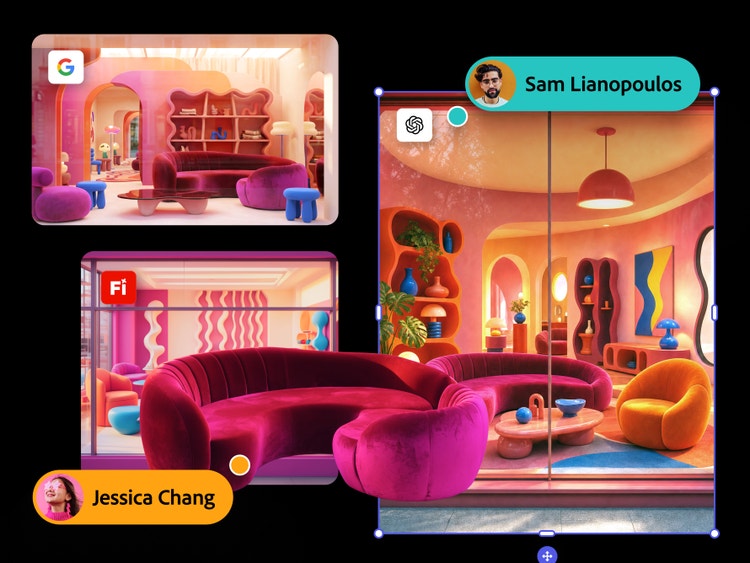
Run the same prompt across multiple AI models in Firefly to compare results side by side and choose the best fit for your project. Try GPT Image for photorealistic product shots, Kling AI for synchronized multishot videos, or Gemini Nano Banana models to refine prompts before generating final images. Then bring your strongest options into Firefly Boards to review, organize, and refine your direction.
Create faster with multiple AI models all in one workflow.
Firefly partner models help you generate and refine images, video, and sound without jumping between tools or tabs. From the first prompt to the final asset, Firefly makes it easy to switch between AI image generation models, AI video generation models, and more, when you want to test a new style, improve an output, or explore another direction. With multiple AI models on one platform, you can try more ideas, respond to feedback faster, and deliver stronger concepts sooner.
Get faster stakeholder buy-in with AI model comparison.
Use Firefly Boards to share multiple AI-generated options at once, each labeled by model, so stakeholders can compare creative directions in a single view. By showing how the same prompt looks across models like Firefly, GPT Image, Kling AI, Luma AI, and Runway, you can help clients choose a direction and move from concept to approval more quickly.
style
No spacing, static-links
Explore Adobe Firefly partner models.
Transform content creation with third-party Al models integrated into our creative apps.
Generate cinematic, multishot videos with physics-aware motion and synchronized audio, and tag characters, objects, and locations for consistent edits across shots. Learn more about Kling in Firefly.
Generate, modify, and transform cinematic, lifelike videos with richer contrast, deeper shadows, and brighter highlights with Luma AI in Adobe Firefly. Learn more about Luma AI in Adobe Firefly.
Go to Adobe Firefly and sign in with your Adobe ID. If you don't have an account, sign up at adobe.com. Once signed in you'll land on the Adobe Firefly home screen where you can access all image, video, and audio generation tools.
Select the tool that best matches your project, choosing from options like Generate Image, Generate Video, Generate Audio, or Firefly Boards. Each tool supports a different set of partner models.
In the generation panel, locate the Model dropdown menu in the top toolbar or settings panel. Click it to see the full list of available models, including Adobe Firefly native models and all available partner models.
Choose the partner model that best suits your task. Try GPT Image for photorealistic detail, Gemini Nano Banana models for strong prompt accuracy, Kling AI for synchronized multishot scenes, Luma AI Ray 3 for cinematic video, or ElevenLabs for realistic voiceovers. You can switch models at any time without losing your prompt.
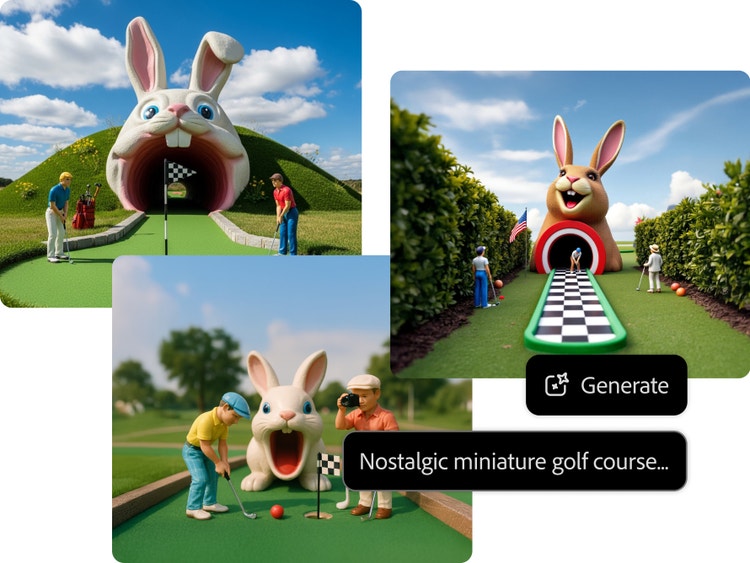
Type a clear, descriptive prompt in the text field. For example, “a cinematic wide-angle shot of a neon-lit Tokyo street at night, rain-soaked pavement, photorealistic.”
Run the same prompt with a different model and compare results side by side in Firefly Boards. When you’re happy with the result, export to Adobe Photoshop or Adobe Express.
Firefly gives creators more than an AI aggregator. It brings multiple AI models into an all-in-one AI creative workflow, so you can explore more styles, compare outputs, and move from first idea to final asset faster.
Firefly helps you move from idea to output faster by combining multiple AI models in one place. Generate multiple design variations from a single prompt, blend styles across models for unique looks, and experiment with creative directions without ever leaving Firefly.
Smarter creative problem-solving
With Firefly as your AI model comparison tool, you can cross-reference outputs, discover new styles, avoid a single model’s blind spots, and view results side by side to evaluate detail, color, and composition.
A faster path to final output
With Firefly, you can pick the best model for the job. Try GPT Image for photorealistic images, Gemini Nano Banana models for prompt-based editing and greater prompt accuracy, Kling AI for synchronized multishot videos, Luma AI for cinematic video and advanced controls, and ElevenLabs for realistic voiceovers. With all these AI models in one place, you can quickly generate multiple, distinct creative directions and refine your results to create the best output.
style
Three up, s spacing top, xxl spacing bottom, show-2-desktop
background
#FFF
Seamless integration
Move easily between AI partner models, Firefly models, and Adobe creative tools for a streamlined, professional workflow.
style
two up, s spacing top, l spacing bottom, show-2-desktop
Adobe Firefly gives users the flexibility to choose from a variety of generative AI partner models for their creative workflows. With partner models, users can explore different aesthetic styles without switching between applications and workflows, and select the partner model that best suits their needs.
When generating content, you can select between Adobe proprietary models or a partner model from the Model dropdown menu.
Proprietary Adobe Firefly models and partner integrations are designed for professional use. You can explore, experiment, and publish with confidence, knowing that Adobe and our partners do not train on your personal or project data.
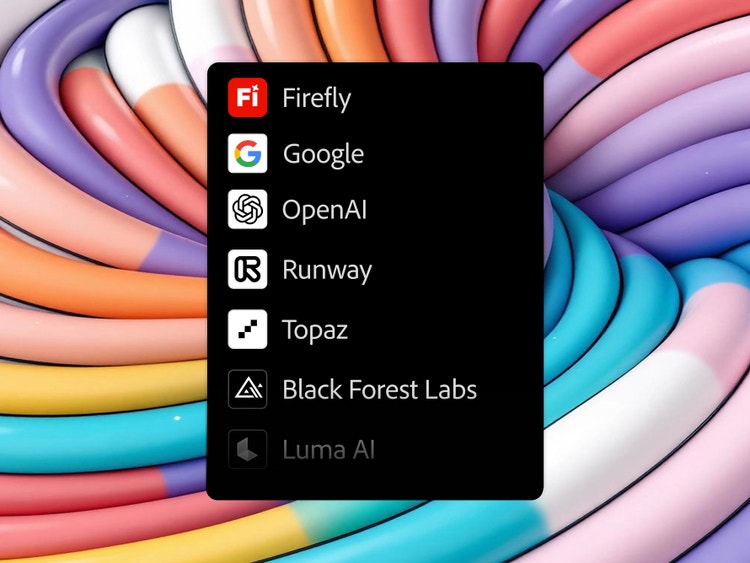
Yes, Adobe Firefly supports multiple AI models across image, video, and audio workflows. You can generate variations using models from Google, OpenAI, Luma AI, Black Forest Labs, Kling AI, and Runway, all accessible within the unified interface in Adobe Firefly.
In choosing model partners, Adobe Firefly takes a community-first approach and collaborates with the latest AI innovators. Each partner model is evaluated for quality, user control, reliability, and creative diversity, ensuring every integration enhances your workflow without disruption.
Adobe Firefly provides access to information on the partner models you can use in Adobe apps, but it is the responsibility of the creator to decide whether partner models are appropriate for their projects, taking into consideration factors such as the focus of the model, how it was trained, and whether or not it is safe for commercial use.
Be specific about subject, style, lighting, and mood. For example, "close-up portrait, golden hour light, film grain, editorial style." Once your prompt is clear, generate outputs across different AI models, and choose the partner model that best matches your desired output. GPT Image is best for photorealistic detail, Gemini for prompt accuracy, and Kling AI for consistency.
style
static links
Share this page.
style
xxxl spacing bottom
Explore more Firefly tools.
style
Show-4-desktop, s spacing top, xxl spacing bottom
background
#F0F0F7
title
Third-Party AI Models in Firefly | Powered by Leading Partners
ContentType
Article
tags
Firefly, Partner models, Gemini 2.5 Flash Image, Photoshop, Generative Fill
description
Explore different capabilities and styles in partner generative AI models so you’re always working with the model that best suits your needs.
cardImage
cardImageAltText
Firefly x Gemini 2.5 Flash Image split visual (no product mnemonics)
Adobe Firefly
The next evolution of creative AI is here for all your ideas, with image, video, audio, and vector tools.
You can control how Adobe websites use cookies and similar technologies by making choices below. But note that if you disable cookies and similar technologies entirely, Adobe websites may not function properly.
Cookies are small text files stored by your web browser when you use websites. There are also other technologies that can be used for similar purposes like HTML5 Local Storage and local shared objects, web beacons, and embedded scripts. These technologies help us do things like remembering you and your preferences when you return to our sites, measure how you use the website, conduct market research, and gather information about the ads you see and interact with.
You can make choices in the menu below about what cookies and other technologies you want us to use on Adobe sites when you visit them from this browser. You can always change those choices later by clicking on the Cookie Preferences link at the bottom of the page.
If enabled:
We can improve your experience by tailoring the site and the content to things we think might be of interest
We can better keep track of your preferences — like what language you prefer to use
We will better understand your likely interests so we can provide you more relevant Adobe ads and content on non-Adobe websites and in non-Adobe apps
It will help us improve the performance of our website and those of our partners who use the Adobe Experience Cloud
If disabled:
We won’t be able to remember you from session to session so the experience may not be tailored to your interests
You’ll still have access to the content of the site but certain features that depend on cookies may not function
You’ll still see ads, they just may not be as relevant to you
General information
You can control how Adobe websites use cookies and similar technologies by making choices below. But note that if you disable cookies and similar technologies entirely, Adobe websites may not function properly.
Cookies are small text files stored by your web browser when you use websites. There are also other technologies that can be used for similar purposes like HTML5 Local Storage, web beacons, and embedded scripts. These technologies help us do things like remembering you and your preferences when you return to our sites, measure how you use the website, conduct market research, and gather information about the ads you see and interact with.
You can make choices in the menu below about what cookies and other technologies you want us to use on Adobe sites when you visit them from this browser. You can always change those choices later by clicking on the Cookie Preferences link at the bottom of the page.
If enabled:
We can improve your experience by tailoring the site and the content to things we think might be of interest
We can better keep track of your preferences — like what language you prefer to use
We will better understand your likely interests so we can provide you more relevant Adobe ads and content on non-Adobe websites and in non-Adobe apps
It will help us improve the performance of our website and those of our partners who use the Adobe Experience Cloud
If disabled:
We won’t be able to remember you from session to session so the experience may not be tailored to your interests
We’ll still count your use of our site and services
You’ll still have access to the content of the site but certain features that depend on cookies may not function
You’ll still see ads, they just may not be as relevant to you
Operate the site and core servicesOperate site and measure engagement
Always active
These cookies are required, and they are used to enable the site and related services core functionality. Without them the site could not operate, so they cannot be disabled.
These cookies enable the site and related services’ core functionality and collect statistics about user engagement, such as counting active use to help us understand trends. These cookies cannot be disabled.
Measure performance
These cookies are used to analyze site usage to measure and improve performance. Without them Adobe cannot know what content is most valued and how often unique visitors return to the site, making it hard to improve information we offer to you.
These cookies are used to analyze site usage to measure and improve performance. Without them Adobe cannot know what content is most valued, making it hard to improve information we offer to you.
Extend functionality
These cookies are used to enhance the functionality of Adobe sites such as remembering your settings and preferences to deliver a personalized experience; for example, your username, your repeated visits, preferred language, your country, or any other saved preference.
Personalize advertising
These cookies are used to enable Adobe and our partners to serve ads more relevant to your interests. Without them you will still see ads, but they might not be as relevant to you.