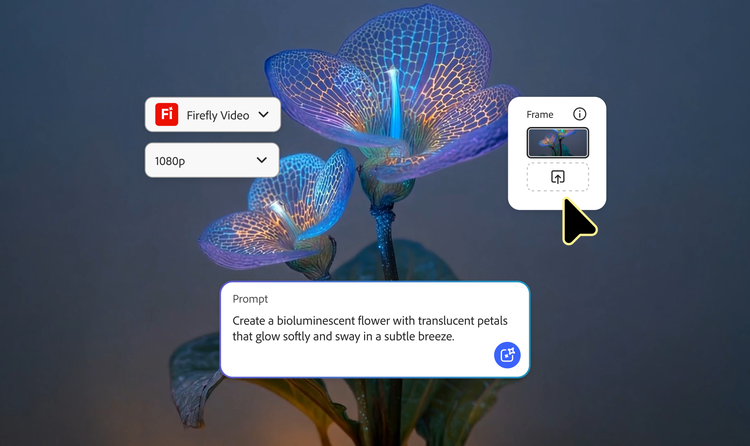
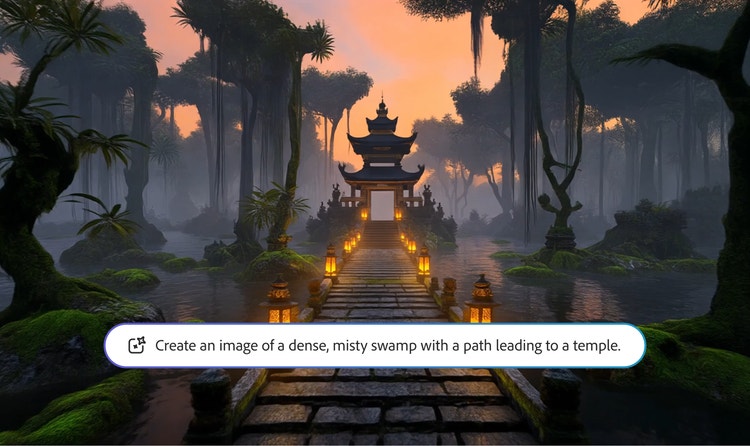
Bring ideas to life with an online AI animation generator.
The free Adobe Firefly AI animation generator lets you turn images and prompts into animated video clips with realistic motion and style control. Create animations for social content, marketing, and storytelling — all within a commercially safe creative workflow.
style
Grid width 10
Create characters from images or text with AI animation generator.
Start with a sketch, a finished character design, or just a few words. The AI video generator makes it easy to bring characters to life. From subtle expressions to lifelike gestures, you can animate directly from images or text prompts — no complex tools or advanced skills required.
Experiment with 2D and 3D AI-generated animation.
Create AI animation in any style that fits your vision, whether it's 2D, 3D, or a mix of both. With simple text-to-image prompts, you can generate characters, scenes, and motion quickly. It’s a fast, easy way for beginners and pros alike to explore different looks and styles.
Format AI-generated animation for any screen.
Wherever you make content, your animations will fit right in. The AI animation generator makes it easy to create videos in a variety of formats without extra editing or resizing. Create vertical videos for social media, horizontal animations for presentations and marketing campaigns, animate static images with image-to-video, and rearrange clips, add audio, and more with Firefly AI video editing tools.
Leverage animation AI for creative teams.
Create AI animations instantly to save time and budget. Transform sketches, photos, images, or text into animated content. Create characters in 2D and 3D AI animation with style options that support everything from AI anime cartoons to cinematic scenes. Work in horizontal and vertical formats, and easily bring your animated content into other Creative Cloud apps like Premiere or After Effects.
How to create animated videos using AI.
Upload an existing image, sketch, or character design, or simply enter a text prompt to describe the scene or character you have in mind. Adobe Firefly’s AI animation video generator understands natural language and visual inputs, so you can start however you’re most comfortable.
Select the desired resolution (up to 4K) and aspect ratio that fits your project. Whether you’re creating content for social media, the web, or pitches and presentations, it’s easy to tailor the output format.
Export your animation. Whether it’s for social media, a pitch deck, or a full campaign, your professional-looking animation video is ready to go.
Why use Firefly creative for AI animation generation?
Adobe Firefly is a strong choice for AI animation generation because it transforms static images and prompts into dynamic, high-quality animations with realistic motion and style control.
Switch between Adobe AI video models and partner models to experiment with different styles, types of motion, and generation speeds.
Fast iteration
Switch between models, generate variations with subtle prompt revisions, and use Firefly Boards to compare outputs side by side and collaborate more easily.
Seamless integration
Easily bring your animated content into other Adobe Creative Cloud apps like Premiere, After Effects, or Photoshop to refine, edit, or build on your project.
style
Three up, s spacing top, xxl spacing bottom, show-2-desktop
background
#FFF
Commercially safe Firefly models
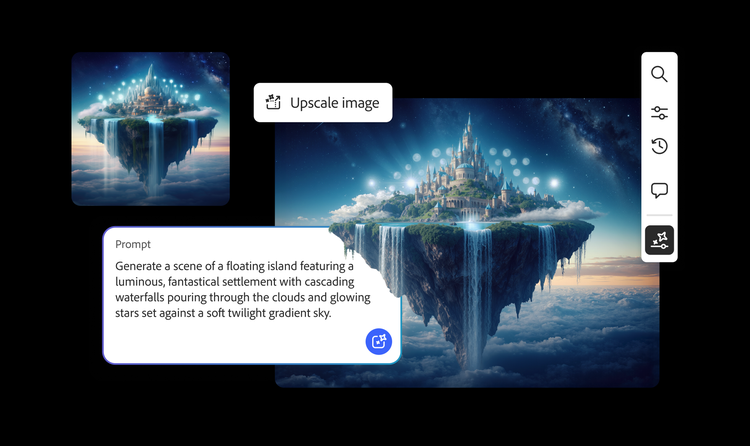
Adobe Firefly video models are trained on licensed and public domain content so you can confidently use your outputs for professional projects.
style
two up, s spacing top, l spacing bottom, show-2-desktop
Yes. Adobe Firefly’s AI animation video generator supports both 2D and 3D styles, making it easy to create dimensional, lifelike animations — no technical skills required.
The AI animation generator can create a wide range of styles, from simple loops to expressive character scenes, based on text prompts or visual inputs like sketches and images.
You can use Firefly to create animated videos for social media platforms like TikTok, Instagram Reels, and YouTube. You can also create animated marketing content, product animations, storyboards, concept scenes, and explainer videos. With the seamlessly integrated workflows, Firefly makes it easy to go from idea to finished video quickly.
Generative credits are used each time you create content with Adobe Firefly’s tools, including the AI animation generator. They help manage usage and ensure fair access to Firefly's cloud-based features.
The Firefly animation AI generator gives you full control over visual style, motion speed, and timing so you can match your creative vision.
Adobe Firefly video models are trained only on licensed content and public domain data, so anything you create with the AI animation video generator or other Firefly tools is safe and rights-cleared.
All text-to-video outputs generated with Adobe Firefly video models are commercially safe, giving you peace of mind when using them in client work, ads, or branded content. If you start with an uploaded image, that image must not violate copyright, trademark, privacy, publicity, or other rights in order for the video you generate to be commercially safe.
Yes, you can use the Adobe Firefly AI video generator for free with an Adobe account to make animations. If you have a free account, you’ll get free daily generations to create animated clips from text prompts or still images. Learn more about using Adobe Firefly for free. Upgrade to a paid plan for higher-volume generations and access to more partner models.
Yes. The animation AI generator has flexible style controls, making it easy to work with your existing branding or creative direction.
You can confidently create animation using AI for any commercial project. Commercially-safe Adobe Firefly video models create content ready for real-world use.
The best AI animation generator produces videos with realistic motion, combines ease of use with precise creative control, and generates outputs that are safe for commercial use. Firefly is a great choice for AI animation because it generates high-quality animation, supports multi-model experimentation, and it’s seamlessly integrated in Adobe Creative Cloud.
No. Adobe Firefly does not add a watermark to any animations you generate, whether you use the Adobe Firefly Video Model or a partner model, so you can export and share your content exactly as created.
Share this page.
style
xxxl spacing bottom
Explore more Firefly tools.
style
Show-4-desktop, s spacing top, xxl spacing bottom
background
#F0F0F7
Adobe Firefly
The next evolution of creative AI is here for all your ideas, with image, video, audio, and vector tools.
You can control how Adobe websites use cookies and similar technologies by making choices below. But note that if you disable cookies and similar technologies entirely, Adobe websites may not function properly.
Cookies are small text files stored by your web browser when you use websites. There are also other technologies that can be used for similar purposes like HTML5 Local Storage and local shared objects, web beacons, and embedded scripts. These technologies help us do things like remembering you and your preferences when you return to our sites, measure how you use the website, conduct market research, and gather information about the ads you see and interact with.
You can make choices in the menu below about what cookies and other technologies you want us to use on Adobe sites when you visit them from this browser. You can always change those choices later by clicking on the Cookie Preferences link at the bottom of the page.
If enabled:
We can improve your experience by tailoring the site and the content to things we think might be of interest
We can better keep track of your preferences — like what language you prefer to use
We will better understand your likely interests so we can provide you more relevant Adobe ads and content on non-Adobe websites and in non-Adobe apps
It will help us improve the performance of our website and those of our partners who use the Adobe Experience Cloud
If disabled:
We won’t be able to remember you from session to session so the experience may not be tailored to your interests
You’ll still have access to the content of the site but certain features that depend on cookies may not function
You’ll still see ads, they just may not be as relevant to you
General information
You can control how Adobe websites use cookies and similar technologies by making choices below. But note that if you disable cookies and similar technologies entirely, Adobe websites may not function properly.
Cookies are small text files stored by your web browser when you use websites. There are also other technologies that can be used for similar purposes like HTML5 Local Storage, web beacons, and embedded scripts. These technologies help us do things like remembering you and your preferences when you return to our sites, measure how you use the website, conduct market research, and gather information about the ads you see and interact with.
You can make choices in the menu below about what cookies and other technologies you want us to use on Adobe sites when you visit them from this browser. You can always change those choices later by clicking on the Cookie Preferences link at the bottom of the page.
If enabled:
We can improve your experience by tailoring the site and the content to things we think might be of interest
We can better keep track of your preferences — like what language you prefer to use
We will better understand your likely interests so we can provide you more relevant Adobe ads and content on non-Adobe websites and in non-Adobe apps
It will help us improve the performance of our website and those of our partners who use the Adobe Experience Cloud
If disabled:
We won’t be able to remember you from session to session so the experience may not be tailored to your interests
We’ll still count your use of our site and services
You’ll still have access to the content of the site but certain features that depend on cookies may not function
You’ll still see ads, they just may not be as relevant to you
Operate the site and core servicesOperate site and measure engagement
Always active
These cookies are required, and they are used to enable the site and related services core functionality. Without them the site could not operate, so they cannot be disabled.
These cookies enable the site and related services’ core functionality and collect statistics about user engagement, such as counting active use to help us understand trends. These cookies cannot be disabled.
Measure performance
These cookies are used to analyze site usage to measure and improve performance. Without them Adobe cannot know what content is most valued and how often unique visitors return to the site, making it hard to improve information we offer to you.
These cookies are used to analyze site usage to measure and improve performance. Without them Adobe cannot know what content is most valued, making it hard to improve information we offer to you.
Extend functionality
These cookies are used to enhance the functionality of Adobe sites such as remembering your settings and preferences to deliver a personalized experience; for example, your username, your repeated visits, preferred language, your country, or any other saved preference.
Personalize advertising
These cookies are used to enable Adobe and our partners to serve ads more relevant to your interests. Without them you will still see ads, but they might not be as relevant to you.