PHOTOSHOP FEATURES
How to add and make arrows in Photoshop.
Use Photoshop to point your audience in the right direction — try these tips and tools for crafting digital arrowheads.
PHOTOSHOP FEATURES
Use Photoshop to point your audience in the right direction — try these tips and tools for crafting digital arrowheads.

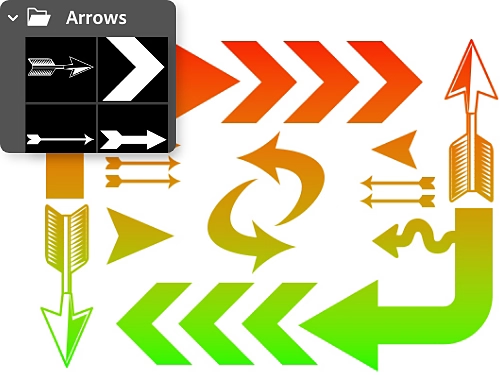
Vector shapes have clean, sharp edges at any size. Choose from a variety of vector-based arrows that you can scale up or down to suit your graphic design without losing resolution.
Give your arrow a personal touch. Use the Brush tool to draw an arrow freehand with your cursor.

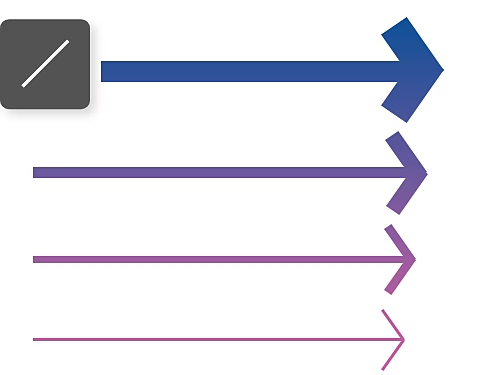
Use the Line tool to create an arrow out of straight lines. Then choose an attention-getting style and colour of stroke to fit your image.
If none of the Photoshop premade arrow shapes suit your needs, you can download free arrow sets from Adobe Stock, including options for hand-drawn, graphic and curved arrows.

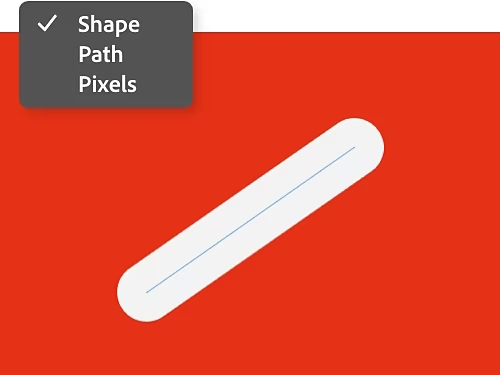
On the menu bar at the top of the window, choose Shape mode to create your lines as vectors, which are scalable and easy to resize at any time. Or choose Pixels mode for a pixel-based line.
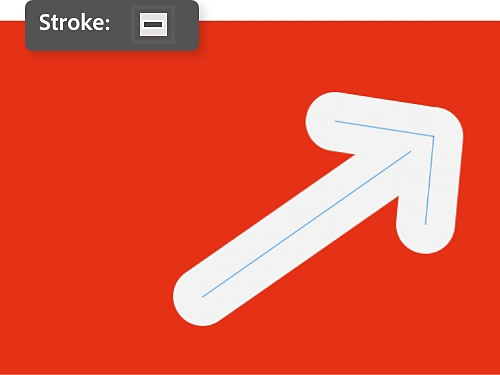
Use the options bar to set the thickness (or stroke) of your line, as well as the colour. Then click and drag on your canvas to form three lines for your arrow.
Now that you know how to create arrows in Photoshop, read up on tutorials to help you to make full use of all the app’s features.

That is the question. Learn the difference between raster and vector shapes and when to use each.

Create a colourful gradient background out of swirling, blurred colours with this tutorial by Mirella Fabienne.

Swap the direction of any shape on a layer by flipping it.

You can rotate your arrows or any layer, at any time with the Move Selection tool.
Annual, billed monthly
£21.98/moincl. VAT
Get Photoshop on desktop and iPad as part of Creative Cloud.
Get 20+ Creative Cloud apps, including Photoshop on desktop and iPad.
Annual, billed monthly
£16.24/moincl. VAT
Save over
Industry-leading creative apps with simple licence management.

Based on your location, we think you may prefer the United States website, where you'll get regional content, offerings, and pricing.


