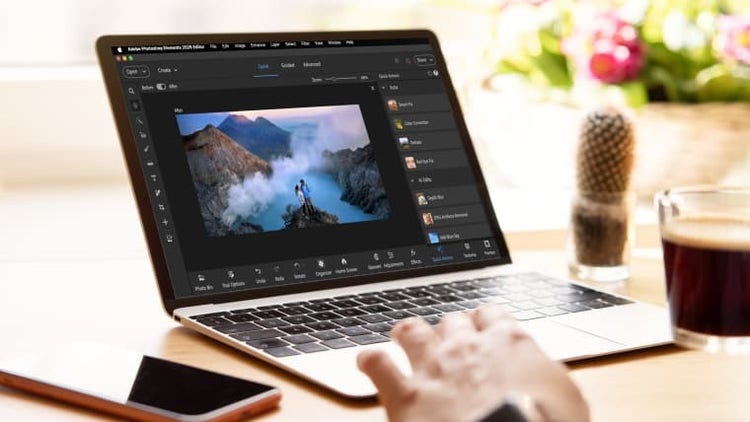
Photoshop Elements & Premiere Elements 2027は、スマートで高速な使いやすい写真編集ソフトとビデオ編集ソフト、2つの製品をバンドルしたものです。写真やビデオでさらに細かい編集作業をしたいすべてのユーザー向けに設計されており、経験は必要ありません。スナップショットの画像補正から、ビデオクリップのトリミングとサイズ変更、テキストやエフェクトによる写真やストーリーの仕上げまで、次の機能でおこなうことができます。
- AIと自動化で直感的な編集が可能
- 学習を進めながら自信を持って編集するための、ステップバイステップ形式のガイド機能
- 写真プロジェクトをデザインして共有できるクリエイティブツール
- ユニークなエフェクト、トランジションなどのクリエイティブなオプションで映像の質を向上
- 整理パネル(Organizer)によって写真とビデオの読み込み、タグ付け、検索がより簡単に
詳細を見る
このライセンスにより、Photoshop Elements & Premiere Elementsを3年間使用できます。一度購入すれば追加料金はかかりません。ライセンスは更新されず、引き換え後3年で期限切れになります。3年間のライセンスが期限切れになると、Photoshop Elements & Premiere Elementsにはアクセスできなくなります。ただし、Elements Organizerのメディアカタログには引き続き無期限にアクセスできます。
Premiere Elementsは、簡単な操作でビデオの整理、編集、作成、共有ができる機能を希望するお客様向けです。組み込みのAIと自動化ツールにより、トリミングやサイズ変更から、カラー、エフェクト、トランジションを使用したクリエイティブな操作まで、あらゆる作業が効率的になり、上質なビデオをすばやく作成できます。Premiereはビデオ制作のプロフェッショナルに向けた究極のツールセットです。ご利用にはサブスクリプションが必要です。