How to compress a PDF
Follow these easy steps to learn how to make a PDF smaller:
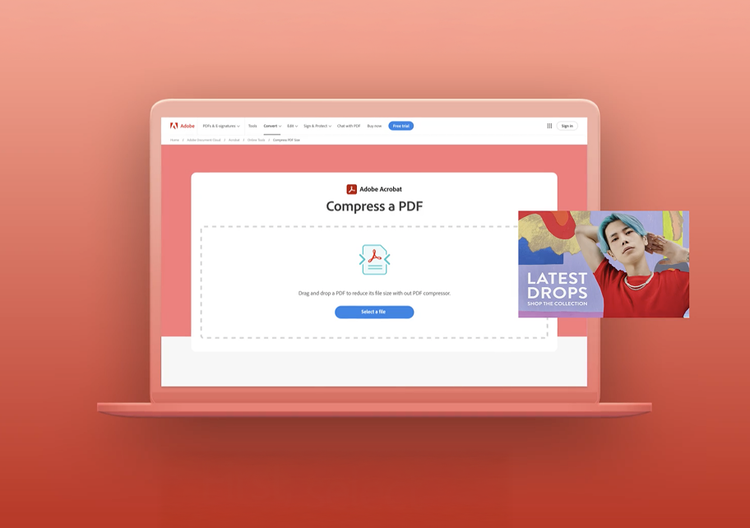
- Click the Select a file button above, or drag and drop files into the drop zone.
- Select the PDF file you want to make smaller.
- Select the compression level you would like to apply to your document.
- After uploading, Acrobat will automatically reduce the file size.
- Download your compressed PDF file or sign in to share it.
Try our free PDF compressor tool

Compress a PDF for easier file sharing
Reduce your PDF file size for free with Acrobat when you need to share or store a smaller file. Upload your file or attach it to an email without worrying about size limits. You can also save your file without using up storage space.

Download a compressed PDF with no hidden fees
With the online PDF compression tool, you can download a compressed PDF without sharing any personal information. Your file is deleted from Adobe servers, and the content of your file is only accessible to you.

Big file? No biggie: compress files up to 2GB
Adobe's PDF compressor can handle files up to 2GB, so you can reduce the size of those large PDFs. Save storage and share with ease when you create a smaller version of your big file.

Choose a compression level for an optimized PDF
When you compress a PDF, the file undergoes space-saving steps like reducing image resolution, flatting interactive layers, and removing unused metadata. You can choose between High, Medium, and Low compression level in Acrobat's online tool, balancing your needs for quality and size.

Do it all with Acrobat
After compressing your PDF, you can create a free Acrobat account to take additional steps. Convert PDFs to other file formats, merge and split files, and fill and sign documents - all with Adobe Acrobat.

Adobe: PDF compression you can trust
As the creators of the PDF, Adobe continues to innovate with high-quality PDF tools. Compress your PDFs with confidence when you use Adobe Acrobat.
Frequently asked questions.
Compress PDF resources
Content as a Service v3 - compress-pdf - Friday, February 21, 2025 at 14:14
Use Acrobat tools for free
- Sign in to try 25+ tools, like convert or compress
- Add comments, fill in forms, and sign PDFs for free
- Store your files online to access from any device
Create a free account | Create a free account Adobe Acrobat Sign in


