
Convert files to and from PDF
Use our Adobe PDF converter to quickly turn Microsoft Word documents, Excel spreadsheets, and PowerPoint files into PDFs. Need to make changes? Easily convert PDFs back to their original formats.
Follow these simple steps to convert a file to PDF or export a PDF to another format using the Acrobat PDF converter:
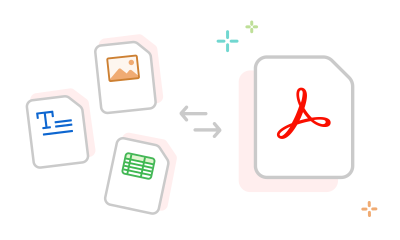
Use our Adobe PDF converter to quickly turn Microsoft Word documents, Excel spreadsheets, and PowerPoint files into PDFs. Need to make changes? Easily convert PDFs back to their original formats.

The Acrobat PDF converter tool allows you to convert images to PDF or convert PDFs to JPG, PNG, and TIFF formats with high quality.

Drag and drop or upload your file, then watch as we convert it to or from PDF. When ready, you can download the converted file or sign in to share it.

There’s no need to start from scratch. Increase your efficiency by using the Acrobat PDF converter tool to recycle existing file content.

When you use Acrobat PDF tools, you can rest assured that your file will have advanced encryption and built-in security, letting you share your work with confidence.

Adobe invented the PDF format, so our PDF tools are of the highest quality. When you use our online PDF converter, you can trust that your file content will look like you intended.
The Acrobat PDF converter allows you to convert PDF files to various formats, including DOCX, XLSX, PPTX, JPEG, PNG, and TIFF. Simply drag and drop or upload your PDF into the tool to convert it instantly.
You can also convert these file formats to PDF using any web browser: DOCX, DOC, XLSX, XLS, PPTX, PPT, TXT, RTF, BMP, GIF, JPEG, PNG, TIFF, and TIF.
The Acrobat PDF conversion tool preserves your document formatting, images and alignment, so your files will look as expected on Mac or Windows on any device.
Want more features? Try Adobe Acrobat Pro for free for seven days to:



