What is image style transfer?
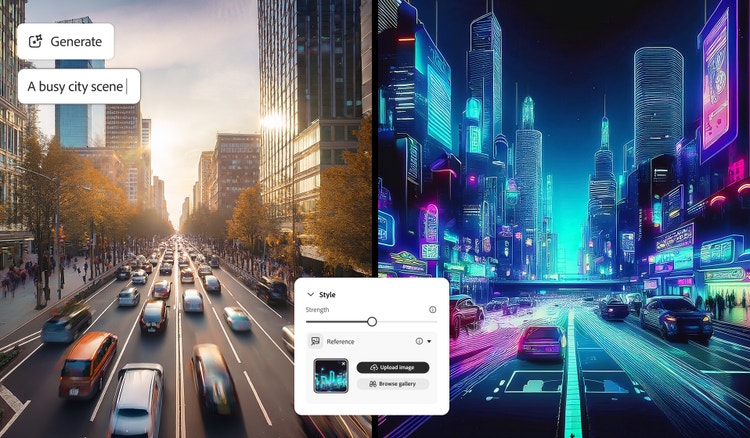
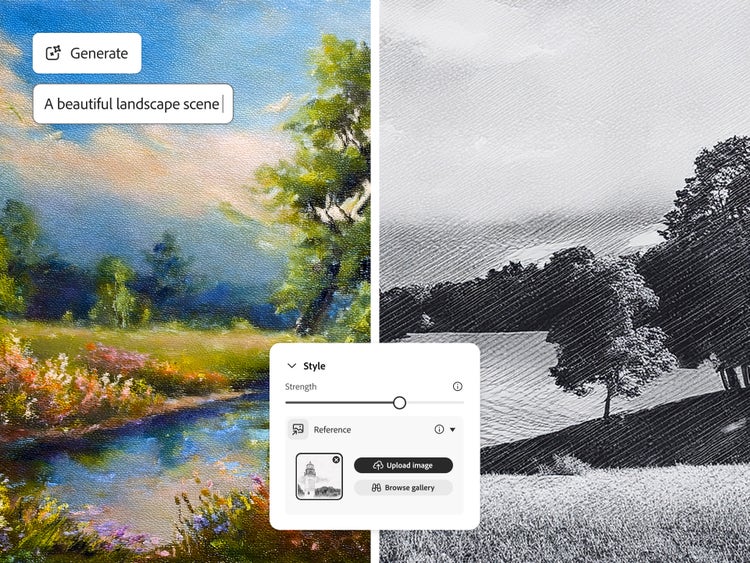
Image style transfer is a type of image to image AI that uses machine learning to apply the artistic style of one image to another. It allows you to transform the mood, texture, and colour palette of your visuals. For example, turning a photo into a painting, a sketch, or a textured artwork while keeping the original composition intact.
Powerful features of AI image style transfer.
With Adobe Firefly’s AI image style transfer, you can instantly blend different aesthetics to transform your work. The Generative Match feature lets you upload your own image to create results in your signature style or use a reference image to guide the new look.
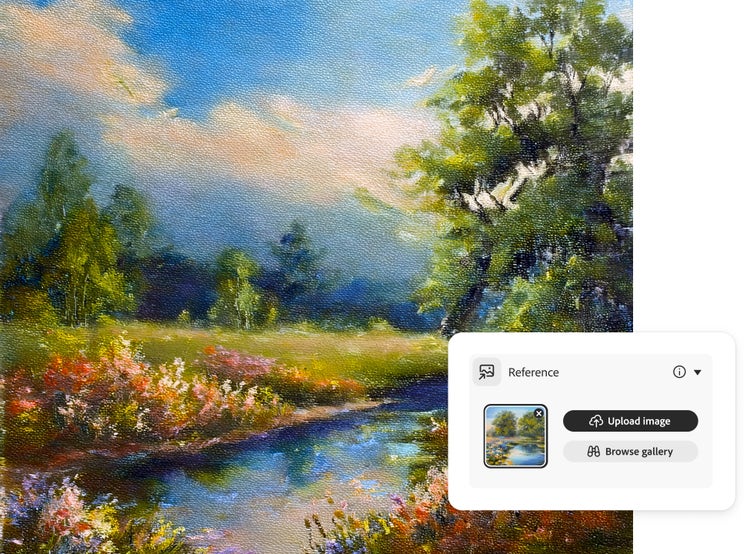
Upload a style reference such as a watercolour painting, pencil sketch, textured landscape, or even another AI-generated image and Firefly will automatically apply that style to your new creation. You can also explore Firefly’s curated gallery of ready-made styles for quick inspiration.
Whether you want subtle enhancements or bold transformations, AI style transfer makes it simple to achieve your creative vision in seconds.
Transfer image styles for cohesive content.
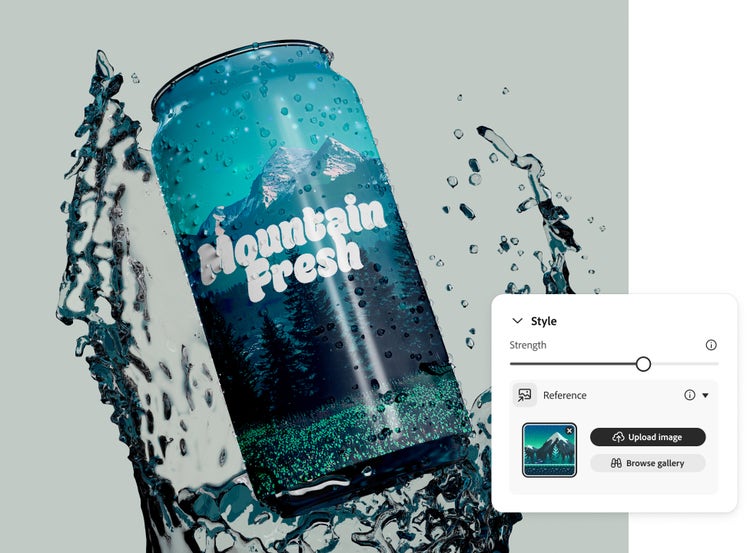
Use AI image style transfer to apply a consistent visual style across all your creations. Upload a reference image and generate new assets that match its look and feel. This is ideal for illustrations, product concepts, logos, and social posts. Maintain visual harmony across articles, ads, and brand content with just one reference style.
Update image styles and visuals faster.
Quickly refresh your visuals without redesigning from scratch. With AI image style transfer, you can update colours, textures, or overall aesthetics in minutes. Apply a new reference image to give individual pieces or entire campaigns a unified, up-to-date look.
Stylise images with no experience needed.
You do not need to be a designer to create professional-looking content. Upload a style reference to instantly apply that look to your visuals, from product concepts and social graphics to marketing materials. Image style transfer makes staying on-brand simple and accessible for everyone.
How to stylise images with AI Generative Match.
Learn how to create more personalised, cohesive and on-brand visuals in less time with the AI image style transfer tool. By applying styles from a reference image, you can match your artwork to a specific look, whether it’s hand-drawn, realistic or completely abstract. With Generative Match in Firefly, it’s simple to change or update your creative direction without starting again.
Here’s how to apply a style transfer to your AI-generated images:
- Open Firefly to use the image style transfer feature.
Go to the Text to Image module in the Firefly web app. (If you’re not signed in, sign in to your Adobe account or create an account for free.) Hover over any image in the gallery and select View Samples.
- Select a reference image to transfer styles from.
In the control panel to the right of the image results, make sure Firefly Image 2 model is selected. In that same panel, scroll down to the Match section. Click the Reference Gallery to scroll through the images until you find a style you want to apply.
To use your own image, drag and drop it into the control panel or click Upload Your Own Image and select it from the pop-up menu. (You must have the rights to any third-party images you upload.)
- Click ‘Generate’ to apply style.
Click Generate to apply the reference style. Firefly will produce a stlylised image that blends your original idea with the visual look of your selected reference.
- Refine generated image.
Use the Style Strength slider in the control panel to fine-tune how strongly the reference image influences your design using AI image style transfer. You can also adjust colour and tone, lighting and composition to further customise your results. For more detailed edits, click the Edit button in the top left of a stlylised image to open it in the Generative Fill workspace.
- Save your work.
Click the heart in the top right to save the image to your Favourites or click the More Options button to download it as a PNG or save it your libraries.
Once you’ve created a stlylised image with AI image style transfer, you can easily share it for feedback or inspiration. Use your new design to update other visuals, like logos, product shots or social graphics so everything fits the same aesthetic. Whether you're refreshing your brand or building out a full set of creative assets, applying consistent styles helps your content look more polished and professional.
AI Image Style Transfer for Every Creator.
For content creators
Give your visuals a consistent, polished look across all your platforms. AI Image Style Transfer helps you apply a signature aesthetic to thumbnails, posts, and graphics — perfect for creators on Instagram, YouTube, and X who want a recognisable visual identity.
For entrepreneurs
Build a strong, consistent brand presence. Use AI Image Style Transfer to apply your brand’s colours, textures, and tone to marketing visuals, social ads, and product mockups, keeping everything cohesive and professional.
For aspiring artists
Experiment freely with styles and techniques. Transform your artwork into watercolour, sketch, or 3D render styles with AI Image Style Transfer and discover new creative directions for your portfolio or personal projects.
For photographers
Transform your photos with new looks while keeping composition intact. AI Image Style Transfer lets you experiment with colour grading, artistic styles, or lighting effects without losing the realism of your original image.
Remix content from the community.
Discover Firefly prompts to remix and submit your own images to the gallery.
Discover even more AI features.
AI image generator AI video generator AI tattoo generator AI cartoon generator AI pixel generator AI portrait generator AI anime generator AI art generator