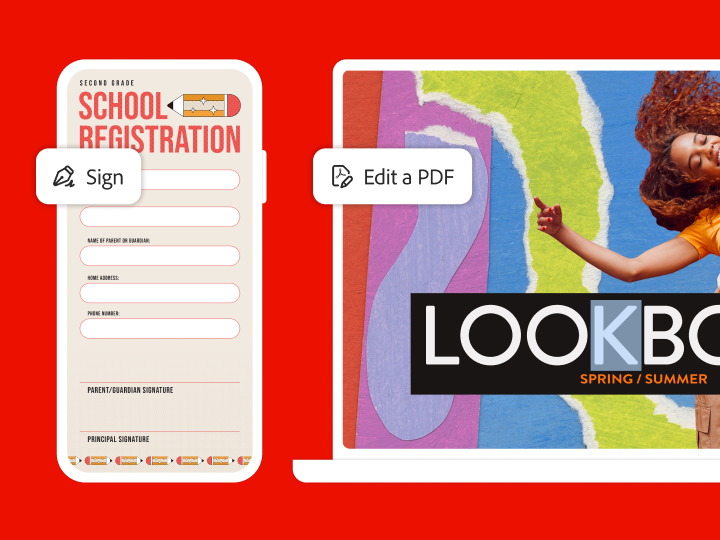
PDF es una abreviatura que significa formato de documento portátil (del inglés “Portable Document Format”). Es un formato versátil que creamos en Adobe y que ofrece una forma sencilla y segura de presentar e intercambiar documentos con independencia del software, el hardware o el sistema operativo que utilice quien los consulte.
El formato PDF es ahora un estándar abierto, reconocido por la Organización Internacional para la Estandarización (ISO). Los documentos PDF pueden contener enlaces y botones, campos de formulario, audio, vídeo y lógica empresarial. Pueden firmarse electrónicamente y visualizarse con facilidad en Windows o macOS gracias al software de Adobe Acrobat Reader.
Adobe Acrobat
Crea una cuenta gratuita y prueba estas herramientas gratis.
En 1991, el cofundador de Adobe, el Dr. John Warnock, inició la revolución que marcaba el paso del papel al formato digital con una idea que bautizó como “The Camelot Project” (el proyecto Camelot). El objetivo consistía en que todo el mundo pudiera capturar documentos de cualquier aplicación y enviarlos en versión electrónica allá donde quisiera, así como verlos e imprimirlos desde cualquier equipo. En 1992, el proyecto Camelot ya había pasado a convertirse en PDF. Hoy en día, el PDF es un formato de archivo que utilizan y en el que confían empresas de todo el mundo.
Conversión de documentos PDF de forma sencilla
La visión de Warnock sigue dando forma a la manera en que trabajamos. Cuando creas un PDF de Adobe a partir de documentos o imágenes, su apariencia es exactamente la que querías. Mientras que muchos archivos PDF consisten únicamente en imágenes de páginas, los PDF de Adobe conservan todos los datos en el formato del archivo original, incluso si el texto, los gráficos, las hojas de cálculo y demás elementos se combinan en un solo archivo.
Funciones PDF con las que trabajar de forma más inteligente
Los archivos PDF cumplen estándares exigentes
Ten la certeza de que tus archivos PDF cumplen con la normativa ISO 32000 de intercambio de documentos electrónicos, incluidas las normas de fines específicos, como PDF/A para archivado, PDF/E para ingeniería y PDF/X para impresión. También puedes crear archivos PDF para cumplir con una variedad de normas de accesibilidad que facilitan el uso del contenido a todas las personas.
Firma más rápido con las firmas electrónicas de Acrobat
Firmar electrónicamente un PDF es muy fácil desde la aplicación móvil de Adobe Acrobat Reader o la aplicación móvil de Acrobat Sign. Además, tus PDF son accesibles desde cualquier navegador web o sistema operativo. Para gestionar procesos de firma digital o electrónica legalmente vinculantes, prueba Adobe Acrobat o Acrobat Sign.
Al trabajar con documentos electrónicos, es importante que la protección se convierta en parte de tu día a día. Puedes proteger con contraseña tus archivos PDF para evitar que nadie más pueda copiarlos y editarlos. Censúralos para eliminar datos confidenciales de forma permanente, e incluso busca y elimina los datos ocultos.
Puedes escanear documentos y formularios en papel para guardarlos como PDF de Adobe que permiten realizar búsquedas, y se pueden compartir y almacenar fácilmente. Con la tecnología de reconocimiento óptico de caracteres (OCR), puedes editar texto y realizar comentarios en los documentos que has escaneado. Adobe Acrobat Pro es más que una herramienta para visualizar PDF: es la solución avanzada de PDF que te permite crear, editar y convertir archivos PDF a otros formatos.
Nos asociamos con las mejores empresas para que puedas añadir las herramientas de PDF de Adobe Document Cloud a las aplicaciones que tus equipos ya utilizan. Con las herramientas de PDF integradas en Microsoft 365, puedes convertir al instante documentos de Microsoft Word, archivos de Excel o presentaciones de PowerPoint a PDF para simplificar y agilizar tus flujos de trabajo.
You can control how Adobe websites use cookies and similar technologies by making choices below. But note that if you disable cookies and similar technologies entirely, Adobe websites may not function properly.
Cookies are small text files stored by your web browser when you use websites. There are also other technologies that can be used for similar purposes like HTML5 Local Storage and local shared objects, web beacons, and embedded scripts. These technologies help us do things like remembering you and your preferences when you return to our sites, measure how you use the website, conduct market research, and gather information about the ads you see and interact with.
You can make choices in the menu below about what cookies and other technologies you want us to use on Adobe sites when you visit them from this browser. You can always change those choices later by clicking on the Cookie Preferences link at the bottom of the page.
If enabled:
We can improve your experience by tailoring the site and the content to things we think might be of interest
We can better keep track of your preferences — like what language you prefer to use
We will better understand your likely interests so we can provide you more relevant Adobe ads and content on non-Adobe websites and in non-Adobe apps
It will help us improve the performance of our website and those of our partners who use the Adobe Experience Cloud
If disabled:
We won’t be able to remember you from session to session so the experience may not be tailored to your interests
You’ll still have access to the content of the site but certain features that depend on cookies may not function
You’ll still see ads, they just may not be as relevant to you
General information
You can control how Adobe websites use cookies and similar technologies by making choices below. But note that if you disable cookies and similar technologies entirely, Adobe websites may not function properly.
Cookies are small text files stored by your web browser when you use websites. There are also other technologies that can be used for similar purposes like HTML5 Local Storage, web beacons, and embedded scripts. These technologies help us do things like remembering you and your preferences when you return to our sites, measure how you use the website, conduct market research, and gather information about the ads you see and interact with.
You can make choices in the menu below about what cookies and other technologies you want us to use on Adobe sites when you visit them from this browser. You can always change those choices later by clicking on the Cookie Preferences link at the bottom of the page.
If enabled:
We can improve your experience by tailoring the site and the content to things we think might be of interest
We can better keep track of your preferences — like what language you prefer to use
We will better understand your likely interests so we can provide you more relevant Adobe ads and content on non-Adobe websites and in non-Adobe apps
It will help us improve the performance of our website and those of our partners who use the Adobe Experience Cloud
If disabled:
We won’t be able to remember you from session to session so the experience may not be tailored to your interests
We’ll still count your use of our site and services
You’ll still have access to the content of the site but certain features that depend on cookies may not function
You’ll still see ads, they just may not be as relevant to you
Operate the site and core servicesOperate site and measure engagement
Always active
These cookies are required, and they are used to enable the site and related services core functionality. Without them the site could not operate, so they cannot be disabled.
These cookies enable the site and related services’ core functionality and collect statistics about user engagement, such as counting active use to help us understand trends. These cookies cannot be disabled.
Measure performance
These cookies are used to analyze site usage to measure and improve performance. Without them Adobe cannot know what content is most valued and how often unique visitors return to the site, making it hard to improve information we offer to you.
These cookies are used to analyze site usage to measure and improve performance. Without them Adobe cannot know what content is most valued, making it hard to improve information we offer to you.
Extend functionality
These cookies are used to enhance the functionality of Adobe sites such as remembering your settings and preferences to deliver a personalized experience; for example, your username, your repeated visits, preferred language, your country, or any other saved preference.
Personalize advertising
These cookies are used to enable Adobe and our partners to serve ads more relevant to your interests. Without them you will still see ads, but they might not be as relevant to you.