72 Meme captions you’ll actually want to use.
Ever laugh so hard at a caption that you had to screenshot it? Meme captions have that power. They turn everyday images into moments you want to save and share.
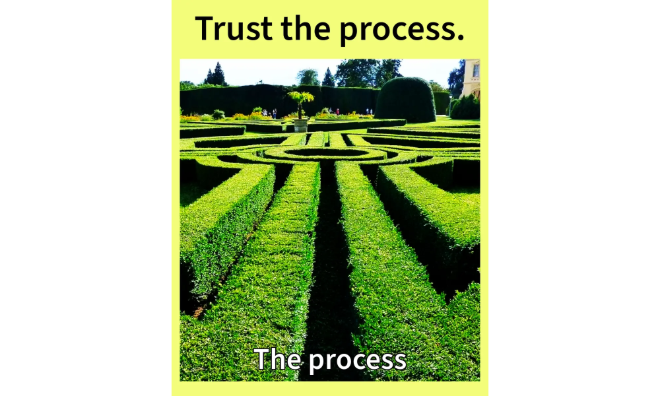




The best meme captions to make every post go viral.
Meme captions fuel internet culture. They’re the clever punchlines that take an image, GIF, or short clip and make it instantly relatable. In fact, people continue to use the best meme captions to spice up their posts, making them valuable for both casual users and brands.
Beyond social media, these captions can be repurposed into creative projects like cards, posters, and flyers using beginner-friendly tools from Adobe Express. The appeal lies in their flexibility. They’re funny, short, or niche captions that can all be remixed into eye-catching visuals. Done right, meme captions are timeless and endlessly shareable.
Meme captions that turn everyday moments into comedy gold.
What makes a meme go viral?
The answer, according to a Gizmodo report, is complicated. It’s a combination of several factors, such as visuals, the visual’s subject, unexpected elements, relevance to the current situation, and whether or not it resonates with a lot of people.
Sometimes, it’s because of the caption, a single line that nails the joke. Meme captions turn random images into relatable stories people want to share. But instead of leaving them trapped in your camera roll, bring them to life with thoughtful design.
Adobe Express makes it easy to repurpose your captions into posters or digital banners. Imagine creating a photo collage that combines your top 5 captions in one scroll-stopping design, or a digital card filled with your funniest jokes. You don’t need to overcomplicate it: pick a template, drop in a caption, adjust fonts and colors, and you’ve got a piece worth posting or printing.
Meme captions work best when they’re seen, saved, and laughed at, and Adobe Express gives you the space (and tools) to make that happen.
recipe
Funny meme captions that always land the joke.
Funny meme captions are like quick comedy specials for your feed. They deliver laughs in seconds. They’re sharp and silly. They’re also endlessly shareable.
Want to push them beyond the usual screenshot format? Adobe Express can help you turn those captions into playful designs you’ll want to keep and share. Drop your funniest one-liners into a flyer template for digital comedy posters you can share online or print out as gag gifts. Or turn your caption into a quirky collectible using the photo collage maker. Combine reaction faces, emojis, and your own snapshots for a truly unique design. You can even use the letter maker to write a parody “official memo” filled with jokes that only your friends will get.
Here’s a quick tutorial on how to make DIY meme cards for friends using the Adobe Express card maker. Start by uploading a goofy picture or reaction face. Drop your caption in bold, oversized text. Save it to share digitally or print for real-life laughs. Cards make inside jokes feel personal, while posters or flyers give your humor a stage. The beauty of funny meme captions is how easily they adapt to different formats, making them perfect for both online and offline laughs.
recipe
What Do You Meme captions to get the laughs rolling.
Ever looked at a photo and thought, “Caption this”? That’s exactly the spirit of “What Do You Meme” captions. They’re playful prompts that invite responses and creativity from everyone.
With Adobe Express, you can turn these captions into interactive moments. Try designing a mini game by making a banner with a funny photo and leaving the caption spot blank. Share it with friends so they can fill it in with their own ideas. Or use card templates to make a custom “What Do You Meme?” deck for game night. Just add your images and prompt, and print them out.
These meme captions shine brightest when shared in groups, making them perfect for collages, party flyers, or digital invites.
recipe
Best meme captions to give your posts an instant, hilarious upgrade.
Not all captions are created equal. Some are so clever that they deserve to be remembered and not skipped over. The best meme captions are the ones you screenshot and share in group chat. They’re the ones you still laugh about months later.
Adobe Express gives you a way to highlight these gems through a meme collage strip. Open the photo collage maker and pick a grid with 3–4 panels. Pair each panel with an image and a meme caption you consider “top tier.” Save it as a carousel for Instagram or print it as a poster.
Pro tip: use bold backgrounds to separate each caption visually. Think of it as your personal “Meme Hall of Fame,” which is a curated collection of your funniest lines.
recipe
How to create scroll-stopping meme captions.
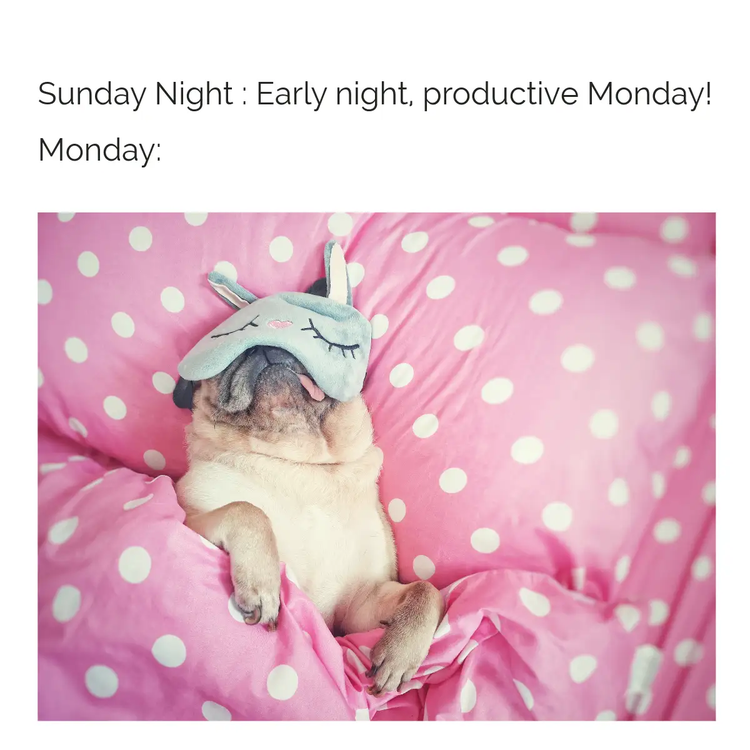
Cat meme captions that rule the internet.
Cats don’t try to be funny. They just are. From judgmental stares to dramatic flops, cat photos practically write their own captions. That’s why cat meme captions dominate feeds everywhere.
If you’ve got a camera roll full of feline antics, Adobe Express can help you showcase them in a way that feels as playful as your pet. Create a quirky photo collage with captions in fun fonts, or design a flyer for a pet adoption event using sassy cat captions as the hook.
Even a simple poster featuring your cat’s “if I fits, I sits” moment can brighten someone’s day. The best part? Cat meme captions are timeless. Pair them with clean, bold templates and they’ll stay shareable years from now as they are today.
recipe
Short funny meme captions that pack a punch.
Short funny meme captions work because they’re fast, relatable, and instantly understood. A quick “Same” or “Big yikes” hits harder than an entire wall of text.
Adobe Express gives these bite-sized captions a big stage. Try creating a minimalist banner with just your caption in oversized type, making the joke impossible to miss. Flyers are another fun option. Line up a series of short captions in different fonts and pair them with comical illustrations to create a bold design that reads like a comic strip. Or stack your captions in a photo collage if you want to tell a longer, funnier story.
These short and funny meme captions are the perfect addition to meme-inspired trading cards. Turn your funniest captions into collectible cards that you can print or share digitally. Add a meme image on the front and the caption in bold. It’s as simple as opening the card maker, uploading your images, adding captions, and customizing the background.
recipe
Writing tips for better meme captions.
When your photos do most of the heavy lifting, you need meme captions that match their energy too. Eye-catching visuals are great, but without a strong caption, your audience might miss out on the context. This, in turn, may keep you from creating a connection with them.
Try these tips to make more memorable meme captions:
- Keep it simple. Sometimes, stating the obvious just works. Plus, this approach lets your comedic images shine, without pushing your audience to overthink your caption.
- Try out different caption styles. Short meme captions are perfect for quick and funny posts, but if you’re feeling stuck, experimenting with different caption styles helps spark creativity and may even lead to memorable content.
- Don’t force humor. Forced memes feel inauthentic, and that can prevent your content from resonating with your audience. Instead, focus on crafting meme captions that feel natural and relevant to your audience.
- Blend irony with truth. The best meme captions are funny because they’re accurate, like "If this meme were a person, it’d be me."
- Incorporate cultural references. This approach can add depth and context to your meme caption. Doing so can also make your caption more relatable and engaging, especially to a local audience.
Design tips for meme caption projects.
Try these tips to start crafting meme captions that stand out on social:
- Understand meme culture. To design effective meme captions, you need to understand the context and trends within meme communities like r/memes or 9GAG. Observing their posts can help you create captions that better resonate with your audience.
- Experiment with contrast. Use bold fonts on pastel or muted backgrounds to make your text readable at a glance.
- Use white space. Don’t crowd your image or text. Give these elements breathing room so they pop.
- Test your typeface pairings. Before hitting “Publish,” try out different typeface combinations to see which ones work best with your image. For instance, if you want to give your visuals a playful effect, try combining a blocky headline font with handwritten script.
- Focus on the visuals too. Eye-catching graphics and a good layout can take your caption to the next level. For example, applying subtle animation effects and distinctive fonts can make your visuals stand out.
Other uses for memes beyond posts and projects.
Meme captions aren’t limited to Instagram posts or posters. Here are some unexpected ways to put them to work:
- Icebreakers at events. Display meme captions on slides or banners to lighten the mood.
- Email subject lines. A 2025 ZeroBounce report found that 43% of people open an email because of a catchy subject line. A witty caption can boost open rates while letting you showcase your personality.
- Personalized gifts. Print meme captions on mugs, notebooks, tote bags, or stickers for inside jokes with friends.
- Mood trackers. Pair captions with photos in a journal to document your week with humor.
- Workshops and classes. Teachers can use meme captions to explain concepts in a relatable and memorable way.
Crafting scroll-stopping, memorable meme captions made easier with Adobe Express.
At their core, meme captions are tiny bursts of creativity and comedy that make people smile. Whether you’re writing them for laughs or slipping them into unexpected places like emails or gifts, they add humor and connection to everyday life.
So why let them live only in your screenshot folder? Open up Adobe Express, drop your best meme caption into a template, and start designing something that makes people stop scrolling and laugh.
Ready to make memes with viral potential? Explore Adobe Express today and start making meme captions that your audience will love in minutes.