.

How to make money on YouTube: 9 proven strategies

Discover YouTube monetization strategies as well as three bonus tips on how to grow your YouTube revenue even faster

Adobe Express
08/27/2025
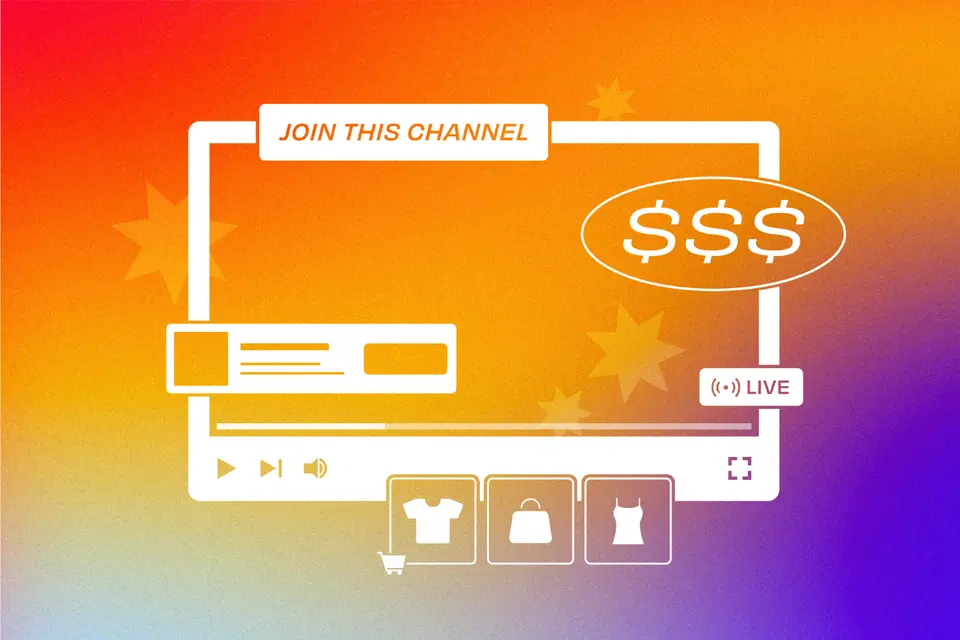
A graphic of a YouTube video screen with dollar signs, various merchandise options, and a "join this channel" banner
Black Friday offer - Get Premium access for 30-days, on us. No credit card required. Ends Dec 07.
Claim offer


Have you ever dreamt of turning your YouTube obsession into a lucrative gig? Perhaps you’re looking to make money online through a side hustle, or maybe you aspire to turn to YouTube full-time as an influencer or entrepreneur. Either way, this blog post is for you.

With this beginner’s guide to making money on YouTube, creators will learn everything they need to know about making and monetizing a successful YouTube channel. Ready to transform your hobby into a serious cash flow? Let’s dive into the world of how to get paid on YouTube!

Summary/Overview

Enable monetization

YouTube monetization allows content creators to earn revenue from the videos you produce. This monetization option is available for any YouTube creator with at least 1,000 subscribers who has either achieved over 4,000 watch hours in the past 365 days or 10 million public Short views in the last 90 days.

A video creator can apply to join the YouTube Partner Program (YPP) after you meet this threshold. If accepted, you can begin to monetize their videos. When a creator enables monetization for your video, advertisers pay YouTube for ad space, then YouTube will share some of that advertising revenue with the video’s creator..

Here is a step-by-step guide to enabling monetization on YouTube:

  1. Check your eligibility
  • Go to YouTube Studio → Earn.
  • Review the checklist to see if you’ve hit the subscriber and watch time or Shorts views threshold.
  • If you’re close but not there yet, focus on consistent uploads and optimizing older videos for more watch time.
  1. Turn on two-step verification for your Google account
  • This is required for monetization approval.
  • In your Google Account → Security, enable two-step Verification using your phone or an authenticator app.
  1. Review YouTube’s monetization policies
  • Understand what’s considered advertiser-friendly and avoid reused or copyrighted content without permission.
  • Following these rules prevents headaches during the review process.
  1. Apply to the YouTube partner program
  • In YouTube Studio → Earn, click Apply Now when you meet the requirements.
  • Agree to YPP terms and link a Google AdSense account.
  1. Set up your AdSense account
  • If you don’t have an account, create it during the application process.
  • You’ll need your legal name, address, and banking info so Google can send payments.
  • Make sure your details match your government-issued ID to avoid payment delays.

AdSense is a Google-run service that allows content creators to receive payments for the revenue generated from YouTube ads placed on your videos.

  1. Wait for review
  • YouTube will manually review your channel to confirm compliance.
  • Expect this to take up to a few weeks. You’ll get an email once you’re approved or with reasons for being denied.
  1. Turn on ads for your videos
  • Once approved, go to Content → Select Videos → Monetization Tab and toggle ads on.
  • Test different ad formats (skippable, non-skippable, overlay) to see which works best without hurting viewer retention.

Tip: Even before you qualify, create videos with monetization in mind — keep content advertiser-friendly, respect copyright rules, and stay consistent. That way, you’ll be ready for instant earnings the day you’re approved.

Once you’ve enabled monetization, you’ll be ready to implement these nine proven strategies for making money on YouTube.

1. Create high-quality content

This might sound self-evident, but creating high-quality content is crucial to making money on YouTube. The better the content, the more people will watch it, the more subscribers you will get, and the more money you will make.

Here are some tips for creating standout content:

  • Understand your target audience. Your target audience is the specific group of people most likely to be interested in your YouTube channel. Research your audience’s preferences and adjust your content to match their interests.
  • Consistency is key. Regularly uploading content keeps your audience engaged and builds anticipation for future content. Create a content calendar to plan your videos and hold yourself accountable.
  • Invest in video equipment. Shoot in at least 1080p resolution, and pay attention to color grading, composition, and framing to enhance visual appeal. Audio is also critical, so invest in a good microphone so voices will come across clearly and background noise is minimal.
  • Pay attention to lighting. Good lighting is a crucial part of video quality.
  • Create eye-catching thumbnails. Visually speaking, thumbnails are the first thing viewers see when clicking on your video. An attractive or interesting thumbnail is a great way to catch viewer’s attention, spark their curiosity, and drive them to your video.
  • Engage in search engine optimization (SEO). SEO plays a vital role in video titles, descriptions, and tags. Research relevant keywords related to each video and incorporate these terms into your titles, descriptions, and video tags. Using applicable terms helps your videos get discovered through YouTube and Google’s search engines and recommendation algorithms.

2. Try affiliate marketing

Affiliate marketing is an online advertising strategy where businesses reward people (affiliates) for driving sales or traffic to the company’s products or services. Affiliates generate unique links that they can then promote across their social channels. When a person uses that link to carry out a predetermined action, such as completing a sale, the affiliate earns a commission.

YouTube allows content creators to include affiliate links in your video descriptions, pinned video comments, and the YouTube Community tab. This is an effective way for creators to generate additional income from your videos rather than relying solely on ad revenue.

Some popular affiliate programs include:

When including affiliate links in your video descriptions, they must fit within the scope of your content and reflect your moral compass. By doing so, you can ensure that you properly represent yourself and your brand when promoting products or services through these affiliate links.

3. Sell products or merchandise

YouTube shopping is an excellent way for eligible creators to showcase your own products or branded merchandise. By connecting your online store with YouTube, creators can make a channel store and tag their products in your videos, Shorts, and livestreams.

To sell products on YouTube, follow these steps:

  1. Check eligibility. To be eligible to use YouTube shopping, your channel must either meet the subscriber threshold for the YouTube Partner Program or be an Official Artist Channel. Check specific eligibility requirements here.
  2. Set up channel memberships. If you haven’t done so already, click on “Monetization” in the left sidebar of YouTube Studio. In the Memberships tab, set up channel memberships by following the prompts.
  3. Enable Merchandise Shelf. In the “Monetization” tab in YouTube Studio, you can enable the Merchandise Self under the “Supers” tab.
  4. Link to a merchandise provider. YouTube requires creators to link their channels to an approved merchandise provider. Some standard providers include Spring, Merchbar, and Spreadshop (although there are many more options). Follow the instructions from your selected merchandise provider to link your shop to your YouTube channel and upload products.

Once you’ve set up YouTube shopping, start promoting your merchandise in your videos. Before uploading, select the specific products you promote in your video from the Merchandise Shelf – this allows you to tag the products in your video and create shoppable links.

Selling products or branded merchandise on YouTube is a great way to make money. However, creators should keep in mind the type of content you produce and how it will resonate with your target audience. For example, if a creator has a cooking channel, it would be confusing if you sold music-themed apparel – instead, it would make more sense if you sold kitchenware, cookbooks, or cooking-themed t-shirts.

4. Set up crowdfunding

Crowdfunding is when fans voluntarily contribute funds to support the production of content or to help fund a creator's particular project.

Raise money by setting up a crowdfunding account on a platform such as Patreon, Kickstarter, or GoFundMe. Crowdfunding provides both short-term and long-term income for content creators and allows you to build relationships with your fans.

When setting up a crowdfunding campaign, it’s essential to ensure that you’re offering something of value in return for your fans’ support. For example, you can provide exclusive access to new videos or behind-the-scenes content and ask for donations in return. Additionally, you can create rewards tiers that incentivize fans to donate larger amounts. This could include early access to videos or exclusive merch.

5. Create sponsored content

Collaborating with brands to create sponsored content is a great way to make money on YouTube. When creators partner with brands, creators get paid to feature and promote a brand’s products or services. This revenue stream can be lucrative for several reasons:

  • Direct earnings: Brands typically pay creators directly for sponsored content, and it’s up to the creator and brand to negotiate a contract — this can include a flat fee, a commission on sales generated, or a combination of both.
  • Enhanced credibility: Collaborating with reputable brands is an excellent way to increase credibility within your niche and signal to your audience that respected companies consider your content valuable.
  • Brand relationships: Creating successful sponsored content can lead to long-term, lucrative relationships with brands.

To craft brand partnerships, reach out to brands directly and pitch a sponsorship by outlining your channel, audience demographics, and proposed collaboration. Alternatively, you can sign up for influencer marketing platforms that match brands with creators.

Be transparent and authentic, and craft quality content that integrates the brand’s desired message while staying true to your unique style. Once the content goes live, promote it to maximize reach and visibility.

6. Subscribe to channel memberships

YouTube channel memberships are a great way to make money on the platform. This feature allows viewers to pay a monthly subscription fee to access members-only perks such as badges, emojis, exclusive content, and more. Channel memberships are available to all channels that meet specific eligibility requirements.

Creators have control over setting the price for each membership level and the perks associated with each tier. Regularly engaging with your members and creating a sense of community is vital to maximizing the benefits of channel memberships.

It’s essential to promote your channel membership on your channel as well as on other social media platforms. With the right approach, YouTube channel memberships can be an effective way for you to build relationships with your viewers and monetize your channel.

7. Pay for YouTube Premium

YouTube Premium is another effective way for YouTubers to make money. With YouTube Premium, viewers pay a monthly subscription fee in exchange for ad-free viewing and access to exclusive content. In return, when YouTube Premium subscribers watch your videos, YouTube pays you a share of their subscription fee, which is determined by the amount of time they spend watching your content.

As such, YouTubers can create content that they know will draw in premium subscribers while still earning revenue from the ad views on their regular videos. To maximize the advantages of YouTube Premium, YouTubers need to understand how the feature works, optimize their content, market their channel, and regularly engage with their audience.

8. Super Chat and Super Stickers

Super Chat and Super Stickers are features that allow viewers to support their favorite creators during live streams. Viewers can pay to highlight their messages or send animated stickers during a live stream.

Super Chat allows live stream viewers to purchase highlighted messages to appear prominently on the live chat feed, making it more likely that the creator will notice the message. Viewers can choose the amount they want to pay for a Super Chat — the more a viewer pays, the longer their Super Chat will remain pinned.

Super Stickers allows viewers to purchase and send an animated sticker during a live stream. These stickers express different emotions or reactions and are a fun and visually appealing way for viewers to engage with creators.

To make the most of Super Chat and Super Stickers, engage with fans who purchase these features. When livestream viewers see other fans get shoutouts and direct interactions from their favorite creators, it makes them more likely to pay for a chance to be featured as well.

9. License your content

Licensing your content can be a great way to monetize your channel and generate income. It allows you to protect the intellectual property of your videos while also making them available for commercial use by other parties, such as broadcasters or streaming services.

One of the most effective ways to monetize your YouTube channel is through media outlets paying for viral videos. This involves creating content that has the potential to go viral or become hugely popular and then selling it to media outlets who will use it in their own programming or advertising campaigns. In this way, content creators can generate more income from their videos.

Applying for a copyright license for your YouTube videos is vital in protecting and monetizing your content. With the correct license, you can ensure that others can’t reuse or repost your original creations without compensating you.

Before applying for a copyright license, it's crucial to understand how copyright works and what types of licenses are available. The most common type of copyright license is a Creative Commons (CC) license, which allows content creators to grant permission for others to use their work if they follow certain conditions. This includes attributing the original creator and not using the content for commercial purposes without prior consent. While it’s possible to apply for a CC license for free, other types of copyright licenses may be more suitable for certain types of content.

Another option for creators is to join a video rights marketplace. A video rights marketplace allows content creators to license their videos out to broadcasters and streaming services, allowing them to earn royalties from the use of their content. This type of marketplace offers a variety of benefits that can help content creators capitalize on their content and make the most out of their channels.

Tips for growing YouTube revenue faster

Now that you know how to make money on YouTube, you need to know how to maximize revenue potential and grow YouTube income faster. There are many strategies that content creators can use to increase your subscription base and bring in more money, such as creating high-quality content, leveraging collaborations, and optimizing ads.

1. Focus on monetizable video types

  • How-to tutorials — teach a skill and recommend products.
  • Product reviews — monetize with affiliate links.
  • Unboxings — show what’s inside new products.
  • Best-of compilations — highlight top content.
  • YouTube Shorts — drive reach and monetization opportunities.

2. Optimize your channel

  • Use clear branding (logo, banner, consistent visuals)
  • Write a compelling channel description
  • Create separate trailers for subscribers and non-subscribers
  • Use clickable subscribe elements in videos

3. Build a recognizable brand

Promote your channel on other social media channels, maintain a consistent style, and release videos on a regular schedule to keep your audience engaged.

Ready to get started?

Creating a successful, monetized YouTube channel takes hard work, dedication, and an understanding of how to leverage the platform’s features. By following these tips, content creators can create high-quality videos that will attract more viewers and grow their YouTube income faster than ever. Adobe Express can help you achieve your goals.

Try Adobe Express today

YouTube Monetization FAQs

How much does YouTube pay per view?

YouTube does not automatically pay creators a fixed amount per view. However, if eligible YouTube Partner Program (YPP) creators have opted into ads, expect to make anywhere from $2 to $5 per 1,000 views on YouTube.

How much money can you make on YouTube?

Success on YouTube is highly individualized and variable – creators can make anywhere from a few dollars to millions (for example, MrBeast rakes in anywhere between $3 to $5 million each month from YouTube alone). How much money you can make on YouTube depends on your monetization strategies, adaptability, and effort.

How do you get paid on YouTube?

Once creators have enabled monetization through their YouTube Studio, they will earn revenue from ads displayed on their videos. Once creators reach the payment threshold of $100, YouTube will process their earnings and make payments monthly through the creator’s specified payment method (e.g., direct deposit, check).

How many subscribers do you need to make money on YouTube?

To make money on YouTube, creators must be a part of the YouTube Partner Program (YPP), which requires you to have a minimum of 1,000 subscribers and have either achieved over 4,000 watch hours in the past 365 days or 10 million public Short views in the last 90 days.

How much does YouTube pay for 1 million views?

YouTube doesn’t automatically pay creators a fixed amount per view. However, if creators have opted into the YouTube ad program, they can expect to earn between $2,000 to $5,000 for every million views.