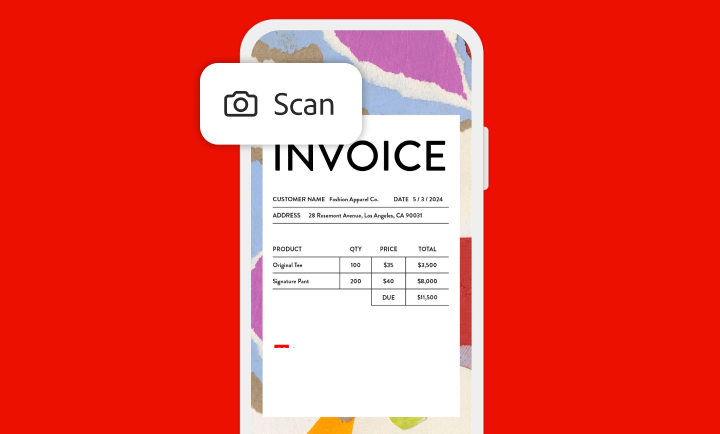
Conversion de documents papier et de tableaux blancs en fichiers PDF
Numérisez des documents en un temps record.
Avec l’application Adobe Scan, capturez et convertissez rapidement des documents, formulaires, cartes de visite et tableaux blancs en fichiers Adobe PDF de qualité. Grâce aux différents modes de capture et à la détection automatique des contours, les numérisations sont toujours impeccables.
Numérisations optimisées par l’IA
Optez pour une solution plus propre, plus efficace et plus simple.
Adobe Scan utilise l’IA pour corriger les défauts de perspective des images, améliorer la netteté du texte manuscrit ou imprimé et supprimer les reflets et les ombres. La reconnaissance optique des caractères (OCR) permet quant à elle de convertir instantanément des documents numérisés en fichiers PDF modifiables et indexables. Extrayez facilement du texte, puis modifiez-le dans une police fidèle à celle du fichier d’origine.
Ajout de dessins à des documents numérisés ou enregistrement au format JPEG
Tirez pleinement parti de vos numérisations.
Adobe Scan vous permet d’ajouter des dessins ou des formes à l’aide d’outils d’annotation, directement dans l’application. Enregistrez les fichiers obtenus au format JPEG pour plus de simplicité, puis incorporez-les dans des documents. Vous pouvez ensuite partager les fichiers numérisés à l’aide d’un lien ou par e-mail, ou les charger dans vos applications cloud préférées.
Accès à d’autres fonctionnalités sur abonnement
Protégez, exportez, compressez, et bien plus encore.
Loin d’être une simple application de numérisation, Adobe Scan offre également des gages de sécurité. Vous pouvez en effet protéger vos documents stratégiques par mot de passe, mais aussi exporter des PDF numérisés dans différents formats pour pouvoir les modifier. Compressez les fichiers pour libérer de l’espace de stockage et envoyer rapidement vos numérisations à d’autres personnes.
style
s-spacing
Classez vos numérisations.
Archivez facilement vos documents. Adobe Scan vous permet d’enregistrer rapidement vos fichiers avec les noms et dates recommandées, puis de les classer dans des dossiers personnalisés. Une fois enregistrées, les numérisations sont accessibles depuis les applications Acrobat sur l’ordinateur, le web ou les appareils mobiles.
Éditez dans Acrobat.
Ouvrez des numérisations dans les applications Acrobat sur l’ordinateur, le web ou les appareils mobiles pour remplir des formulaires, signer des documents, insérer des notes ou des commentaires dans des PDF, et organiser une révision collective.
style
Two up, xl spacing, grid width 10
background
#F2F8FB
Assurez la continuité de votre activité avec Adobe Acrobat Reader.
Découvrez l’application gratuite de référence pour la consultation, l’annotation et la signature de documents PDF qui a gagné la confiance de centaines de millions d’utilisateurs et d’utilisatrices. Abonnez-vous pour accéder à encore plus de fonctionnalités.
You can control how Adobe websites use cookies and similar technologies by making choices below. But note that if you disable cookies and similar technologies entirely, Adobe websites may not function properly.
Cookies are small text files stored by your web browser when you use websites. There are also other technologies that can be used for similar purposes like HTML5 Local Storage and local shared objects, web beacons, and embedded scripts. These technologies help us do things like remembering you and your preferences when you return to our sites, measure how you use the website, conduct market research, and gather information about the ads you see and interact with.
You can make choices in the menu below about what cookies and other technologies you want us to use on Adobe sites when you visit them from this browser. You can always change those choices later by clicking on the Cookie Preferences link at the bottom of the page.
If enabled:
We can improve your experience by tailoring the site and the content to things we think might be of interest
We can better keep track of your preferences — like what language you prefer to use
We will better understand your likely interests so we can provide you more relevant Adobe ads and content on non-Adobe websites and in non-Adobe apps
It will help us improve the performance of our website and those of our partners who use the Adobe Experience Cloud
If disabled:
We won’t be able to remember you from session to session so the experience may not be tailored to your interests
You’ll still have access to the content of the site but certain features that depend on cookies may not function
You’ll still see ads, they just may not be as relevant to you
General information
You can control how Adobe websites use cookies and similar technologies by making choices below. But note that if you disable cookies and similar technologies entirely, Adobe websites may not function properly.
Cookies are small text files stored by your web browser when you use websites. There are also other technologies that can be used for similar purposes like HTML5 Local Storage, web beacons, and embedded scripts. These technologies help us do things like remembering you and your preferences when you return to our sites, measure how you use the website, conduct market research, and gather information about the ads you see and interact with.
You can make choices in the menu below about what cookies and other technologies you want us to use on Adobe sites when you visit them from this browser. You can always change those choices later by clicking on the Cookie Preferences link at the bottom of the page.
If enabled:
We can improve your experience by tailoring the site and the content to things we think might be of interest
We can better keep track of your preferences — like what language you prefer to use
We will better understand your likely interests so we can provide you more relevant Adobe ads and content on non-Adobe websites and in non-Adobe apps
It will help us improve the performance of our website and those of our partners who use the Adobe Experience Cloud
If disabled:
We won’t be able to remember you from session to session so the experience may not be tailored to your interests
We’ll still count your use of our site and services
You’ll still have access to the content of the site but certain features that depend on cookies may not function
You’ll still see ads, they just may not be as relevant to you
Operate the site and core servicesOperate site and measure engagement
Always active
These cookies are required, and they are used to enable the site and related services core functionality. Without them the site could not operate, so they cannot be disabled.
These cookies enable the site and related services’ core functionality and collect statistics about user engagement, such as counting active use to help us understand trends. These cookies cannot be disabled.
Measure performance
These cookies are used to analyze site usage to measure and improve performance. Without them Adobe cannot know what content is most valued and how often unique visitors return to the site, making it hard to improve information we offer to you.
These cookies are used to analyze site usage to measure and improve performance. Without them Adobe cannot know what content is most valued, making it hard to improve information we offer to you.
Extend functionality
These cookies are used to enhance the functionality of Adobe sites such as remembering your settings and preferences to deliver a personalized experience; for example, your username, your repeated visits, preferred language, your country, or any other saved preference.
Personalize advertising
These cookies are used to enable Adobe and our partners to serve ads more relevant to your interests. Without them you will still see ads, but they might not be as relevant to you.