Collect secure signatures with identity authentication.
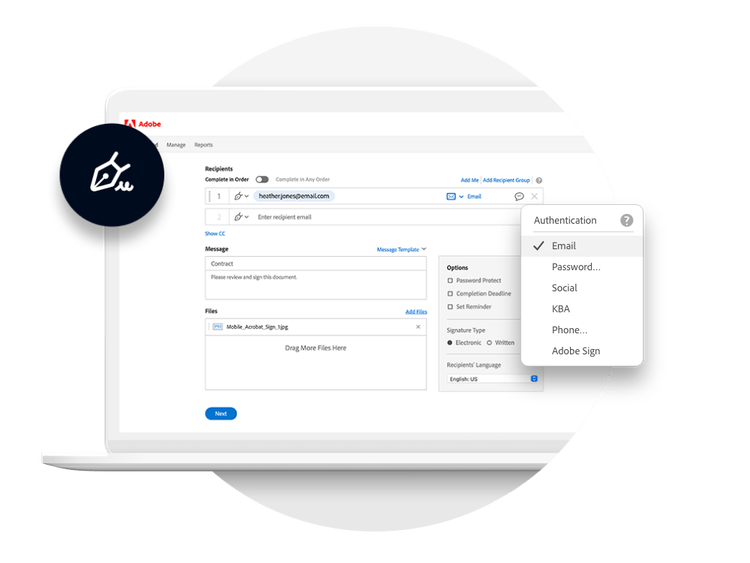
Acrobat Sign brings higher levels of security and multifactor identity authentication for e-signatures so you can do business confidently, securely and efficiently.
The only thing that’s more important than getting your documents signed is being sure they’re signed securely — and by the right person. Acrobat Sign delivers the peace of mind you need with a secure authentication process that ensures your agreements are safely accessed and signed only by the person they’re intended for.
style
grid width 8
Multiple methods to ensure security.
Sometimes you have a document that needs a higher level of confidence in signer or user authentication. In that use case, Acrobat Sign has you covered, offering multiple methods of advanced authentication including SMS, knowledge-based (KBA) and government ID.
Flexibility to choose the level of security you need.
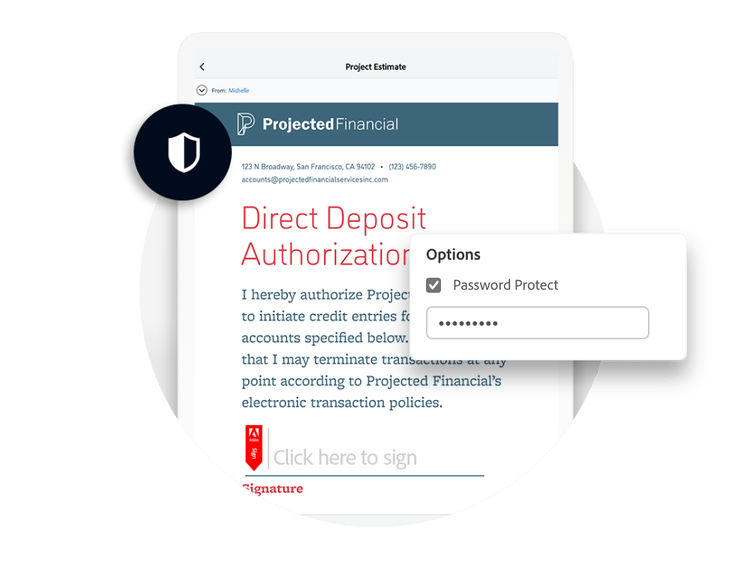
With Acrobat Sign, you can combine multiple authentication factors on a single document to verify any user’s identity — so you know your document is as secure as you want it to be. You can opt for low-level password protection for everyday agreements like NDAs, choose higher level methods for things like financial agreements or use a combination of methods — while staying compliant.
Enhanced, ID-based authentication.
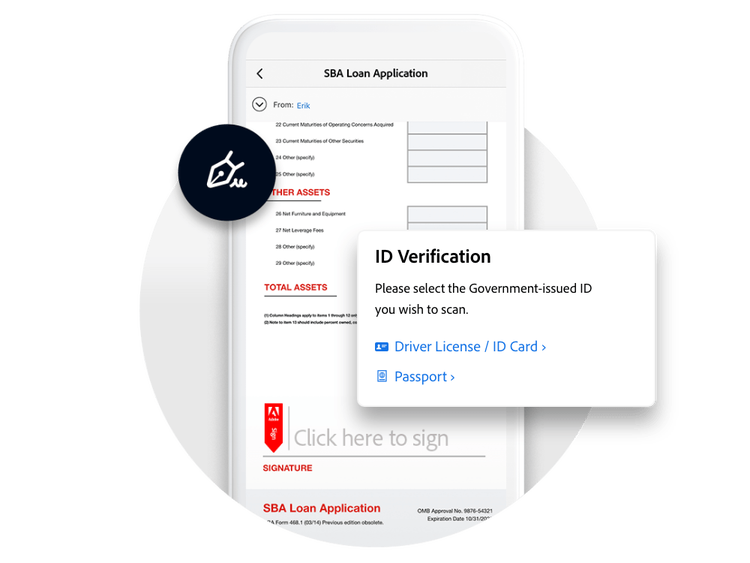
For the highest level of signer identity verification, Acrobat Sign offers new, more secure authentication methods that leverage government-issued IDs such as a driver’s licence or passport. You can even opt to require a signer to take a selfie, which is then compared to the signer’s photo ID. It’s a sophisticated authentication system delivered through a fully digital user experience.
See what else Acrobat Sign can do for your business.
Full of features.
Acrobat Sign is packed with smart features that make incorporating e-signatures into your daily processes a snap — and a no-brainer.
Acrobat Sign is relied upon around the world, as it complies with the strict security standards to ensure all your documents, data and signatures are safe.
background
#F7F7F7
style
three-up, xl spacing
Want to know more?
Whether you need some basic information about our e-signature solutions or you’d like a customised quote for your unique business needs, we’re here to help you to get your questions answered.
You can control how Adobe websites use cookies and similar technologies by making choices below. But note that if you disable cookies and similar technologies entirely, Adobe websites may not function properly.
Cookies are small text files stored by your web browser when you use websites. There are also other technologies that can be used for similar purposes like HTML5 Local Storage and local shared objects, web beacons, and embedded scripts. These technologies help us do things like remembering you and your preferences when you return to our sites, measure how you use the website, conduct market research, and gather information about the ads you see and interact with.
You can make choices in the menu below about what cookies and other technologies you want us to use on Adobe sites when you visit them from this browser. You can always change those choices later by clicking on the Cookie Preferences link at the bottom of the page.
If enabled:
We can improve your experience by tailoring the site and the content to things we think might be of interest
We can better keep track of your preferences — like what language you prefer to use
We will better understand your likely interests so we can provide you more relevant Adobe ads and content on non-Adobe websites and in non-Adobe apps
It will help us improve the performance of our website and those of our partners who use the Adobe Experience Cloud
If disabled:
We won’t be able to remember you from session to session so the experience may not be tailored to your interests
You’ll still have access to the content of the site but certain features that depend on cookies may not function
You’ll still see ads, they just may not be as relevant to you
General information
You can control how Adobe websites use cookies and similar technologies by making choices below. But note that if you disable cookies and similar technologies entirely, Adobe websites may not function properly.
Cookies are small text files stored by your web browser when you use websites. There are also other technologies that can be used for similar purposes like HTML5 Local Storage, web beacons, and embedded scripts. These technologies help us do things like remembering you and your preferences when you return to our sites, measure how you use the website, conduct market research, and gather information about the ads you see and interact with.
You can make choices in the menu below about what cookies and other technologies you want us to use on Adobe sites when you visit them from this browser. You can always change those choices later by clicking on the Cookie Preferences link at the bottom of the page.
If enabled:
We can improve your experience by tailoring the site and the content to things we think might be of interest
We can better keep track of your preferences — like what language you prefer to use
We will better understand your likely interests so we can provide you more relevant Adobe ads and content on non-Adobe websites and in non-Adobe apps
It will help us improve the performance of our website and those of our partners who use the Adobe Experience Cloud
If disabled:
We won’t be able to remember you from session to session so the experience may not be tailored to your interests
We’ll still count your use of our site and services
You’ll still have access to the content of the site but certain features that depend on cookies may not function
You’ll still see ads, they just may not be as relevant to you
Operate the site and core servicesOperate site and measure engagement
Always active
These cookies are required, and they are used to enable the site and related services core functionality. Without them the site could not operate, so they cannot be disabled.
These cookies enable the site and related services’ core functionality and collect statistics about user engagement, such as counting active use to help us understand trends. These cookies cannot be disabled.
Measure performance
These cookies are used to analyze site usage to measure and improve performance. Without them Adobe cannot know what content is most valued and how often unique visitors return to the site, making it hard to improve information we offer to you.
These cookies are used to analyze site usage to measure and improve performance. Without them Adobe cannot know what content is most valued, making it hard to improve information we offer to you.
Extend functionality
These cookies are used to enhance the functionality of Adobe sites such as remembering your settings and preferences to deliver a personalized experience; for example, your username, your repeated visits, preferred language, your country, or any other saved preference.
Personalize advertising
These cookies are used to enable Adobe and our partners to serve ads more relevant to your interests. Without them you will still see ads, but they might not be as relevant to you.
Performance Cookies
ConsentLeg.Interest
All Consent Allowed
Questions? Get help from our experts.
Need help finding more information? Chat with our experts for answers.