Looking to convert from PDF to Word? Try the PDF to Word converter here.
How to convert Word documents to PDF files
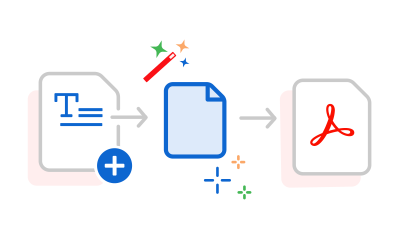
Follow these steps to easily turn Microsoft Word files into PDFs:
- Click the "Select a file" button above, or drag and drop your Word document into the drop zone.
- Choose the RTF, TXT, DOCX, or DOC file you want to convert to PDF.
- Let Acrobat automatically convert your file.
- Download your new PDF, or sign in to share it.
Try our free Word to PDF conversion tool
Fast, high-quality Word to PDF conversion
Quickly convert DOC or DOCX files to PDF while keeping your formatting, layout, and design exactly as they appear in Word. Adobe’s Word to PDF converter works in any browser, on any device, no software needed.
Trusted tools for smooth collaboration
Once you convert Word to PDF, you can collect feedback, add comments, and review changes in one shared file, keeping your workflow organised and efficient. Perfect for students, businesses, and teams across India.
Seamless editing and integration
Edit your Word documents online for free and enjoy smooth integration between Adobe Acrobat and Microsoft Office. This ensures your file is ready for sharing or submission in PDF format.
How to use the Adobe Acrobat Word to PDF converter tool
Seamless conversion of government forms
Convert Word forms to PDF to ensure compatibility with online submission portals. PDF is a widely used format by government organisations and is accessible across devices.
Convert marketing material for your business
The Word to PDF converter tool can transform various Word documents into PDFs while retaining their original layout, making it easy to share electronic brochures, flyers, and branded materials without worrying about layout changes.
Store your resume as a professional PDF
Use our Word to PDF converter online to make job applications easier. A PDF version of your resume ensures formatting stays intact, whether your potential employer opens it on Windows, Mac, or mobile.
Simple academic document organisation
Convert your academic documents into easily searchable PDF files using the Word to PDF converter tool. Organise and store your work effectively to study more efficiently.
Questions? We have answers.
Use Adobe’s online Word to PDF converter to preserve your document’s fonts, images, and alignment on any device.
As the inventor of the PDF file format, Adobe ensures your DOC and DOCX files looks the same on Mac or Windows.
You can also try Adobe Acrobat Pro for free for seven days to create PDFs, convert PDF files back to Word, convert to Excel or PowerPoint, convert HTML to PDF, edit PDFs, merge PDFs, edit scans with OCR, split PDFs, reduce file size and more. The seven-day free trial lets you convert PNGs, GIFs and other image formats. You can use Acrobat on any operating system, including Mac, Windows, iOS, Android or Linux.
DOC is the older Microsoft Word format used in Word 2003 and earlier, while DOCX is the newer format introduced in Word 2007 based on the Open XML standard, which creates smaller, more efficient files. If you have Microsoft Word 2003 or earlier, you’ll need to download the free Microsoft Office Compatibility Pack to open, edit and save DOCX files.
You can directly convert both DOC and DOCX file to PDF with Adobe Acrobat's Word to PDF converter tool.
Use Acrobat tools for free
- Sign in to try 25+ tools, like convert or compress
- Add comments, fill in forms and sign PDFs for free
- Store your files online to access from any device
Create a free account | Create free account Adobe Acrobat Sign in