Introduction
Making selections of different areas in an image, especially if it contains people, has recently gotten a lot easier in Photoshop with a new addition to the Object Selection Tool.
Hi, I'm Seán Duggan with the Adobe Learn team.
Let's take a look at how you can use the Select people feature to quickly select common areas such as hair, eyes, skin, and clothing.
You can find the Object Selection Tool near the top of the Tools panel
Exploring the Object Selection Tool
on the left side.
Tap W on the keyboard to select the tool.
If you don't see the Object Selection Tool icon, click and hold on the Select Tool to reveal all the tools in that group.
And then you can choose the Object Selection Tool.
When you select this tool, Photoshop will analyze your image and identify different objects and areas in the scene.
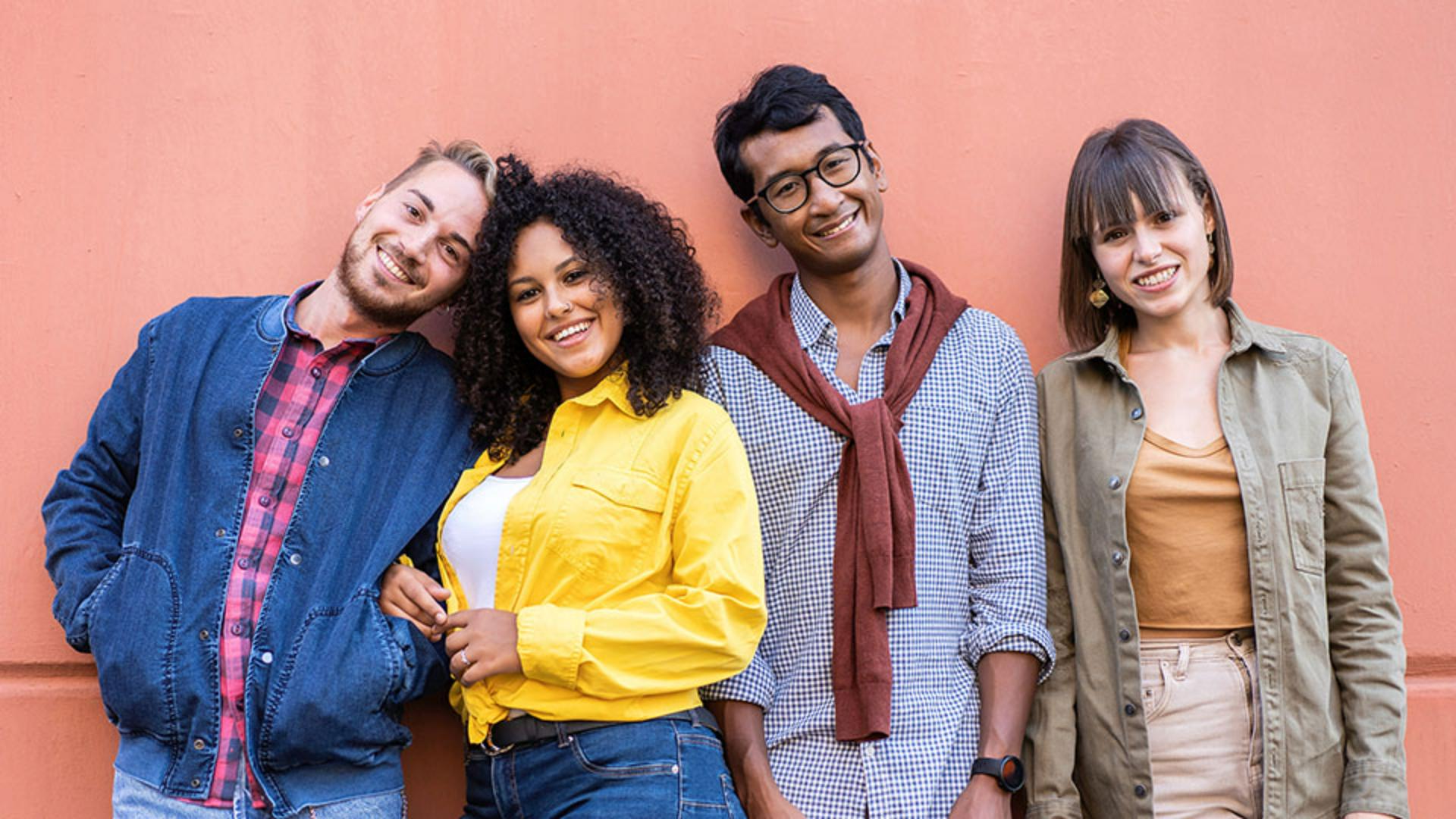
So, when I move the cursor over the photo, the Object Selection Tool is recognizing distinct areas on the people, including their hair, faces, and clothing.
And if I zoom in, you can see that it's also highlighting some very small and very precise areas like the eyebrows, eyes, teeth, lips, etc.
When you find an object or an area you want to select, just click and Photoshop will create the selection.
As you can see, this is very useful, but it gets better.
Let's check it out.
I'll deselect this by choosing Select, Deselect.
In the Options bar for the Object Selection Tool,
Selecting people and specific facial features
I'll click the Select people button, and that opens a panel where I can choose to select all the people in the photo, or just individual people.
I'll choose all people to reveal a menu of additional areas that can be selected for all the people.
I'll choose Teeth, and then click Apply to create a selection of the teeth of all four people.
Now I can go down to the bottom of the Layers panel and add a Hue/Saturation adjustment layer.
I'll reduce the Saturation and increase the Lightness a little bit to whiten and brighten their teeth.
Let's explore this feature some more.
If I go back and choose Select people, it tells me that no people are found.
Adjusting selection behavior with sample all layers
And this is because the adjustment layer that I just added is still active in the Layers panel.
And right now, the tool can only see what's on the active layer.
I can fix that by clicking the Sample All Layers checkbox in the Options bar.
One of the cool things about this feature is that when you click on a person's thumbnail, it reveals selection options that are specific to that person.
So, for this man on the left who has a beard, there's an option to select his beard.
If you click on the thumbnail for a different person, both people are now active, and any selection option that you choose will create a selection of that area for both people.
Let's select the two people on the right.
I'll choose Accessories and the Object Selection Tool identifies the woman's earrings and the man's watch and his sweater as accessories.
But it doesn't see the entire sweater.
So, let me show you how you can deal with that.
I'll click on the thumbnail for the woman.
Refining and combining selections for clothing
Now the Object Selection Tool is only looking at the man on the right.
With Accessories chosen, I'll click Apply to create that selection.
The first thing I'll do is subtract the watch from the selection.
In the Options bar I'll click the Subtract icon.
You can also hold down Option or Alt to switch to Subtract mode.
And that's a shortcut that works with any of the Selection Tools.
And then I'll drag a marquee around the watch to deselect it.
Now let's add in the rest of the sweater.
I'll press Shift, which switches the tool to Add mode, and I'll drag a marquee around the parts of the sweater that are not selected.
With all of the sweater selected, I'll go to the bottom of the Layers panel, and I'll add another Hue/Saturation adjustment layer.
I'll adjust the Hue slider to make the sweater a different color.
I think that purple looks pretty good for this.
If you're using the selection to create a layer mask
Fine-tuning selections with layer masks
on an adjustment layer, as I am here, and you notice areas that were not part of the initial selection, you can always refine the result by painting on the layer mask with white to reveal the adjustment, or with black to hide the adjustment.
No matter what type of selections you need to create, the Object Selection Tool can streamline your selection workflow, and the Select people feature takes this to a new level.
Give it a try on some of your own photos.
I'm Seán Duggan with the Adobe Learn team.
Thanks for watching.