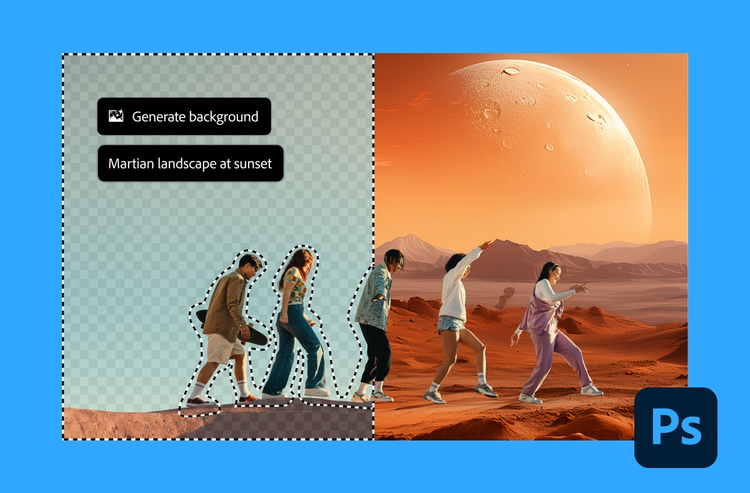
Fyll på med krediter och håll kreativiteten igång.
Skapa fantastiskt innehåll och ta dig igenom rutinuppgifterna på nolltid med generativkrediter som ger dig tillgång till AI-funktioner i både Adobe Firefly och dina Creative Cloud-program.
four merch cards, center, static links, xl-spacing-bottom
Låt AI göra jobbet åt dig.
Använd dina krediter i Creative Cloud-program. Rotera objekt, förläng videoklipp, översätt ljud och omvandla skisser till serieteckningar. Allt i AI-fart.
style
dark, static links
Har du frågor? Vi har svaren.
Med generativkrediter kan du skapa, redigera och designa i AI-driven hastighet genom att låsa upp AI-verktyg för att generera högkvalitativa bilder, vektorer, video- och ljudresultat. Krediter ingår i varje Creative Cloud-plan och kan användas i Adobe Firefly och de Creative Cloud-program som ingår i din plan, till exempel Photoshop, Illustrator och Premiere. Omvandla text till bilder och video, fixa suddiga bilder, förläng videoklipp, översätt ljud och mycket mer. För varje uppgift väljer du den AI-modell som passar bäst, med tillgång till ledande modeller från Adobe, Google, OpenAI, Kling AI och andra partners.
Varje Creative Cloud-plan inkluderar ett visst antal generativkrediter som förnyas varje månad på ditt faktureringsdatum. Läs mer om hur många krediter som ingår i varje plan.
Använd dina krediter på AI-funktioner i Firefly och de Creative Cloud-program som ingår i din plan. Antalet krediter som krävs varierar beroende på resultat, storlek, upplösning och AI-modell. Behöver du fler krediter? Köp en tilläggsplan för krediter.
Dina generativkrediter förnyas varje månad på din plans faktureringsdatum. Tar du slut på krediter innan nästa återställningsdatum kan du skaffa fler på följande sätt:
Betalande Creative Cloud-medlemmar kan köpa en tilläggsplan med 2 000, 7 000, 10 000 eller 50 000 krediter.
Betalande Firefly-medlemmar kan uppgradera till en Firefly Pro-, Firefly Pro Plus- eller Firefly Premium-plan för ökad kapacitet, eller köpa en tilläggsplan för krediter.
Användare av kostnadsfria Creative Cloud, Adobe Firefly och Adobe Express kan prenumerera på en betald plan för att fortsätta skapa.
För företagsplaner, kontakta din kontoansvarige eller partner.
style
static links, xl-spacing-bottom
Förverkliga dina idéer med Firefly
Ta bort en bakgrund. Generera en bild. Skapa en video. Förbättra ett foto. Prova nu i Firefly och se vad som är möjligt.

style
Four up, M spacing
background
#F0F0F7
Cookie Settings
General information
You can control how Adobe websites use cookies and similar technologies by making choices below. But note that if you disable cookies and similar technologies entirely, Adobe websites may not function properly.
Cookies are small text files stored by your web browser when you use websites. There are also other technologies that can be used for similar purposes like HTML5 Local Storage and local shared objects, web beacons, and embedded scripts. These technologies help us do things like remembering you and your preferences when you return to our sites, measure how you use the website, conduct market research, and gather information about the ads you see and interact with.
You can make choices in the menu below about what cookies and other technologies you want us to use on Adobe sites when you visit them from this browser. You can always change those choices later by clicking on the Cookie Preferences link at the bottom of the page.
If enabled:
We can improve your experience by tailoring the site and the content to things we think might be of interest
We can better keep track of your preferences — like what language you prefer to use
We will better understand your likely interests so we can provide you more relevant Adobe ads and content on non-Adobe websites and in non-Adobe apps
It will help us improve the performance of our website and those of our partners who use the Adobe Experience Cloud
If disabled:
We won’t be able to remember you from session to session so the experience may not be tailored to your interests
You’ll still have access to the content of the site but certain features that depend on cookies may not function
You’ll still see ads, they just may not be as relevant to you
General information
You can control how Adobe websites use cookies and similar technologies by making choices below. But note that if you disable cookies and similar technologies entirely, Adobe websites may not function properly.
Cookies are small text files stored by your web browser when you use websites. There are also other technologies that can be used for similar purposes like HTML5 Local Storage, web beacons, and embedded scripts. These technologies help us do things like remembering you and your preferences when you return to our sites, measure how you use the website, conduct market research, and gather information about the ads you see and interact with.
You can make choices in the menu below about what cookies and other technologies you want us to use on Adobe sites when you visit them from this browser. You can always change those choices later by clicking on the Cookie Preferences link at the bottom of the page.
If enabled:
We can improve your experience by tailoring the site and the content to things we think might be of interest
We can better keep track of your preferences — like what language you prefer to use
We will better understand your likely interests so we can provide you more relevant Adobe ads and content on non-Adobe websites and in non-Adobe apps
It will help us improve the performance of our website and those of our partners who use the Adobe Experience Cloud
If disabled:
We won’t be able to remember you from session to session so the experience may not be tailored to your interests
We’ll still count your use of our site and services
You’ll still have access to the content of the site but certain features that depend on cookies may not function
You’ll still see ads, they just may not be as relevant to you
Operate the site and core servicesOperate site and measure engagement
Always active
These cookies are required, and they are used to enable the site and related services core functionality. Without them the site could not operate, so they cannot be disabled.
These cookies enable the site and related services’ core functionality and collect statistics about user engagement, such as counting active use to help us understand trends. These cookies cannot be disabled.
Measure performance
These cookies are used to analyze site usage to measure and improve performance. Without them Adobe cannot know what content is most valued and how often unique visitors return to the site, making it hard to improve information we offer to you.
These cookies are used to analyze site usage to measure and improve performance. Without them Adobe cannot know what content is most valued, making it hard to improve information we offer to you.
Extend functionality
These cookies are used to enhance the functionality of Adobe sites such as remembering your settings and preferences to deliver a personalized experience; for example, your username, your repeated visits, preferred language, your country, or any other saved preference.
Personalize advertising
These cookies are used to enable Adobe and our partners to serve ads more relevant to your interests. Without them you will still see ads, but they might not be as relevant to you.