https://main--cc--adobecom.aem.live/cc-shared/assets/img/firefly.svg | Adobe Firefly 標誌https://main--cc--adobecom.aem.live/cc-shared/assets/img/ff-lockup-f4.svg | Adobe Firefly


免費使用 AI 精準還原舊照片。
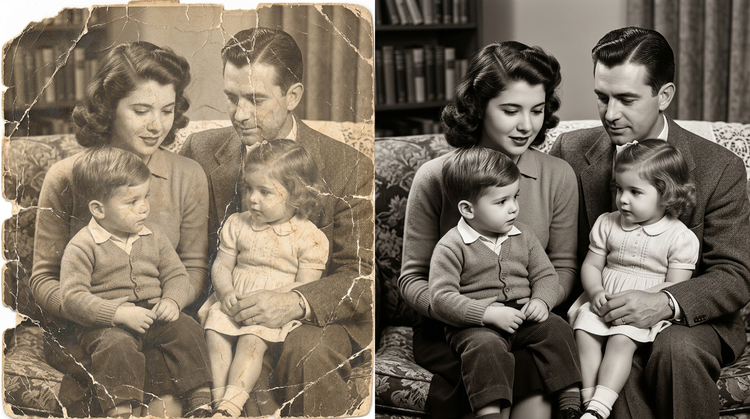
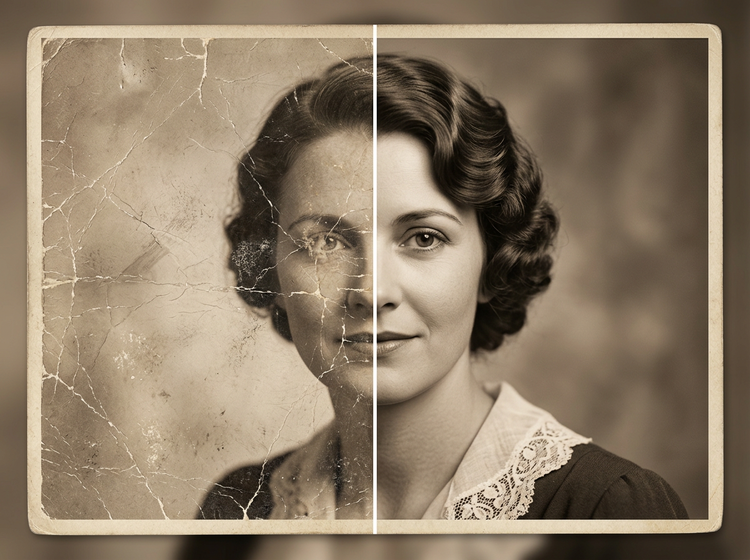
上傳褪色、破損或受損的照片,透過 Firefly 讓它重獲新生。幾秒內修復色彩、細節和清晰度。

或點按這裡
File must be JPEG (JPG), PNG, or WEBP and up to 100MB.
By uploading your image or video, you agree to the Adobe Terms of Use and Privacy Policy and confirm you are 18 years of age or older.
Or tap here
File must be JPEG (JPG), PNG, or WEBP and up to 100MB.
By uploading your image or video, you agree to the Adobe Terms of Use and Privacy Policy and confirm you are 18 years of age or older.
Or drag and drop here
File must be JPEG (JPG), PNG, or WEBP and up to 100MB.
By uploading your image or video, you agree to the Adobe Terms of Use and Privacy Policy and confirm you are 18 years of age or older.
- File size larger than 100MB
- 無法處理要求
- We are unable to process this file type. Please try again.
- 一次只能上傳一個檔案
- Image is smaller than the minimum dimensions (512 x 512 pixels). Please resize and try again.

https://main--cc--adobecom.aem.live/cc-shared/assets/img/product-icons/svg/firefly-80.svg
Adobe Firefly
https://main--cc--adobecom.aem.live/cc-shared/assets/img/product-icons/svg/firefly-80.svg
Adobe Firefly
創意 AI 的下一波革新已來臨,透過影像、影片、音訊和向量工具來實現您的所有想法
任何人都能線上還原老照片。
無需任何手動潤飾技巧,即可修復並重現舊照片、受損照片或低品質照片的風采。運用 Adobe Firefly AI 免費照片修復工具,修復破損的家庭縱向照、還原褪色的老舊沖印照,或使用生成式填色修補實體損傷。Firefly 深度解讀影像的完整內容,重建遺失的細節。
修復裂痕、撕裂和物理損傷。
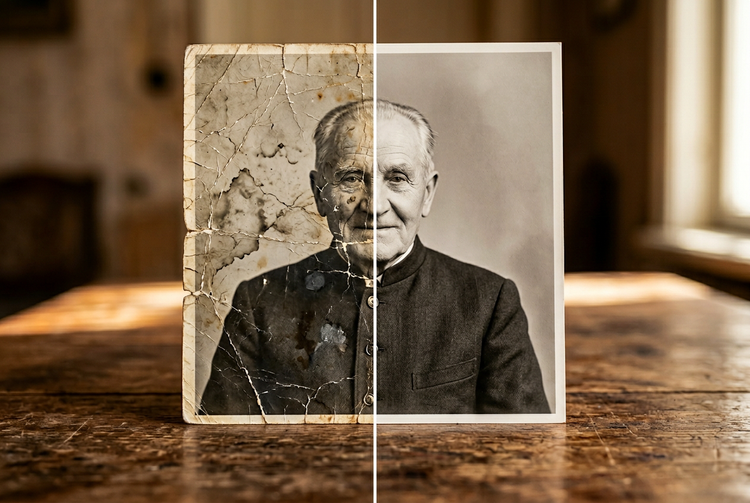
上傳受損照片並使用生成式填色來修補裂痕、撕裂、水漬或缺失區域。Firefly 會分析周圍的內容、質感和色調,並運用這些資訊自動修復瑕疵。無論是黑白縱向照片、棕褐色照片或彩色照片都能使用。
重現褪色色彩,還原色調深度。
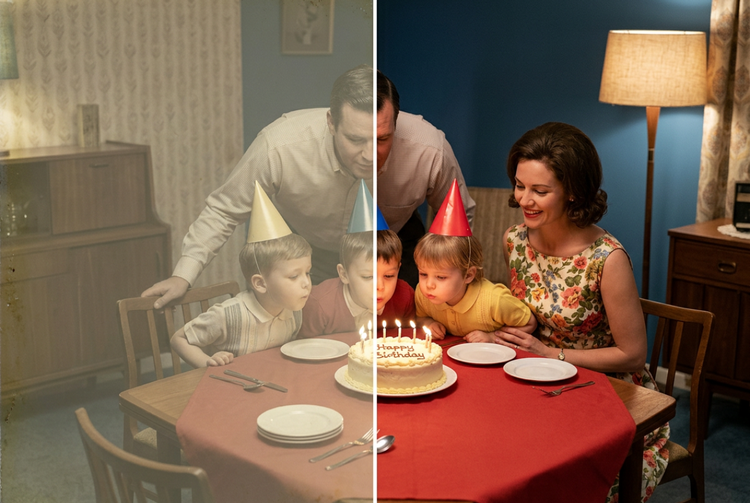
數十年的褪色讓照片失去原有的鮮豔色彩。Firefly AI 還原工具能恢復色彩深度和色調平衡,為隨時間變得平淡或失色的照片重現溫暖膚色、豐富背景和自然對比。成果忠於原始時刻,而非人工強化的效果。
以真實效果銳利化細節。
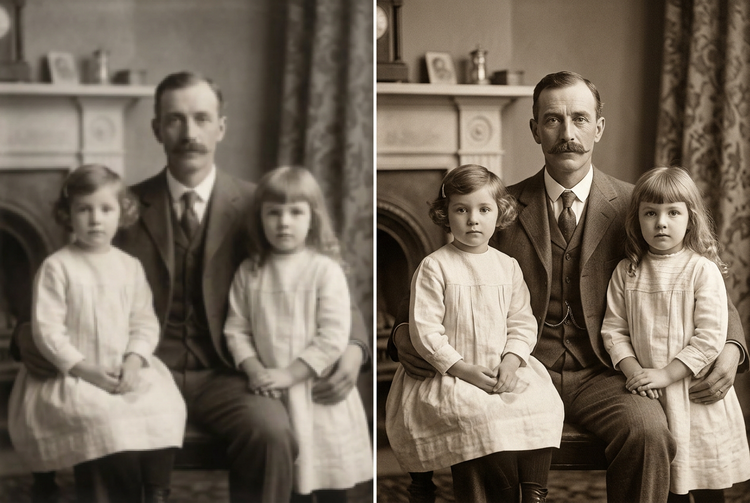
老照片常因掃描、壓縮或年代久遠而失去銳利度。Firefly 運用理解影像脈絡的 AI 技術,提升解析度並恢復精細細節,包括臉部特徵、布料質感和背景元素。增添清晰自然的銳利度,即使放大列印也不會顯得人工造作。
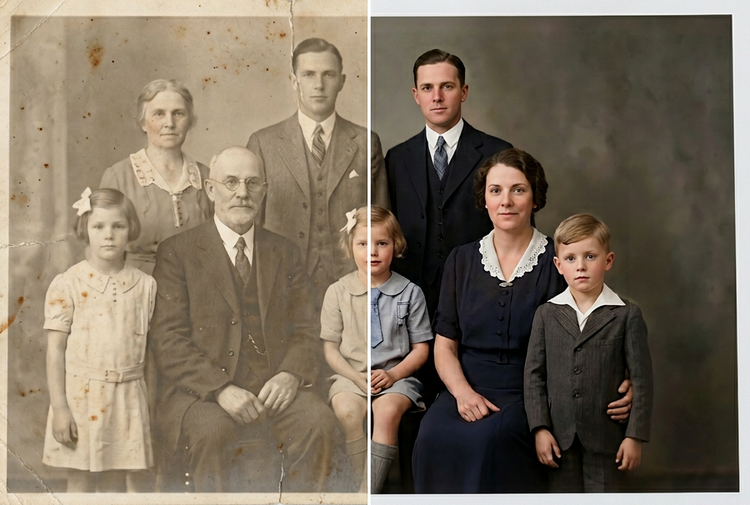
將修復的照片傳送至網頁版 Photoshop 或 Adobe Express。
完成修復後,您可以將照片無縫帶入 網頁版 Photoshop 或 Adobe Express。在 Adobe Creative Cloud 生態系統中調整色彩分級、去除殘留瑕疵,或快速將影像套用至社群媒體模板,隨時隨地靈活創作。非破壞性編輯確保原始檔案始終完好保留。
如何使用 Adobe Firefly 修復老照片。
步驟 1
登入 Adobe Firefly。
步驟 2
上傳您的照片。
步驟 3
在受損區域上塗抹。
步驟 4
產生修復結果。
步驟 5
下載或傳送至 Creative Cloud。
如何使用 Adobe Firefly 修復老照片。
使用 Adobe Firefly AI 照片修復工具修復老照片的步驟。
PT5M
firefly
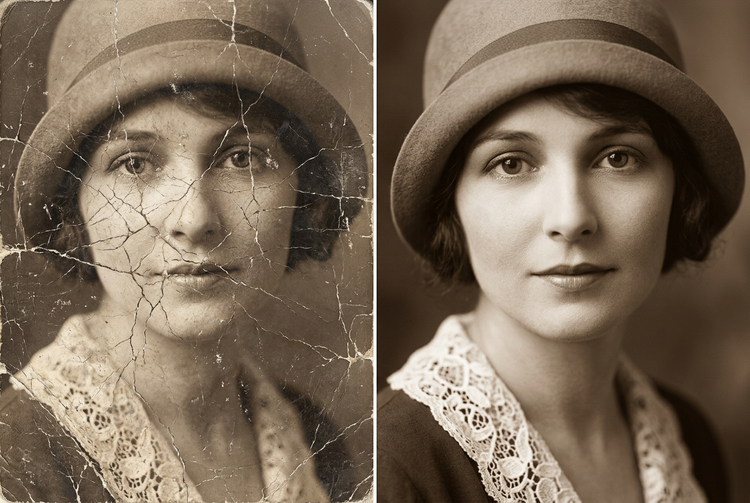
情境感知修復
Firefly 會分析整張影像,而非僅針對受損區域,以符合周圍色調、質感和光線的方式重建遺失細節。修復效果與原始影像完美融合,毫無痕跡。
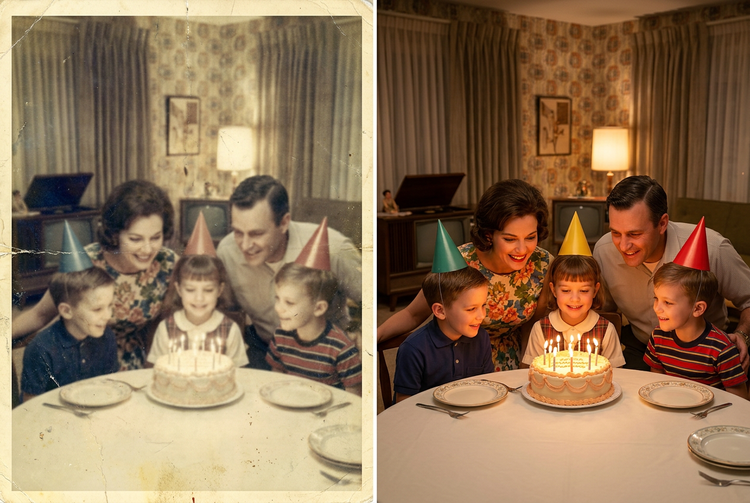
非破壞性的編輯
您的原始影像會永遠保存在「歷史記錄」面板中。非破壞性工作流程讓您可以盡情實驗修復和還原效果,而不會覆寫原始檔案。
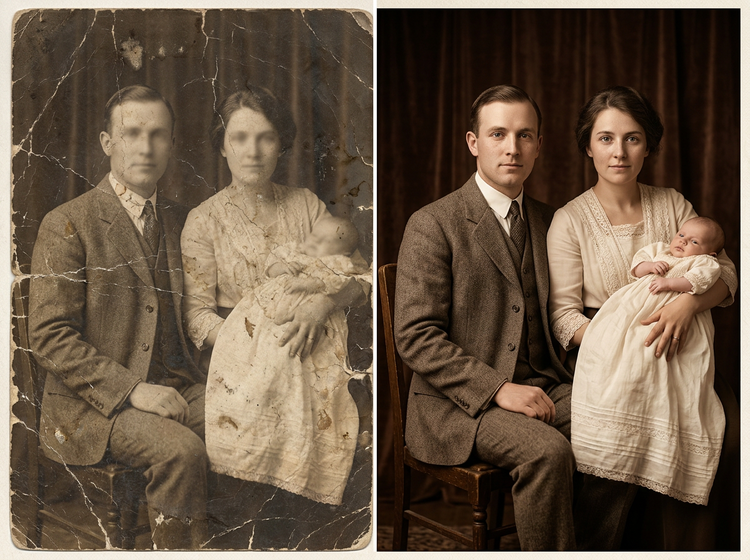
專為專業專案打造
安心在任何專案中使用還原和增強的影像。Firefly 是 Adobe Creative Cloud 生態系統的一部分,為您提供從還原到最終輸出的無縫路徑,涵蓋網頁版 Photoshop、Adobe Express 等應用程式。
秒速完成
過去需要數小時精細手動修飾的工作,現在只需幾秒鐘。塗抹受損區域,按一下「產生」,Firefly 就會自動處理重建作業。