Join millions of users who have successfully added a signature to a PDF using Acrobat.
Key takeaways.
- Effortlessly accessible. The Adobe Acrobat sign PDF tool is free and web-based – no software installation required.
- Enterprise-grade security. Adobe Acrobat encrypts sensitive documents and complies with GDPR standards.
- Streamlined workflow. Fill, sign, and share documents securely in minutes.
How to fill in and sign a PDF with Adobe Acrobat.
To sign a PDF with Adobe Acrobat, just click where you want your signature to be added and fill in the fields. You can then change the placement and adjust the size until you’re happy. Once you’re done, save your signed PDF and share it.
Online document signing is free, easy, fast, and secure with document viewer tools in Adobe Acrobat. The Fill & Sign tool allows you to digitally sign a PDF by typing, drawing or uploading an image of your signature.
How to sign PDF documents online for free.
To add a signature to a PDF online, just upload your document into the Acrobat online tool using the drag-and-drop box above. You’ll be prompted to sign into your Adobe account, where you’ll be able to use the Fill & Sign tool to sign a PDF for free.
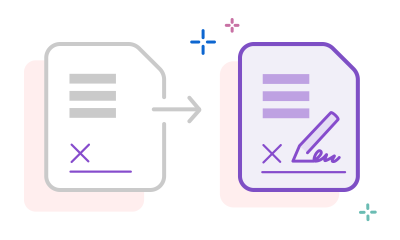
- Click Select a file or drag and drop the PDF you want to sign into the box above.
- Sign in to fill out the form.
- Use the tools in the Sign panel to fill in the signature fields and add your e-signature.
- Click Next, then download your file. You can also copy a link and share it online.
Try our free PDF signer to create your free electronic signature

Fill and sign PDFs for free online
The free Adobe Acrobat Fill & Sign tool is frictionless and fuss-free. Quickly upload your file, then add your free e-signature to the PDF form fields. You can also add lines, text, checks and more.

Quickly add your e-signature
Create your free personalised e-signature and place it over your initials. Draw, type, or upload your signature and sign documents online in seconds.

Streamline how you work
Fill & Sign a PDF all in one secure place with Adobe. The free Acrobat PDF signature tool allows you to fill in your form, sign and share it in minutes. Speed up your workflow with Adobe Sign for businesses, wherever you are.

Share files quickly and securely
The Acrobat online document signing tool allows you to share PDF files quickly and securely for free. In just a few clicks, send a protected email attachment or link. All documents are secured with Adobe Acrobat’s encryption technology and handled in compliance with GDPR standards.

No need to install any software
Acrobat PDF Fill & Sign works for free on any online browser. So, there’s no need to install or pay for any extra software. Drag, drop, fill and sign – that’s it!

A free, reputable tool
Adobe invented the PDF back in 1993 and has been working with these documents for over 30 years. This means you can trust the quality and reliability of Acrobat online tools when filling, signing and editing your PDFs.
Why add an electronic signature to a PDF?
When you sign a PDF using certified e-signature tools like Acrobat Fill & Sign, it ensures your documents are authentic and legally binding.
- Stay compliant. Electronic signatures create legally binding documents, suitable for a wide range of business and legal use cases.
- Protect your documents online. Fill in, sign and share sensitive documents within a single, secure platform to simplify your workflow. With Acrobat Sign for businesses, you can sign documents with a digital signature for enhanced security.
- Collect signatures remotely. Request signatures and allow different parties to sign PDFs remotely from across the web. Process and approve documents safely and efficiently with less waiting around and no printing or postage costs.
- Stay organised. Acrobat Fill & Sign helps to ensure easy document tracking, management and storage, with additional PDF password-protection.
Questions? We have answers.
To upload a photo of your signature in Adobe Acrobat, you can do the following:
1. Open your PDF and select the Fill & Sign tool.
2. Go to the Sign panel and select Add Signature.
3. In the Signature panel, click Image, then Select image.
4. Upload your signature file, then resize and drag the signature onto the PDF.
You can use Adobe Acrobat to create an electronic signature for free that you can use across Google Docs, PDFs, Word documents and more. All you need to do is:
- Save a copy of the Google Doc you want to sign to your computer or cloud storage.
- Sign in to your Acrobat account (or create one if you haven’t already).
- On the home screen, select Fill & Sign.
- Drag and drop the document you want to sign into the files box.
- Open the document and select the Add Signature tool.
- Choose your style of digital signature and select Apply, then click Done.
- Send a PDF of your signed document via email or download it. You can then re-upload to Google Docs or any other service you choose.
Sign PDFs on Android using Adobe Acrobat's Fill & Sign tool online or on the Acrobat mobile app. Create your signature by drawing, typing, or uploading an image, then place it on your document. Save to your files and share instantly.
Android devices typically allow you to mark up files using native apps, but this method won’t protect sensitive files with secure encryption like Adobe Acrobat can.
Adobe Acrobat is the industry standard for PDF management, offering superior document security and compliance with global e-signature regulations to protect sensitive files.
As the creator of the PDF, Adobe excels in complex workflows with seamless integration with Microsoft apps, such as Microsoft Word, Outlook and Teams. This sets it apart from other providers that offer basic PDF editing and e-signing features.
Yes, you can use Adobe Acrobat Reader to sign PDFs offline on desktop and mobile. The Fill & Sign tool allows you to draw, type, or place an image of your signature on documents without an internet connection, and save any changes locally.
Use Acrobat tools for free
- Sign in to try 25+ tools, like convert or compress
- Add comments, fill in forms and sign PDFs for free
- Store your files online to access from any device
Create a free account | Create a free account Adobe Acrobat Sign in


