How to use a competitor analysis template with Adobe Express.
There’s no one-size-fits-all when it comes to completing competitor analysis. Every business is unique, so you may choose to structure your competitive analysis document differently. But there are some key areas that are usually included, from identifying competitors to looking for areas of improvement.
1. Find a template that suits your intent.
Firstly, find a competitive analysis template on Adobe Express that works for you, whether that’s focusing on the market landscape or creating a competitor scorecard. Think about the areas you’ll be analysing to help you select the right template for the job.
2. Identify your key competitors to include in the analysis template.
One of the most important steps is identifying the key competitors to analyse. Research your industry and find the main market leaders. Establish both direct and indirect competitors. Direct competitors offer a similar product in the same market, whereas indirect competitors offer a different product that fills the same need.
3. Adapt the template to align with the key features you want to analyse.
Once you have your template and know which competitors you’ll be analysing, you can focus on the specific features you want to compare. Adobe Express tools will come in handy to make the template your own by editing and adding your brand style, like your colour scheme, font and logo.
4. Conduct your competitive market analysis.
Next, it’s time to actually carry out the competitive analysis. You may wish to complete both primary and secondary research. For primary research, purchase a competitor product to evaluate or interview customers to find out their thoughts. For secondary research, take a deep dive into your competitor’s website and social media channels.
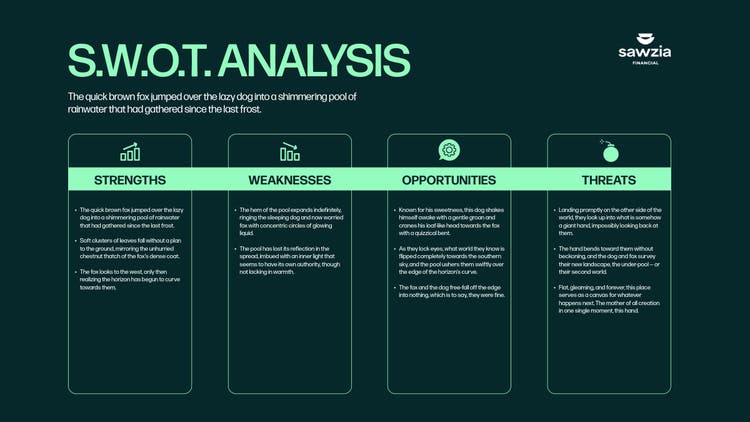
5. Use a SWOT analysis template to analyse your own company.
A SWOT analysis allows you to break down your business into its strengths, weaknesses, opportunities and threats. These four components are divided into a table or grid format, making it easy for you to complete on your own or as part of a wider team. You can then use this SWOT analysis as a benchmark of your business, to compare with competitors.
6. Identify the opportunities and areas for improvement.
Both your SWOT analysis and your competitor analysis should identify where you can improve your own offering. For example, perhaps your competitors are offering faster delivery or more effective customer aftercare. You can use these insights as guidance on how to improve your business offerings.
Once you have your complete template, you can use Adobe Express to easily transform your findings into a report or presentation. You could even include your insights as part of a pitch to present to a prospective employer or client.
8. Share this with the wider business.
You can then share your report or presentation with internal stakeholders. This means everyone is up to speed on how your company is currently performing in the market – and where there’s room for improvement. Ensure your report is in a format that can be assessed and referred back to when it comes to implementing the suggested enhancements.