ACROBAT | 6-MINUTE READ
Convert TXT to PDF and get workable Notepad files.
Converting TXT to PDF transforms simple text into professional files.
ACROBAT | 6-MINUTE READ
Converting TXT to PDF transforms simple text into professional files.
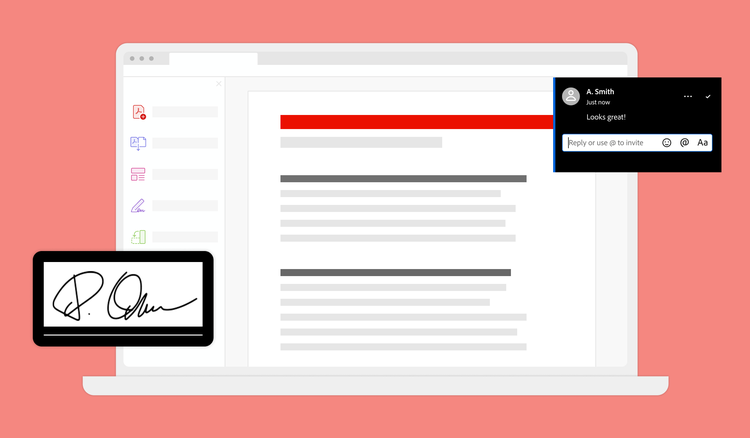
Text (TXT) is a conveniently lightweight file format that can be viewed on practically any computer but is very basic in functionality. If you’d like to do more with Notepad TXT files, such as add comments or annotations, you can convert them to PDF files with Adobe Acrobat or Adobe Acrobat online services. Both tools make converting Notepad documents to PDFs quick and easy. Not only that, but Acrobat makes it a cinch to manage documents, convert images to PDF, and much more.
Check out this guide to learn how a TXT to PDF converter works, why it’s so helpful, and how to convert your Notepad files to PDF in just a few clicks.
If you don’t have Acrobat software, try the Convert PDF tool online. It’s free and easy to use. You can find it quickly using any web browser, and you can use it from anywhere — even on a mobile device. Just sign in with a Google, Apple, or Adobe account.
Follow these quick steps to turn your Notepad file into a PDF with the free conversion tool:
If you do have Acrobat software, the steps are similar:
You can encrypt the file, annotate it, or request digital signatures from here. Acrobat isn’t just a Notepad-to-PDF converter, either. The converter works the same when you need to convert Word or Excel documents or images to PDF — or the other way around.
The Convert PDF tool is helpful if you have a single TXT file to convert, but this option isn’t practical if you need to convert several TXT files. Fortunately, you don’t have to convert everything yourself manually.
If you want to compile all your TXT notes in one PDF, you can do so quickly with the Merge PDFs tool in Acrobat online services. Follow these steps to batch-convert multiple TXT files into a single PDF:
If you need the files to stay separate but want to convert them all at once to save time, follow these steps:
While you might be used to seeing it in Windows, the .txt filename extension isn’t unique to Notepad. It’s a basic file type that can display simple text-based files for various operating systems. For example, you can also create TXT files in WordPad and TextEdit. A TXT file works across platforms and operating systems using an ASCII or Unicode character set. In contrast to a PDF, it works great for jotting down ideas because it loads quickly and is easy to edit.
PDFs are also frequently text-based but can display images and more complex formatting. Even for a text-only document, a PDF format adds polish, professionalism, and finality to the content.
The PDF can serve as the final touch or the first step to enhancing the content you create in a TXT file. With greater possibilities for editing, adding shapes and images, sharing, commenting, and collaborating, a PDF can take the content in a TXT file to the next level.
Once you convert the TXT to PDF, you can immediately begin to work with it. Add comments and notes, highlight text, compress the PDF to reduce file size, and more.
A TXT to PDF converter transforms your plain text file into a shareable, portable PDF. The converter reads the contents of the TXT file, which is plain text without advanced formatting or embedded elements.
TXT files lack the features needed to collaborate with your team. Other users could edit their content, too, creating workflow headaches and potential errors. PDFs, on the other hand, are incredibly helpful for many reasons:

Greater accessibility .
PDFs are universally accessible for users on all devices and operating systems. Unlike TXT files, which vary by operating system and could display incorrectly, everyone receives PDFs with the same view as the sender. Not only that, but PDFs are also compatible with tools like screen readers.

Better formatting .
TXT files don’t support formatting like bold, italics, headers, images, or tables. PDFs allow you to add these elements, making your document look more engaging and professional. Best of all, they preserve the layout, fonts, and formatting precisely as intended, even when sharing the file with others. You can always use tools like PDF editor to highlight or leave comments in the document. It’s no wonder PDFs are considered the standard for formal digital documents, sharing with clients, or archiving information.

Better security .
PDFs are much easier to lock down than TXT files. Encrypt, password-protect, or digitally sign PDFs for an additional layer of security.

Additional tools .
PDFs are feature-rich. Annotate copy, search for information, or integrate PDF files into other documents with just a few clicks.
No, a TXT file and Word Doc (.doc or .docx file extension) are two different document types. Word documents allow for many formatting options, including italics, fonts, bolded words, and more. TXT files, on the other hand, showcase plain text.
It depends on your phone. For iPhone, the easiest way to export text messages to PDF is to take a screenshot of the text and use Acrobat to combine your screenshots into a PDF file. For Android, you can export the text messages as a TXT or HTML file and then use a PDF converter. You can also copy and paste the text message copy into an email and then convert the email into a PDF.
The formatting of the text messages should stay the same when you convert your text messages to PDF. Things such as text bubbles, contact names, and more will all appear in your PDF.
Any text editor should be able to open a TXT file. On a Mac, use Apple TextEdit. On Windows, use Microsoft Notepad or Microsoft WordPad. For a Chromebook, you can open the file with Google Chrome Text.
You can open a TXT file in your internet browser, but you won’t be able to edit it. In Google Chrome or Mozilla Firefox, drag and drop your file into the browser window. For Microsoft Edge, copy and paste the file’s location in the Edge address bar.
While TXT files are a great option for taking notes overall, you may not want to save personal information on one. Instead, opt for a file type that offers more advanced security features such as encryption, password protection, and more features to ensure your personal information is not widely available.
