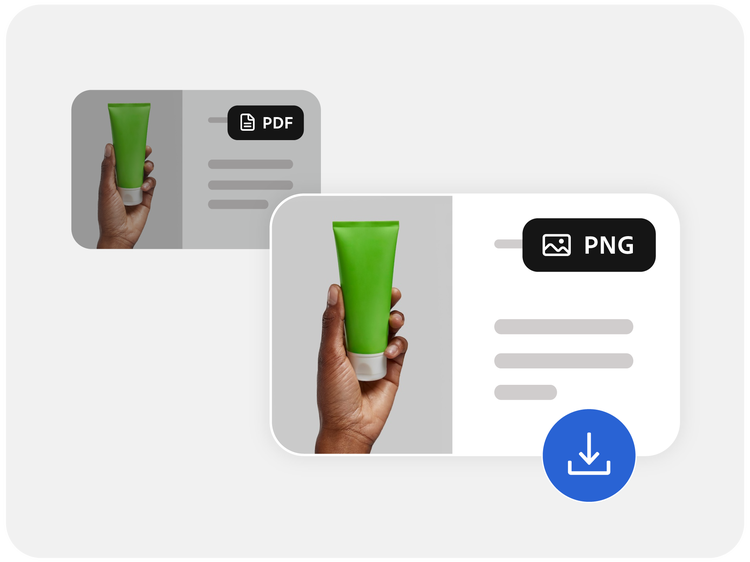
Pokud chcete použít náš převaděč z PDF do PNG, přetáhněte soubor PDF.
Špičkové funkce pro převod souborů PDF od tvůrců formátu PDF.
Využijte řešení, které s důvěrou používají miliony uživatelů.
style
l spacing
background
#f8f8f8
Online převod souboru PDF do formátu PNG
Vyberte možnost Vybrat soubor a nahrajte dokument PDF nebo soubor přetáhněte myší.
Po nahrání souboru vyberte jako požadovaný výstupní formát PNG, pokud se zobrazí výzva.
Acrobat během několika sekund převede soubor PDF na obrázek PNG.
Stáhněte si nový obrázek PNG do svého zařízení a sdílejte jej, uložte nebo zkontrolujte.
style
background
#fff
Vyzkoušejte náš bezplatný převaděč PDF do formátu PNG
background
#f8f8f8
style
Zachovejte všechny detaily
Soubory PDF jsou převedeny na obrázky PNG s mimořádnou ostrostí, takže text, grafické prvky i rozvržení odpovídají původnímu dokumentu.
Rychlý a bezproblémový převod
Převádějte soubory PDF do formátu PNG zdarma během několika sekund – není vyžadováno žádné přihlášení ani instalace softwaru. Online nástroj Acrobat je navržen tak, aby byl rychlý a snadno ovladatelný.
Funguje všude, kde potřebujete
Převaděč PDF do PNG můžete používat v libovolném zařízení nebo prohlížeči, včetně zařízení se systémy Windows, Mac, iOS a Android. Pracujte naplno, ať už jste v kanceláři nebo na cestách.
Vaše soubory jsou v bezpečí
Vaše soukromí je naší prioritou. Soubory jsou bezpečně zpracovány a poté smazány z našich serverů, pokud se nerozhodnete je uložit do svého účtu.
Bezplatné použití, bez vodoznaků
Převádějte soubory PDF do formátu PNG zdarma, bez skrytých poplatků nebo vodoznaků. Získejte obrázky špičkové kvality ve formátu, který si sami vyberete.
Více možností s aplikací Acrobat
Kromě převodu souborů nabízí Acrobat integrované nástroje pro úpravy, organizaci a sdílení dokumentů v rámci jedné důvěryhodné platformy.
background
#f8f8f8
style
xl spacing, three-up
Časté otázky týkající se převodu PDF do PNG
Ano, pomocí online převaděče Acrobat můžete převést chráněný soubor PDF do PNG po zadání správného hesla. Po odemčení souboru můžete pokračovat v převodu obvyklým způsobem.
Ne, důvěryhodné převaděče jako Acrobat jsou navrženy tak, aby zachovaly původní kvalitu souboru PDF. Výsledný obrázek PNG si zachová ostrost, barvy a rozvržení zdrojového dokumentu.
Online nástroj Acrobat si poradí i s velkými soubory, avšak zpracování extrémně velkých souborů PDF může trvat déle nebo může podléhat omezením pro nahrávání. Pro dosažení nejlepších výsledků se ujistěte, že velikost souboru nepřesahuje 100 MB.
Při převodu souboru PDF s více stránkami bude každá stránka dokumentu převedena na samostatný obrázek PNG, takže můžete jednotlivé stránky extrahovat podle potřeby. Nejlepší je před použitím převaděče PDF do PNG odstranit stránky PDF, které nechcete převést.
Formát PNG je známý bezztrátovou kompresí, realistickým zobrazením barev a širokou kompatibilitou. Je ideální pro vkládání obrázků do dokumentů, online sdílení vizuálního obsahu nebo úpravu obrázků extrahovaných ze souborů PDF.
style
l spacing, grid width 10
background
#fff
Používejte nástroje aplikace Acrobat zdarma
Přihlaste se a vyzkoušejte více než 25 nástrojů, například pro převod nebo kompresi souboru.
Přidávejte komentáře, vyplňujte formuláře a podepisujte PDF, to vše zdarma.
Ukládejte své soubory online a pracujte s nimi na libovolném zařízení.
You can control how Adobe websites use cookies and similar technologies by making choices below. But note that if you disable cookies and similar technologies entirely, Adobe websites may not function properly.
Cookies are small text files stored by your web browser when you use websites. There are also other technologies that can be used for similar purposes like HTML5 Local Storage and local shared objects, web beacons, and embedded scripts. These technologies help us do things like remembering you and your preferences when you return to our sites, measure how you use the website, conduct market research, and gather information about the ads you see and interact with.
You can make choices in the menu below about what cookies and other technologies you want us to use on Adobe sites when you visit them from this browser. You can always change those choices later by clicking on the Cookie Preferences link at the bottom of the page.
If enabled:
We can improve your experience by tailoring the site and the content to things we think might be of interest
We can better keep track of your preferences — like what language you prefer to use
We will better understand your likely interests so we can provide you more relevant Adobe ads and content on non-Adobe websites and in non-Adobe apps
It will help us improve the performance of our website and those of our partners who use the Adobe Experience Cloud
If disabled:
We won’t be able to remember you from session to session so the experience may not be tailored to your interests
You’ll still have access to the content of the site but certain features that depend on cookies may not function
You’ll still see ads, they just may not be as relevant to you
General information
You can control how Adobe websites use cookies and similar technologies by making choices below. But note that if you disable cookies and similar technologies entirely, Adobe websites may not function properly.
Cookies are small text files stored by your web browser when you use websites. There are also other technologies that can be used for similar purposes like HTML5 Local Storage, web beacons, and embedded scripts. These technologies help us do things like remembering you and your preferences when you return to our sites, measure how you use the website, conduct market research, and gather information about the ads you see and interact with.
You can make choices in the menu below about what cookies and other technologies you want us to use on Adobe sites when you visit them from this browser. You can always change those choices later by clicking on the Cookie Preferences link at the bottom of the page.
If enabled:
We can improve your experience by tailoring the site and the content to things we think might be of interest
We can better keep track of your preferences — like what language you prefer to use
We will better understand your likely interests so we can provide you more relevant Adobe ads and content on non-Adobe websites and in non-Adobe apps
It will help us improve the performance of our website and those of our partners who use the Adobe Experience Cloud
If disabled:
We won’t be able to remember you from session to session so the experience may not be tailored to your interests
We’ll still count your use of our site and services
You’ll still have access to the content of the site but certain features that depend on cookies may not function
You’ll still see ads, they just may not be as relevant to you
Operate the site and core servicesOperate site and measure engagement
Always active
These cookies are required, and they are used to enable the site and related services core functionality. Without them the site could not operate, so they cannot be disabled.
These cookies enable the site and related services’ core functionality and collect statistics about user engagement, such as counting active use to help us understand trends. These cookies cannot be disabled.
Measure performance
These cookies are used to analyze site usage to measure and improve performance. Without them Adobe cannot know what content is most valued and how often unique visitors return to the site, making it hard to improve information we offer to you.
These cookies are used to analyze site usage to measure and improve performance. Without them Adobe cannot know what content is most valued, making it hard to improve information we offer to you.
Extend functionality
These cookies are used to enhance the functionality of Adobe sites such as remembering your settings and preferences to deliver a personalized experience; for example, your username, your repeated visits, preferred language, your country, or any other saved preference.
Personalize advertising
These cookies are used to enable Adobe and our partners to serve ads more relevant to your interests. Without them you will still see ads, but they might not be as relevant to you.