PDF aufteilen und getrennte Dateien speichern – so funktioniert’s.
Mit dem Acrobat-Onlinetool kannst du PDF-Dateien in wenigen Schritten trennen:
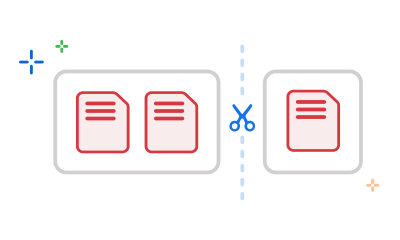
- Lade dein PDF-Dokument im Onlinetool hoch.
- Melde dich an, um das PDF zu trennen.
- Wähle die Seitenbereiche aus, die du trennen willst.
- Klicke auf „Fortfahren“.
- Lade die geteilten PDF-Dateien herunter.
PDF trennen: Entdecke die Vorteile unseres Tools.

Große PDFs einfach aufteilen.
PDF trennen war nie einfacher: Verarbeite auch große Dateien mit bis zu 500 Seiten. Einfach Datei hochladen, Seitenbereiche auswählen und loslegen.

Aus einem PDF mehrere machen.
Teile dein PDF in bis zu 20 separate Dateien auf. Setze die Trennpunkte dort, wo neue PDFs entstehen sollen – schnell, kostenlos und unkompliziert.

Inhalte flexibel weiterverwenden.
Trenne ausgewählte Seiten aus deinem PDF und nutze sie weiter. Nach dem Speichern kannst du sie mit PDF zusammenfügenkombinieren oder als neue PDF-Datei sichern.

Geteilte PDFs im Team nutzen.
Speichere getrennte PDFs zum Versenden per E-Mail oder teile sie per Link. So bleibt die Zusammenarbeit übersichtlich und sicher.

Auf jedem Gerät nutzbar.
Nutze unser Tool auf dem Desktop, Laptop oder Smartphone. Es funktioniert ohne zusätzliche Software mit allen gängigen Betriebssystemen und Browsern – egal ob Windows, Mac oder Linux, Chrome, Firefox oder Safari.

Sicher verarbeiten und speichern.
Adobe entwickelt seine PDF-Tools nach hohen Sicherheitsstandards. Mit einem kostenlosen Konto bleiben Dateien sicher auf Cloud-Servern gespeichert, ohne Anmeldung werden sie nach der Nutzung automatisch gelöscht.
Hast du Fragen? Wir haben die Antworten.
Wie kann ich mehrere PDF-Dateien trennen?
Zum Trennen mehrerer PDF-Dateien stehen je nach Bedarf verschiedene Optionen zur Verfügung:
Für einzelne PDFs: Teile eine PDF-Datei in bis zu 20 neue Dokumente auf. Dafür kannst du das Onlinetool „PDF trennen“ auf dieser Seite verwenden:
- PDF hochladen
- Kostenlos anmelden
- Bis zu 19 Trennpunkte setzen
- Datei speichern
Wenn du regelmäßig viele oder unterschiedliche PDFs aufteilen möchtest, eignen sich diese Acrobat-Lösungen:
- Acrobat PDF Pack: für grundlegende PDF-Aufgaben wie Trennen, Zusammenfügen und Konvertieren.
- Acrobat Standard: zusätzlich PDFs bearbeiten, unterschreiben und schützen.
- Acrobat Pro: mit erweiterten Funktionen für umfassende PDF-Workflows.
- 7Tage-Testversion: Acrobat Pro kostenlos testen.
Wie groß darf die aufzuteilende PDF-Datei maximal sein?
Beim Aufteilen einer PDF-Datei gelten folgende Grenzen:
- Bis zu 500 Seiten
- Maximal 1 GB
Ist deine Datei zu groß, hilft dir unser Tool „PDF-komprimieren”. Damit kannst du dein PDF zuerst verkleinern und anschließend trennen.
Kann ich einzelne PDF-Seiten aus meiner PDF-Datei speichern?
Ja, einzelne Seiten lassen sich im Tool „PDF trennen“ auf dieser Seite speichern:
- Datei hochladen.
- Kostenlos anmelden.
- Trennlinien vor und nach der gewünschten Seite setzen.
- „Speichern“ wählen.
- Die getrennte Seite herunterladen.
Tipp: Noch einfacher geht es mit unserem Tool „PDF-Seiten extrahieren” – speziell für das Heraustrennen einzelner Seiten.
Wie kann ich ein PDF online halbieren?
Unser PDF-Splitter teilt dein Dokument ganz einfach in zwei Teile:
- Zum Upload-Bereich oben auf dieser Seite scrollen.
- PDF hochladen oder per Drag-and-drop ablegen.
- Kostenlos anmelden.
- Trennlinie in der Mitte setzen.
- Speichern.
Die beiden neuen PDFs findest du anschließend in der Document Cloud zum Herunterladen oder Teilen.
PDF trennen mit Adobe Reader – geht das?
Nein, mit dem Acrobat Reader kannst du keine PDFs trennen. Zwei Alternativen sind:
- Nutze unser kostenloses Onlinetool oben.
- Teste Acrobat Pro für erweiterte PDF-Funktionen.
Der Acrobat Reader eignet sich vor allem zum Anzeigen, Drucken und Kommentieren von PDFs.
PDFs trennen und weiter bearbeiten – Tools und hilfreiche Anleitungen.
Acrobat-Tools kostenlos nutzen
- Einfach anmelden und mehr als 25 Tools ausprobieren, z. B. zum Konvertieren oder Komprimieren
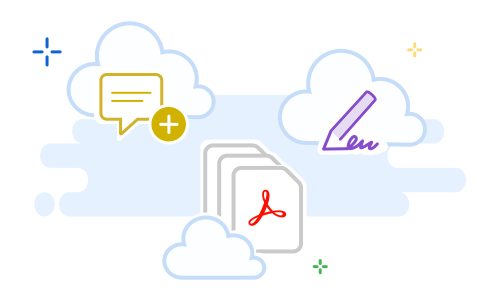
- Kommentare hinzufügen, Formulare ausfüllen, PDF-Dokumente unterzeichnen – alles kostenlos
- Dateien online speichern und mit jedem Gerät darauf zugreifen
- Die Anmeldung ist unverbindlich und ohne Kreditkarte möglich.
- Deine Daten sind dabei stets mit neuesten Standards gesichert.
Unverbindlich kostenloses Konto erstellen | Unverbindlich kostenloses Konto erstellen Adobe Acrobat Anmelden


