40 Lake captions that capture the slow pace of life by the water.
Caption ideas for lake days, lake houses, and every kind of view.
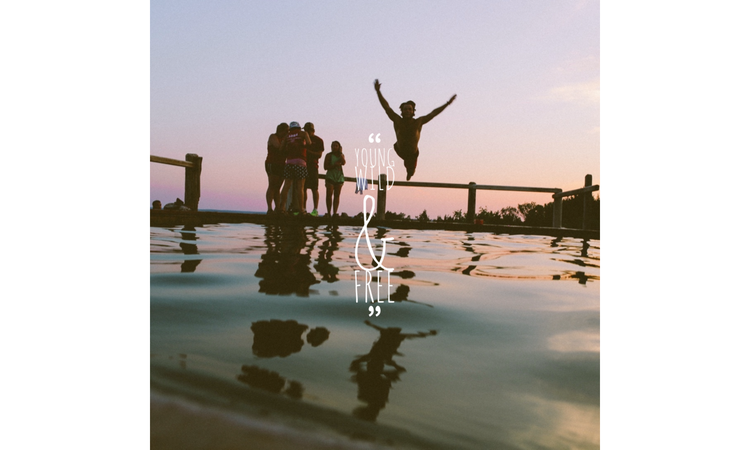




The lake did most of the work, the caption finishes it.
You take the photo around noon, then don't check your phone again until you're back in the car with a signal, since most lake spots barely get service. By the time you post your lake photos, the moment already happened hours ago. Lake captions cover for that gap, giving the photo back some of the context it lost between the water and the WIFI. Some work as a quick line under an Instagram post, others read better as text on a printed card you build in Adobe Express.
Capture peaceful memories with these lake captions.
A lake photo needs different editing than an ocean shot. Ocean pictures usually look the best bright and with strong contrast. But lake photos look better with softer or muted colors. Adobe Express can take colors directly from your photo and pair them with organic color palettes, like deep forest greens and warm cedar browns.
Add a semi-transparent box behind the caption if the water is too bright. It keeps the text readable without hiding the view. For a cabin poster, use a simple sans-serif font for most of the caption, then switch to a light script for one word you want people to notice first.
Share your photos and captions with your loved ones by creating custom lake cards. If more than one photo made the cut, use a multi-photo layout instead to create a more cohesive arrangement. You can also swap the font for each recipient, like a plain sans-serif font for your dad’s card and a script-like font for your best friend's. This way, the same lake caption can resonate differently depending on who reads it.
If your summer footage has erratic lighting from the shifting dock canopy, throw the clips into an Instagram story template to stabilize the theme. Use a unified grain filter across the slides to match this gritty, realistic sentiment.
Type this lake caption out using a font pairing feature to set a grounded, meditative mood for your Discord community space. Port the finalized design over to scale down and create a profile picture that stands out in a crowded sidebar. Keep the text element centered and highly condensed so the edges don't get clipped by the circular frame.
Turn this simple statement into a physical souvenir by printing it onto a custom stationery for your summer cabin guests. Drop the lake caption into a vintage letter template and set the background to a soft, warm cream tone. A thick, forest-green border gives it an instant, classic campground stationery aesthetic.
This caption pairs well with a slow-motion video clip of morning mist rising off the dock. Crop the frame to a vertical 9:16 layout. Use a TikTok video template to set the pacing. Add a clean, centered text box with high opacity to keep the words legible over the moving water background.
recipe
Elevate your summer feed with these creative lake day captions.
Ditching the office for a weekend at the lake means your photos need to feel like an actual break. The mood is completely slow. You’re just floating on inner tubes and letting the hours slip away without checking your phone. Documenting these sun-drenched moments means choosing lake day captions with laid-back energy.
To bring out that lakeside calm, pick out a retro, sun-bleached color palette within Adobe Express. Stick to warm mustard yellows and washed-out terracotta to mimic a late July afternoon. If you’re hosting a summer dock party or organizing a lakeside cleanup, pull these exact organic tones into the platform to create a flyer. It gives you a layout that looks sharp but still keeps that casual, nostalgic campground warmth.
For digital posts, pair bold, chunky display fonts with wide letter spacing to mirror the expansive look of an open horizon. If you need more inspiration to match your specific outdoor scenery, explore the dedicated resources to find the perfect nature caption for Instagram. Keep your text elements anchored to the bottom third of your image so the water and sky take center stage.
If your camera roll is packed with dozens of variations of the exact same dock shot, don't dump them all onto your feed individually. Create a photo collage that pieces the best frames together into a single grid. Keep the spacing borders thick and muddy brown to match the lakeside scenery.
Give this simple lake day caption some physical texture by styling the typography to match your environment. Use this AI text effects tool to turn your lettering into a rough, weathered wood finish or a glossy water surface. It adds immediate visual weight to your main heading without needing extra decorative clip art.
Turn this seasonal mood into custom merchandise you can hand out at the cabin. Drop the phrase onto a canvas layout to print a custom tote bag for carrying towels and sunscreen down to the water. A chunky, retro font paired with a deep navy background keeps the design clean and reusable every summer.
Lakeside property owners or boat rental hosts can use this lake day caption to leave a lasting impression on visitors. Put a minimal layout together to print a custom business card that includes your contact info on the back and this cozy caption on the front. Stick to a matte paper finish to preserve that unpolished, organic cabin aesthetic.
recipe
How to get more mileage out of these lake captions.
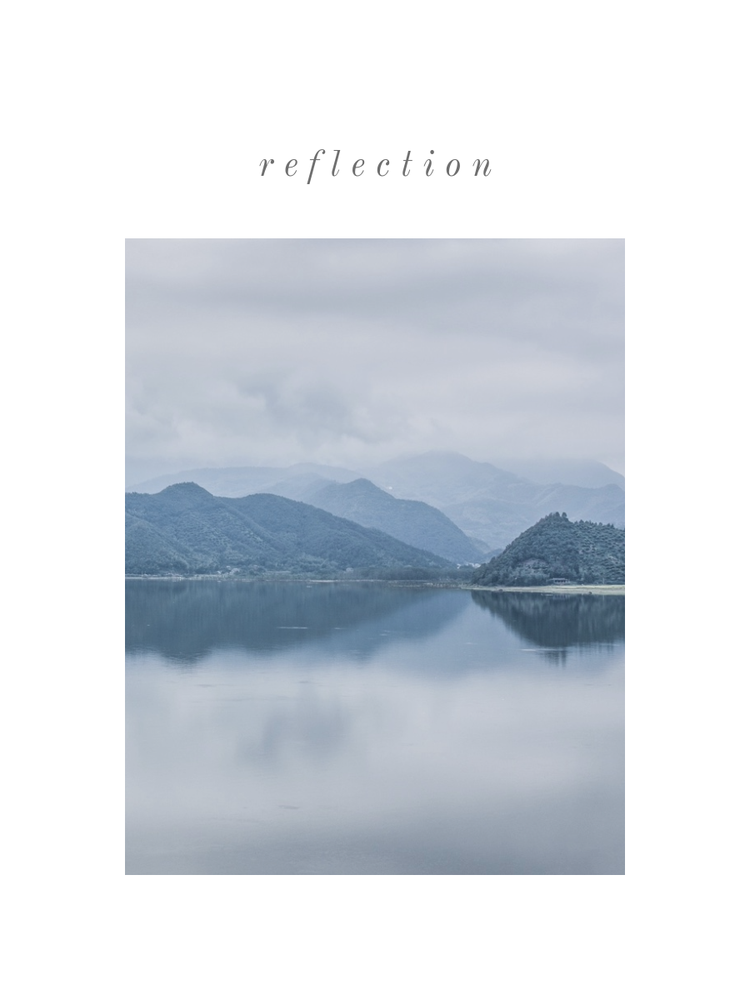
Share your peaceful dock views using these cozy lake house captions.
The visual mood for cabin living relies entirely on comforting, unhurried details rather than flashy graphic elements. When you post a photo of your morning coffee on the dock, your layout choices and lake house captions should emphasize that slow-motion lifestyle.
Create this cozy look with a visual theme centered on deep pine greens and weathered wood browns within Adobe Express. Avoid standard center-aligned text boxes, as they look too much like corporate announcements. Instead, push your lettering into the natural negative space of your photo. This can be the empty sky above the tree line or the flat wood planks of the dock.
Turn your favorite lake house photos into a social media post instead of sharing them one by one. Classic serif fonts like Garamond or Caslon suit calm, nostalgic photos without pulling attention away from the scenery. You can carry the same look into a welcome banner for the porch. Keeping the layout simple ensures the actual lake house view does the talking.
Turn this lake house caption into a physical souvenir for weekend visitors by leaving a custom note in the guest bedroom. Personalize a rustic greeting card and swap out any default digital textures for an earthy brown cardstock overlay to give the layout an immediate, high-touch tactile feel.
Does a scratch or an isolated item ruin your favorite lake view landscape? Use a textured background template to isolate your porch outline and drop in a clean, sun-bleached horizon. It lets you salvage the composition without making the image look over-processed or unnatural.
Share this quiet morning ritual with your community page to kick off the weekend. Use a cozy Facebook post template to structure the layout, keeping the text alignment off-center so your coffee mug stays in focus. Stick to a deep cedar-wood color for the typography boundary lines to tie the graphic directly to the dock scenery.
Transform your favorite family vacation photo into a permanent piece of cabin decor. Put the memory together inside an art poster and select an oversized, classic serif header to anchor the bottom edge. Adding a generous 2-inch border margin around the photo gives the print an instant gallery-quality finish.
Capture your evening reflections with more timeless lake captions.
Lakeside golden hour changes fast from bright amber to deep purple. But that heavy twilight gradient instantly crushes lake captions legibility. To keep the calm, worry-free mood of your sunset footage intact, use an intuitive video editor. Add a slow fade transition between your cuts so it mirrors the actual rhythm of a setting sun.
For static photos, tint your text block with a warm copper overlay. Local boat rental businesses trying to secure seasonal bookings can use this exact approach to build a targeted advertisement that looks like a raw travel diary rather than a polished sales pitch. Place your text along the bottom border.
A slight drop shadow keeps the words readable against the moving water ripples. You can even sample a dark indigo tone from the deep water to use as your font color, keeping the overall graphic anchored to the actual time of day.
If the background composition is too chaotic with dock posts and tree reflections, pull a clean, solid rectangle shape behind the text layer. Lower that specific layer opacity down to 40% so the horizon still peeks through. Stick strictly to a vertical 9:16 layout ratio to give the sunset maximum screen space.
Send a physical souvenir to the friends who shared the dock with you. Drop this lake caption onto a travel layout to create a postcard that highlights the golden horizon. Keep the font color muted brown instead of default black to preserve that sunbaked evening look.
Lakeside cabin hosts can use this caption to brand their property assets for incoming guests. Use the platform to design a custom mug label that wraps cleanly around standard morning coffee ceramics. Stick to a thick block border around the typography to give it an old-school bait shop aesthetic.
Take your digital design out of the software space completely by using the integrated Adobe Express print services to order physical merchandise. Scale your layout to fit custom stickers or window decals that visitors can purchase at the local marina. Stick to weather-resistant matte vinyl finishes to withstand the damp dock environment.
Local tourism boards or local gear rental shops can build a whole guide around this lake caption. Put together a sleek tri-fold layout to create a brochure detailing the best hidden docks and swimming spots in the area. Leave generous margins around your layout edge so your local maps do not get cut off during production.
Turn your lake captions into memorable vacation keepsakes.
Your digital memories don’t have to stay trapped on a phone screen or get buried under a social media timeline. Transform your favorite summer phrases and lakeside photography into physical items that preserve the mood of the dock. Adobe Express provides the exact layout tools needed to move your designs from digital formats to high-quality, tangible prints without requiring professional graphic experience.
- Custom photo cards. Drop your favorite sunset view into a flat layout to print high-touch stationery for the people who shared the cabin with you. Use a warm cream background color rather than a harsh digital white to match the rustic environment. Keep the text element short and tucked cleanly into the lower corner so you don’t block the horizon line.
- Cabin wall art: Transform a stellar landscape photo into permanent home decor by scaling it up to fit a large-format poster. Select a heavy serif typography style to frame your title phrase along the top edge of the design. Leave a clean two-inch border margin around the perimeter to give the finished print a gallery-quality presentation before you hang it up.
- Scrapbook pages: Create a detailed visual archive of the weekend by combining multiple dock shots into a single project layout. Avoid overcrowding the paper by utilizing a staggered grid formation that alternates between wide landscape frames and tight detail shots. Leave blank spaces within the template to write down dates or personal notes by hand later.
- Family reunion prints. Design custom apparel layouts to commemorate annual lakeside gatherings with your relatives. Place a bold, circular boundary around your main text header to unify the design on the canvas. Stick to deep navy blue or forest green color choices so the graphic stands out clearly against standard gray or white cotton fabrics.
- Travel journals: Personalize the front cover of a summer diary to document your daily morning reflections by the water. Use a semi-transparent shape layer directly behind your text title to ensure the words remain legible over textured background images. Choose a simple block font layout to give the book a clean, rugged look that suits an outdoor lifestyle.
- Lakeside luggage tags: Build durable identification labels for your gear bags so your summer equipment never gets mixed up at the marina. Use highly compressed, bold typography to keep your contact info fully visible inside a very limited printing area. Apply a high-contrast outline border around the text to keep the identification legible under direct sunlight.
- Cabin guest books. Put together a custom welcome ledger to place on the living room table for incoming seasonal visitors. Structure the internal pages with wide line spacing and minimal corner graphics to give your guests ample space to sign their names. Use an earthy, sun-bleached color palette to match the property's interior wood tones.
Write better lake captions with these simple best practices.
Follow these direct writing and layout strategies inside Adobe Express to ensure your lakeside captions stand out without ruining the view.
- Keep your text short when your photo is full of heavy textures, like rippling water or dense tree lines. Add the phrase into a solid Adobe Express layout block to keep the text readable over complicated scenery.
- Ditch overused phrases. Instead, describe real-life moments like the temperature of the morning water. It injects actual personality into your caption and gives your readers a genuine sense of place.
- Pick out one focal word like "float" or "peace" and make it visually distinct from the rest of the sentence. Use a font selection tool to style that specific word in a flowing script while keeping the surrounding text plain (or vice versa).
- Place your main hook or primary emotional takeaway in the very first line of your caption. Social feeds hide long captions quickly, so keeping the punchline at the top ensures your audience catches the point immediately.
- Don’t default to stark black-and-white text for your heading. Use the color sampler inside the platform to pull a warm amber shade directly from the sunset or a deep indigo from the late-evening water.
- Start your short captions with direct action commands like "dive" or "unwind" to set an immediate mood. This cuts out unnecessary filler words and fits perfectly into tight social media templates.
- Keep your written thoughts confined to the bottom third or the quiet negative spaces of your composition frame. Shoving your text elements away from the center allows the natural outdoor scenery to do the heavy lifting.
- When using a brief statement, use text effects to give the lettering physical weight. Transforming the font texture into weathered wood or rippled water replaces the need for extra decorative clip art.
Bring your favorite lake captions to life with Adobe Express.
You don’t need graphic design experience to make your summer memories look completely clean. Adobe Express gives you intuitive tools that skip the complicated layout setup, saving you time that you would rather spend outdoors. You can bypass the blank screen completely by tapping into its library of templates, custom icons, graphics, and design elements.
When you want to move your layouts off the screen, use the built-in print services to order physical copies. The printing option is available for mobile app users as well, letting you order a design while sitting right on the dock. Just note that this physical shipping feature only works for users in the US, UK, Australia, and Canada. You can scale a single project across posters or custom cards, keeping those memories alive long after the water cools down.