40 Mountain captions to add personality to travel posts and designs.
Versatile mountain captions to make creative travel projects more engaging.
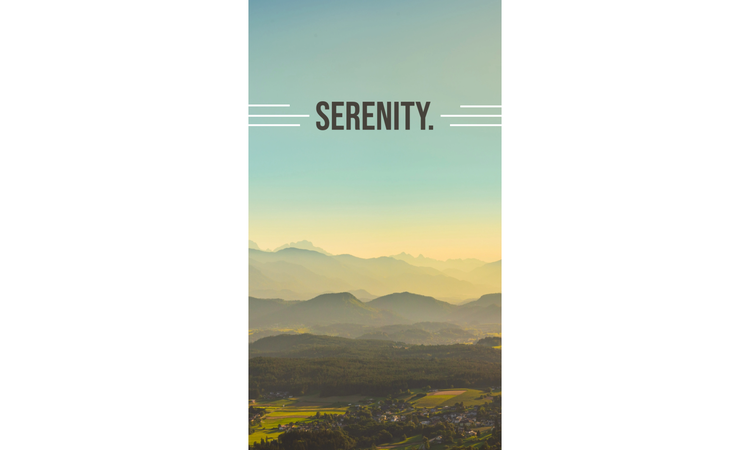




Explore mountain captions that elevate your travel content.
Mountain captions aren’t just for social media posts — they can be used in other projects, too. They can add character to travel collages, support storytelling in printed flyers, and bring a more personal touch to banners and greeting cards. Whether you’re designing something for online platforms or print, having versatile captions can make it easier to create consistent and engaging content.
Enhance your visual storytelling with mountain captions.
A picture is worth a thousand words, but adding the right caption can help you shape how that moment is interpreted. A scenic mountain photo might already capture people’s attention, but a thoughtful caption can guide the mood behind it. Whether you want to inspire others or make them laugh, the right words can add personality to your content. With tools like Adobe Express, you can easily add mountain-themed phrases to creative designs for posters, banners, and more.
Bring your scenic photos to life with these mountain captions.
Captions can help turn beautiful scenery into meaningful content by adding context and emotion to your visuals. Whether you’re sharing a photo on social media or designing a poster or flyer for a project, the right caption can highlight the experience behind the image.
These captions are ideal for both content sharing on social media and designing creative projects. Some of them could also be useful for making inspirational posters. With the Adobe Express poster maker, you can easily add these inspiring captions to your scenic mountain photos and create inspirational posters you can put up in your home or in your office.
Some of these captions can also suit projects like promotional flyers or posters. For example, captions like “Lost in the beauty of the peaks” and “Where the air is fresh and the views are endless” can look great on promotional materials for hiking trails and mountain trips.
recipe
Tell a story of your journey with creative captions for mountain trips.
Are you posting photos of the mountain you hiked during your last vacation? Adventures like this are filled with memorable moments, and adding captions can help you tell the story about your experience going hiking. They let you add context, like how the weather changed along the trail or what made the climb challenging.
These captions work well for travel logs, collages, and photo series, where you can curate and use multiple images to tell a bigger story.
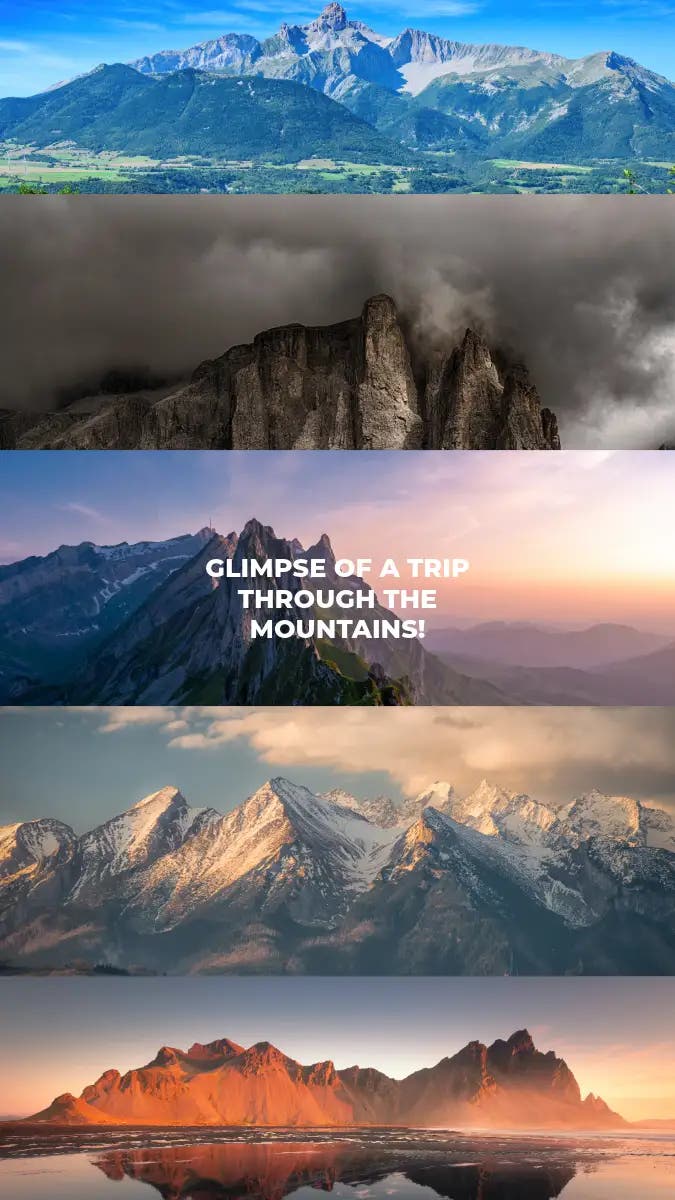
Try making a collage that tells the story of your hike using a collage generator. Pick the photos to use and decide how you want to arrange them in the collage. Easily upload your photos, pick a grid layout, and swap them around or crop them until you get the collage layout you want.
Let’s say you want to make a collage about a recent hiking trip with friends. Choose scenic photos showing the mountain from different heights and angles, including the trail you hiked on to show your journey. For a finishing touch, use captions like “Chasing views, not deadlines” or “Exploring peaks, one trail at a time.”
You can also use these captions for mountain trips across different formats, from social media posts to printed travel keepsakes. With Adobe Express, you can duplicate and resize your photos and designs, so you can post them online or print them out for your journal or scrapbook.
recipe
Make more compelling visual storytelling with aesthetic mountain captions.
If you want to elevate your visual storytelling, you can try going for a more aesthetic approach. Aesthetic mountain captions focus on mood, tone, and visual harmony.
Since the focus is on the scenery, try to aim for a design that highlights the scenic photo to avoid burying it under different design elements. The goal here is to draw the eye toward the beauty of the mountains. Try pairing these captions with minimalist layouts, soft color palettes, and thoughtful typography.
A design that pairs an aesthetic mountain caption with a scenic photo could be used for flyers or posters. It can help entice readers to enjoy the beauty of nature and maybe even inspire them to plan their own hiking trip. You can make a flyer or poster in minutes with Adobe Express, choosing from thousands of existing templates or creating your own project from scratch.
How to create scroll-stopping mountain captions.
Add humor to your travel content with funny mountain captions.
Adding a lighthearted touch to your content can make it more relatable and engaging. Funny mountain captions can help add personality to casual social media posts or group trip photos. They’re especially useful when you want to share the fun side of a hike or highlight the unexpected moments along the way. With such captions, you turn simple snapshots into stories people can connect with.
Maybe you have a photo of a selfie you took after a hike that you want to share with friends or on social media. If you want to make it relatable to your audience or you want to make them laugh, try adding humor and personality. Pick a funny mountain caption like “Peak performance? Not me, but I made it” or “Climbing mountains and dodging responsibilities,” and pair it with a fun font to give it that meme vibe.
Try editing your photo using an image editor, and play around with different fonts and effects until you get the style you’re going for.
How to write your own creative mountain captions.
Writing your own captions is a great way to personalize your projects, whether you’re designing a travel collage or adding text to a printed keepsake. Here’s how you can start writing your own captions:
1. Start with the moment you want to capture.
Think about the specific experience behind the photo you’re making the caption for. Was it a challenging hike, a peaceful view, or a fun trip with your friends? Identifying the experience you want to highlight can help shape the direction of your caption, making it feel more authentic.
2. Decide on the tone of your caption.
Choose a tone that fits your content and the reaction you’re aiming to get from your audience. Do you want to inspire them or make them laugh? Do you want to catch their eye with aesthetic photos? Knowing the tone you want to go for can make the writing process easier.
3. Keep your caption clear and concise.
Shorter captions are often more effective, especially for visual content. A simple, focused line is easier to read and use for outputs like posters, banners, and social media posts.
4. Use descriptive or expressive language.
You can make a caption more compelling through your word choice. For example, using imagery with words like “peaks,” “clouds,” or “trails” or expressing an emotion tied to the experience can help make captions more engaging without overcomplicating them.
5. Adjust your caption for different formats.
You don’t need to make a different caption for each project. One caption can be reused, but you might need to make adjustments depending on where you use it. For example, platforms like X and Bluesky prefer shorter, snappier captions because of character limits. If your caption is lengthy, you’ll need to make it shorter for these platforms.
6. Pair your caption with the right design.
Once you have your caption, the next step is to pair it with the right design. Choosing the right font, layout, and visual style can enhance your caption and make it stand out.
Here’s an extra tip: keep the formatting in mind when creating a design with your caption. If your caption is on the lengthier side, try to break it up into chunks — no one really likes seeing a thick block of text, even if they do like your content. If you’re unsure about your design, experiment with different fonts, layouts, and styles.
Best ways to use mountain captions across formats.
Your captions can be used beyond social media posts and photo albums. Try these ideas for your next project:
- Greeting cards. Pick a funny or inspirational mountain caption and use the card maker to create a custom greeting card for a loved one.
- Letters. Write a letter using letter templates and turn an inspiring mountain caption into words of encouragement for a friend.
- Posters. Use the poster maker to add a caption to your scenic mountain photo and create a motivational poster for your workspace.
- Banners. Make a custom banner with your favorite mountain caption and photo using the banner maker.
- Digital wallpapers. Pick your favorite mountain caption and add it to a scenic mountain photo to make a personalized background for your laptop or phone with the wallpaper designer.
- Photo collages. Choose your favorite mountain photos and combine them using the collage generator to make a personalized keepsake of your cherished memories. Add a mountain caption that you think works best for your collage for a finishing touch.
- Flyers. Use captions as motivational quotes and spread these words of encouragement using custom-designed flyers, which you can create with the flyer maker.
How to match captions with visuals for a stronger impact.
Once you have a collection of captions, the next step is figuring out how you can match them with your visuals to make your content stand out.
Here are some steps you can follow:
1. Match the caption tone to the image.
Consistency helps strengthen the overall impact of your content. When pairing captions with visuals, make sure that you know the tone you’re going for and stick to it. For instance, if you’re going for a calm, soothing tone, pick a caption that evokes the same mood and pair it with a serene mountain photo.
2. Choose colors that reflect the mood.
In addition to captions and images, your choice of colors can also impact the mood you’re setting for your content. Natural palettes, for example, work great with scenic or inspirational visuals, while bolder colors convey fun and energetic moods. If you’re curious how colors can be used to convey tones and moods, try studying the meanings of colors.
3. Use readable fonts and clear placement.
When you add the caption, avoid placing it over the busy areas of the image. The caption should support the image, not distract from it. Applying elements, such as gradients, patterns, or textures, can add some contrast to the font, making it easy to read. You can also adjust font weight, size, and spacing to improve clarity.
4. Keep the layout balanced.
It can be tempting to play with different styles and editing features, but sometimes less is more. Let’s say you’re editing your scenic mountain photo for an aesthetic social media post. The mountain is the main subject of your photo, but placing too many designs on the image could overcrowd it. Let both the mountain caption and visual breathe, and use alignment options to keep the layout neat.
If you want to keep your content consistent, but you’re short on time, you can create quick and easy designs with Adobe Express. You can pick from thousands of professionally designed, customizable templates, then tweak elements like text, spacing, and visuals to match the look you’re going for.
Tips for repurposing captions effectively.
You don’t need to come up with a new caption for each piece of content you want to share or design. Some captions can be versatile — you just need to learn how to identify when a caption can be reused and how you can reuse it. In some cases, small tweaks like adjusting tone, length, or wording can help the same caption feel natural in a new setting without losing its original message. Content Marketing Institute notes that repurposing content can lighten your content creation workload.
Here are some tips you can try:
Choose flexible captions.
Collect versatile captions. Avoid overly specific wording that makes it sound like it could only work with one format. For example, pick a quote like “The best memories are made in the mountains,” which can work well for both social media posts and posters.
Use one caption.
A strong caption can carry the same message even when the layout or format changes. Instead of rewriting it each time, focus on adjusting how it’s presented. You can try repositioning the text, changing its size, or pairing it with different visuals. Try refining these elements so the caption feels intentional in every version.
Maintain visual consistency.
While it can be fun to experiment with different styles, maintaining visual consistency is important if you’re sharing content on multiple platforms and want your audience to know that these posts are all from you.
From a marketing perspective, for example, people can easily recognize your brand when you use a consistent voice, color palette, and visual style in your marketing campaigns. Even small details can help you create a more cohesive and recognizable identity over time.
Save and reuse templates.
If you want to speed up your process when repurposing your captions and content, you can create multiple designs at once and save them so they can be used for future projects. This lets you quickly swap in new photos or update text while keeping a consistent layout. This also makes it easier to produce polished content without starting over each time.
Slightly tweak captions when needed.
A lot of captions can be used for different contexts, but sometimes you’ll need to tweak them a bit to adjust the tone for your audience or change their length depending on the format you’ll be repurposing them for.
Turn captions into effective visual storytelling elements.
Mountain captions don’t have to be just for sharing your aesthetic hiking trip photos on social media. With Adobe Express, you can turn captions into something funny, relatable, or even inspirational. When these captions are paired with the right visuals, you can use them for various projects, from motivational posters to funny pictures you can share with your friends.
Bring your scenic mountain photos to life today with Adobe Express.
Discover more you might like.
You might also like...