Créer une illustration de type émoji dans Illustrator
Exprimez votre créativité en élaborant un émoji amusant grâce à ces techniques faciles, adaptées à tous les niveaux de compétence.
Publié le
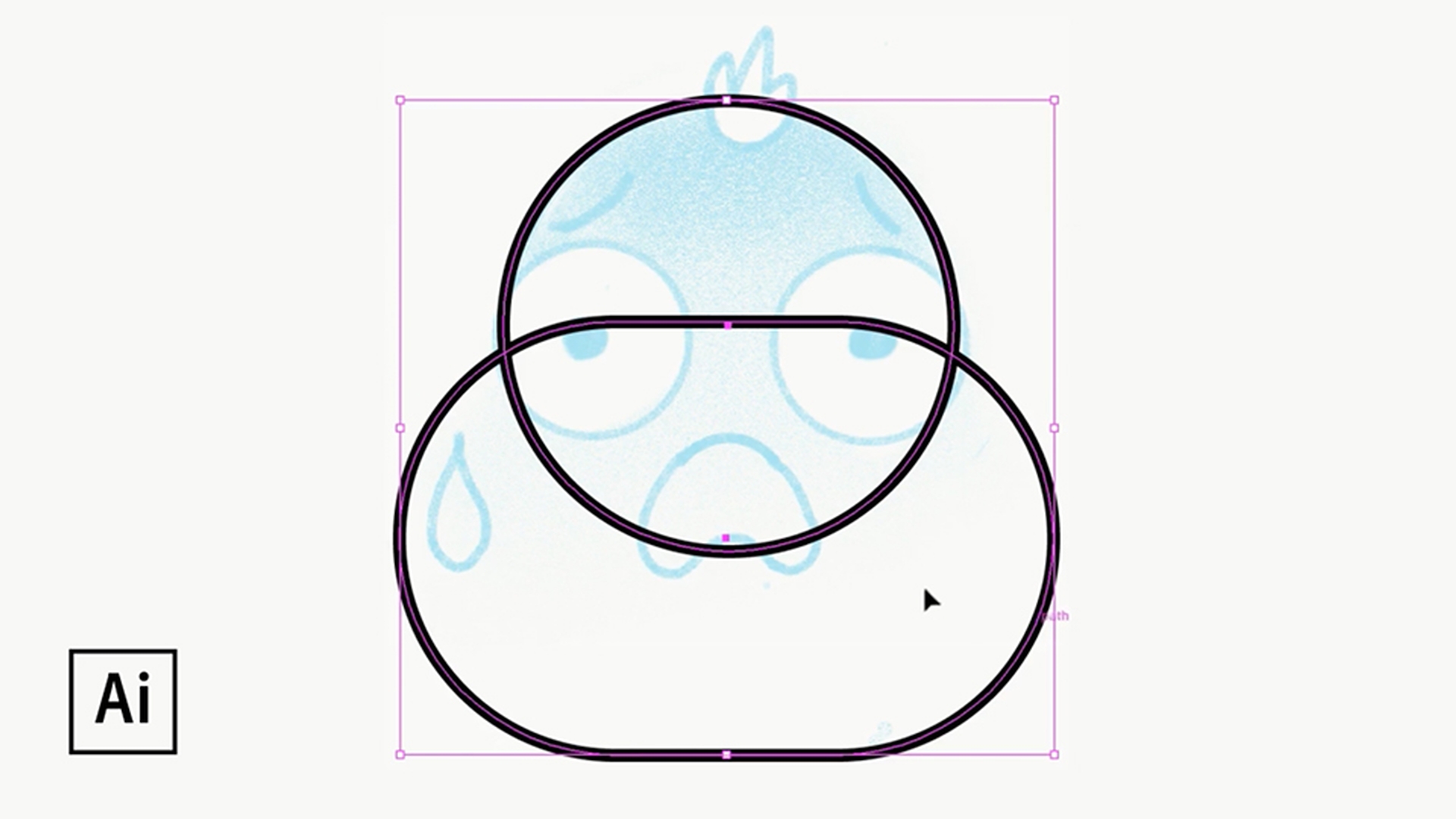
Dessiner, remodeler et associer des formes
Vous pouvez très facilement dessiner des formes simples et modifier leur aspect grâce à quelques petites manipulations habiles. Arrondissez les angles pour obtenir un tout nouveau style, ou créez une composition plus complexe en associant plusieurs formes. Utilisez l’outil Concepteur de forme pour relier certaines formes et en dissocier d’autres.
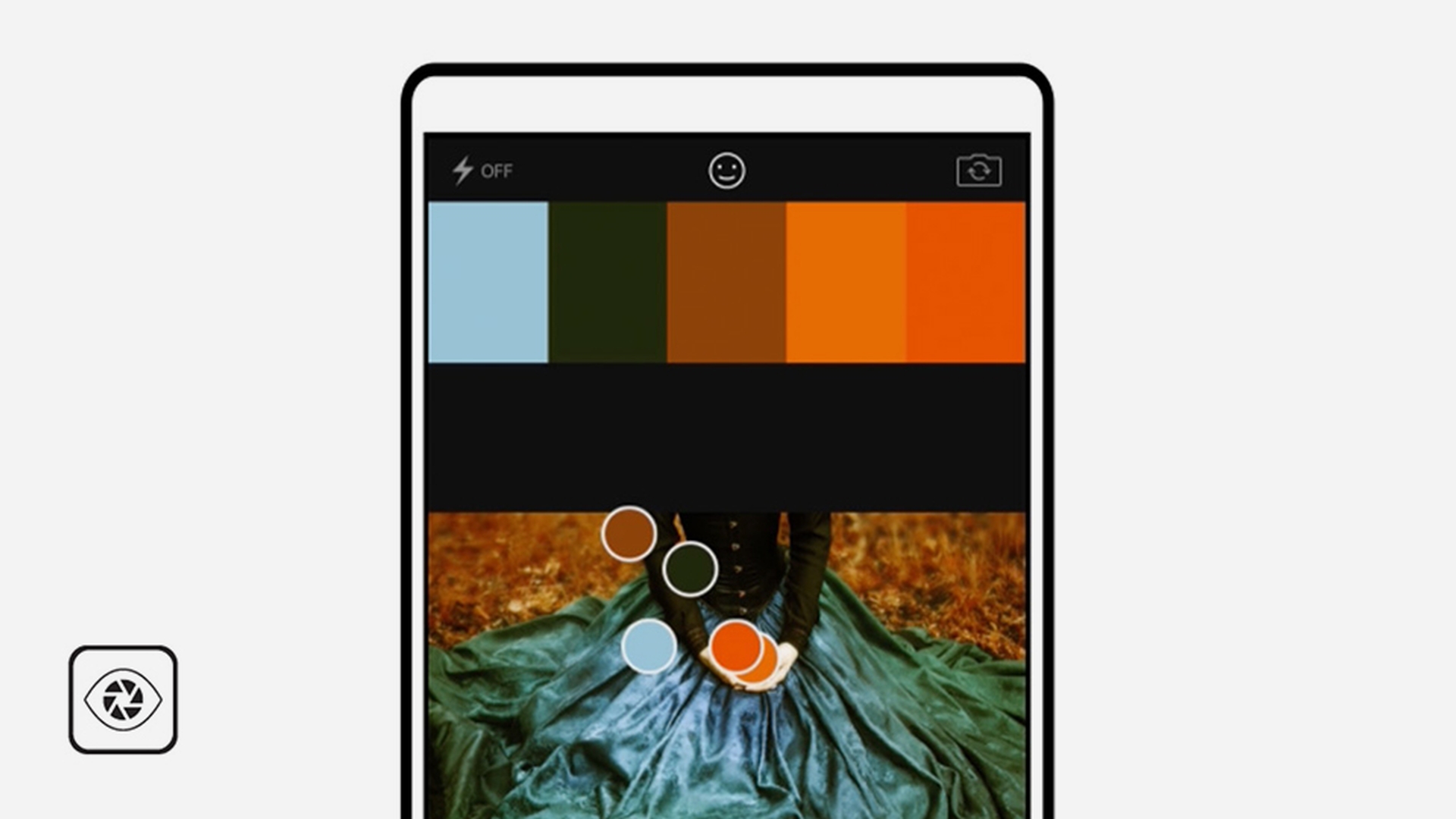
Inutile d’être un spécialiste pour créer un thème de couleur unique. Grâce à l’application mobile Capture, vous pouvez saisir des couleurs dans une scène ou une photo de votre galerie ou de votre dossier Pellicule. Personnalisez et améliorez les couleurs, puis donnez un nom unique à votre thème. Recherchez ensuite votre thème dans le panneau Bibliothèques d’Illustrator, et utilisez-le pour colorer votre émoji.
Égayez votre émoji à l’aide d’effets spéciaux qui changeront sa couleur et son aspect. Appliquez un effet de lueur pour créer un mélange de couleurs parfaitement fluide. Dans le panneau Aspect, sélectionnez la couleur de fond, puis choisissez Effet > Spécial > Lueur interne.
Pour créer un effet brillant localisé, tracez une ellipse, et appliquez-lui un dégradé. Ouvrez ensuite le panneau Transparence et modifiez l’opacité pour obtenir un contour subtil.
Transcription non disponible
Ajouter une touche finale
Vous pouvez remodeler à votre convenance ces formes vectorielles. Les variantes que vous obtenez restent modifiables. Sélectionnez une forme et testez les différents effets. Par exemple, appliquez l’effet de déformation « fish-eye » pour modifier rapidement l’expression de votre émoji.
Ajoutez à présent quelques détails amusants. Transformez une forme ovale en étoile, ou un cercle en fleur, avec l’effet Contraction et dilatation. Conseil : activez la case à cocher Aperçu pour visualiser les effets à mesure que vous jouez avec les différents paramètres.
Transcription non disponible
Nous espérons que vous avez pris du plaisir à suivre ce tutoriel ! Intégrez votre émoji à votre blog, votre site web et vos illustrations, ou partagez-le en utilisant le hashtag #madethis afin que nous puissions le présenter sur la page Adobe Students (@adobestudents).
Essayez ces tutoriels avec Illustrator
Créez des illustrations et d’autres graphiques avec des vecteurs.
You can control how Adobe websites use cookies and similar technologies by making choices below. But note that if you disable cookies and similar technologies entirely, Adobe websites may not function properly.
Cookies are small text files stored by your web browser when you use websites. There are also other technologies that can be used for similar purposes like HTML5 Local Storage and local shared objects, web beacons, and embedded scripts. These technologies help us do things like remembering you and your preferences when you return to our sites, measure how you use the website, conduct market research, and gather information about the ads you see and interact with.
You can make choices in the menu below about what cookies and other technologies you want us to use on Adobe sites when you visit them from this browser. You can always change those choices later by clicking on the Cookie Preferences link at the bottom of the page.
If enabled:
We can improve your experience by tailoring the site and the content to things we think might be of interest
We can better keep track of your preferences — like what language you prefer to use
We will better understand your likely interests so we can provide you more relevant Adobe ads and content on non-Adobe websites and in non-Adobe apps
It will help us improve the performance of our website and those of our partners who use the Adobe Experience Cloud
If disabled:
We won’t be able to remember you from session to session so the experience may not be tailored to your interests
You’ll still have access to the content of the site but certain features that depend on cookies may not function
You’ll still see ads, they just may not be as relevant to you
General information
You can control how Adobe websites use cookies and similar technologies by making choices below. But note that if you disable cookies and similar technologies entirely, Adobe websites may not function properly.
Cookies are small text files stored by your web browser when you use websites. There are also other technologies that can be used for similar purposes like HTML5 Local Storage, web beacons, and embedded scripts. These technologies help us do things like remembering you and your preferences when you return to our sites, measure how you use the website, conduct market research, and gather information about the ads you see and interact with.
You can make choices in the menu below about what cookies and other technologies you want us to use on Adobe sites when you visit them from this browser. You can always change those choices later by clicking on the Cookie Preferences link at the bottom of the page.
If enabled:
We can improve your experience by tailoring the site and the content to things we think might be of interest
We can better keep track of your preferences — like what language you prefer to use
We will better understand your likely interests so we can provide you more relevant Adobe ads and content on non-Adobe websites and in non-Adobe apps
It will help us improve the performance of our website and those of our partners who use the Adobe Experience Cloud
If disabled:
We won’t be able to remember you from session to session so the experience may not be tailored to your interests
We’ll still count your use of our site and services
You’ll still have access to the content of the site but certain features that depend on cookies may not function
You’ll still see ads, they just may not be as relevant to you
Operate the site and core servicesOperate site and measure engagement
Always active
These cookies are required, and they are used to enable the site and related services core functionality. Without them the site could not operate, so they cannot be disabled.
These cookies enable the site and related services’ core functionality and collect statistics about user engagement, such as counting active use to help us understand trends. These cookies cannot be disabled.
Measure performance
These cookies are used to analyze site usage to measure and improve performance. Without them Adobe cannot know what content is most valued and how often unique visitors return to the site, making it hard to improve information we offer to you.
These cookies are used to analyze site usage to measure and improve performance. Without them Adobe cannot know what content is most valued, making it hard to improve information we offer to you.
Extend functionality
These cookies are used to enhance the functionality of Adobe sites such as remembering your settings and preferences to deliver a personalized experience; for example, your username, your repeated visits, preferred language, your country, or any other saved preference.
Personalize advertising
These cookies are used to enable Adobe and our partners to serve ads more relevant to your interests. Without them you will still see ads, but they might not be as relevant to you.
Personalize advertising
These cookies are used to enable Adobe and our partners to serve ads more relevant to your interests. Without them you will still see ads, but they might not be as relevant to you.