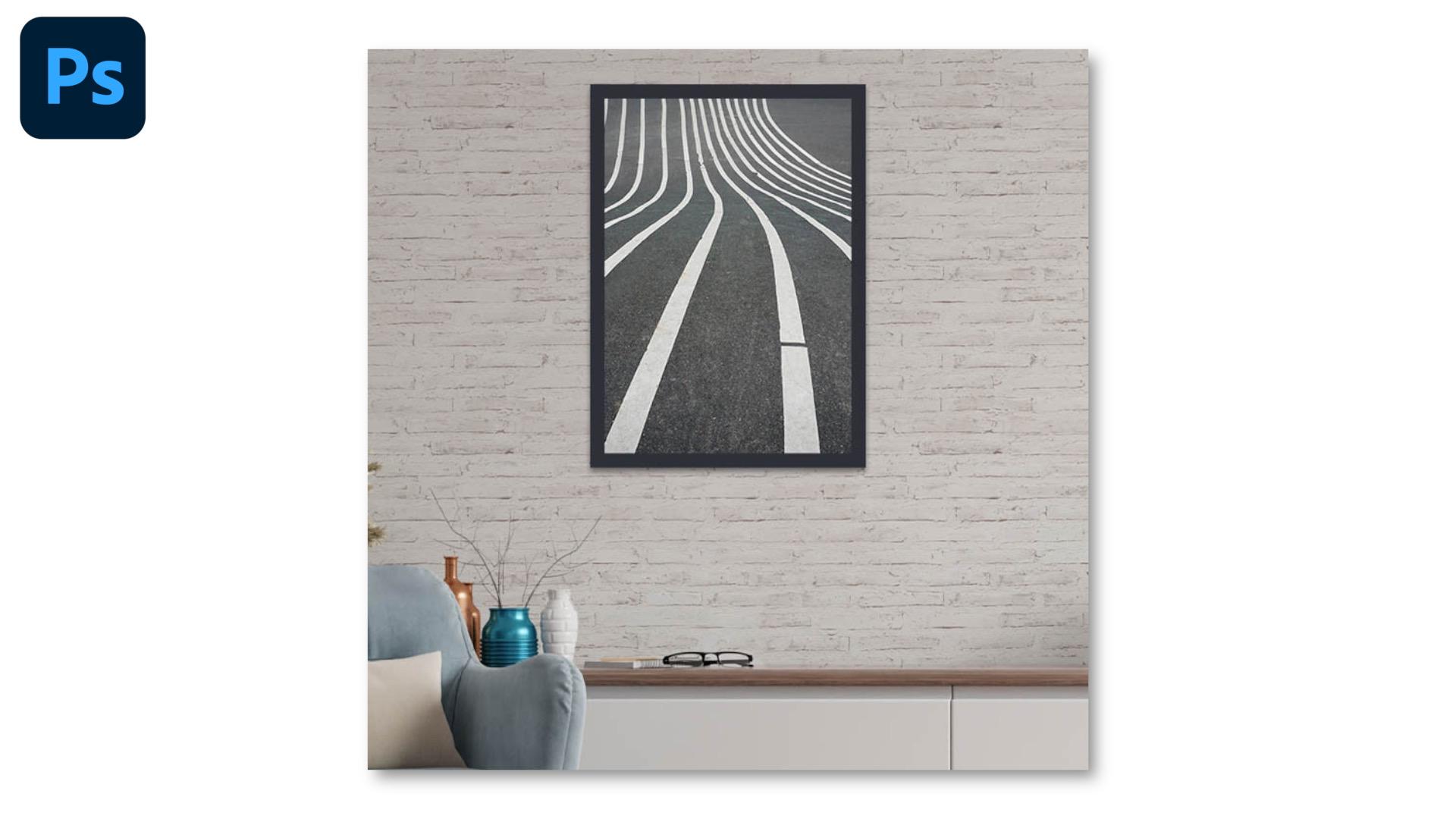
Découvrez comment modifier une photo de pièce pour lui ajouter des décorations et du style.
Publié le
Du détourage à l’ajout de grain, découvrez comment jouer avec les calques pour un collage surréaliste et rétro.
Bonjour à tous.
Dans ce tutoriel sur Photoshop, nous allons apprendre comment rajouter une texture sur un mur, ici de briques, ainsi qu'un tableau.
Nous allons commencer par ajouter la texture brique avec un mode de fusion.
Ensuite, nous effacerons les zones sur lesquelles les briques débordent afin d'avoir un rendu réaliste.
Nous allons également transformer une photographie en tableau grâce à l'ajout d'un cadre et d'ombre.
Et voici le résultat final, vous avez appris à ajouter des éléments de décoration sur une image.
Pourquoi se contenter d'une simple photo quand on peut créer son propre univers ? Le collage est un terrain de jeu formidable où les échelles s'inversent et où les vaches peuvent tenir dans le creux d'une main. C'est l'exercice parfait pour sortir du cadre habituel et donner un coup de frais irréel et rétro à vos créations.
Dans ce tutoriel pratique, apprenez à recréer cette esthétique directement dans Photoshop. Il s’agit d’une technique idéale pour créer des affiches, des pochettes d'album ou des visuels qui ne passeront pas inaperçus sur vos réseaux sociaux.
Ce que vous allez apprendre
Compléter une photo instantanément avec le Remplissage d’après le contenu,
Sélectionner automatiquement le sujet d’une image puis l’ajuster avec l’outil Baguette magique,
Séparer un élément d'un calque pour le déplacer,
Ajouter ou effacer des éléments sur un masque de fusion grâce à l’outil Pinceau,
Ajouter du bruit pour renforcer la texture vintage.
À propos de l’auteur
Je m’appelle Louisa, je suis illustratrice freelance et créatrice de contenus, basée à Berlin. Je partage les coulisses de mon métier, mes conseils, ma passion et des tutoriels, principalement sur YouTube, mais aussi sur Instagram, à travers des contenus dédiés à la création et à la vie d’indépendante.
En parallèle, j’ai eu la chance de collaborer avec de nombreux clients en illustration, pour qui j’ai réalisé des compositions pleines de couleurs.
You can control how Adobe websites use cookies and similar technologies by making choices below. But note that if you disable cookies and similar technologies entirely, Adobe websites may not function properly.
Cookies are small text files stored by your web browser when you use websites. There are also other technologies that can be used for similar purposes like HTML5 Local Storage and local shared objects, web beacons, and embedded scripts. These technologies help us do things like remembering you and your preferences when you return to our sites, measure how you use the website, conduct market research, and gather information about the ads you see and interact with.
You can make choices in the menu below about what cookies and other technologies you want us to use on Adobe sites when you visit them from this browser. You can always change those choices later by clicking on the Cookie Preferences link at the bottom of the page.
If enabled:
We can improve your experience by tailoring the site and the content to things we think might be of interest
We can better keep track of your preferences — like what language you prefer to use
We will better understand your likely interests so we can provide you more relevant Adobe ads and content on non-Adobe websites and in non-Adobe apps
It will help us improve the performance of our website and those of our partners who use the Adobe Experience Cloud
If disabled:
We won’t be able to remember you from session to session so the experience may not be tailored to your interests
You’ll still have access to the content of the site but certain features that depend on cookies may not function
You’ll still see ads, they just may not be as relevant to you
General information
You can control how Adobe websites use cookies and similar technologies by making choices below. But note that if you disable cookies and similar technologies entirely, Adobe websites may not function properly.
Cookies are small text files stored by your web browser when you use websites. There are also other technologies that can be used for similar purposes like HTML5 Local Storage, web beacons, and embedded scripts. These technologies help us do things like remembering you and your preferences when you return to our sites, measure how you use the website, conduct market research, and gather information about the ads you see and interact with.
You can make choices in the menu below about what cookies and other technologies you want us to use on Adobe sites when you visit them from this browser. You can always change those choices later by clicking on the Cookie Preferences link at the bottom of the page.
If enabled:
We can improve your experience by tailoring the site and the content to things we think might be of interest
We can better keep track of your preferences — like what language you prefer to use
We will better understand your likely interests so we can provide you more relevant Adobe ads and content on non-Adobe websites and in non-Adobe apps
It will help us improve the performance of our website and those of our partners who use the Adobe Experience Cloud
If disabled:
We won’t be able to remember you from session to session so the experience may not be tailored to your interests
We’ll still count your use of our site and services
You’ll still have access to the content of the site but certain features that depend on cookies may not function
You’ll still see ads, they just may not be as relevant to you
Operate the site and core servicesOperate site and measure engagement
Always active
These cookies are required, and they are used to enable the site and related services core functionality. Without them the site could not operate, so they cannot be disabled.
These cookies enable the site and related services’ core functionality and collect statistics about user engagement, such as counting active use to help us understand trends. These cookies cannot be disabled.
Measure performance
These cookies are used to analyze site usage to measure and improve performance. Without them Adobe cannot know what content is most valued and how often unique visitors return to the site, making it hard to improve information we offer to you.
These cookies are used to analyze site usage to measure and improve performance. Without them Adobe cannot know what content is most valued, making it hard to improve information we offer to you.
Extend functionality
These cookies are used to enhance the functionality of Adobe sites such as remembering your settings and preferences to deliver a personalized experience; for example, your username, your repeated visits, preferred language, your country, or any other saved preference.
Personalize advertising
These cookies are used to enable Adobe and our partners to serve ads more relevant to your interests. Without them you will still see ads, but they might not be as relevant to you.
Personalize advertising
These cookies are used to enable Adobe and our partners to serve ads more relevant to your interests. Without them you will still see ads, but they might not be as relevant to you.