Découvrir comment le photographe Rob Williamson prépare ses prises de vues
Basé dans la baie de San Fransico, ce spécialiste de la création se sert des outils Rotation de l’objet et Remplissage génératif de Photoshop pour visualiser rapidement une idée et créer une composition détaillée.
Je suis photographe et basé dans la baie de San Francisco.
Lorsque vous réalisez une esquisse, votre idée prend forme sous vos yeux, et vous vous rapprochez de l'image finale.
Planifier la composition et les angles avec l’outil Rotation de l’objet
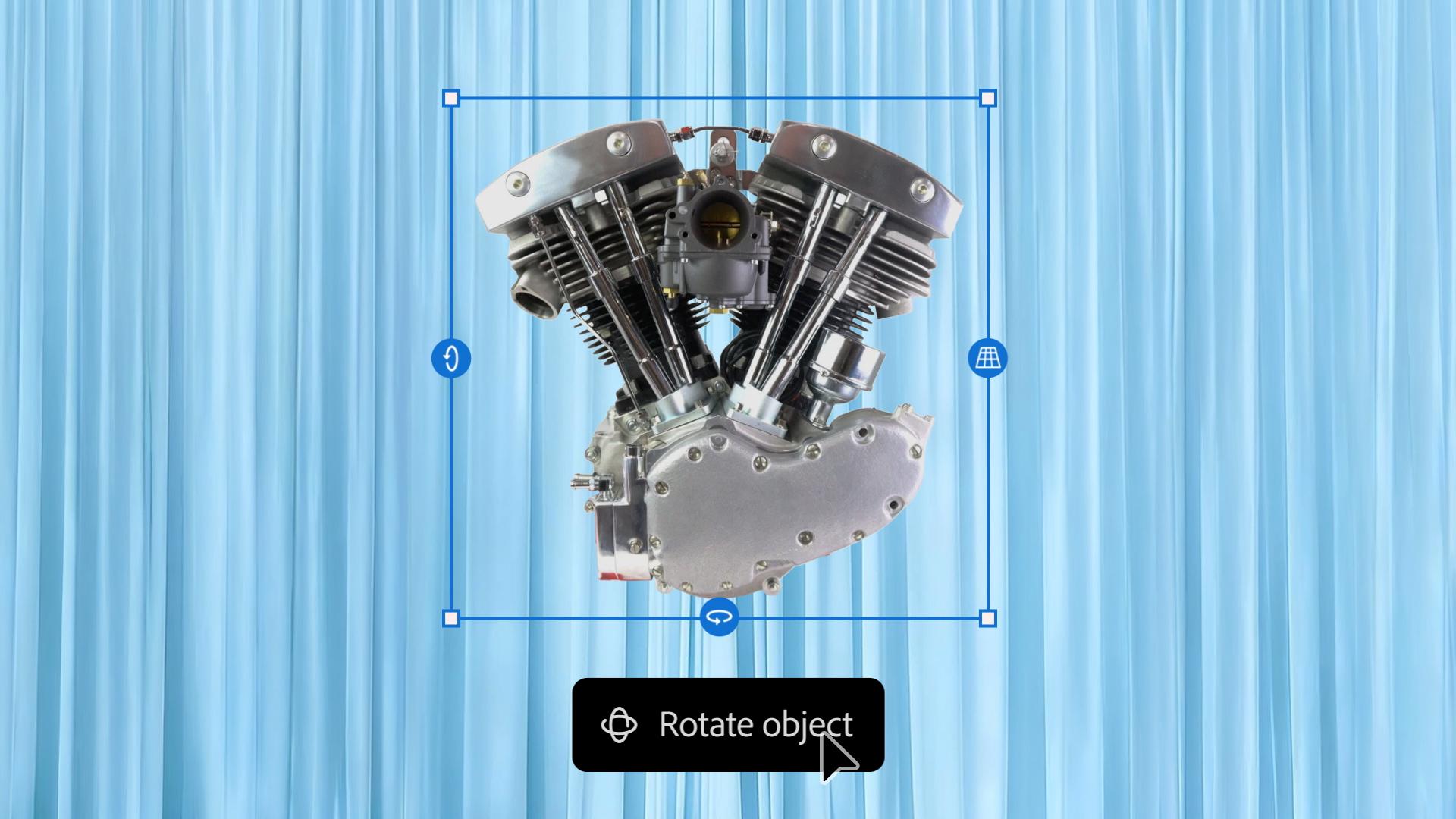
J'utilise l'outil Rotation de l'objet de Photoshop pour préparer mes prises, comme celle de ce moteur de moto, particulièrement lourd et encombrant.
J'ai pu faire pivoter la pièce, vérifier la hauteur et obtenir l'angle qui m'intéressait.
Quand j'ai découvert cet outil, j'ai poussé un cri de joie, un peu comme si je voyais la face cachée de la lune.
Améliorer des concepts avec l’outil Remplissage génératif de Photoshop
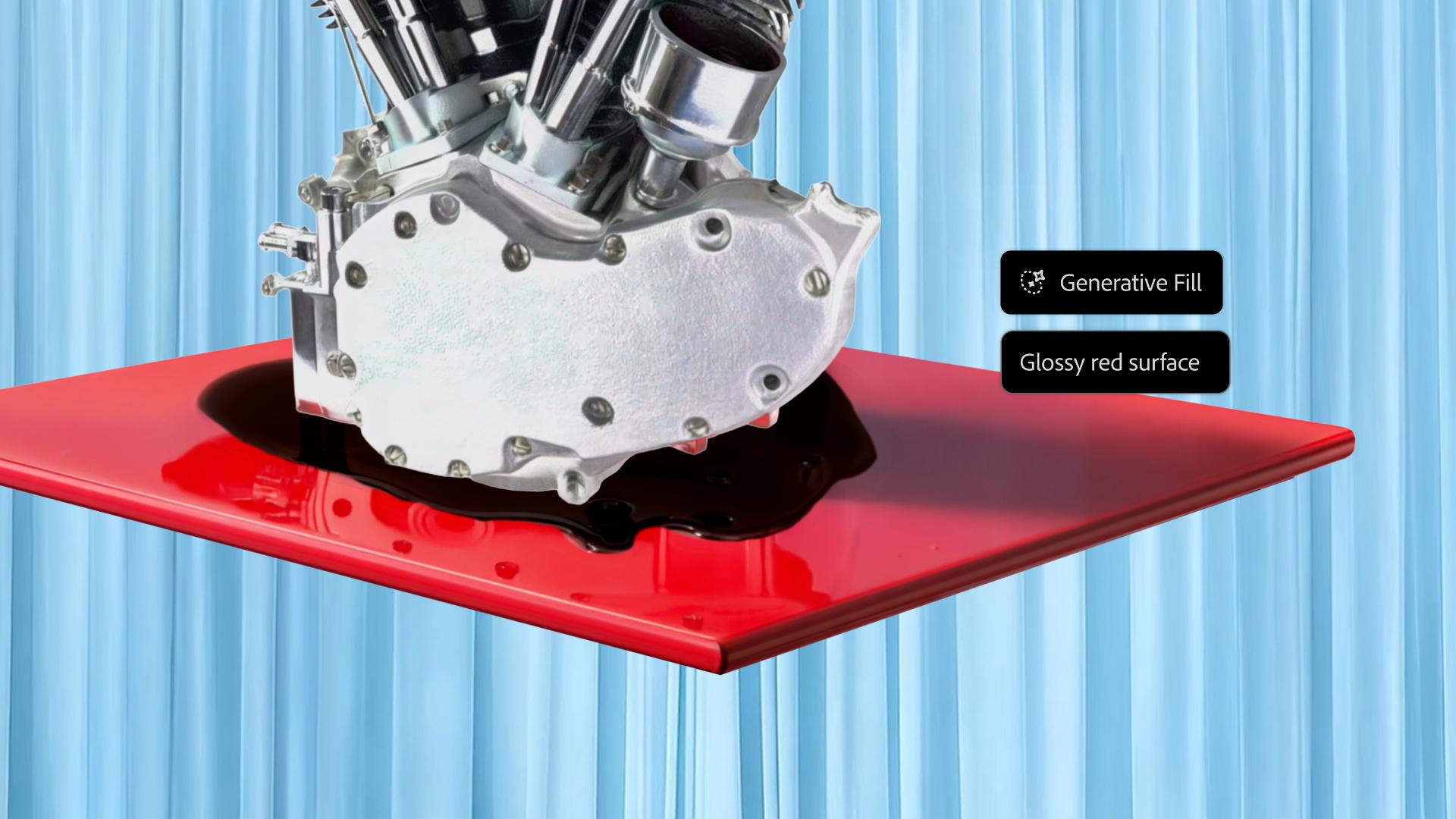
J'ai également utilisé une autre fonctionnalité, intitulée Remplissage génératif, pour ajouter une flaque d'huile à partir d'un prompt.
Ces nouveautés accélèrent considérablement mon processus de planification et me permettent de tester des choses qui seraient irréalisables lors des prises de vues.
Adobe Photoshop m'aide à concrétiser ma vision. [musique]
« Quand j’ai découvert l’outil Rotation de l’objet, j’étais ravi, un peu comme si je voyais la face cachée de la lune. »
Étape 1 : jouer avec la perspective
Pour commencer, Rob Williamson a rapidement créé la composition qu’il avait en tête, à savoir un moteur de moto posé sur une table. Puis, il a utilisé l’outil Rotation de l’objet pour incliner et déplacer l’engin jusqu’à obtenir l’angle qui l’intéressait.
Transcription non disponible
Étape 2 : créer la scène
Rob Williamson a ensuite enrichi la composition. Il a masqué les pieds de la table, puis a rédigé des prompts de remplissage génératif pour ajouter une flaque d’huile sous le moteur et une finition laquée au plateau de la table.
Transcription non disponible
Étape 3 : concrétiser sa vision
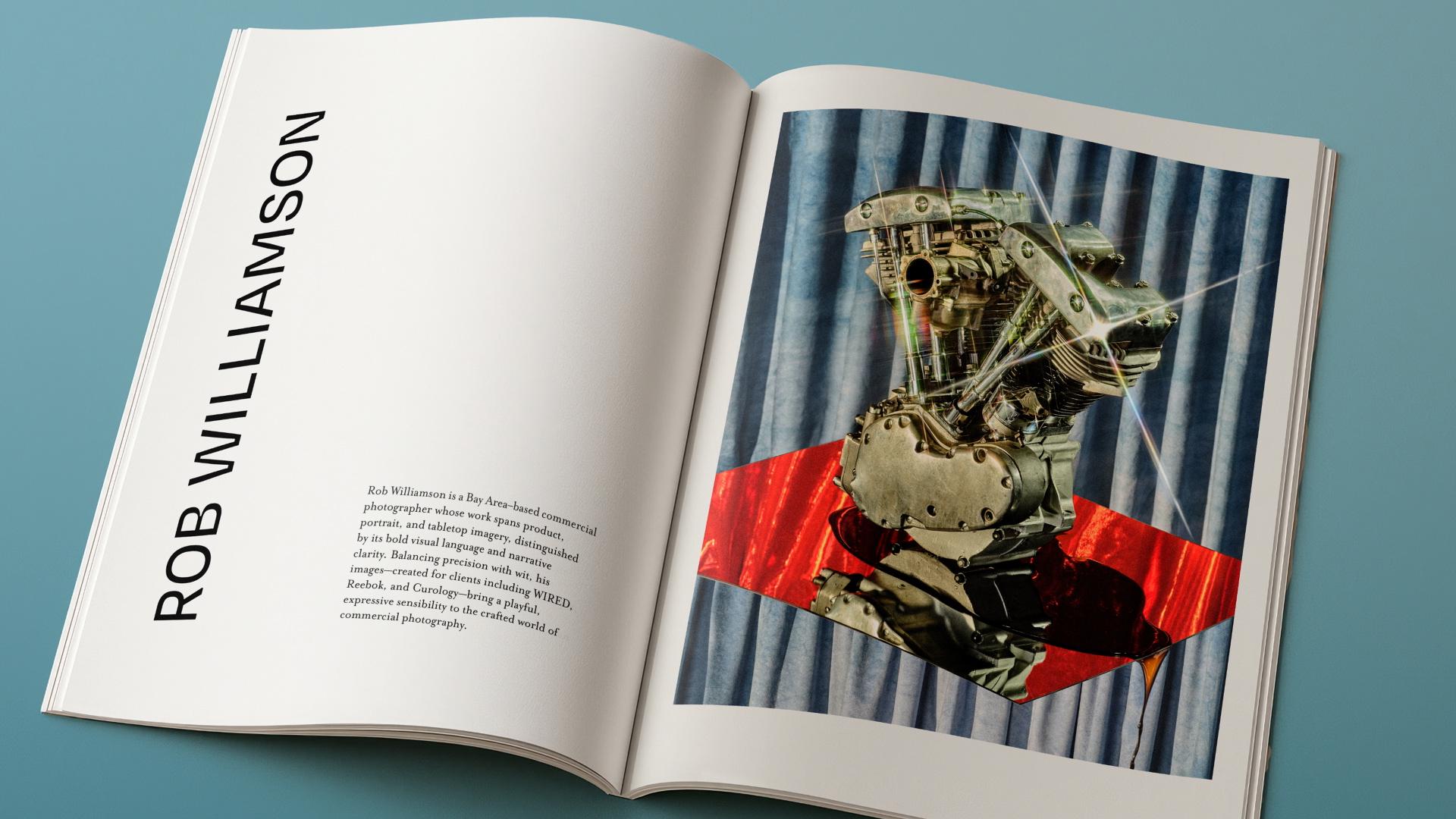
« Lorsque vous réalisez une esquisse, votre idée prend forme sous vos yeux, et vous vous rapprochez de l’image finale », explique le photographe. Une fois le plan en place, il a photographié chaque élément et retouché les images dans Lightroom, puis il a importé le tout dans Photoshop pour créer l’image finale.
Transcription non disponible
Formation
Rob Williamson
Essayez ces tutoriels avec Photoshop
Modifiez des photos pour créer de nouvelles images et graphiques.
You can control how Adobe websites use cookies and similar technologies by making choices below. But note that if you disable cookies and similar technologies entirely, Adobe websites may not function properly.
Cookies are small text files stored by your web browser when you use websites. There are also other technologies that can be used for similar purposes like HTML5 Local Storage and local shared objects, web beacons, and embedded scripts. These technologies help us do things like remembering you and your preferences when you return to our sites, measure how you use the website, conduct market research, and gather information about the ads you see and interact with.
You can make choices in the menu below about what cookies and other technologies you want us to use on Adobe sites when you visit them from this browser. You can always change those choices later by clicking on the Cookie Preferences link at the bottom of the page.
If enabled:
We can improve your experience by tailoring the site and the content to things we think might be of interest
We can better keep track of your preferences — like what language you prefer to use
We will better understand your likely interests so we can provide you more relevant Adobe ads and content on non-Adobe websites and in non-Adobe apps
It will help us improve the performance of our website and those of our partners who use the Adobe Experience Cloud
If disabled:
We won’t be able to remember you from session to session so the experience may not be tailored to your interests
You’ll still have access to the content of the site but certain features that depend on cookies may not function
You’ll still see ads, they just may not be as relevant to you
General information
You can control how Adobe websites use cookies and similar technologies by making choices below. But note that if you disable cookies and similar technologies entirely, Adobe websites may not function properly.
Cookies are small text files stored by your web browser when you use websites. There are also other technologies that can be used for similar purposes like HTML5 Local Storage, web beacons, and embedded scripts. These technologies help us do things like remembering you and your preferences when you return to our sites, measure how you use the website, conduct market research, and gather information about the ads you see and interact with.
You can make choices in the menu below about what cookies and other technologies you want us to use on Adobe sites when you visit them from this browser. You can always change those choices later by clicking on the Cookie Preferences link at the bottom of the page.
If enabled:
We can improve your experience by tailoring the site and the content to things we think might be of interest
We can better keep track of your preferences — like what language you prefer to use
We will better understand your likely interests so we can provide you more relevant Adobe ads and content on non-Adobe websites and in non-Adobe apps
It will help us improve the performance of our website and those of our partners who use the Adobe Experience Cloud
If disabled:
We won’t be able to remember you from session to session so the experience may not be tailored to your interests
We’ll still count your use of our site and services
You’ll still have access to the content of the site but certain features that depend on cookies may not function
You’ll still see ads, they just may not be as relevant to you
Operate the site and core servicesOperate site and measure engagement
Always active
These cookies are required, and they are used to enable the site and related services core functionality. Without them the site could not operate, so they cannot be disabled.
These cookies enable the site and related services’ core functionality and collect statistics about user engagement, such as counting active use to help us understand trends. These cookies cannot be disabled.
Measure performance
These cookies are used to analyze site usage to measure and improve performance. Without them Adobe cannot know what content is most valued and how often unique visitors return to the site, making it hard to improve information we offer to you.
These cookies are used to analyze site usage to measure and improve performance. Without them Adobe cannot know what content is most valued, making it hard to improve information we offer to you.
Extend functionality
These cookies are used to enhance the functionality of Adobe sites such as remembering your settings and preferences to deliver a personalized experience; for example, your username, your repeated visits, preferred language, your country, or any other saved preference.
Personalize advertising
These cookies are used to enable Adobe and our partners to serve ads more relevant to your interests. Without them you will still see ads, but they might not be as relevant to you.
Personalize advertising
These cookies are used to enable Adobe and our partners to serve ads more relevant to your interests. Without them you will still see ads, but they might not be as relevant to you.