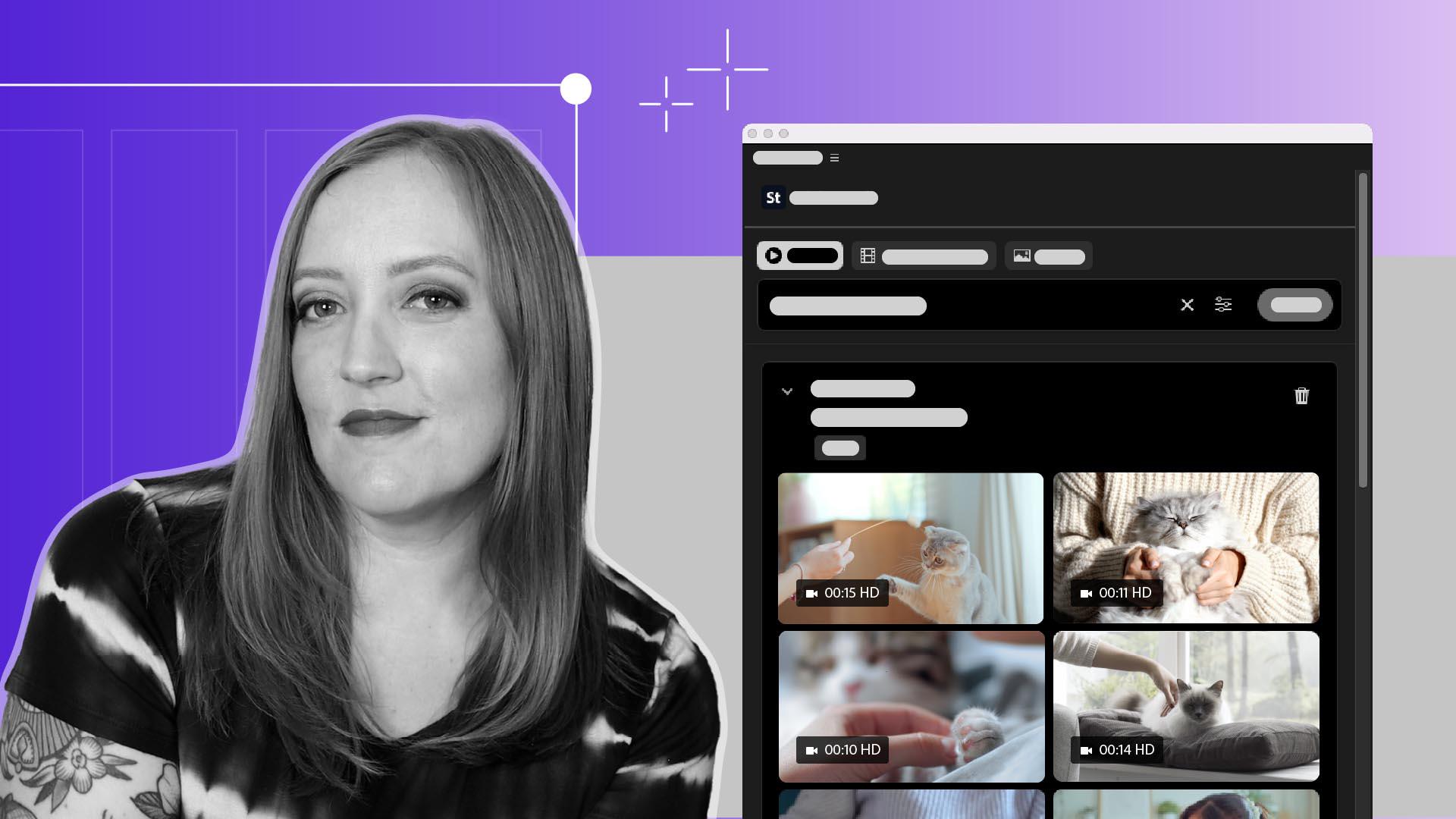
Ajouter des ressources Adobe Stock à l’aide du panneau dédié dans Premiere
Recherchez, prévisualisez et achetez des séquences Adobe Stock directement dans Premiere.
Publié le
Recherchez, prévisualisez et achetez des séquences Adobe Stock directement dans Premiere.
Introduction
[Sarah John]: L'une des difficultés souvent rencontrées par les vidéastes consiste à augmenter l'attrait d'une personne qui s'adresse à la caméra.
Heureusement, Premiere intègre désormais la bibliothèque Adobe Stock directement dans le workflow.
Dans le panneau Adobe Stock, nous pouvons rechercher parmi des millions de vidéos, d'images et de templates, dont plus de 92 000 contenus gratuits.
Nous pouvons ensuite acquérir la licence et importer immédiatement le contenu choisi dans notre projet, le tout sans quitter Premiere.
Je m'appelle Sarah, et je vais vous montrer comment procéder.
Accéder à des millions de ressources
Par défaut, le panneau Adobe Stock est affiché sous la forme d'un onglet, à côté des fichiers de projet.
Il est toutefois plus visible dans l'espace de travail Bibliothèques.
Nous avons le choix entre plusieurs filtres de recherche : Images, Vidéos et Modèles vidéo.
Nous pouvons affiner nos recherches en modifiant les paramètres de filtrage.
Supposons que je souhaite intercaler dans cette séquence où je parle une bobine B d'une personne en train de caresser un chat, car mon propre chat est trop occupé pour que je puisse le filmer.
Je peux saisir « femme caressant un chat » dans le champ de recherche, choisir des filtres pour affiner les résultats, et voilà, j'ai le choix entre plusieurs options.
Prévisualiser et tester instantanément des séquences
En les survolant, je peux obtenir un aperçu rapide de chacune d'elles.
Regardez toutes ces stars !
Voici un chat qui ressemble au mien.
Si je survole l'image, plusieurs options s'offrent à moi.
Je peux choisir Télécharger l'aperçu afin d'ajouter un aperçu de la vidéo à mon projet pour voir le résultat.
Une fois décidée, je peux cliquer sur le bouton Télécharger
Acheter et importer sans quitter Premiere
pour importer la séquence.
J'ai alors la possibilité d'acheter la licence de cette vidéo pour l'utiliser librement.
L'avantage, c'est que l'intégralité du processus d'achat de licence et de paiement se déroule dans ce panneau.
Après avoir fait le nécessaire, je peux télécharger la vidéo et l'ajouter à mon projet.
Maintenant que vous savez comment utiliser le panneau Adobe Stock, vous pouvez rechercher et acheter la licence de toutes les bobines B de chat dont vous pourriez avoir besoin.
Amusez-vous bien.
Ce que vous apprendrez
Accéder à des millions de ressources
Grâce au panneau Adobe Stock, explorez une multitude de vidéos, d’images et de templates d’animations graphiques, dont plus de 92 000 contenus gratuits, directement depuis Premiere. Affinez les résultats et trouvez la séquence parfaite à l’aide des filtres disponibles.
Prévisualiser et tester instantanément des séquences
Avant d’acheter et de télécharger une séquence, prévisualisez-la en survolant sa vignette ou ajoutez l’extrait dans votre projet pour vérifier qu’il vous convient.
Acheter et importer sans quitter Premiere
Une fois votre choix effectué, achetez et téléchargez la séquence directement depuis le panneau.
You can control how Adobe websites use cookies and similar technologies by making choices below. But note that if you disable cookies and similar technologies entirely, Adobe websites may not function properly.
Cookies are small text files stored by your web browser when you use websites. There are also other technologies that can be used for similar purposes like HTML5 Local Storage and local shared objects, web beacons, and embedded scripts. These technologies help us do things like remembering you and your preferences when you return to our sites, measure how you use the website, conduct market research, and gather information about the ads you see and interact with.
You can make choices in the menu below about what cookies and other technologies you want us to use on Adobe sites when you visit them from this browser. You can always change those choices later by clicking on the Cookie Preferences link at the bottom of the page.
If enabled:
We can improve your experience by tailoring the site and the content to things we think might be of interest
We can better keep track of your preferences — like what language you prefer to use
We will better understand your likely interests so we can provide you more relevant Adobe ads and content on non-Adobe websites and in non-Adobe apps
It will help us improve the performance of our website and those of our partners who use the Adobe Experience Cloud
If disabled:
We won’t be able to remember you from session to session so the experience may not be tailored to your interests
You’ll still have access to the content of the site but certain features that depend on cookies may not function
You’ll still see ads, they just may not be as relevant to you
General information
You can control how Adobe websites use cookies and similar technologies by making choices below. But note that if you disable cookies and similar technologies entirely, Adobe websites may not function properly.
Cookies are small text files stored by your web browser when you use websites. There are also other technologies that can be used for similar purposes like HTML5 Local Storage, web beacons, and embedded scripts. These technologies help us do things like remembering you and your preferences when you return to our sites, measure how you use the website, conduct market research, and gather information about the ads you see and interact with.
You can make choices in the menu below about what cookies and other technologies you want us to use on Adobe sites when you visit them from this browser. You can always change those choices later by clicking on the Cookie Preferences link at the bottom of the page.
If enabled:
We can improve your experience by tailoring the site and the content to things we think might be of interest
We can better keep track of your preferences — like what language you prefer to use
We will better understand your likely interests so we can provide you more relevant Adobe ads and content on non-Adobe websites and in non-Adobe apps
It will help us improve the performance of our website and those of our partners who use the Adobe Experience Cloud
If disabled:
We won’t be able to remember you from session to session so the experience may not be tailored to your interests
We’ll still count your use of our site and services
You’ll still have access to the content of the site but certain features that depend on cookies may not function
You’ll still see ads, they just may not be as relevant to you
Operate the site and core servicesOperate site and measure engagement
Always active
These cookies are required, and they are used to enable the site and related services core functionality. Without them the site could not operate, so they cannot be disabled.
These cookies enable the site and related services’ core functionality and collect statistics about user engagement, such as counting active use to help us understand trends. These cookies cannot be disabled.
Measure performance
These cookies are used to analyze site usage to measure and improve performance. Without them Adobe cannot know what content is most valued and how often unique visitors return to the site, making it hard to improve information we offer to you.
These cookies are used to analyze site usage to measure and improve performance. Without them Adobe cannot know what content is most valued, making it hard to improve information we offer to you.
Extend functionality
These cookies are used to enhance the functionality of Adobe sites such as remembering your settings and preferences to deliver a personalized experience; for example, your username, your repeated visits, preferred language, your country, or any other saved preference.
Personalize advertising
These cookies are used to enable Adobe and our partners to serve ads more relevant to your interests. Without them you will still see ads, but they might not be as relevant to you.
Personalize advertising
These cookies are used to enable Adobe and our partners to serve ads more relevant to your interests. Without them you will still see ads, but they might not be as relevant to you.