

Acrobat
What is a delivery order (DO)? Create and track delivery PDFs with Adobe Acrobat.
Learn what a delivery order is, why it matters, and how to create and manage delivery order PDFs easily with Adobe Acrobat.


Acrobat
Learn what a delivery order is, why it matters, and how to create and manage delivery order PDFs easily with Adobe Acrobat.

Published by Adobe Acrobat India on 8 August 2025
Getting goods from warehouse to customer? One document keeps it all on track: the delivery order. Whether you’re shipping products locally or across the country, a delivery order (DO) ensures that what’s promised is what gets delivered. In this article, we’ll explain what a delivery order is, unpack the delivery order meaning in day-to-day business, and show you how to create and track delivery order PDFs using Adobe Acrobat - a smart, secure option for businesses of all sizes. Delivery orders also serve as vital documentation for GST compliance and logistics coordination, especially for businesses involved in inter-state supply under the e-way bill system.
A delivery order (DO) is a formal document that instructs a carrier or supplier to release goods for delivery to a specified recipient. It typically includes information such as delivery address, item description, quantity, and shipment details.
In India, while delivery orders are not legally mandated for all businesses, they are widely used as best practice to support clear documentation of goods movement and strengthen compliance with tax and logistics requirements.
Still wondering what is a delivery order? Think of it as the bridge between your warehouse and your customer confirming exactly what’s going out, where it’s headed, and who approved it.
Edit PDFs with minimal effort from anywhere, on any device. With Acrobat, you have instant access to the essential PDF tools you need — across desktop, mobile devices and the web. See how easy it is to edit, create, share, organise and e-sign PDFs on the go.

The delivery order meaning goes beyond basic logistics it’s a document that keeps your fulfilment process organised, transparent, and accountable.
Whether you’re a local trader, distributor, or growing an e-commerce brand in India, using delivery orders consistently helps maintain transparency, protect margins, and improve customer satisfaction.
Switching from paper-based systems to digital delivery orders offers a smarter, more efficient way to manage shipments and using delivery order PDFs brings clarity, speed, and security to every step of the process.
Adobe Acrobat makes it simple to go digital without losing professionalism or compliance. For businesses, digital delivery orders also help align with increasing demands for electronic documentation in B2B transactions, especially when working with government tenders, e-marketplaces, or enterprise clients that prefer digital-first workflows.
If you're looking for a flexible way to create and send a delivery order PDF, Adobe Acrobat has you covered. This digital approach helps streamline operations for MSMEs managing high shipment volumes. Follow these steps to build delivery documents that are easy to share and store.
Start with a standard delivery order PDF template or build one to suit your workflow. Typical fields include:
Open the template in Adobe Acrobat and fill in your shipment details. You can add or remove fields to match your delivery process.
Insert your logo and adjust formatting to reflect your business style. Consistent branding helps reinforce trust and credibility with customers and partners.
Add any special handling instructions, delivery windows, or customer references. Acrobat’s comment tools make this simple and clear.
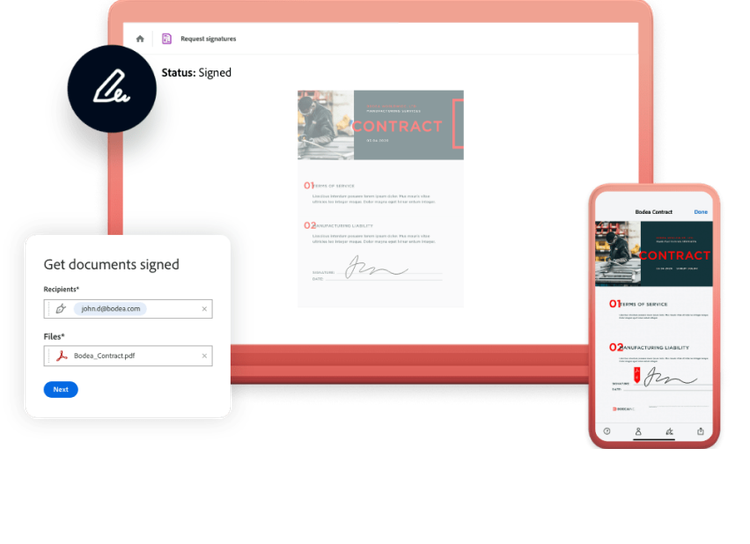
Use Acrobat’s e-signature feature to approve the DO digitally. Share the delivery order PDF by email or link, or save it to your shared workspace for future tracking.
Free PDF viewer that can open and interact with all types of PDF content, on desktop or mobile.