Photography
How HDR can transform your visuals.
Learn how HDR enhances contrast, colour, and detail in images and video, and discover the Adobe tools that bring it to life.
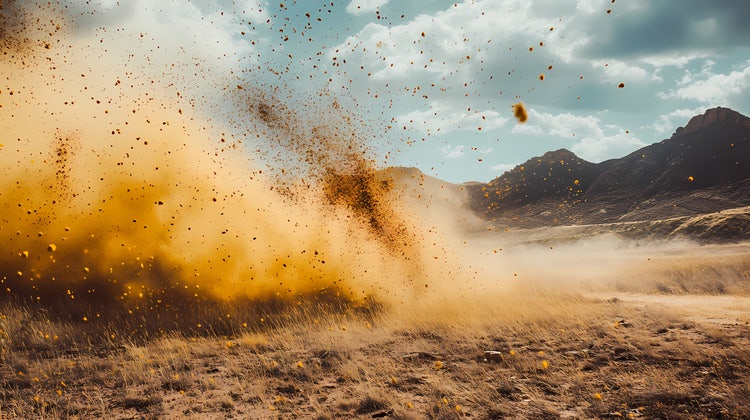
HDR elevates photography and videography.
In a world saturated with visual content, standing out requires more than just good composition or sharp focus - it demands capturing every detail, from the deepest shadows to the brightest highlights. This is where HDR, or High Dynamic Range, revolutionises both photography and videography. But what is HDR, and what does HDR mean for your creative projects? Understanding HDR meaning and its practical application can elevate your visuals to a professional standard, ensuring your work commands attention.
What does HDR do?
HDR means expanding the range of light and colour your camera captures, creating HDR images that appear more true-to-life. Unlike standard photography, HDR photography ensures that the brightest parts of your photo are not washed out, and the darker areas retain detail. In videography, HDR video enhances contrast and colour precision, giving your footage a cinematic, vibrant quality. More specifically, across both photography and videography, HDR creates:

- Greater detail in shadows and highlights: HDR photos combine multiple exposures to preserve details across the entire lighting spectrum.
- Richer colours: HDR image processing reveals vibrant colours that standard images often miss.
- Natural-looking results: When done correctly, HDR photography creates realistic images that reflect how the human eye perceives light.
- Enhanced dynamic range in video: HDR video captures subtle gradations between light and dark, making it ideal for cinematic productions.
Creative scenarios where HDR shines.
- Landscape photography: HDR photography is invaluable when dealing with strong sunlight and shadow contrasts, capturing every nuance of natural beauty.
- Portrait photography: HDR mode subtly enhances skin tones while keeping background details intact.
- Interior photography: High dynamic range photography is crucial for balancing indoor lighting with outdoor brightness through windows.
- Cinematic video production: HDR video brings drama and depth, making scenes appear more immersive and vibrant.
How to capture stunning HDR photos and videos.
- Use a camera HDR mode or shoot brackets: Many modern cameras and smartphones offer HDR mode, automatically merging exposures. For more control, take multiple bracketed exposures manually.
- Choose raw format: Capture HDR photos in raw to retain maximum image data for more detailed post-processing.
- Maintain stability: Use a tripod to ensure consistency across exposures, especially in HDR photography with multiple shots.
Transforming HDR images with Adobe Creative Cloud.
Once you’ve captured your HDR photo or HDR video, the next step is editing. Adobe Creative Cloud tools empower you to harness HDR’s full potential:
- Adobe {{lightroom}} Seamlessly merge bracketed HDR photos into a single HDR image. Adjust exposure, contrast, and colour to fine-tune your HDR photography without overprocessing.
- Adobe Photoshop: Provides advanced control over HDR photo compositing, allowing for precise blending and retouching.
- Adobe {{premiere}}: Optimise your HDR video for professional-quality colour grading, ensuring your visuals stand out on HDR-enabled displays.
Tips for editing HDR photos for natural results.
Editing HDR photos requires precision to bring out details and dynamic range without making the image look overly processed. Adobe {{lightroom}} and Photoshop offer powerful tools to help you achieve professional, realistic results:
Start subtle for balance:
- Avoid harsh, oversaturated HDR looks. In {{lightroom}}, begin with the Auto Tone setting after merging exposures to get a balanced starting point.
- Use the Highlights and Shadows sliders to refine contrast, lifting dark areas and toning down bright spots without losing depth.
- Adjust the Tone Curve for fine control over midtones and overall contrast.
Enhance colour and detail with precision:
- The Colour Grading panel in {{lightroom}} lets you introduce subtle tones into shadows, midtones, and highlights - perfect for adding richness without oversaturation.
- Use the Select Subject or Select Sky masking tools to make targeted adjustments - helping balance bright skies with darker foregrounds in landscapes.
- For complex HDR photo blends, use Layers and Layer Masks in Photoshop to manually combine exposures and control brightness across different areas.
Tips for editing HDR video for professional quality.
HDR video editing demands attention to both brightness range and colour grading to ensure lifelike, cinematic results. Adobe {{premiere}} offers key tools to get the best from your footage:
Work in HDR-compatible settings:
- Use the Rec. 2100 HLG or PQ colour spaces in {{premiere}} for proper HDR video grading.
- Monitor quality is essential - ensure you’re using an HDR-capable, calibrated display to see accurate dynamic range.
Adjust exposure and refine tones:
- Use the Lumetri Colour panel’s Exposure, Whites, and Highlights sliders to protect bright areas and pull details from shadows without flattening the image.
- Fine-tune contrast and colour to maintain realism - avoiding the common HDR mistake of pushing brightness and saturation too far.
Final quality check:
- Always review your HDR video on multiple displays (both HDR and non-HDR) to ensure it translates well across different screens.
HDR is the future of visual storytelling.
As display technology advances, HDR photos and HDR video are becoming the standard for professional content creation. Understanding what HDR is in camera settings and what is HDR mode unlocks new creative possibilities, allowing you to produce visuals that truly captivate your audience.
Whether you’re capturing the rich textures of a landscape at sunrise or crafting a cinematic sequence, HDR photography and HDR video can elevate your work from ordinary to extraordinary. With camera HDR capabilities improving and Creative Cloud tools like {{lightroom}}, Photoshop, and {{premiere}} at your fingertips, mastering high dynamic range techniques is more accessible than ever.