
Try now
Adobe Animate
Interactive animations for multiple platforms.


Take your animation to the next level with space and depth. Create fluid camera swoops while keeping your animation workflow simple and intuitive. Make it come alive and take your viewers along for the journey with industry-leading, intuitive 3D animation software. With efficient design, tweening and puppeting tools, it has never been easier to make your animation stand out.

Bring your 2D animation into a new dimension. Create amazing, fluid spatial effects by spreading your artwork in space and moving your camera to add dynamic movement. Use intuitive 3D animation software to simulate cinematic camera paths, enhance lighting, and explore virtual depth.
Try now
Adobe Animate
Interactive animations for multiple platforms.
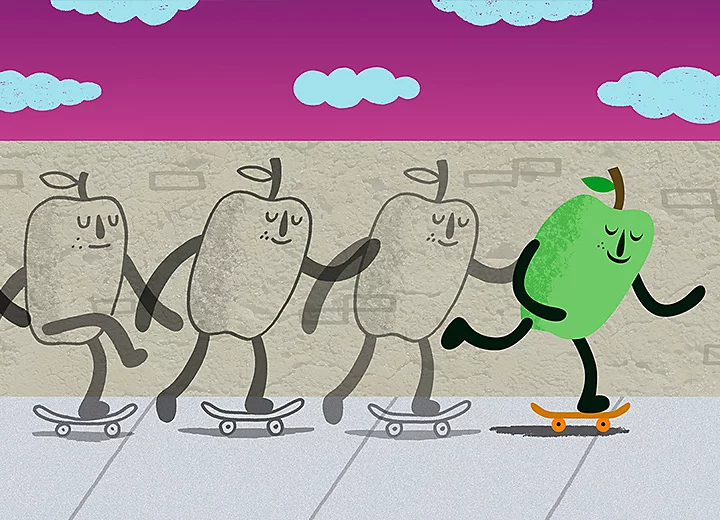
Add depth to your animation by defining the space between your layers. Use your camera movement to move in and out between layers for 3D cartoons and interactive designs. Perfect for web animations, mobile apps and 3D storytelling.
Give your vector art life by using puppeting controls for rapid animation. With facial controls and keyboard/mouse triggers, create live animation or motion-captured responses using your webcam and microphone.

Animate your 2D characters in real time.
Try now
Build digital puppets and link them to facial, MIDI, keyboard and mouse controls. Enable natural, real-time movement and responsiveness across scenes, ideal for livestreaming and animated storytelling.

The industry-leading toolkit for vector art and design. Create precise assets for both 2D and 3D animation, including illustrations, motion graphics and layered artwork ready for integration with animation software.

Adobe Illustrator
Vector graphics and illustration.
Try now

Draw anything using lines, polygons, ellipses, textures and colours. Use flexible, intuitive tools to build detailed illustrations and 3D animation assets, from concept sketches to fully rendered designs. Perfect for animators, illustrators and digital artists.
Choose a plan
Choose the best tool for your 3D art and animation projects.
Animate
Character Animator
Illustrator
Creative Cloud has art, design, animation and video editing apps for 3D creatives. From text-to-animation tools to real-time rendering, explore software that empowers you to bring bold ideas to life. Find out more in our beginner and expert tutorials.
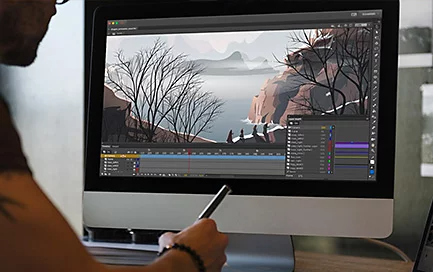
Add visual depth to your 3D animation.
Use the parallax effect to create a sense of space and depth. Define the position of layers in space and use fluid camera pans and zooms to dive in and out of your stage.
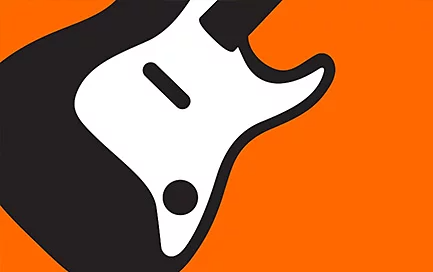
Combine basic shapes into detailed 3D illustrations.
Quickly build up sophisticated designs with the Shaper tool. Use freehand sketching to draw shapes and make gestures to add or subtract them.
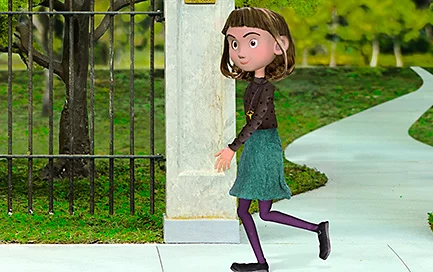
Make your 3D character walk automatically.
Create automatic animations for your characters using preset effects. Define your puppet’s armature and bones to animate different gaits.
Creative Cloud offers a comprehensive set of apps covering all aspects of modern 3D design, layout, animation and filmmaking. If you can imagine it, there are tools to help you to make it. Work and collaborate quickly and effectively with integrated apps as well as online storage and sharing. Whether you’re an individual or a business, we have attractively priced membership plans to meet your needs. Students and educators can also get significant discounts. Find a plan that suits your creative projects.
Adobe offers a range of powerful tools for creating 3D animation assets, motion graphics, and interactive content. Programs like Adobe Animate, Character Animator, and Illustrator provide creative professionals with flexible, intuitive platforms to bring characters and designs to life. These tools can be seamlessly integrated with Adobe’s video editing apps such as Premiere and After Effects, enabling complete, end-to-end creative workflows.
For creators looking to move into more advanced or immersive animation, exploring the best 3D animation software on the market can expand your capabilities even further. While Adobe’s tools are excellent for 2D and hybrid workflows, professionals often pair them with dedicated top 3D animation software such as:
• Blender: A free, open-source 3D suite known for its modelling, rigging, animation, and rendering capabilities. It is a popular choice for both beginners and advanced animators.
• Autodesk Maya: Widely used in the film and gaming industries, Maya is known for its powerful simulation and character animation tools, making it ideal for cinematic-quality projects.
• Cinema 4D: Often favoured by motion designers, this software integrates smoothly with Adobe After Effects, making it a strong choice for those already in the Creative Cloud ecosystem.
• Adobe Substance 3D: For asset texturing and material creation, Adobe's Substance 3D suite works well alongside 3D animation tools to deliver photorealistic surfaces and textures.
While there is no single answer to what the best 3D animation software is, the ideal tool depends on your creative goals, budget, and experience level. Whether you're producing short animated clips, designing characters for games, or building full cinematic experiences, combining Adobe’s ecosystem with leading 3D platforms gives you the flexibility to create, refine, and deliver animation with professional polish.

Students and teachers save over

Industry-leading creative apps with simple licence management and easy deployment.

Find the perfect image for your next creative project. Get 10 free images with your first month.
Based on your location, we think you may prefer the United States website, where you'll get regional content, offerings, and pricing.


