Workflows for crafting marketing content and ads for use on social media platforms like Instagram, Facebook, and more.
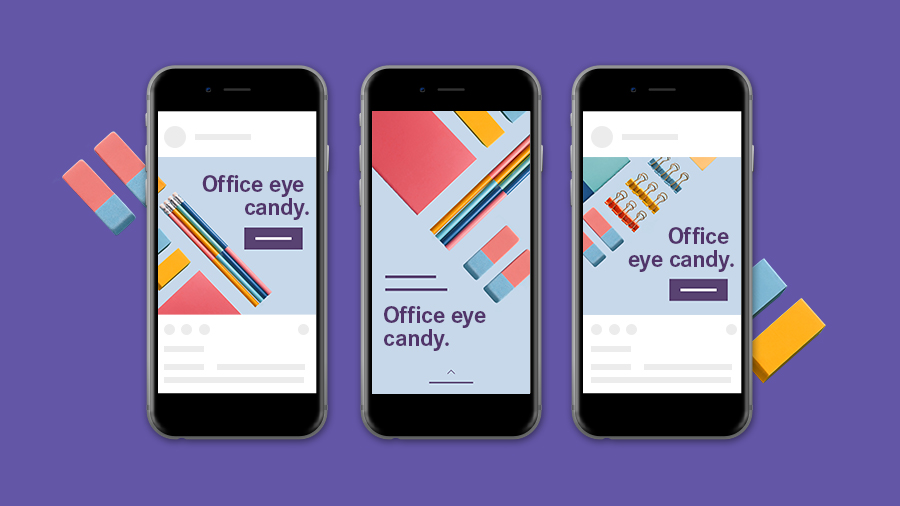
Promote your business, product, or event using the digital design tools in Adobe InDesign. Create digital marketing content like Social media kits, Instagram story content, Digital ads, and Digital flyers.
Let’s get started with a look at essential features and workflows.
Start your document the right way
To lay the right foundation for your social layouts or ads, use the appropriate settings for digital content.
Explore Adobe Stock templates or start from scratch using one of the many preset sizes available when creating a new document.
When working from scratch, choose the Web or Mobile category in the New Document dialog to set the color mode to RGB (red, green, and blue) for onscreen viewing. For Units, choose Pixels.
Document setup
To ensure correct spacing and align content to a grid, set up columns and margins in the Properties
panel. For extra alignment help, drag page guides wherever you need them from the onscreen rulers.
Work smarter
To accommodate multiple versions and different social layouts, InDesign has features to make your life easier.
Save visual identity elements like colors, text formatting, and graphics to Creative Cloud Libraries in the CC Libraries panel. Organize and access them from all your Adobe desktop and mobile apps. And share your library with your team so everyone is up to date with the latest assets.
Use master pages in the Pages panel to add consistent elements like headlines, page numbers, and logos. A master page is like a document template — any object placed on one automatically appears on pages based on that master page.
Create different master pages as starting points for different content or versions.
Create the versions you need
Need to resize or adjust pages in your document? Maybe you want to create versions of a social layout for different platforms. The Adjust Layout feature adjusts page elements to fit new dimensions while preserving your design. And InDesign supports multiple page sizes within the same document, so you can keep everything in one file.
When you need to create different designs for the horizontal and vertical layouts of a device, Create Alternate Layout has you covered.
Share with the world
Now that you’ve tailored your designs to various platforms, it’s important to export them in the right formats. Let’s take a look at the different options:
PDF: Create a multipage PDF file or individual PDF files for review.
Publish Online: Publish any InDesign document online and share it on social networks, via email, or as a standalone URL.
File > Export: Select PNG or JPEG to output individual images of the various designs you’ve created.
These features and workflows are a great starting point for creating digital marketing and ads that grab attention and promote your brand.

Probeer deze zelfstudies met InDesign
Ontwerp paginalay-outs voor drukwerk en digitale publicaties.
You can control how Adobe websites use cookies and similar technologies by making choices below. But note that if you disable cookies and similar technologies entirely, Adobe websites may not function properly.
Cookies are small text files stored by your web browser when you use websites. There are also other technologies that can be used for similar purposes like HTML5 Local Storage and local shared objects, web beacons, and embedded scripts. These technologies help us do things like remembering you and your preferences when you return to our sites, measure how you use the website, conduct market research, and gather information about the ads you see and interact with.
You can make choices in the menu below about what cookies and other technologies you want us to use on Adobe sites when you visit them from this browser. You can always change those choices later by clicking on the Cookie Preferences link at the bottom of the page.
If enabled:
We can improve your experience by tailoring the site and the content to things we think might be of interest
We can better keep track of your preferences — like what language you prefer to use
We will better understand your likely interests so we can provide you more relevant Adobe ads and content on non-Adobe websites and in non-Adobe apps
It will help us improve the performance of our website and those of our partners who use the Adobe Experience Cloud
If disabled:
We won’t be able to remember you from session to session so the experience may not be tailored to your interests
You’ll still have access to the content of the site but certain features that depend on cookies may not function
You’ll still see ads, they just may not be as relevant to you
General information
You can control how Adobe websites use cookies and similar technologies by making choices below. But note that if you disable cookies and similar technologies entirely, Adobe websites may not function properly.
Cookies are small text files stored by your web browser when you use websites. There are also other technologies that can be used for similar purposes like HTML5 Local Storage, web beacons, and embedded scripts. These technologies help us do things like remembering you and your preferences when you return to our sites, measure how you use the website, conduct market research, and gather information about the ads you see and interact with.
You can make choices in the menu below about what cookies and other technologies you want us to use on Adobe sites when you visit them from this browser. You can always change those choices later by clicking on the Cookie Preferences link at the bottom of the page.
If enabled:
We can improve your experience by tailoring the site and the content to things we think might be of interest
We can better keep track of your preferences — like what language you prefer to use
We will better understand your likely interests so we can provide you more relevant Adobe ads and content on non-Adobe websites and in non-Adobe apps
It will help us improve the performance of our website and those of our partners who use the Adobe Experience Cloud
If disabled:
We won’t be able to remember you from session to session so the experience may not be tailored to your interests
We’ll still count your use of our site and services
You’ll still have access to the content of the site but certain features that depend on cookies may not function
You’ll still see ads, they just may not be as relevant to you
Operate the site and core servicesOperate site and measure engagement
Always active
These cookies are required, and they are used to enable the site and related services core functionality. Without them the site could not operate, so they cannot be disabled.
These cookies enable the site and related services’ core functionality and collect statistics about user engagement, such as counting active use to help us understand trends. These cookies cannot be disabled.
Measure performance
These cookies are used to analyze site usage to measure and improve performance. Without them Adobe cannot know what content is most valued and how often unique visitors return to the site, making it hard to improve information we offer to you.
These cookies are used to analyze site usage to measure and improve performance. Without them Adobe cannot know what content is most valued, making it hard to improve information we offer to you.
Extend functionality
These cookies are used to enhance the functionality of Adobe sites such as remembering your settings and preferences to deliver a personalized experience; for example, your username, your repeated visits, preferred language, your country, or any other saved preference.
Personalize advertising
These cookies are used to enable Adobe and our partners to serve ads more relevant to your interests. Without them you will still see ads, but they might not be as relevant to you.
Personalize advertising
These cookies are used to enable Adobe and our partners to serve ads more relevant to your interests. Without them you will still see ads, but they might not be as relevant to you.