
Zarówno początkujący, jak i doświadczeni użytkownicy poznają podstawy oraz najnowsze funkcje związane z typografią. Zawartość tej serii:
Dodawanie tekstu do obrazów
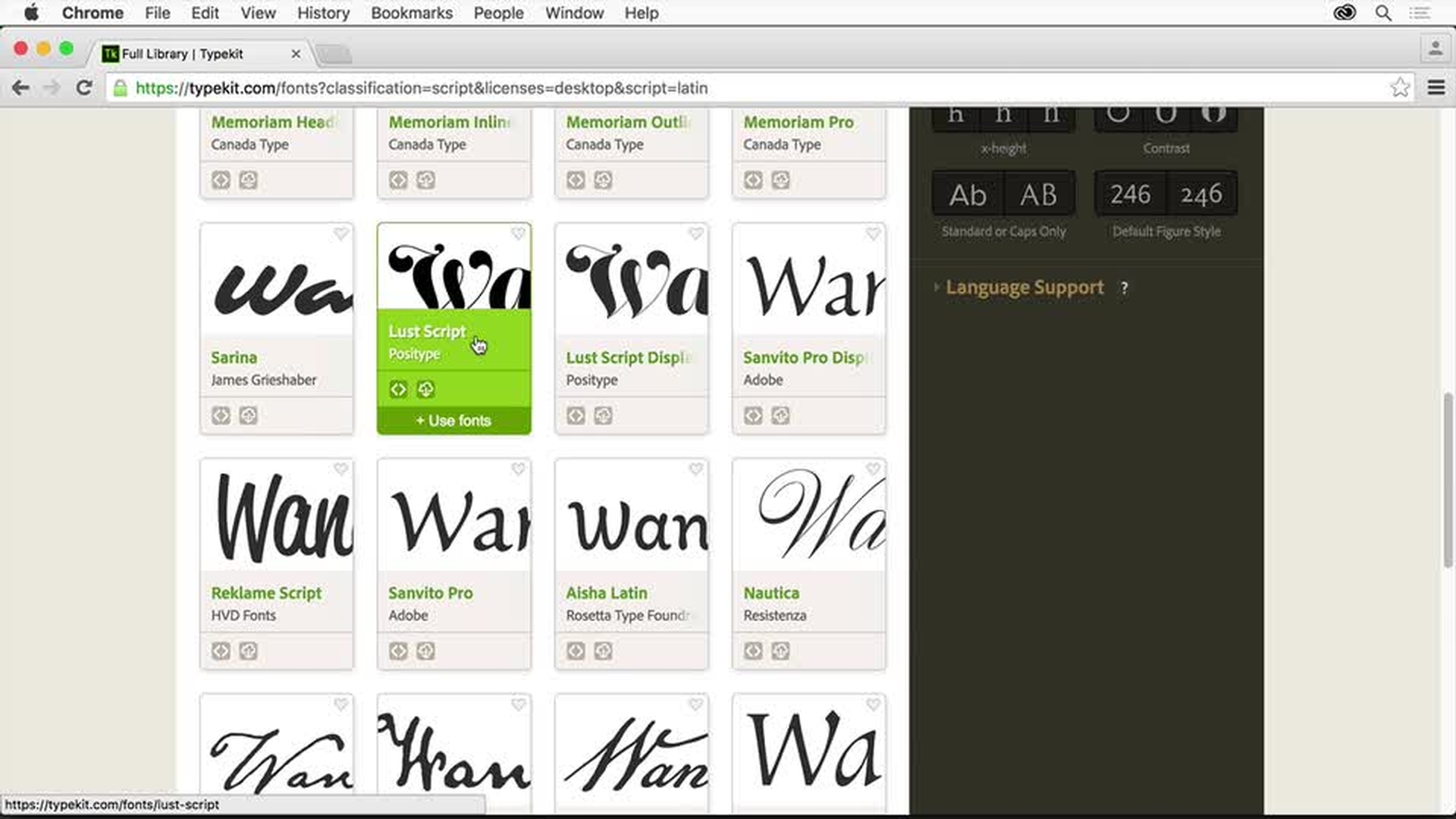
Przeglądanie czcionek i wyświetlanie ich podglądu w projektach
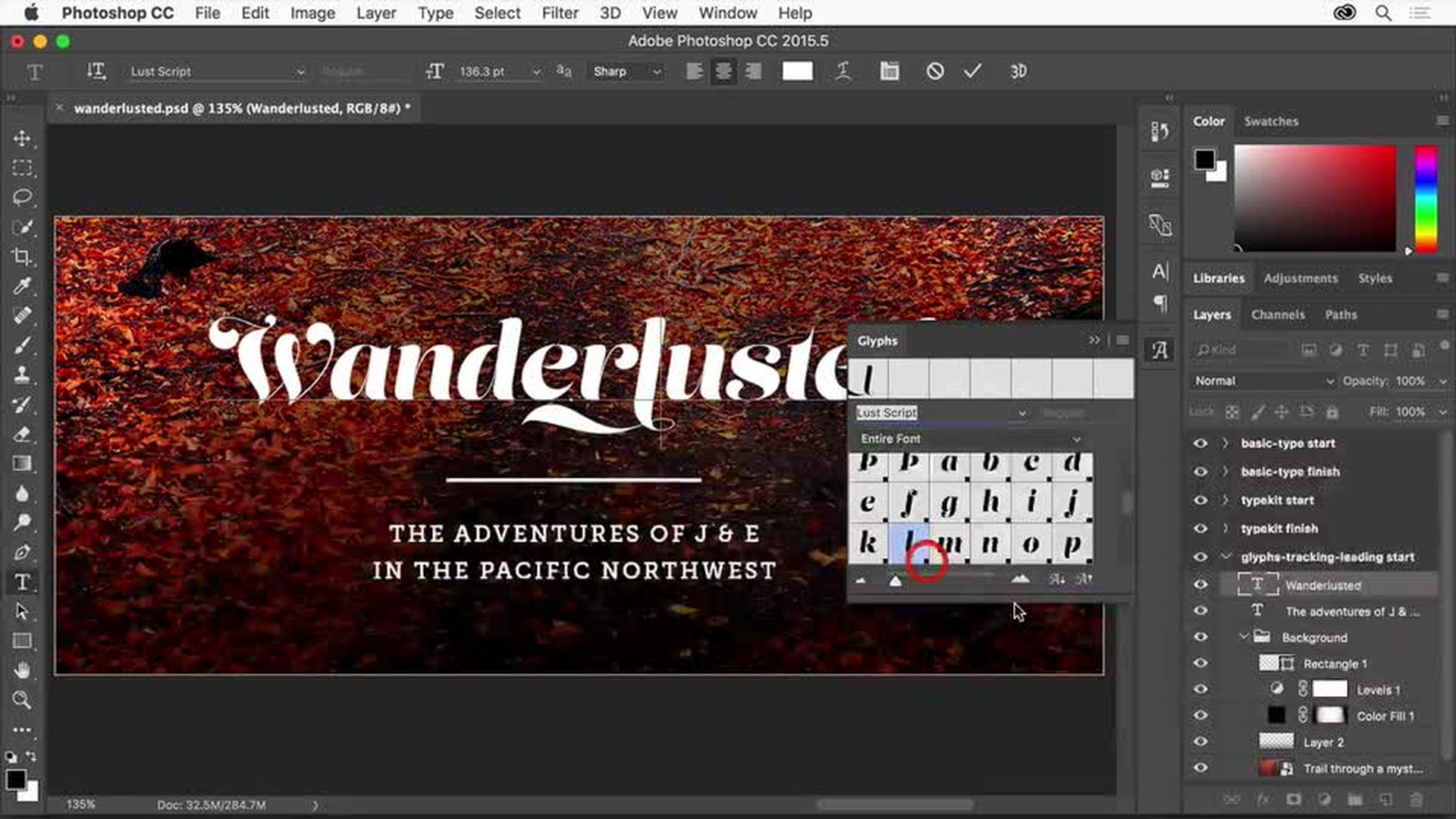
Dostosowywanie typografii przez modyfikowanie odstępów i stosowanie glifów
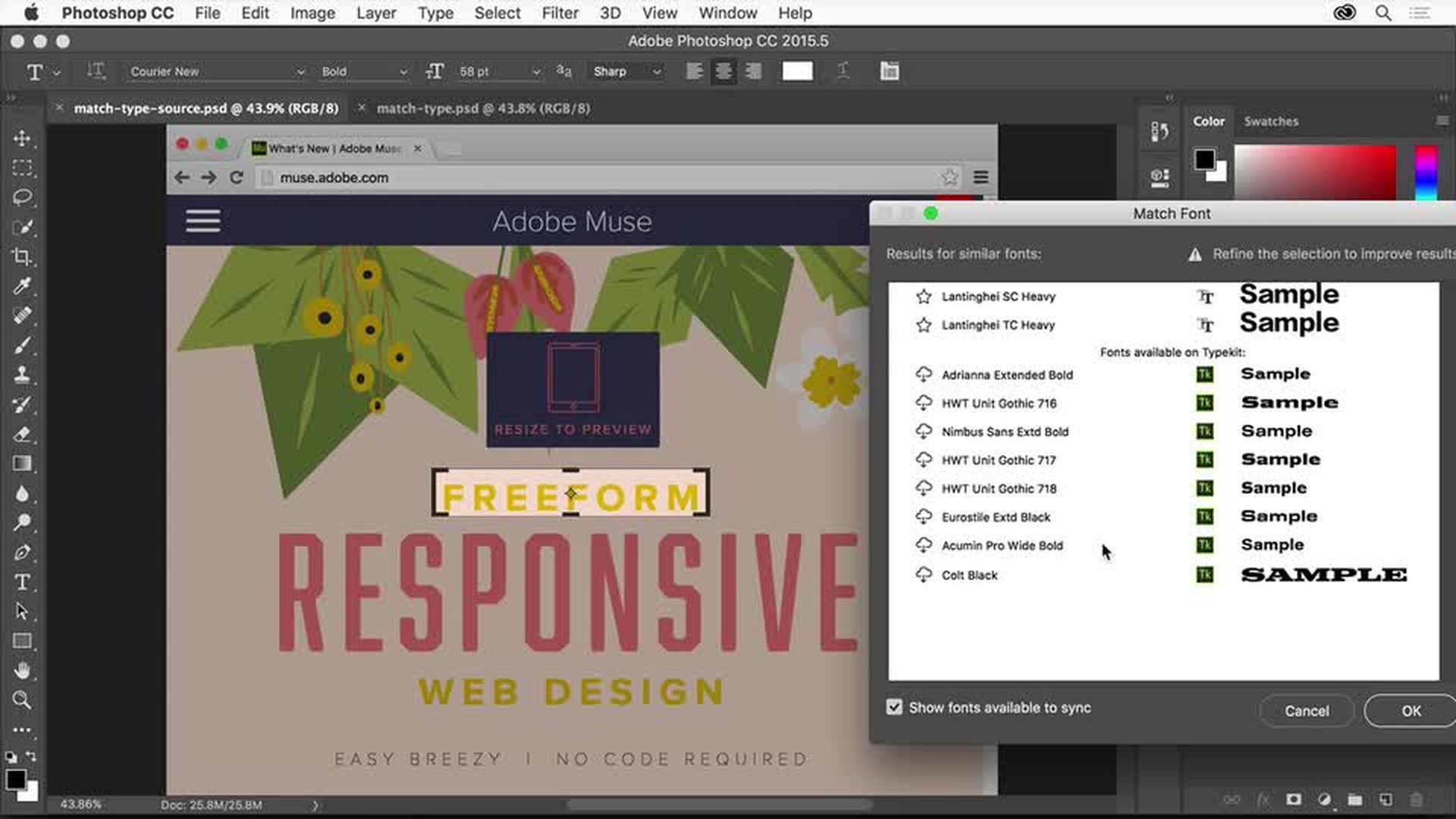
Identyfikowanie czcionek ze zdjęć i dobieranie podobnych czcionek do wybranej

Początkującym zalecamy otwarcie pierwszego wideo w serii. Użytkownicy średnio doświadczeni i eksperci powinni zacząć od drugiego wideo.
Dodawanie tekstu do obrazów
Zapoznaj się z narzędziami Tekst pionowy i Tekst. Dowiedz się, jak dodawać tekst na obrazie. Następnie omówimy sposób formatowania tekstu — rozmiaru, koloru, czcionki i innych właściwości. Na koniec wyjaśnimy zaznaczanie tekstu z poziomu panelu Warstwy.
Przeglądanie czcionek
Dowiedz się, jak wyświetlać podgląd czcionek w projekcie.
Poznaj sposób przeglądania czcionek w programie Photoshop oraz zawartości usługi Adobe Typekit. Usługa Adobe Typekit — dostępna w ramach członkostwa Creative Cloud — pozwala korzystać z tysięcy czcionek wysokiej jakości. Dowiedz się, jak synchronizować czcionki Typekit z programami Creative Cloud.
Na końcu omówimy sposób sortowania czcionek w programie Photoshop.
Dostosowywanie typografii w projekcie
Poznaj zagadnienia związane z tekstem, które pomogą w tworzeniu doskonałej grafiki. Dowiedz się, jakie znaczenie mają odstępy między znakami i wierszami, styl tekstu oraz znaki specjalne (glify).
Omówimy stosowanie przeprojektowanego panelu glifów, który pozwala przeglądać alternatywne glify oraz znaki specjalne, a także wyjaśnimy sposób wyświetlania innych glifów w menu kontekstowym na obszarze roboczym.
You can control how Adobe websites use cookies and similar technologies by making choices below. But note that if you disable cookies and similar technologies entirely, Adobe websites may not function properly.
Cookies are small text files stored by your web browser when you use websites. There are also other technologies that can be used for similar purposes like HTML5 Local Storage and local shared objects, web beacons, and embedded scripts. These technologies help us do things like remembering you and your preferences when you return to our sites, measure how you use the website, conduct market research, and gather information about the ads you see and interact with.
You can make choices in the menu below about what cookies and other technologies you want us to use on Adobe sites when you visit them from this browser. You can always change those choices later by clicking on the Cookie Preferences link at the bottom of the page.
If enabled:
We can improve your experience by tailoring the site and the content to things we think might be of interest
We can better keep track of your preferences — like what language you prefer to use
We will better understand your likely interests so we can provide you more relevant Adobe ads and content on non-Adobe websites and in non-Adobe apps
It will help us improve the performance of our website and those of our partners who use the Adobe Experience Cloud
If disabled:
We won’t be able to remember you from session to session so the experience may not be tailored to your interests
You’ll still have access to the content of the site but certain features that depend on cookies may not function
You’ll still see ads, they just may not be as relevant to you
General information
You can control how Adobe websites use cookies and similar technologies by making choices below. But note that if you disable cookies and similar technologies entirely, Adobe websites may not function properly.
Cookies are small text files stored by your web browser when you use websites. There are also other technologies that can be used for similar purposes like HTML5 Local Storage, web beacons, and embedded scripts. These technologies help us do things like remembering you and your preferences when you return to our sites, measure how you use the website, conduct market research, and gather information about the ads you see and interact with.
You can make choices in the menu below about what cookies and other technologies you want us to use on Adobe sites when you visit them from this browser. You can always change those choices later by clicking on the Cookie Preferences link at the bottom of the page.
If enabled:
We can improve your experience by tailoring the site and the content to things we think might be of interest
We can better keep track of your preferences — like what language you prefer to use
We will better understand your likely interests so we can provide you more relevant Adobe ads and content on non-Adobe websites and in non-Adobe apps
It will help us improve the performance of our website and those of our partners who use the Adobe Experience Cloud
If disabled:
We won’t be able to remember you from session to session so the experience may not be tailored to your interests
We’ll still count your use of our site and services
You’ll still have access to the content of the site but certain features that depend on cookies may not function
You’ll still see ads, they just may not be as relevant to you
Operate the site and core servicesOperate site and measure engagement
Always active
These cookies are required, and they are used to enable the site and related services core functionality. Without them the site could not operate, so they cannot be disabled.
These cookies enable the site and related services’ core functionality and collect statistics about user engagement, such as counting active use to help us understand trends. These cookies cannot be disabled.
Measure performance
These cookies are used to analyze site usage to measure and improve performance. Without them Adobe cannot know what content is most valued and how often unique visitors return to the site, making it hard to improve information we offer to you.
These cookies are used to analyze site usage to measure and improve performance. Without them Adobe cannot know what content is most valued, making it hard to improve information we offer to you.
Extend functionality
These cookies are used to enhance the functionality of Adobe sites such as remembering your settings and preferences to deliver a personalized experience; for example, your username, your repeated visits, preferred language, your country, or any other saved preference.
Personalize advertising
These cookies are used to enable Adobe and our partners to serve ads more relevant to your interests. Without them you will still see ads, but they might not be as relevant to you.
Personalize advertising
These cookies are used to enable Adobe and our partners to serve ads more relevant to your interests. Without them you will still see ads, but they might not be as relevant to you.