Använd vektorformer i Adobe Illustrator för att skapa en logotyp som ser bra ut både på skärmen och i tryck. Det bästa med vektorgrafik är att man kan skaländra den till vilken storlek som helst – från visitkort till affischtavlor – utan att tappa kvalitet.
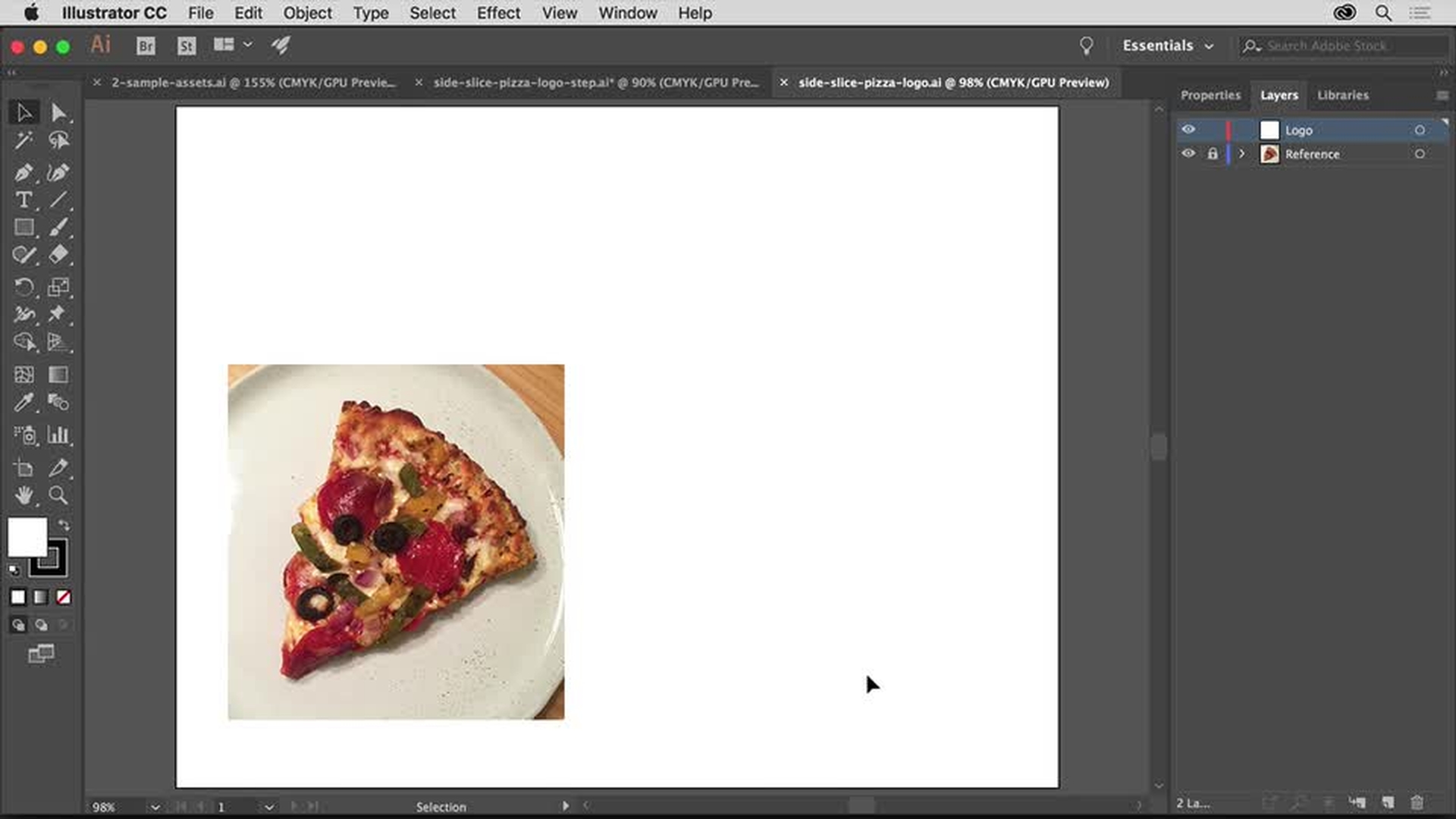
Skapa ett nytt dokument och förbered arbetsytan. Ta gärna in en referensbild som inspiration och använd lagerpanelen för att hantera grafiken på ett smidigt sätt.
Lär dig skapa ett nytt dokument, återställa arbetsytan, placera ut en referensbild och öppna lagerpanelen.
2
Använda enkla former för att skapa komplex grafik
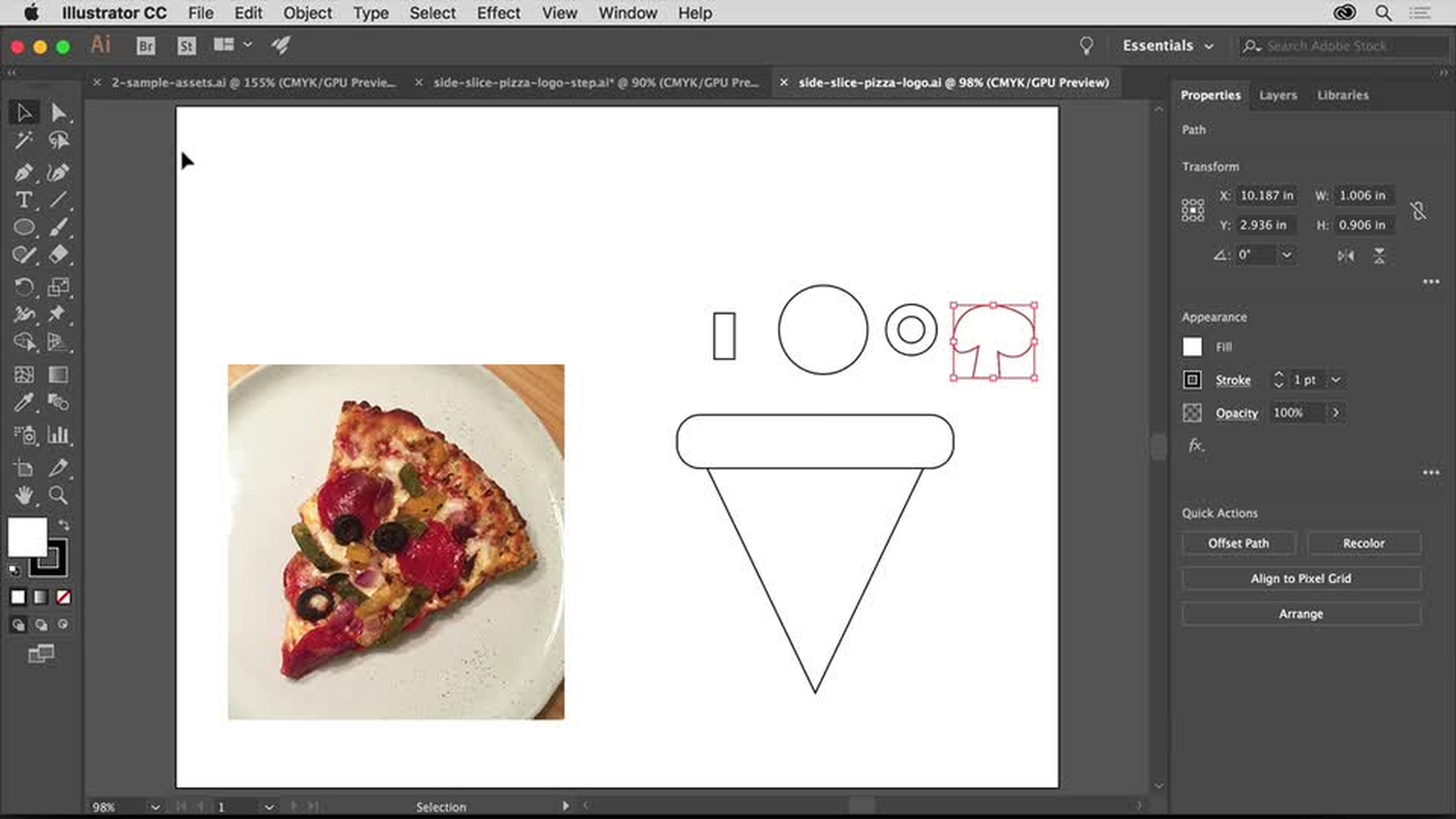
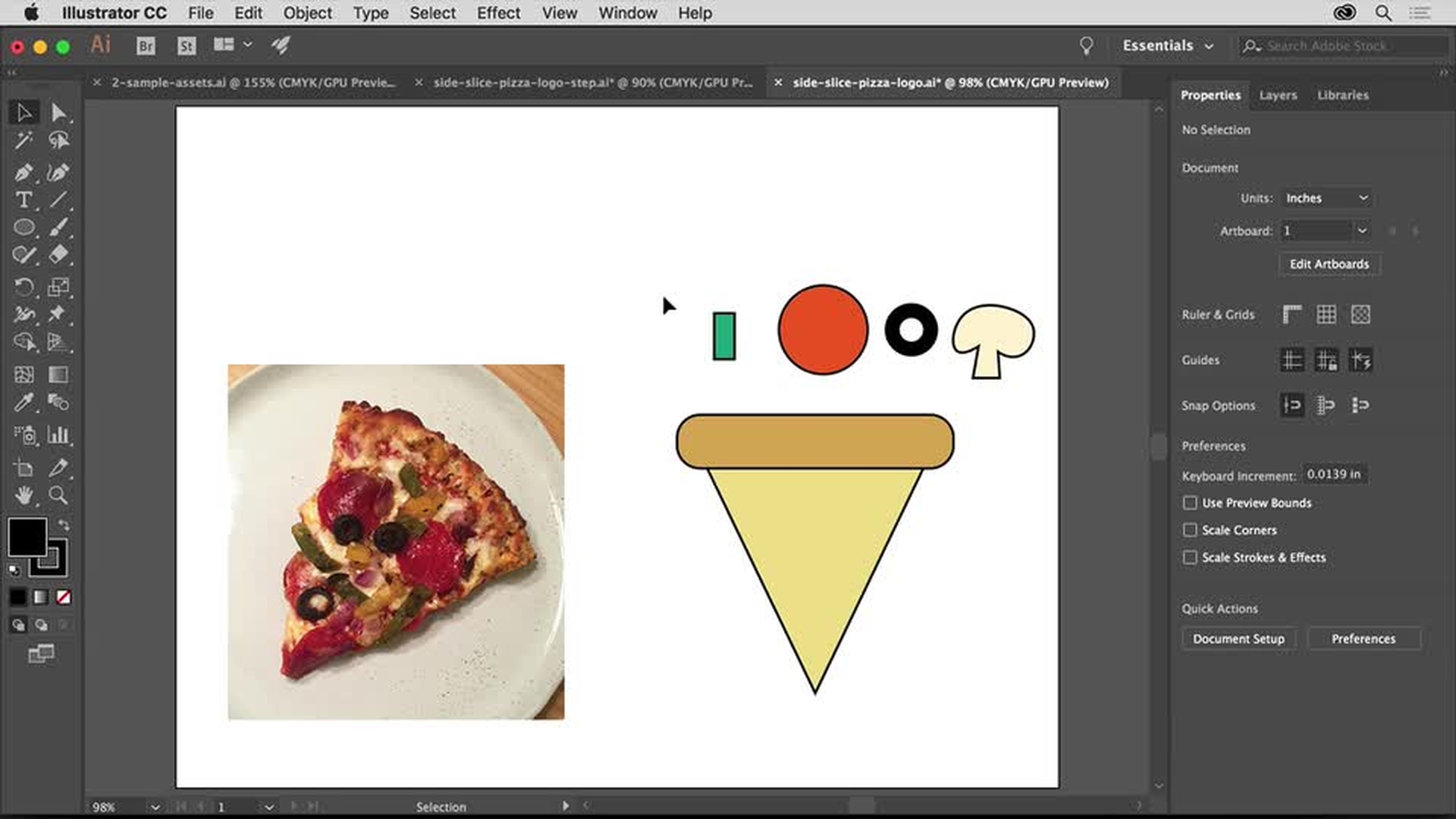
Kombinera rektanglar, trianglar, cirklar och frihandsformer för att bygga upp grafiken. Använd Smarta stödlinjer för att justera de olika elementen.
Lär dig hur du aktiverar Smarta stödlinjer för att justera grafiken enkelt, använda en dynamisk form och rita en frihandsform.
3
Lägga till färger
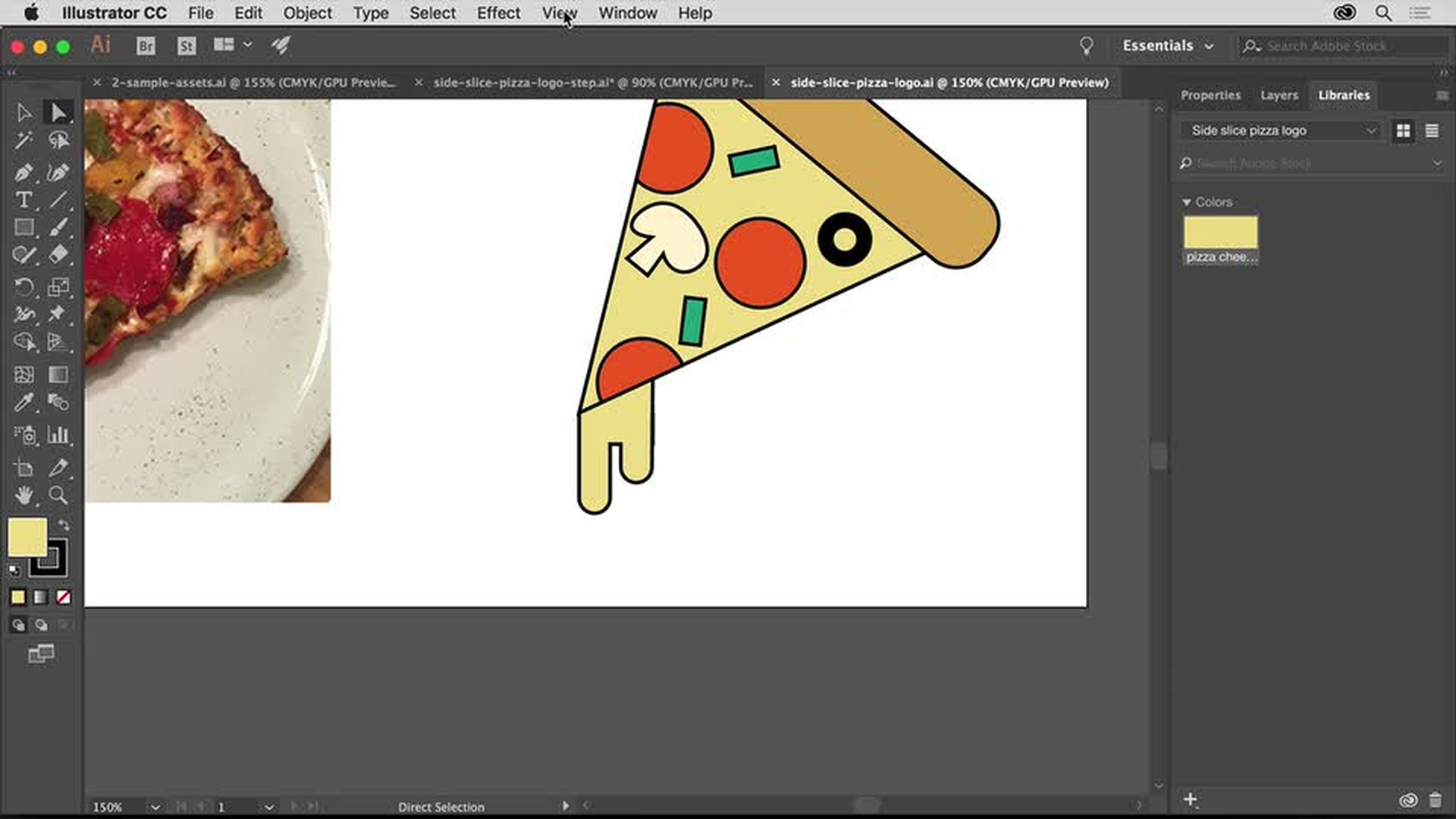
Lägg på färger på alla logotypkomponenter med intuitiva reglage som gör det enkelt att redigera. Om du vill ha färger och former nära till hands lägger du bara till dina Adobe Creative Cloud Libraries.
Lär dig redigera en färg, spara en färg i ett bibliotek och hämta fram färdiga bibliotek för färgrutor.
4
Finjustera logotypen
Nu kan du ändra skalan på formerna och rotera dem för att montera toppingen på pizzabiten.
Lär dig rotera en form och återanvända en färg från ett bibliotek.
5
Lägga till text
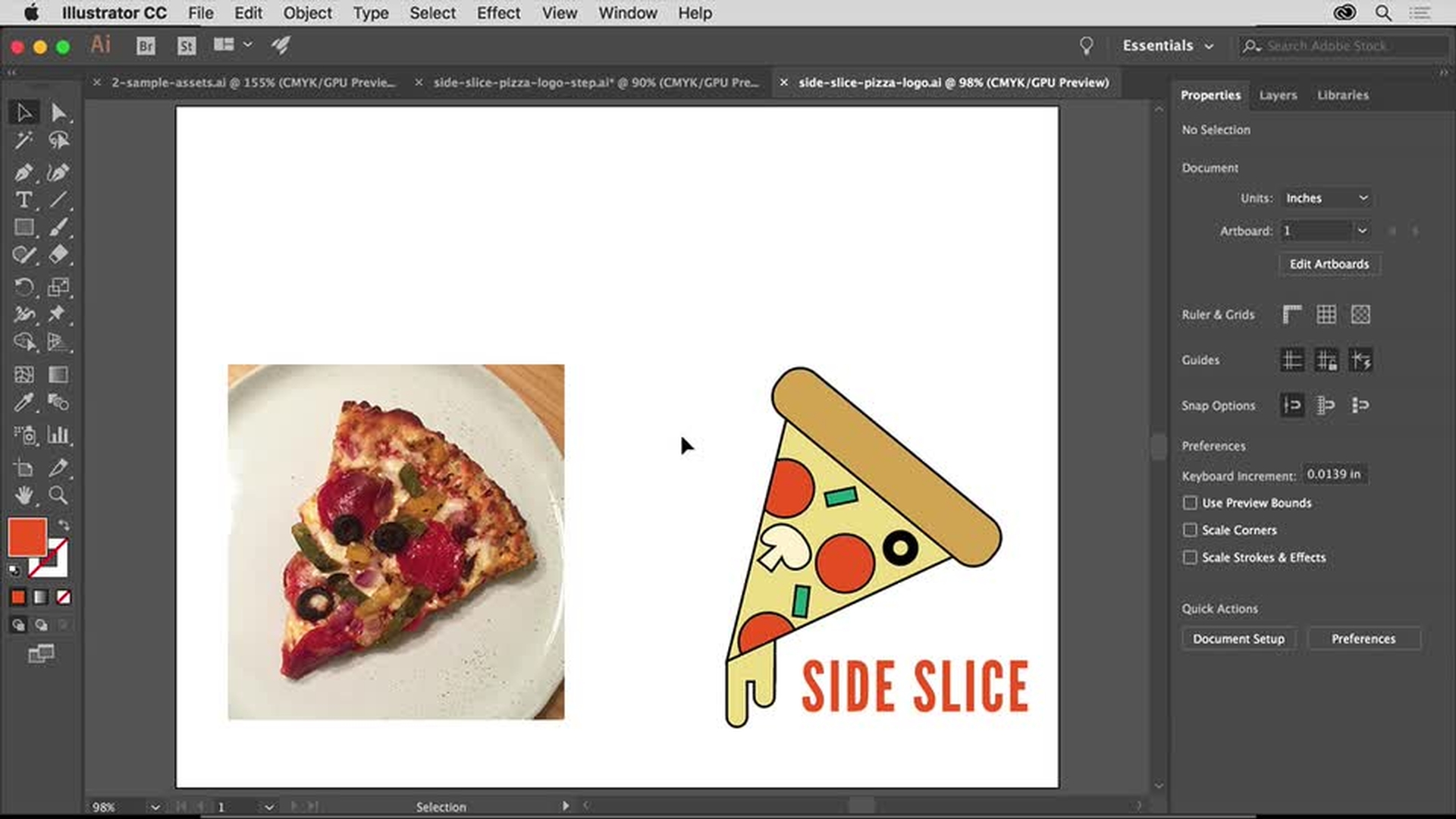
Avrunda logotypsarbetet genom att lägga till namnet på företaget med de kraftfulla typografifunktionerna i Illustrator. Medlemmar i Creative Cloud kan välja i det stora biblioteket med högkvalitativa typsnitt från Adobe Fonts.
Lär dig lägga till text, byta typsnitt, lägga till typsnitt från Adobe Fonts och ändra mellanrum mellan bokstäver.
6
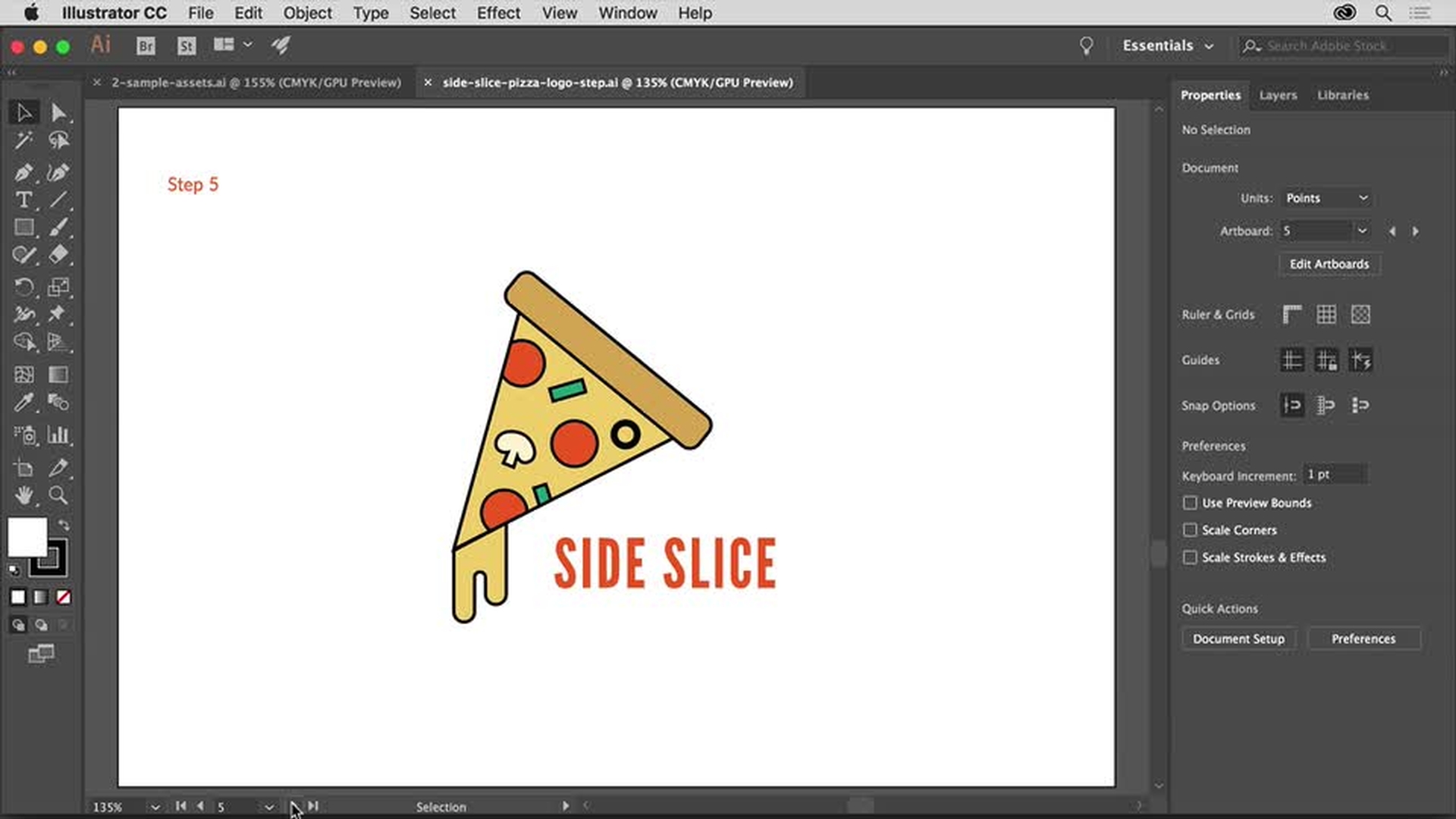
Förhandsvisa och spara logotypen
Se hur logotypen ser ut på dummies av olika PR-föremål som t-shirts och visitkort. Och lär dig hur enkelt det är att spara logotypen för utskrift, dela som pdf, publicera på webben med mera.
Lär dig hur du sparar den färdiga logotypen i ett bibliotek, sparar den som en pdf och väljer andra alternativ för användning på webben.
You can control how Adobe websites use cookies and similar technologies by making choices below. But note that if you disable cookies and similar technologies entirely, Adobe websites may not function properly.
Cookies are small text files stored by your web browser when you use websites. There are also other technologies that can be used for similar purposes like HTML5 Local Storage and local shared objects, web beacons, and embedded scripts. These technologies help us do things like remembering you and your preferences when you return to our sites, measure how you use the website, conduct market research, and gather information about the ads you see and interact with.
You can make choices in the menu below about what cookies and other technologies you want us to use on Adobe sites when you visit them from this browser. You can always change those choices later by clicking on the Cookie Preferences link at the bottom of the page.
If enabled:
We can improve your experience by tailoring the site and the content to things we think might be of interest
We can better keep track of your preferences — like what language you prefer to use
We will better understand your likely interests so we can provide you more relevant Adobe ads and content on non-Adobe websites and in non-Adobe apps
It will help us improve the performance of our website and those of our partners who use the Adobe Experience Cloud
If disabled:
We won’t be able to remember you from session to session so the experience may not be tailored to your interests
You’ll still have access to the content of the site but certain features that depend on cookies may not function
You’ll still see ads, they just may not be as relevant to you
General information
You can control how Adobe websites use cookies and similar technologies by making choices below. But note that if you disable cookies and similar technologies entirely, Adobe websites may not function properly.
Cookies are small text files stored by your web browser when you use websites. There are also other technologies that can be used for similar purposes like HTML5 Local Storage, web beacons, and embedded scripts. These technologies help us do things like remembering you and your preferences when you return to our sites, measure how you use the website, conduct market research, and gather information about the ads you see and interact with.
You can make choices in the menu below about what cookies and other technologies you want us to use on Adobe sites when you visit them from this browser. You can always change those choices later by clicking on the Cookie Preferences link at the bottom of the page.
If enabled:
We can improve your experience by tailoring the site and the content to things we think might be of interest
We can better keep track of your preferences — like what language you prefer to use
We will better understand your likely interests so we can provide you more relevant Adobe ads and content on non-Adobe websites and in non-Adobe apps
It will help us improve the performance of our website and those of our partners who use the Adobe Experience Cloud
If disabled:
We won’t be able to remember you from session to session so the experience may not be tailored to your interests
We’ll still count your use of our site and services
You’ll still have access to the content of the site but certain features that depend on cookies may not function
You’ll still see ads, they just may not be as relevant to you
Operate the site and core servicesOperate site and measure engagement
Always active
These cookies are required, and they are used to enable the site and related services core functionality. Without them the site could not operate, so they cannot be disabled.
These cookies enable the site and related services’ core functionality and collect statistics about user engagement, such as counting active use to help us understand trends. These cookies cannot be disabled.
Measure performance
These cookies are used to analyze site usage to measure and improve performance. Without them Adobe cannot know what content is most valued and how often unique visitors return to the site, making it hard to improve information we offer to you.
These cookies are used to analyze site usage to measure and improve performance. Without them Adobe cannot know what content is most valued, making it hard to improve information we offer to you.
Extend functionality
These cookies are used to enhance the functionality of Adobe sites such as remembering your settings and preferences to deliver a personalized experience; for example, your username, your repeated visits, preferred language, your country, or any other saved preference.
Personalize advertising
These cookies are used to enable Adobe and our partners to serve ads more relevant to your interests. Without them you will still see ads, but they might not be as relevant to you.
Personalize advertising
These cookies are used to enable Adobe and our partners to serve ads more relevant to your interests. Without them you will still see ads, but they might not be as relevant to you.