

Rewind anytime with 180-day version history.
Review and restore earlier versions of files for up to 180 days.



Watch a video to see how you can quickly ideate, design, refine, and deliver creative content with help from AI.

US$99.99/moper license
Annual, billed monthlyCreate professional content fast with 20+ apps, including Photoshop and Illustrator, plus Adobe Firefly creative AI for images, video, and audio. Learn more

US$37.99/moper license
Annual, billed monthlyCreate amazing brand images and graphics with the industry-standard app. Comes with Adobe Express and Adobe Firefly generative AI features. Learn more

US$23.99/moper license
Annual, billed monthlyUse advanced features for editing, converting, and e-signing documents with this comprehensive PDF solution. Learn more

US$37.99/moper license
Annual, billed monthlyCreate beautiful logos, icons, infographics, packaging designs, and more — and use them anyplace at any size. Learn more
US$37.99/moper license
Annual, billed monthlyCreate social clips, promo spots, explainer videos, and more with the leading video editor.
US$11.99/moper license
Annual, billed monthlyGet document insights with AI-powered tools, and quickly create on-brand content.
US$37.99/moper license
Annual, billed monthlyCreate amazing brand images and graphics with the industry-standard app. Comes with Adobe Express and Adobe Firefly generative AI features. Learn more

US$37.99/moper license
Annual, billed monthlyCreate amazing brand images and graphics with the industry-standard app. Comes with Adobe Express and Adobe Firefly generative AI features.
US$11.99/moper license
Annual, billed monthlyGet document insights with AI-powered tools, and quickly create on-brand content.

US$29.99/moper license
Annual, billed monthlyAccess millions of high-quality, royalty-free images, videos, templates, and more to enhance your marketing and brand communications. (Sold separately.)
US$37.99/moper license
Annual, billed monthlyCreate amazing brand images and graphics with the industry-standard app. Comes with Adobe Express and Adobe Firefly generative AI features. Learn more
US$37.99/moper license
Annual, billed monthlyCreate beautiful logos, icons, infographics, packaging designs, and more — and use them anyplace at any size. Learn more

US$37.99/moper license
Annual, billed monthlyDesign layouts for print and digital media.
US$11.99/moper license
Annual, billed monthlyGet document insights with AI-powered tools, and quickly create on-brand content.
US$29.99/moper license
Annual, billed monthlyAccess millions of high-quality, royalty-free images, videos, templates, and more to enhance your marketing and brand communications. (Sold separately.)
US$37.99/moper license
Annual, billed monthlyCreate amazing brand images and graphics with the industry-standard app. Comes with Adobe Express and Adobe Firefly generative AI features. Learn more
US$37.99/moper license
Annual, billed monthlyCreate beautiful logos, icons, infographics, packaging designs, and more — and use them anyplace at any size. Learn more
US$29.99/moper license
Annual, billed monthlyAccess millions of high-quality, royalty-free images, videos, templates, and more to enhance your marketing and brand communications. (Sold separately.)
US$37.99/moper license
Annual, billed monthlyCreate social clips, promo spots, explainer videos, and more with the leading video editor.
US$37.99/moper license
Annual, billed monthlyCreate cinematic visual effects and motion graphics.

US$21.99/moper license
Annual, billed monthlyManage video and all your creative assets, assign tasks, get precise feedback, and present your work beautifully — in one central location.

US$37.99/moper license
Annual, billed monthlyCreate, mix, and add sound effects to your movies, social posts, and podcasts.

US$37.99/moper license
Annual, billed monthlyDesign animations for cartoons, banners, games, and the web.
US$11.99/moper license
Annual, billed monthlyGet document insights with AI-powered tools, and quickly create on-brand content.
US$37.99/moper license
Annual, billed monthlyCreate social clips, promo spots, explainer videos, and more with the leading video editor.
US$37.99/moper license
Annual, billed monthlyCreate amazing brand images and graphics with the industry-standard app. Comes with Adobe Express and Adobe Firefly generative AI features.
US$23.99/moper license
Annual, billed monthlyUse advanced features for editing, converting, and e-signing documents with this comprehensive PDF solution. Learn more
US$29.99/moper license
Annual, billed monthlyThe essential productivity solution with a complete set of PDF tools, PDF Spaces, Acrobat AI Assistant, and Adobe Express Premium.
US$11.99/moper license
Annual, billed monthlyGet document insights with AI-powered tools, and quickly create on-brand content.
Join us for three days of creative skill-building, visionary keynotes, and valuable connections. Nov 10–12 in Miami Beach and online.
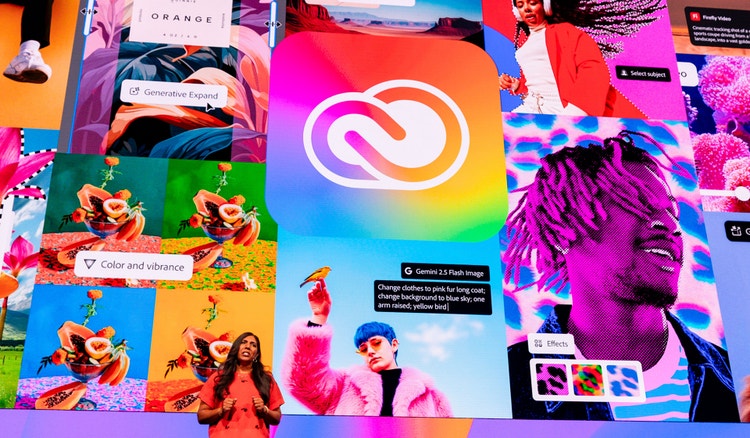

Build vector logos for use anywhere — from business cards to websites to billboards. Store assets and color palettes in Creative Cloud Libraries to ensure brand consistency across every project.
Share assets easily across apps, whether your team members are in the same room or on opposite ends of the earth. Streamline reviews and feedback collection with shared links.

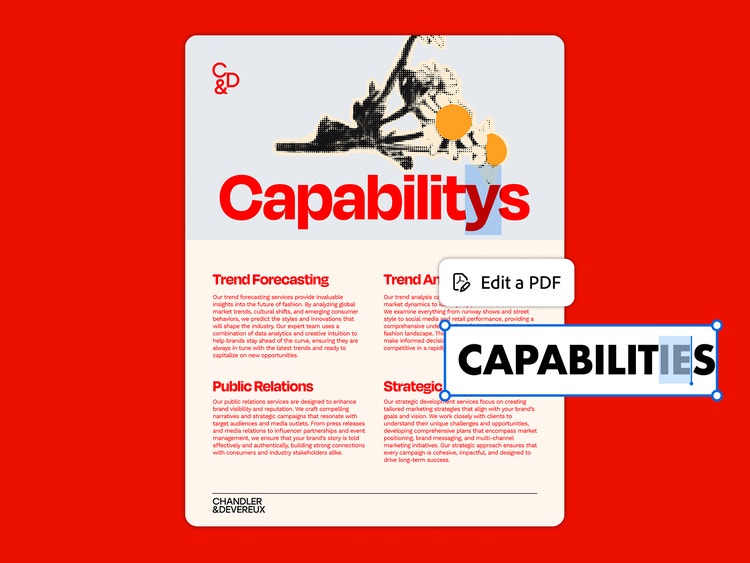
Edit and share documents for quick e-signatures. And with Acrobat AI Assistant (available as an add-on), you can ask your documents questions, get one-click summaries, and use PDF Spaces to turn static files into conversational knowledge hubs.
Review and restore earlier versions of files for up to 180 days.

Manage licenses from the central Admin Console and easily reclaim assets when people leave the organization.

Take images, brand graphics, and videos to the finish line faster with generative AI features embedded in your favorite Adobe apps to make your work easier.

Get 1TB of cloud storage per user. That’s about 20,000 raw DSLR images or 200,000 JPEGs.

Get 24/7 technical support and explore step-by-step product tutorials.

Access more than 30,000 fonts from Adobe Fonts. Share Adobe Stock licensing so everyone who needs an asset can use it. Post unlimited jobs on Adobe Talent.
Step 1.
Choose your plan and designate a team admin. They’ll receive a welcome email.
Step 2.
The admin will assign licenses in the Admin Console, and team members will receive invites.
Step 3.
Deploy apps so team members can download and install them.
Step 4.
Share libraries and collaborate and create with team members.
US$37.99/moper licenseAnnual, billed monthly
Get your choice of one creative app such as Photoshop, Illustrator, InDesign, Premiere, or Acrobat Pro.
US$99.99/moper licenseAnnual, billed monthly
Create professional content fast with 20+ apps, including Photoshop and Illustrator, plus Adobe Firefly creative AI for images, video, and audio.
US$110.49/moper licenseAnnual, billed monthly
Get 20+ apps including Acrobat Pro, plus Adobe Firefly generative AI and unlimited access to 550+ million Adobe Stock assets.
Creative Cloud for teams is designed for businesses with enhanced collaboration and control. It includes everything in our Creative Cloud for individuals plans but does not include the advanced security, license management, and support of enterprise plans.
Creative Cloud for teams plans include:
The enterprise plan offers exclusive generative AI features, centralized IT deployment and access controls, single sign-on (SSO), and unlimited support from Adobe product experts.
Part of Creative Cloud for teams, Photoshop is the industry standard for precision, AI-powered image editing, making it one of the best AI photo editors to help small businesses create images faster. With Photoshop, teams can: