.

How to find text effects that work with your brand identity.

Text effects are more than just a design – they can reflect your brand’s message, personality and values. Discover what text effects are, how to use them and more with our guide.

Start designing with Adobe Express

Free to useNo credit card required

How to find text effects that work with your brand identity
Easy all-in-one editor
One-click edits from any device
Fast creation with generative AI
Thousands of professionally designed templates
Summary

Fonts and typography are key to your brand. They may be fun to create, but they’re more than aesthetics. They can evoke emotions, influence your brand identity and shape how people perceive your business.

Your choice of text style is so significant that some of the UK’s biggest brands use only fonts and minimal imagery for their logos. Brands such as Cadbury and Tesco are instantly recognisable by their unique fonts and colours that portray different emotions based on their typography.

Logo text effects can be a great way to showcase your brand while also capturing people’s attention. Create your own text effects tailored to your brand’s needs with Adobe Express.

What is Generate Text Effect?

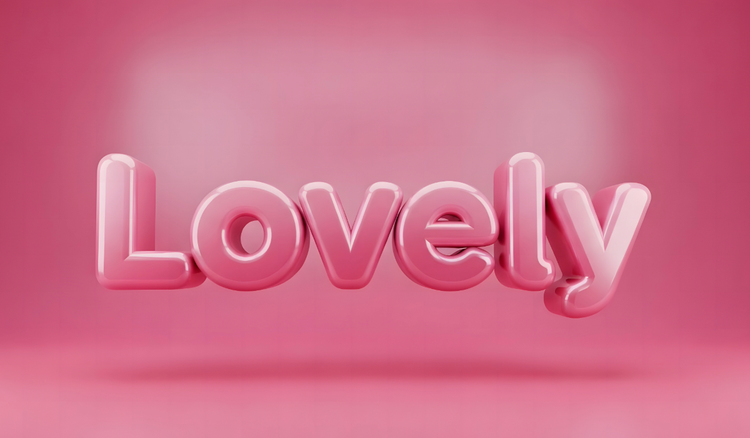
Generate Text Effect is a form of typography that can change a typeface’s appearance and emphasise your brand’s message. You can manipulate text effects by creating a shadow, including a glow, changing its colour, or making a 3D transformation.

Brand text effects can be used for different media:

  • Logos. Logo text effects help to show your brand’s identity, create coherence in your design and make a lasting impression on audiences.
  • Ads. Generate Text Effect in advertisements can show artistic expression and highlight important sections of your design.
  • Webpages. Some websites use animated text effects to enhance their design, establish hierarchy and identify key messages.
  • Photos. Combining photos with text effects can achieve a visual harmony that represents a brand’s message effectively.

Editable Generate Text Effect examples to inspire your UK business branding.

Design a Vibe Check Poster Guided Activity
Edit this template
Colorful Birthday Party Invitation
Edit this template
Pink Spring Dance Flyer
Edit this template
Cream and Green Adult Birthday Card
Edit this template

Why are text effects important for your brand identity?

Text effects can determine what type of personality you want to express through visuals. They also represent the values and tone of your brand. If done right, they can leave a lasting impression, heavily impacting the perception of your business.

Everything from the size and colour of your text to the spacing is important to convey your brand’s message clearly.

6 Generate Text Effect ideas to inspire your UK business branding.

Discover text effects with Adobe Express and elevate your business branding. From logo text effects to animated or 3D transformations for video campaigns, you can create unique typography that speaks to your brand’s identity and values.

Take a look at some examples below.

Green and White Tennis Poster A3
Edit this template
Colourful Festival Poster
Edit this template
Blue Spring Formal Flyer
Edit this template
Green Track and Field Tryouts Flyer
Edit this template

How to bring text effects to life.

  1. 1. Start with a template.

    Choose a template from this page or open Adobe Express and start from scratch.

Tips to help you pick the right text effects for your brand.

Whether you’re designing a flyer or letter logo for your business, Generate Text Effect can pique interest and hold your audience’s focus. You don’t have to be a designer to create text effects either – all you need is some inspiration.

Here are some considerations when creating brand text effects.

1. Choose the right font for your brand.

Fonts are essential for showing your brand’s personality and creating harmony in your design. But they also evoke different emotions. Serif fonts like Serifa and Noto have a formal and traditional nature, while Tomarik and other Display fonts convey an artistic and unique mood. Consider a typeface that aligns with your industry and target audience, and make sure it’s legible.

2. Consider your text placement.

Different media will dictate what text effect works best. For example, if you’re designing a leaflet or social media ad, you might use different text effects for each. It’s important to choose two – one for titles and one for paragraph text – and keep them consistent across all material. Alternating between too many text effects can weaken the emotions you’re trying to communicate.

3. Incorporate your brand’s colour palette.

Ensure your text effects are consistent with your branding, and that includes the colour scheme. Incorporate your brand’s colour palette in your text effects to create synergy between your designs. Consider using colour psychology to build an emotional connection with your audience.

4. Use a theme that aligns with your brand values.

Your brand’s story, positioning and values will determine the theme, and your text effects should reflect that. For example, a brand that sells plants might use a logo text effect with a 3D composition and a shadow against a tropical leafy background. Consider the right text effects that can amplify your brand’s message.

5. Use typography hierarchy for easy readability.

Typography hierarchy allows you to prioritise your text according to relevance. Try to use different font sizes, styles and weights to create a contrast between your text elements. This is especially useful for content-heavy media like brochures and presentations. Negative space, background colour, density and word size can all affect how audiences perceive your brand.


Colorful Y2K Lyric Video TikTok
Edit this template
Expressive and Rainbow Typographic Pride Tiktok Video
Edit this template
Colorful Fruits and Vegetables Food Prep Tiktok Video
Edit this template
Silver Balloon Fashion Get Ready TikTok Video
Edit this template

Using Adobe Express to create text effects.

Adobe Express lets you easily Generate Text Effect for your brand’s design. Open Adobe Express in your web browser and create a new project. The template library provides numerous designs, while the Generative AI function lets you write a prompt that creates a template based on your description.

Whether you want to design text effects for your brand’s logo, a YouTube banner or a poster, it’s easy to create your design in the right size. Choose different fonts, add effects and colours, or edit graphics and icons. When you’re happy with your design, you can download and share online, or have it printed in a print shop.

Try Adobe Express for free now

You might also like...

Good to know