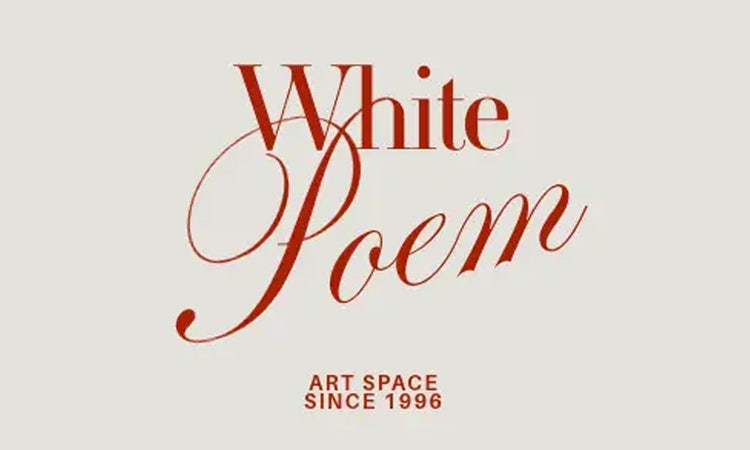
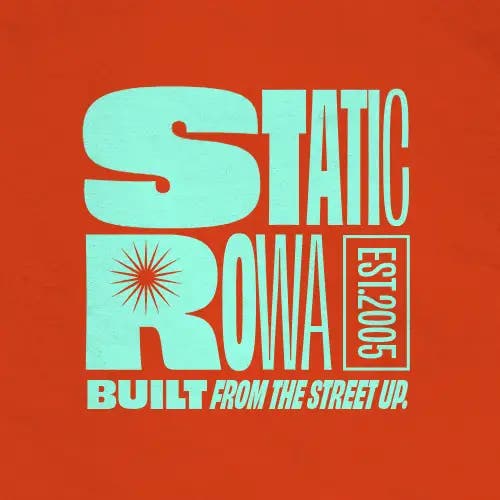
Try out these typography examples for stylish and readable designs.

Craft designs with confident, clear type choices.

Start designing with Adobe Express

What is typography and why does it matter in design?

Typography is the art of arranging type in a way that makes written language easy to read and visually engaging. It includes everything from font choice and size to spacing and alignment. For people who design content regularly, be that a product flyer, a presentation, or a social post, typography shapes how that message is received. A well-chosen font can make your design feel bold, soft, playful, or professional. Poor typography, however, can leave things looking cluttered or hard to read.

For solopreneurs, marketers, and creatives working in small teams, typography can make a big difference in how your brand comes across. Get it wrong, and you could put off your target audience and distract from your message. The good news is that you don’t need to be a designer or expert to get typography right on your designs every time. With some basic understanding, you can start choosing fonts that feel consistent with your brand and that support your message. Adobe Express makes this even easier with editable templates, so no matter what you’re creating, you can take full control of fonts, weights and spacing in just a few clicks or taps.

Key principles of good typography.

Good typography begins with readability. If your text is difficult to read, your message simply won’t get through. Opt for fonts that remain clear at various sizes, especially on smaller screens like mobiles. Consistent spacing is just as important. Kerning refers to the space between individual letters. Adjusting this ensures your text doesn’t look too cramped or too loose. Leading, pronounced ‘ledding’, is the space between lines of text. Proper leading helps your writing feel open and easy to follow, rather than squashed or overwhelming. If you’re creating content, apps or mobile-ready websites, learn more about mobile-first design best practices.

Try not to use too many different fonts in one design, as this can make things appear cluttered or unprofessional. Instead, select one or two fonts that work well together and use them consistently. Hierarchy is another essential principle. This means using font size, weight, or colour to guide readers through your content. For instance, your headline should stand out, while body text should be clean and comfortable to read. Lastly, don’t underestimate the power of white space. There’s no need to fill every inch of your design. Instead, giving your typography room to breathe makes everything feel more polished. With Adobe Express, you can fine-tune all these details, helping you create designs that are not only visually appealing but also clear and effective. Discover some of the best fonts for websites and cool presentation fonts to elevate your slides.

Tasks
Podcast-cover
Topics
typography, text effect
Q

Collection ID

(To pull in manually curated templates if needed)

Orientation

(Horizontal/Vertical)

Vertical

Width

(Full, Std, sixcols)

sixcols

Limit

(number of templates to load each pagination. Min. 5)

6
Animated
All

Sort

Most Viewed

Rare & Original

Newest to Oldest

Oldest to Newest

Newest to Oldest
Locales
GB or EN

Premium

(true, false, all) true or false will limit to premium only or free only.

false

How to choose the right font for your content.

The font you pick sets the tone and personality of your message. Whether you want something fun and playful or sleek and professional, start by thinking about the mood you want to create.

Here’s how to choose the best fonts for your personal, branded, and business content:

From CVs to interactive content with visual text effects, choosing the right font matters. If you have a brand, follow your brand guidelines on how to use fonts and spacing. If you’re creating a brand or have complete creative freedom on a project, start by using mood boards to find fonts that fit your messaging goals and content style.

Tasks
flyer
Topics
Text effect
Q

Collection ID

(To pull in manually curated templates if needed)

Orientation

(Horizontal/Vertical)

Vertical

Width

(Full, Std, sixcols)

sixcols

Limit

(number of templates to load each pagination. Min. 5)

6
Animated
All

Sort

Most Viewed

Rare & Original

Newest to Oldest

Oldest to Newest

Newest to Oldest
Locales
GB or EN

Premium

(true, false, all) true or false will limit to premium only or free only.

false

Tips for combining fonts in your designs.

Combining fonts thoughtfully can add structure, energy, and personality to your work. A tried-and-tested approach is to pair a bold, attention-grabbing headline font with a clean, simple font for body text. This creates contrast and catches the eye while keeping your content legible. For added interest, consider tying your font choices to the style of your visuals or the spirit of an art movement. For example, graffiti-inspired fonts can inject a sense of urban edge and creativity, while pairing them with a straightforward sans serif ensures your message remains readable. If your design leans into trends like Dark Academia or weirdcore, select fonts that echo those aesthetics, then balance them with a more traditional typeface for clarity. The key is to match the mood of your fonts to the overall feel of your project, ensuring they complement rather than clash with your imagery and message.

To keep your design looking polished, limit yourself to two fonts per project. This helps avoid visual clutter and maintains focus. If you’re unsure about pairing, use different weights or styles from the same font family, such as bold for titles and regular for body text. Ready-made templates for flyers, greeting cards, and other materials are a great way to get started, as they offer professionally designed font pairings and layouts that you can customise to suit your needs. Remember, consistency is crucial, so use the same fonts across all your materials to reinforce your brand or message. Once you’re happy with your design, you can print your content, like posters, cards, flyers, and business cards, directly through Adobe Express.


Tasks
flyer
Topics
typography
Q

Collection ID

(To pull in manually curated templates if needed)

Orientation

(Horizontal/Vertical)

Vertical

Width

(Full, Std, sixcols)

sixcols

Limit

(number of templates to load each pagination. Min. 5)

6
Animated
All

Sort

Most Viewed

Rare & Original

Newest to Oldest

Oldest to Newest

Newest to Oldest
Locales
GB or EN

Premium

(true, false, all) true or false will limit to premium only or free only.

false

Typography examples for social media, cards, and print materials.

Choosing the right typography for each format helps your message stand out and ensures it’s easy to read. Here are some examples of how to tailor your font choices for different uses:

With Adobe Express, you can easily experiment with these typography styles, customise templates to suit your needs, and download or print your finished designs.

Tasks
Tiktok-video
Topics
Text effect
Q

Collection ID

(To pull in manually curated templates if needed)

Orientation

(Horizontal/Vertical)

Vertical

Width

(Full, Std, sixcols)

sixcols

Limit

(number of templates to load each pagination. Min. 5)

6
Animated
All

Sort

Most Viewed

Rare & Original

Newest to Oldest

Oldest to Newest

Newest to Oldest
Locales
GB or EN

Premium

(true, false, all) true or false will limit to premium only or free only.

false

Try Adobe Express today

Adobe Express can help you.

Typography plays a key role in design, and Adobe Express makes it easy to get it right. Browse free templates for everything from t-shirts to print materials, then customise fonts, swap out colours, and adjust layout styles to match the design to your personal or business brand. Start creating with Adobe Express today.