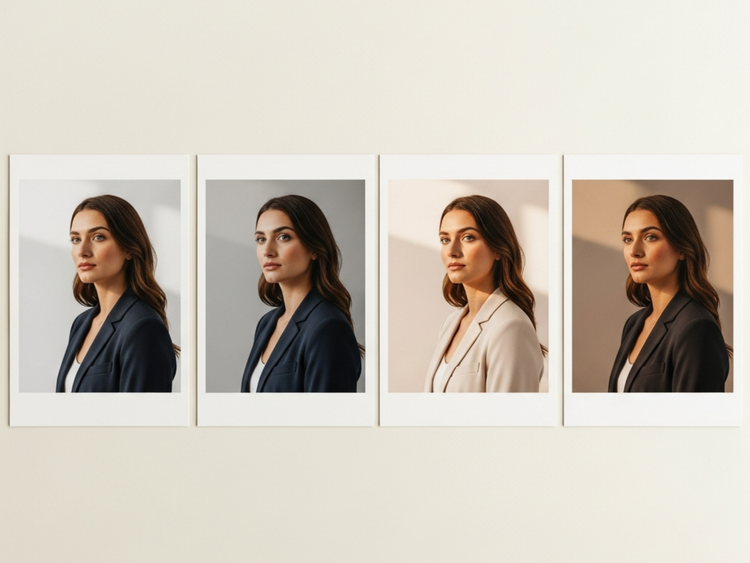
Turn a photo of yourself or your team into a polished, professional headshot with Adobe Firefly. Use it on profiles, websites, company directories and more.
Transform an existing photo of yourself or your coworkers into a polished, professional headshot for free with Adobe Firefly. Upload a reference photo and describe the look you want. Adobe Firefly generates a refined result with granular control over lighting, background, attire and style.
Upload a reference photo so Adobe Firefly knows what you look like. Then type a description. Include attire, background colour, lighting mood and style. Adobe Firefly will generate a headshot. Iterate on your prompt to refine the look until it matches your personal or brand standard exactly.
Control every detail of the final look.
Whether you need a clean white background for a corporate headshot or a warmer look, the style controls in Adobe Firefly give you the precision to get there without guesswork.
Apply a consistent style for your whole team.
Create headshots with a consistent visual style, even if the photos provided have different settings or were taken over the years with different lighting and backdrops. Use Adobe Firefly to apply matching backgrounds and similar lighting and framing for a cohesive look.
Take your AI professional headshot further.
Adobe Firefly allows you to generate your professional headshot while staying connected to the full Adobe ecosystem for finishing touches. Refine with Photoshop on the web for precise retouching or jump into Adobe Express to apply design elements or use it in templates, all in one seamless workflow.
How to generate a professional headshot with Adobe Firefly.
Log in to Adobe Firefly with your Adobe ID or create a free account to get started. Select the Generate Image feature from the home screen.
Upload an image of yourself as a reference photo, then write a detailed description of the headshot you want. Include attire, background, lighting mood and any style notes. The more detailed your prompt, the more accurately your generated results will match your vision.
Click Generate and review your headshot options. Browse the results, compare and pick your favourite or refine your prompt and generate again.
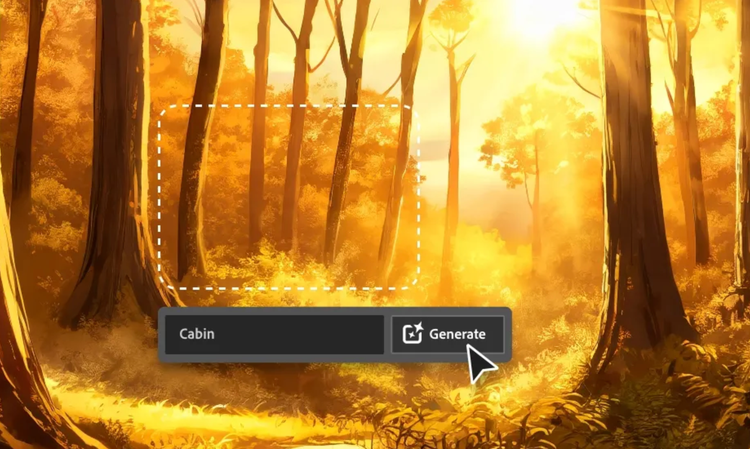
Use Quick Action tools like Generative Fill, Remove or AI Mark-up to refine your result.
Download your generated headshot as a high-resolution image and use the Share button to share it to the Adobe Firefly gallery or open it in Photoshop on the web or Adobe Express for further editing.
Why use Adobe Firefly as an AI professional headshot generator?
Adobe Firefly gives you studio-quality control over your professional headshots. Generate polished headshots from a reference photo and text prompt, then refine them further with a generated background, studio lighting and more all within the photo editor from Firefly.
Generate professional-quality headshots with the exact lighting and background you want and sharp detail. Tailor your results to match your personal and brand needs.
Commercially safe for business use
Adobe Firefly models are trained exclusively on Adobe Stock, licensed content and public domain materials, so outputs are safe for commercial use on websites, press materials, networking sites and client-facing presentations.
Lightning-fast results
Quickly generate polished headshot options, then fine-tune by adjusting your prompt or uploading a reference image to get just the look you want.
Maintain style consistency
Firefly makes it easy to create a cohesive look for photo sets. Use prompts and style settings to apply matching backgrounds and more so your photos are ready to use for corporate websites and beyond.
style
Two up, s spacing top, xxl spacing bottom, show-2-desktop, static links
An AI professional headshot generator is a tool that uses artificial intelligence to transform a reference photo and text description into a polished, studio-quality portrait. The AI headshot generator in Adobe Firefly lets you upload a photo of yourself, describe your ideal look — including attire, lighting and background — and generate a realistic headshot ready to use on professional profiles, company websites, press kits and LinkedIn.
The best prompts are specific and descriptive. Include the lighting direction, background style, attire and expression you want in your headshot. For example, writing “professional headshot, navy blazer, soft studio lighting, warm grey background, confident expression” will produce a much more precise result than a generic description.
Yes, Adobe Firefly is well suited for creating a consistent set of headshots across an entire team. Using the same prompt — including identical background colour, lighting set-up and framing — you can generate matched portraits for every team member and eliminate the inconsistency that comes from using photos taken at different times and locations. The results can be downloaded as high-resolution images for use in company directories, websites and press materials.
Yes, you can use headshots generated with Adobe Firefly on your website, press page, conference speaker bio and professional profiles. Adobe Firefly models are trained exclusively on Adobe Stock, licensed content and public domain materials, so outputs are safe for commercial use. Adobe Firefly supports JPEG and PNG output formats and generated images can be downloaded at high resolution for use across digital and print contexts.
Yes, you can explore the free AI professional headshot generator with Adobe Firefly. If you have a free Adobe account, you’ll get free daily generations. Learn more about using Adobe Firefly for free. A paid plan is available for higher-volume generation.
Adobe Firefly generates headshots as high resolution PNG files. You can upload reference photos in JPEG, PNG or WEBP format, with a maximum file size of 100 MB and a minimum dimension of 512 x 512 pixels. Generated headshots can be downloaded directly or opened in Photoshop on the web or Adobe Express for further editing before export.
Share this page.
style
xxl spacing bottom, xl spacing top
Explore more Firefly tools.
style
Show-4-desktop, s spacing top, xxl spacing bottom
background
#F0F0F7
Adobe Firefly
The next evolution of creative AI is here for all your ideas, with image, video, audio and vector tools.
You can control how Adobe websites use cookies and similar technologies by making choices below. But note that if you disable cookies and similar technologies entirely, Adobe websites may not function properly.
Cookies are small text files stored by your web browser when you use websites. There are also other technologies that can be used for similar purposes like HTML5 Local Storage and local shared objects, web beacons, and embedded scripts. These technologies help us do things like remembering you and your preferences when you return to our sites, measure how you use the website, conduct market research, and gather information about the ads you see and interact with.
You can make choices in the menu below about what cookies and other technologies you want us to use on Adobe sites when you visit them from this browser. You can always change those choices later by clicking on the Cookie Preferences link at the bottom of the page.
If enabled:
We can improve your experience by tailoring the site and the content to things we think might be of interest
We can better keep track of your preferences — like what language you prefer to use
We will better understand your likely interests so we can provide you more relevant Adobe ads and content on non-Adobe websites and in non-Adobe apps
It will help us improve the performance of our website and those of our partners who use the Adobe Experience Cloud
If disabled:
We won’t be able to remember you from session to session so the experience may not be tailored to your interests
You’ll still have access to the content of the site but certain features that depend on cookies may not function
You’ll still see ads, they just may not be as relevant to you
General information
You can control how Adobe websites use cookies and similar technologies by making choices below. But note that if you disable cookies and similar technologies entirely, Adobe websites may not function properly.
Cookies are small text files stored by your web browser when you use websites. There are also other technologies that can be used for similar purposes like HTML5 Local Storage, web beacons, and embedded scripts. These technologies help us do things like remembering you and your preferences when you return to our sites, measure how you use the website, conduct market research, and gather information about the ads you see and interact with.
You can make choices in the menu below about what cookies and other technologies you want us to use on Adobe sites when you visit them from this browser. You can always change those choices later by clicking on the Cookie Preferences link at the bottom of the page.
If enabled:
We can improve your experience by tailoring the site and the content to things we think might be of interest
We can better keep track of your preferences — like what language you prefer to use
We will better understand your likely interests so we can provide you more relevant Adobe ads and content on non-Adobe websites and in non-Adobe apps
It will help us improve the performance of our website and those of our partners who use the Adobe Experience Cloud
If disabled:
We won’t be able to remember you from session to session so the experience may not be tailored to your interests
We’ll still count your use of our site and services
You’ll still have access to the content of the site but certain features that depend on cookies may not function
You’ll still see ads, they just may not be as relevant to you
Operate the site and core servicesOperate site and measure engagement
Always active
These cookies are required, and they are used to enable the site and related services core functionality. Without them the site could not operate, so they cannot be disabled.
These cookies enable the site and related services’ core functionality and collect statistics about user engagement, such as counting active use to help us understand trends. These cookies cannot be disabled.
Measure performance
These cookies are used to analyze site usage to measure and improve performance. Without them Adobe cannot know what content is most valued and how often unique visitors return to the site, making it hard to improve information we offer to you.
These cookies are used to analyze site usage to measure and improve performance. Without them Adobe cannot know what content is most valued, making it hard to improve information we offer to you.
Extend functionality
These cookies are used to enhance the functionality of Adobe sites such as remembering your settings and preferences to deliver a personalized experience; for example, your username, your repeated visits, preferred language, your country, or any other saved preference.
Personalize advertising
These cookies are used to enable Adobe and our partners to serve ads more relevant to your interests. Without them you will still see ads, but they might not be as relevant to you.