Remove anything fast
Gone in a touch.
Generative Remove in Lightroom now makes it easier than ever to quickly clean up anything in your photos, without leaving a trace.



Plans starting at US$11.99/mo for the annual billed monthly plan.
Browse plans for businesses or students and teachers.
Erase background objects in a few taps with Generative Remove.


Tap to upload an image.
By uploading your image or video, you agree to the Adobe
Terms of Use and Privacy Policy.
Tap to upload an image.
By uploading your image or video, you agree to the Adobe
Terms of Use and Privacy Policy.
Drag and drop an image
to get started for free.
JPEG files only, 40MB max,
8000x8000 max dimensions
By uploading your image or video, you agree to the Adobe
Terms of Use and Privacy Policy.

Remove anything fast
Generative Remove in Lightroom now makes it easier than ever to quickly clean up anything in your photos, without leaving a trace.
Precise editing
Quickly adjust light and color, add presets and effects, crop images, and more. Apply changes to a whole image or select specific parts to get the perfect look on desktop, mobile, or web.
Edit with AI
Instantly add a blur effect with new and improved Lens Blur, powered by AI. New presets make it easy to highlight your subject and blur out the rest.
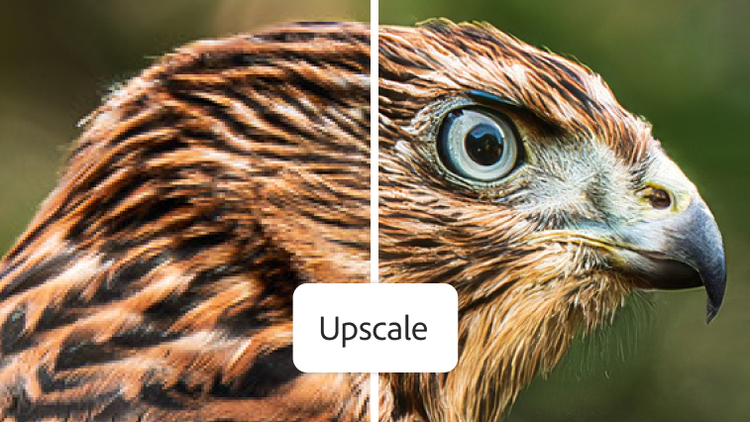
Save time using generative upscale with Topaz Gigapixel, now including powerful 4x upscaling. Easily crop into images without losing detail, and recover clarity in low-resolution photos.
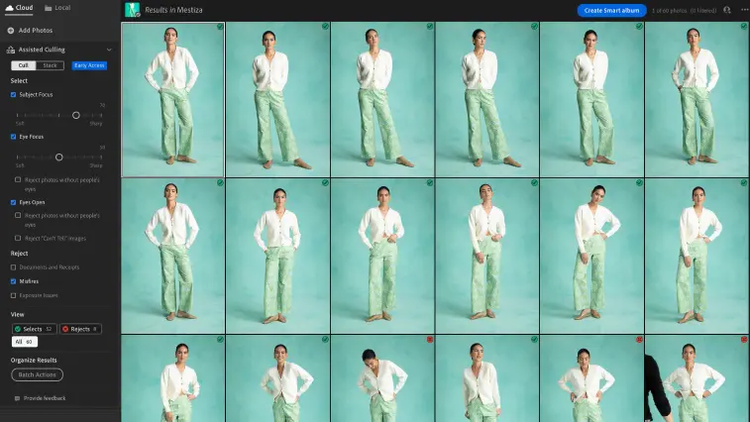
New AI-powered Assisted Culling supercharges the selection process by intelligently filtering your photos around image quality, grouping similar shots, and more.
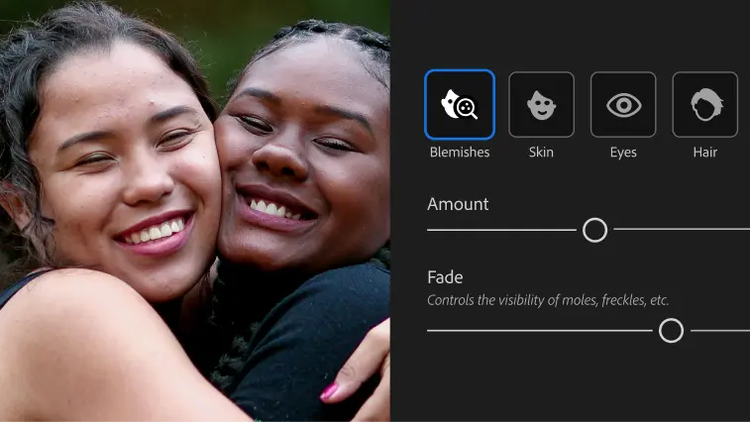
Go from a quick touch-up to a full glow-up with Quick Actions. Easily retouch skin, remove blemishes, whiten teeth, and more.
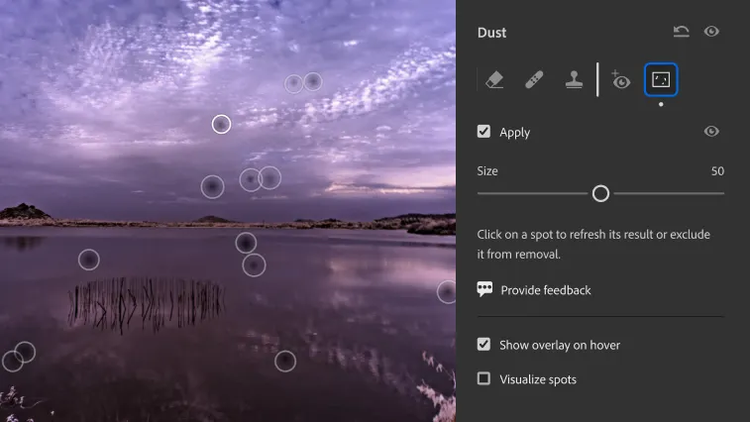
New Dust Removal quickly recognizes and removes sensor dust from your photos with incredible precision.

Instantly create a stunning portrait effect in any photo with Lens Blur, powered by AI. Use new one-tap presets to easily focus on your subject and blur out everything else.

Easily edit parts of your photo with Adaptive Presets. Whiten teeth and smooth skin in seconds, enhance the sky, or blur the background in a single click.
Lightroom for mobile, desktop, and web, plus Lightroom Classic.
Annual, billed monthly
US$11.99/mo

Lightroom for mobile, desktop, and web, plus Lightroom Classic and Photoshop.
Annual, billed monthly
US$19.99/mo
Save 50% on Lightroom and 20+ apps, plus creative AI. Pay US$34.99/mo for the first 3 months, then US$69.99/mo after that. New subscribers only. See terms.
Annual, billed monthly
20+ creative apps, including Lightroom, Lightroom Classic, and Photoshop, plus Adobe Firefly creative AI for images, video, and audio.
Annual, billed monthly
The full version of Lightroom plus the Adobe Express Premium plan, plus exclusive business features.
Annual, billed monthly
US$37.99/mo excl. VAT per license
20+ apps, including Lightroom, and Firefly creative AI for images, video, and audio, plus exclusive business features.
Annual, billed monthly
US$99.99/moper license