https://main--cc--adobecom.aem.live/cc-shared/assets/img/firefly.svg|AdobeFirefly Adobe Firefly
Free rain sound effect generator.
From a gentle drizzle to a torrential downpour, Firefly gives creators the tools they need to create the perfect rain sound for any scene. Keep reading to learn how to generate free sound effects fast.


- audio
- Keep it short and specific, like birds chirping
- Adobe Generative AI Terms
- https://main--cc--adobecom.aem.live/creativecloud/animation/testdoc/unity/generate.svgGenerate
- Describe what you want to generate
- Prompt
- Suggestions
- Tip
- Variation 1
- Variation 2
- Variation 3
- Variation 4
- ff_campaign=embed_generate_acom&promoid=YKHWG2HQ&mv=other
- Unable to process the request
- Please describe what you want to generate.
- Prompt exceeds the max length of 750 characters
- Unable to play audio. Please try other variations.
- Enter prompt
https://main--cc--adobecom.aem.live/cc-shared/assets/img/product-icons/svg/firefly-80.svg
Adobe Firefly
The next evolution of creative AI is here for all your ideas, with image, video, audio, and vector tools.
https://main--cc--adobecom.aem.live/cc-shared/assets/img/product-icons/svg/firefly-80.svg
Adobe Firefly
The next evolution of creative AI is here for all your ideas, with image, video, audio, and vector tools.
Explore rain sound effects generated in Adobe Firefly.
From a light pitter-patter to a big soak, Firefly makes it easy to generate authentic-sounding rain effects. Listen to a few examples, and then use text prompts or upload reference clips to create just the right audio for your project.


Create show stopping rain sound effects, fast.
You don’t need to be a sound designer to create realistic rain sound effects. As a web-based AI sound generator, Adobe Firefly lets you create custom rain sound effects for any creative project. And with intuitive input and adjustment controls, it’s easy to get started and get showstopping results.
Generate custom rain sounds for every creative need.
Recording the sounds of rain takes time. With generative AI, it’s easier than ever to produce rain sound effects. Whether you’re looking for a subtle background drizzle to enhance Foley, light rain for a nature soundscape, or a steady downpour to set the scene in an animated series, Adobe Firefly can quickly generate the sound effect you need.


Describe a sound effect and Adobe Firefly will do the rest.
No matter what sounds of rain you have in mind, Adobe Firefly can help. Just describe the sound you’re imagining or upload an audio reference. Need some inspiration? Try prompts like “steady rain on a window” or “torrential downpour during a windy storm.” You can even layer your heavy rain sound effect with wind sound effects and thunder sound effects for a powerful result.
Remix and edit rain sound effects, fast.
Once you’ve generated your rain sounds, Adobe Firefly gives you all the tools you need to adjust the pitch, tone, and tempo. Drop your finished track into a timeline or export high-quality audio on its own. When you’re ready to expand your soundscape, explore more nature sound effects for a truly immersive experience.

How to create rain sound effects with Adobe Firefly.
Step 1
Open Adobe Firefly.
Step 2
Choose the text to sound effects feature.
Step 3
Describe the rain sounds you want.
Step 4
(Optional) Upload reference media.
Step 5
Preview and refine your results.
Step 6
Export and share.
- How to create rain sound effects with Adobe Firefly.
- Steps on how to create rain sound effects with Adobe Firefly.
- PT5M
- firefly


Creative control
The Adobe Firefly sound effects generator lets you fine-tune pitch, tone, and tempo to get the perfect result for your project.


Extensive rain sound effects library
Whether you need the sound of light rain hitting a windowpane or a heavy downpour on a tin roof, you can browse a variety of rain sounds in Adobe Firefly.


Commercial safety
AI rain sound effects generated by Adobe Firefly models are safe for commercial use, so you can incorporate them into digital ads, podcasts, audiobooks, and more.


Workflow integration
Move seamlessly between the Adobe Firefly sound effects generator and Adobe Creative Cloud apps for a streamlined and professional workflow.
See what you can do in Firefly.





Discover even more features.
Questions? We have answers.
Can AI create rain sounds?
What kinds of rain sounds can I generate?
Can I create a free rain sound effect?
Does Adobe Firefly generate royalty-free rain sounds?
What file formats are available for rain sound effects?
Are rain sound effects safe for commercial use?
Can I loop sounds of rain to use as background audio?
Can I use rain sounds for sleep or meditation?
Share this page
Explore more Firefly tools.
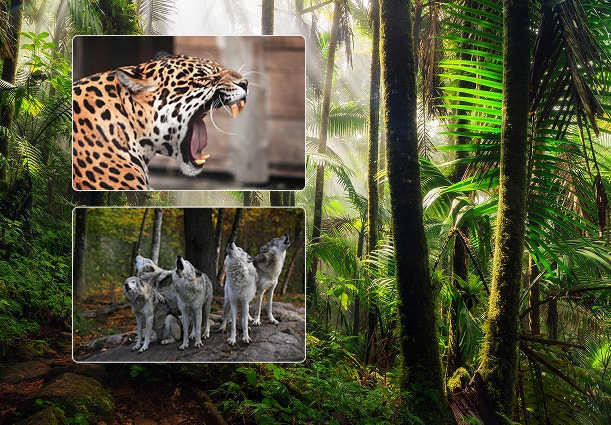
Create realistic nature sound effects with generative AI.
Nature sound effects are the foundation of immersive sound design. Generative AI makes it quick and easy to create a high quality library of free nature sound effects for any project.
Learn more | Learn more - Create realistic nature sound effects with generative AI

Create realistic animal sound effects with generative AI.
Animal sound effects can be used to add realism to any scene, video, or audio story. Learn how generative AI can be used to create any animal sound from cat meows to lion roars.
Learn more | Learn more - Create realistic animal sound effects with generative AI

How generative AI works: From training to output.
Generative AI is all over the headlines, and that’s not empty hype. This new technology is likely to be part of your life soon — if it’s not already. Learn how generative AI works and start streamlining your workflow.
Learn more | Learn more - How generative AI works: From training to output

Generative AI is changing creative work.
Generative AI can mimic — but not replace — human intelligence. Learn how it can help you take your creativity to new places.
Learn more | Learn more - Generative AI is changing creative work