60 Baby captions for custom Adobe Express cards, posts, and milestones.
Caption ideas for baby boy, girl, newborn, cute, and funny photos.
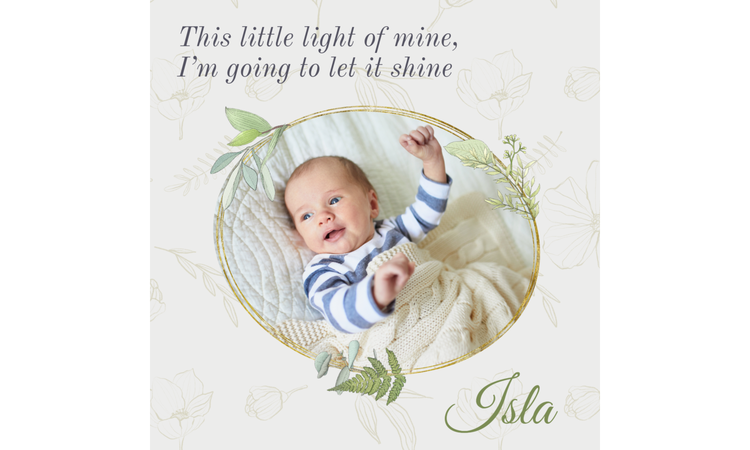




The caption your favorite baby photo needs.
You just took a photo, and you're already deciding where it's going: posted within the hour or printed for grandma's fridge. Baby captions are the split seconds of thought between the photo and hitting the share button. Adobe Express handles that part. Pick a caption, drop it into a template, and you're printing or posting in under a minute.
Pair these baby captions with the small moments you almost scroll past.
Your phone fills up fast in the first few weeks, mostly with photos that never get a caption at all. The baby is asleep on someone's chest. A close-up of a hand wrapped around a finger, taken at 3 a.m. because you couldn't put the phone down. These sit in your camera roll until you're scrolling for something else and stumble back onto them. A general caption is built for that stack, the shots that don't fit a specific milestone, but still stop you when you find them again.
Figure out where the photo is going before you write anything. A caption for a text to your sister isn't the same as one going under a framed print in the nursery. For the nursery version, build it as a poster instead of printing the photo and captioning it separately. In Adobe Express, the caption sits right on the image, so you don't have to print the photo separately and tape a caption underneath it.
Font choice changes how the caption reads more than people expect. Serif is perceived to be more sentimental. If the shot is candid and a little messy, a clean sans serif typeface fits it better. If you're printing something to set out at a baby shower or hand to visiting family, use a flyer format. It gives you room to add the date or venue below the caption.
This line holds up beyond the newborn stage, especially if you're sending updates to the people who attended your baby shower. Adobe Express has baby shower card templates built for that exact follow-up, so you don't have to start from a blank page. Pick one with a photo slot near the top and swap in this caption instead of writing a new one.
Isn't it frustrating when you capture the perfect photo for this caption, and the only thing wrong with it is a laundry basket or unmade bed sitting right in the background. The background tool swaps that out for something plain, usually white or a soft gray, without you having to set the shot up again.
Parents who use this caption tend to keep coming back to it, once a month, same phrasing, new photo. That kind of repeat use is exactly what the template library is built for. Find one design you like in month one and keep reusing it. Then just update the number and the photo each time.
If most of your family lives far away and missed the birth, a shared album does more than one photo ever could. Drop a QR code under the caption that links to a folder you keep adding photos to. Small, in a corner. That's it.If most of your family lives far away and missed the birth, a shared album does more than one photo ever could. Drop a QR code under the caption that links to a folder you keep adding photos to. Small, in a corner. That's it.
recipe
Match baby boy captions to the personality he's already showing.
Somewhere around week two, you start noticing things. He's got a favorite side to sleep on, or he only calms down when Dad – specifically Dad – is the one holding him. It’s this tiny personality that usually deserves a caption more than a stock cute-baby line does. Most parents document sons through inside jokes early on, and that habit sticks.
If you're setting up a welcome sign for the door, a banner works well if you're leaning into the “boys' club” angle, matching Dad's poker night sign. Build it sized to your actual doorway or wall. Save the file, and if a second boy comes along later, you're just swapping the name and photo.
For family members and friends a few states away, a printed card gives them something to pin on their fridge. Use a solid color block backdrop and a colorful font so the card holds up better against the school photos and coupons already up there.
If none of the lines below sound like your son specifically, that's normal. Adobe Express keeps a running 50 baby quotes list worth scrolling through before you settle on wording. Some read better next to a sleeping photo, others fit a wide-awake, mid-cry shot. Read a few out loud before deciding.
An adorable caption like this works best for a quick video clip or a slideshow from his first weeks. Use the Instagram Reel maker to splice your favorite clips together and add some background music. You can use the built-in animation features to make the text pop onto the screen right when he does something cute.
This playful line works great for a physical thank-you note or a keepsake card for loved ones. You can build this using a baby boy card to get something more unique than a standard store-bought card. Put the “future heartbreaker” text on the front in a bold font and place a photo of him sleeping inside the card.
You can actually make custom clothing for your family using this exact caption. Go to the Adobe Express custom t-shirt maker to design a custom onesie for the baby or matching shirts for dad and big brothers. Pick a sporty block font to match the club theme and download the file to print it out.
Turn this sentiment into a photo announcement to share with your family. Use a baby boy announcement template to pick a layout that matches your nursery style. Drop in a close-up photo of his feet, swap the background to a soft neutral color, and add his birth weight and date at the bottom.
recipe
Celebrate your new daughter with these sweet baby girl captions.
Bringing home a baby girl means a camera roll filled with oversized bows, pink swaddles, and tiny floral rompers. During late-night feeding, you’ve probably taken close-up shots of her wrinkled toes and sweet yawns. Sharing these precious moments online should be fun, but it can be challenging when you’re running on just a couple of hours of sleep.
Pick your favorite baby girl caption below and use a photo collage maker to layout several photos of your little girl. Put together her first outfits, nursery details, and funny sleeping poses. This way, you can show her different personalities side by side with a caption that fits her mood. Use a soft color theme like blush pink or cream to tie the separate photos together cleanly. Add delicate border frames around the images to emphasize that classic baby girl aesthetic.
If you want to share more with close family, you could write her full birth story or a message as if it’s from her. To make it look extra girly, pick a letter template with a faint floral watercolor background. You can use a classic serif font for the main story text, then swap the headers to a soft, elegant cursive to give the whole page a storybook feel.
Give this caption a literal shimmer by using a text generator. Type a prompt like “pink glitter” into the generator box to transform the word “sparkle” into a textured font. This stylized text works great as a graphic overlay for an Instagram story or a digital image you text to family.
This caption is made for a classic, photo-first birth announcement. Choose a baby girl announcement template that puts her first portrait front and center. Match the canvas background shade directly to the color of her bows using the eyedropper tool. Keep the font clean and simple so the focus stays entirely on sweet face.
Use this humorous caption to introduce your daughter to the online world with a fun video montage. Use the YouTube video editor to stitch together clips of her crying for bottles, yawning during tummy time, or hogging the crib. Drop in some upbeat background music from the audio library, and use the text timing tool to make this caption pop up right during her funniest facial expression.
Save this specific caption for when you plan her very first milestone celebration. Look through the baby birthday invitation templates to find a design with a royal or whimsical theme. Drag a small tiara icon from the graphics tab right next to her name and use a soft pastel color scheme to keep the invite looking sweet.
Pick newborn baby captions before you're too exhausted to think of one yourself.
Those first few weeks are mostly just an exhausted blur where you completely lose track of what day it is. When you finally sit down to post something, you want the caption to match what it felt like holding your newborn for the first time. Your camera roll's probably 50 near-identical candid shots deep by now. A good strategy is to pick a newborn baby caption and build the visual announcement around it.
If you want to update your digital network all at once, create a digital banner for your social pages. Keep the focus on the newborn with a muted color palette, such as sage green. Place your text inside a clean border frame.
You can also look back at your pregnancy card templates to copy the same design themes or color fonts you used for your baby shower invites. Keeping your design style consistent from the early sonogram stages to the actual birth announcement creates a cohesive visual storyline for your baby’s arrival.
Turn this sweet sentiment into a physical keepsake with a custom mug label maker. Design a wrap-around graphic for the caption on one side and a photo of your baby on the other. Use a clean, minimal text so it looks nice sitting on your nursery side table.
Drop this caption onto an image sized exactly for your feed so the edges don't get chopped off when you upload. Use the Instagram Post maker and pick the standard square or vertical layout. Put your text in an empty corner where there isn't much background noise, and pick a plain font that doesn't distract from the photo. Export it to full size to keep the image looking sharp.
This line works well for a photo layout highlighting the tiny details of your newborn's first week. Add a few close-up shots into a baby photo collage to showcase their sleeping face in a single graphic. Use an asymmetrical layout grid with thin white borders to give the photos breathing room and keep the design modern.
If your favorite newborn photo has a hospital monitor or an IV-pole sitting in the background, use an image editor to clean it up fast. Brush off background elements so the focus stays entirely on your baby. You can also slide the contrast down and the warmth up slightly to soften any harsh indoor room lighting.
How to make the most of these baby captions.

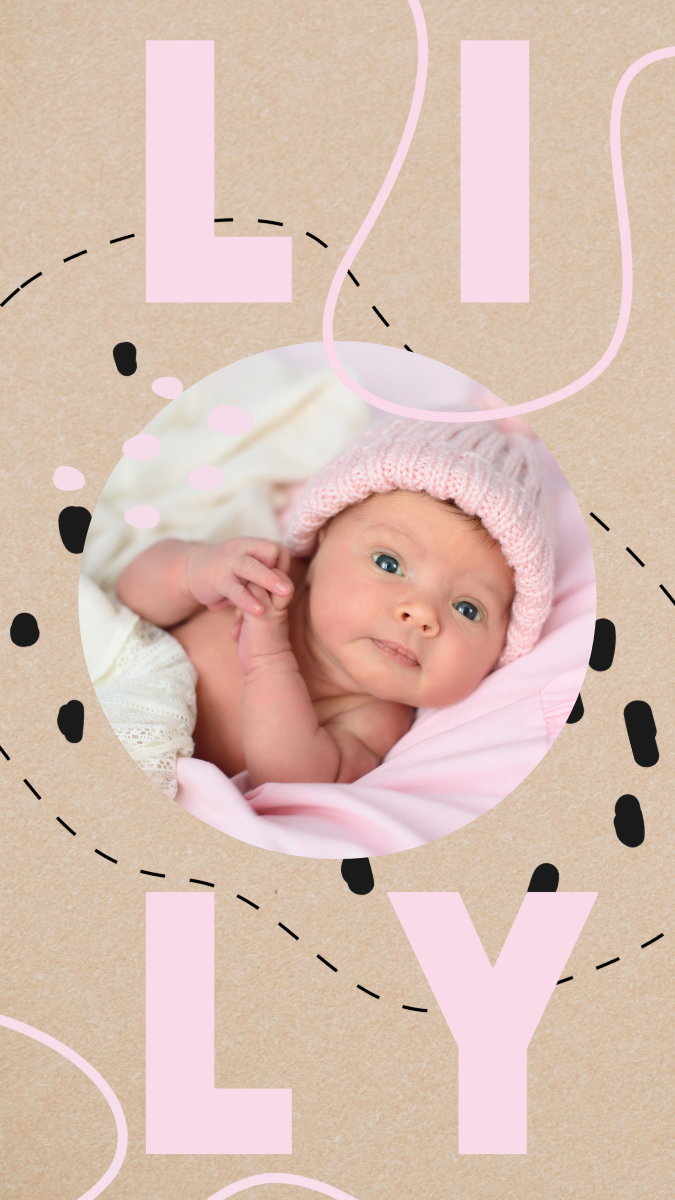
Pair your favorite cute baby captions with playful digital designs.
When your baby does something ridiculous like trying to eat their own toes or blowing drool bubbles, you grab your phone. These chaotic, hilarious moments don’t need a serious or overly sentimental announcement. You just want a quick way to share that specific burst of personality before they move on to the next mess.
For an even more entertaining clip for your family group chat, use a GIF maker to convert a video of them bouncing in their jumper. You can layer a short text snippet over the loop, keeping the font thick and bubbly to match their playful energy.
As they grow a bit older and start hitting major milestones, you might want a way to document these traits outside of social media. You can build a custom milestone tracker to organize all those details. Design a single-page layout where you can type out their current height, favorite toy, and the funny sounds they make, then leave a dedicated blank square to glue in a printed photo of their squishiest smile.
A loud caption like this needs a bold text style to match the attitude. Look through the Funky Fonts gallery and look for a typeface that has thick, rounded lettering or a retro drop shadow. Apply a bright color like coral or mustard yellow to the font so the words jump out immediately when people scroll past your story.
Use this caption to make a fun coloring or activity souvenir for the older kids and cousins visiting the baby at your shower. Choose a standard letter size and search the graphics tab for simple outline doodles like teddy bears or stars. Type this caption at the top in an open, hollow font style so your nieces and nephews can color the letters in.
If you are throwing a small family sip-and-see party at your house, create a custom camera overlay for the day. Go to the Snapchat Geofilter templates and pick a layout that keeps the middle of the screen completely clear. Type this caption along the bottom margin. Use the graphics panel to add a small star doodle next to the words so it looks fun when guests snap photos.
Write funny baby captions to match the daily chaos of parenthood.
Life with a baby has a way of ruining your plans. One minute you're heading out the door, the next you're dealing with a surprise blowout diaper and changing another outfit. Those are often the moments worth posting anyway. A funny baby caption is a lighthearted way to laugh at the sleepless nights and constant surprises.
When family and friends come over to meet the baby, a thank-you card with a bit of humor is just the right thing. Use a photo that captures what life looks like right now, like a living room with baby gear everywhere or a picture of your little one mid-poop. Drop a funny caption across the front in a bold font for an extra wow effect.
This caption is practically asking to be paired with a classic internet meme template. Upload a picture of your baby staring blankly or looking angry at the camera. Use the classic thick impact font style to place this caption at the top or bottom of the frame. Keep the text color white with a black outline so it is easy to read.
Turn this joke into a custom sticker to label your coffee canisters or travel mugs for early morning walks. Pick a simple, bold font that reads clearly from a distance, and use a minimal black-and-white layout to make it look like an official warning label.
This is great for a quick, chaotic transition video showing how fast your baby switches moods. Load two short video clips into the TikTok video editor, choosing one where they are smiling calmly and another where they are crying over nothing. Trim the clips so the change happens right on the beat of your background music, and overlay this caption on screen using a bright, plain font.
Avoid these mistakes that ruin good baby captions.
A great caption can still fall flat if the design around it works against it. Most of these take less than a minute to fix once you know where to look.
- Cramming a long caption into a small print. Anything over about 40 characters starts fighting for space on a 4x6 card or a phone case. Cut the caption down first, then build the layout around it.
- Using a font that fights the caption's tone. A script font under “sleep is for people who don't have babies” doesn't land right. Save script fonts for the sentimental lines and keep the sarcastic ones bold and blocky.
- Placing text over the busiest part of the photo. Right across the baby's face, or over a cluttered background, is usually where a caption gets lost first. Adobe Express lets you drag the text box around freely, so look for a plain patch of blanket or wall in the photo and move it there.
- Picking a text color too close to the background. White text on a pale swaddle disappears the moment it's printed.
- Reusing one caption everywhere without resizing around it. A line written for a social post doesn't automatically work shrunk onto a wallet print or blown up on a banner. Adobe Express templates resize the whole layout when you switch formats, but the caption itself might still need shortening to fit.
Turn these baby captions into a printed card or a digital post with Adobe Express.
You don't need a design background for this. Most people just grab a template, swap in their own photo, and mess with the text until it looks right. Adobe Express templates cover a lot – an announcement, a quick milestone post, a weekly update, even a baby gift tag.
If something looks off, change it. Nothing's locked in once you pick a layout so you can go back in and tweak the design. Sometimes it's as simple as making the caption larger or trying a different font so it doesn't compete with the image. The goal is to create something that feels like your family and captures the moment the way you remember it.