Les fonctions d’inversion et de rotation sont utiles si votre photo est à l’envers ou mal positionnée.
Ce qu’il vous faut
Apprentissage dans l’application
Comment inverser ou faire pivoter une photo ?
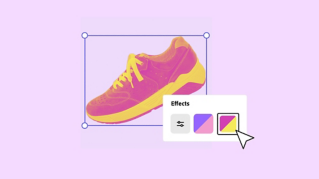
Pour inverser une photo, sélectionnez-la afin d’ouvrir le panneau Image.
Cliquez sur l’icône de gauche pour inverser horizontalement l’image.
Cliquez sur l’icône située à côté pour l’inverser verticalement.
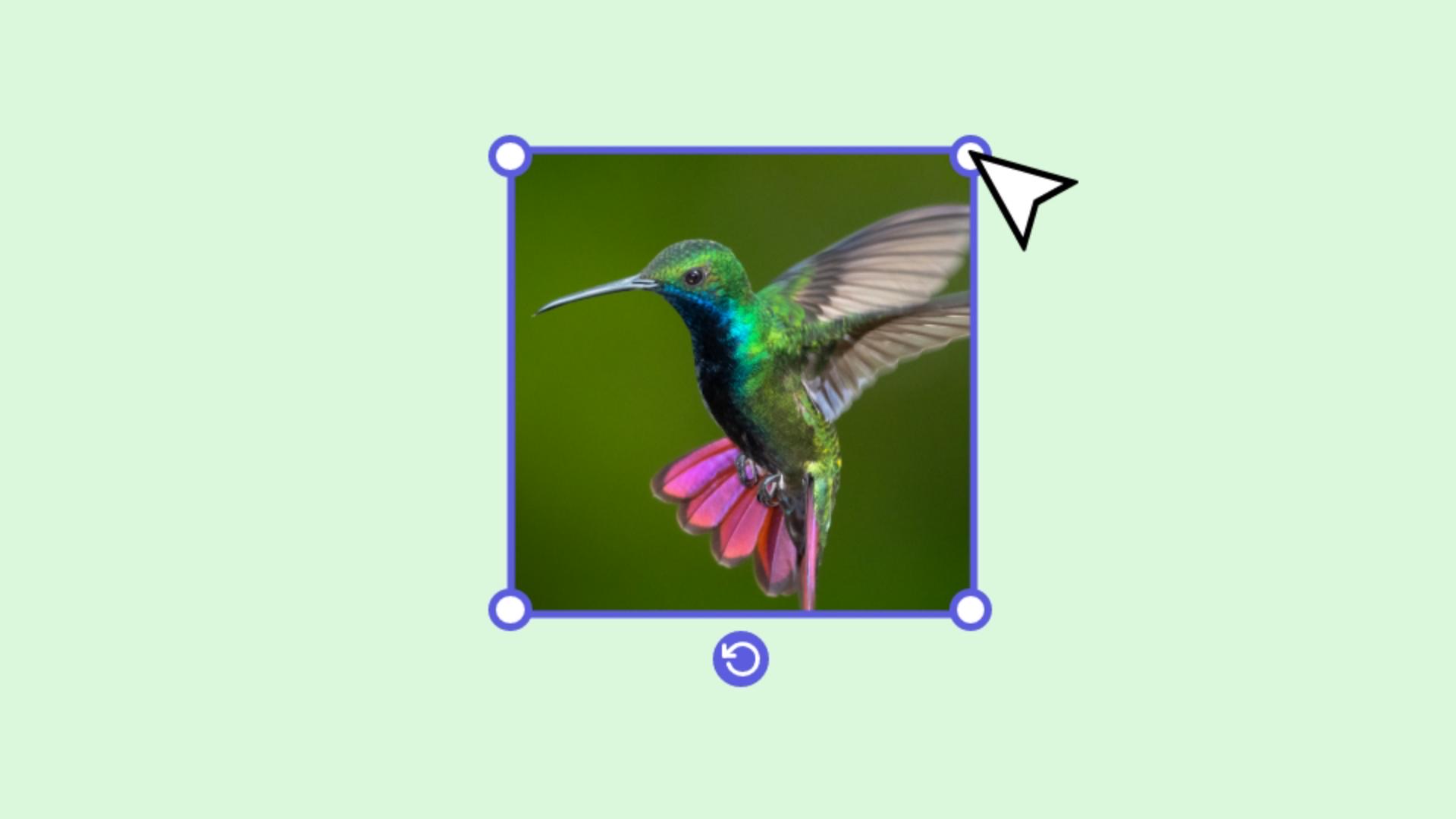
Pour faire pivoter la photo, sélectionnez-la.
Une icône apparaît.
Cliquez longuement sur cette icône, puis faites glisser pour ajuster l’effet.
Adobe Express – Créez à l’infini.
Que vous souhaitiez corriger l’angle de prise de vue d'une photo, dégager de l’espace pour insérer du texte et des formes ou simplement améliorer le rendu global, l’inversion et la rotation sont des retouches que vous pouvez effectuer rapidement. Vous pouvez essayer de voir ce que rendrait votre image sous un autre angle, puis revenir en arrière facilement si cela ne vous convient pas.
L’orientation du sujet sur une photo guide le regard vers ce que vous souhaitez mettre en avant. En inversant ou en faisant pivoter la photo, vous pouvez faire en sorte de véhiculer exactement le bon message, créer des effets de duplication et de miroir ou encore superposer des images avec des angles différents. Suivez les étapes ci-dessous pour apporter des corrections rapides ou laisser libre cours à votre créativité.
Inversion horizontale ou verticale
Sélectionnez l’image.
Cliquez sur l’icône d’inversion horizontale ou verticale.
Rotation d’une photo :
Sélectionnez la photo.
Sans relâcher le bouton de la souris, cliquez sur l’icône et déplacez-la pour faire pivoter la photo selon l’angle souhaité.
Inversion ou rotation d’un groupe de ressources :
Vous pouvez inverser et faire pivoter une seule photo ou plusieurs simultanément.
Pour inverser ou faire pivoter un groupe de photos :
Sélectionnez toutes les ressources à modifier (cliquez sur chacune en maintenant la touche Maj enfoncée).
Cliquez sur le bouton Associer dans le panneau de gauche.
Vous pouvez maintenant utiliser les outils d’inversion et de rotation pour tout le groupe d’images.
Si vous ne souhaitez pas modifier les réglages du groupe entier, vous pouvez dissocier les ressources pour n'en sélectionner qu'une seule. Cliquez simplement sur
Dissocier.
Vous pouvez à présent cliquer sur la photo de votre choix pour la modifier.
You can control how Adobe websites use cookies and similar technologies by making choices below. But note that if you disable cookies and similar technologies entirely, Adobe websites may not function properly.
Cookies are small text files stored by your web browser when you use websites. There are also other technologies that can be used for similar purposes like HTML5 Local Storage and local shared objects, web beacons, and embedded scripts. These technologies help us do things like remembering you and your preferences when you return to our sites, measure how you use the website, conduct market research, and gather information about the ads you see and interact with.
You can make choices in the menu below about what cookies and other technologies you want us to use on Adobe sites when you visit them from this browser. You can always change those choices later by clicking on the Cookie Preferences link at the bottom of the page.
If enabled:
We can improve your experience by tailoring the site and the content to things we think might be of interest
We can better keep track of your preferences — like what language you prefer to use
We will better understand your likely interests so we can provide you more relevant Adobe ads and content on non-Adobe websites and in non-Adobe apps
It will help us improve the performance of our website and those of our partners who use the Adobe Experience Cloud
If disabled:
We won’t be able to remember you from session to session so the experience may not be tailored to your interests
You’ll still have access to the content of the site but certain features that depend on cookies may not function
You’ll still see ads, they just may not be as relevant to you
General information
You can control how Adobe websites use cookies and similar technologies by making choices below. But note that if you disable cookies and similar technologies entirely, Adobe websites may not function properly.
Cookies are small text files stored by your web browser when you use websites. There are also other technologies that can be used for similar purposes like HTML5 Local Storage, web beacons, and embedded scripts. These technologies help us do things like remembering you and your preferences when you return to our sites, measure how you use the website, conduct market research, and gather information about the ads you see and interact with.
You can make choices in the menu below about what cookies and other technologies you want us to use on Adobe sites when you visit them from this browser. You can always change those choices later by clicking on the Cookie Preferences link at the bottom of the page.
If enabled:
We can improve your experience by tailoring the site and the content to things we think might be of interest
We can better keep track of your preferences — like what language you prefer to use
We will better understand your likely interests so we can provide you more relevant Adobe ads and content on non-Adobe websites and in non-Adobe apps
It will help us improve the performance of our website and those of our partners who use the Adobe Experience Cloud
If disabled:
We won’t be able to remember you from session to session so the experience may not be tailored to your interests
We’ll still count your use of our site and services
You’ll still have access to the content of the site but certain features that depend on cookies may not function
You’ll still see ads, they just may not be as relevant to you
Operate the site and core servicesOperate site and measure engagement
Always active
These cookies are required, and they are used to enable the site and related services core functionality. Without them the site could not operate, so they cannot be disabled.
These cookies enable the site and related services’ core functionality and collect statistics about user engagement, such as counting active use to help us understand trends. These cookies cannot be disabled.
Measure performance
These cookies are used to analyze site usage to measure and improve performance. Without them Adobe cannot know what content is most valued and how often unique visitors return to the site, making it hard to improve information we offer to you.
These cookies are used to analyze site usage to measure and improve performance. Without them Adobe cannot know what content is most valued, making it hard to improve information we offer to you.
Extend functionality
These cookies are used to enhance the functionality of Adobe sites such as remembering your settings and preferences to deliver a personalized experience; for example, your username, your repeated visits, preferred language, your country, or any other saved preference.
Personalize advertising
These cookies are used to enable Adobe and our partners to serve ads more relevant to your interests. Without them you will still see ads, but they might not be as relevant to you.
Personalize advertising
These cookies are used to enable Adobe and our partners to serve ads more relevant to your interests. Without them you will still see ads, but they might not be as relevant to you.