« Lightroom et Photoshop améliorent considérablement ma productivité. J’exporte mes créations dans Photoshop directement depuis Lightroom, plutôt que d’avoir à enregistrer le fichier pour le réimporter dans Photoshop. Je gagne ainsi énormément de temps. »
Comment retoucher un portrait en révélant tout ce qui fait votre originalité et votre créativité ?
Suivez les conseils de Dana pour créer un portrait inédit en combinant Adobe Photoshop et Lightroom.
Transcription non disponible
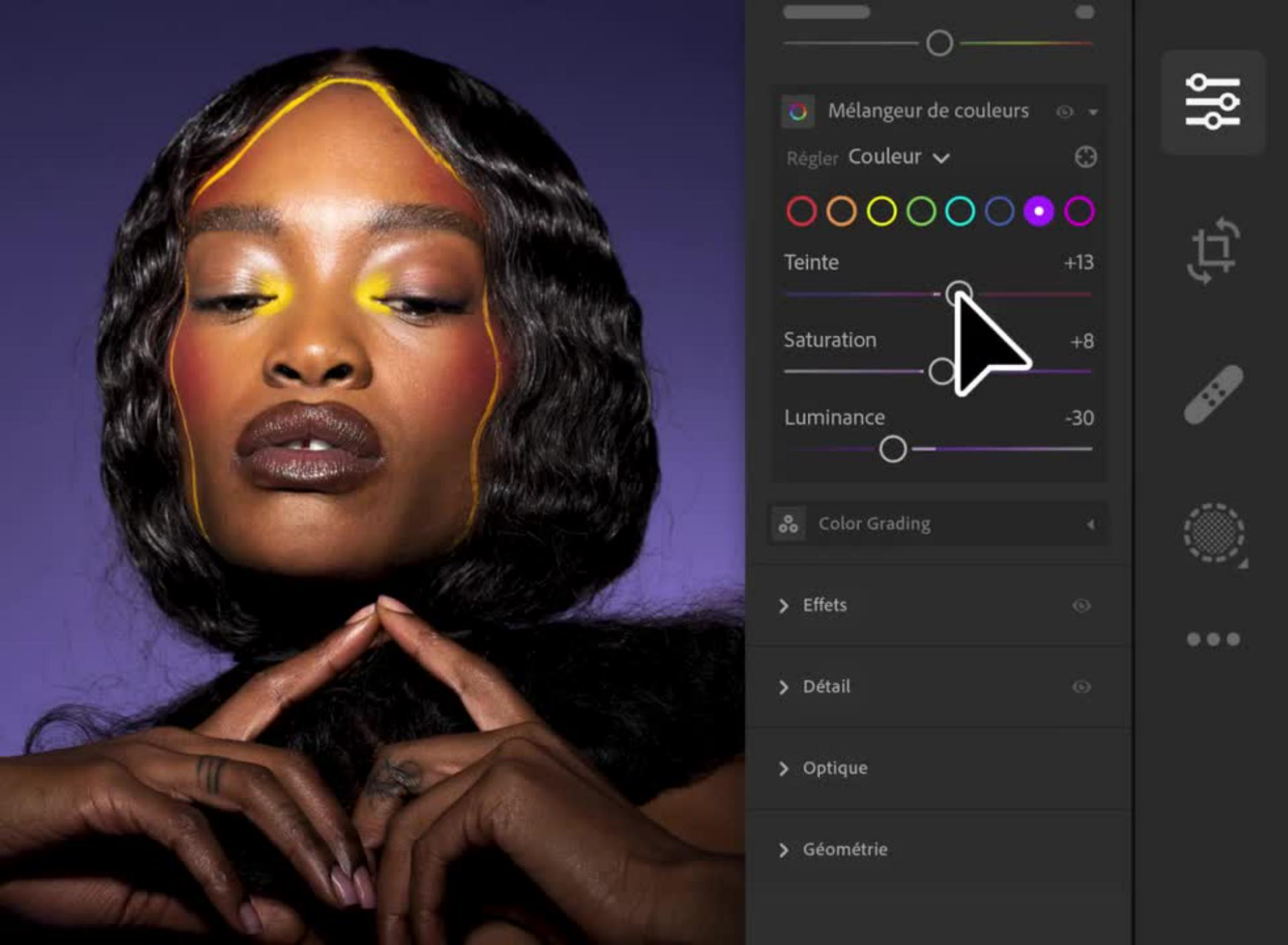
Dans Lightroom, ouvrez la photo fournie par Dana ou utilisez la vôtre. Utilisez ensuite le panneau Modifier pour ajuster l’éclairage et la couleur afin de donner de la profondeur et d’intensifier la tonalité. Reproduisez les réglages de Dana ou jouez avec les curseurs pour créer votre propre style.
Retouchez un portrait.
Transcription non disponible
Poursuivez dans Photoshop.
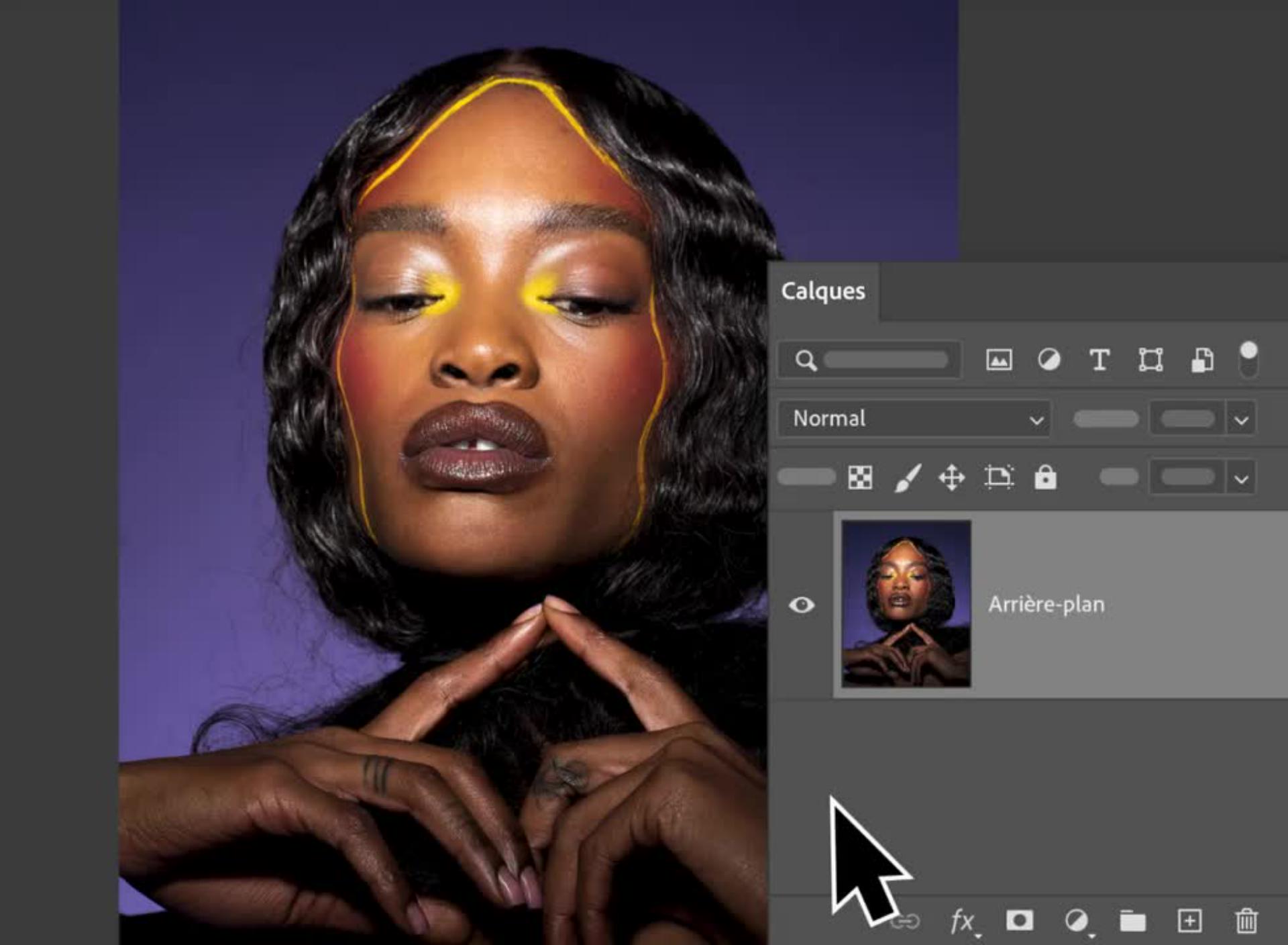
Une fois l’image retouchée dans Lightroom, cliquez sur les points de suspension à droite et, dans le menu qui apparaît, choisissez Modifier dans Photoshop.
Transcription non disponible
Isolez le sujet.
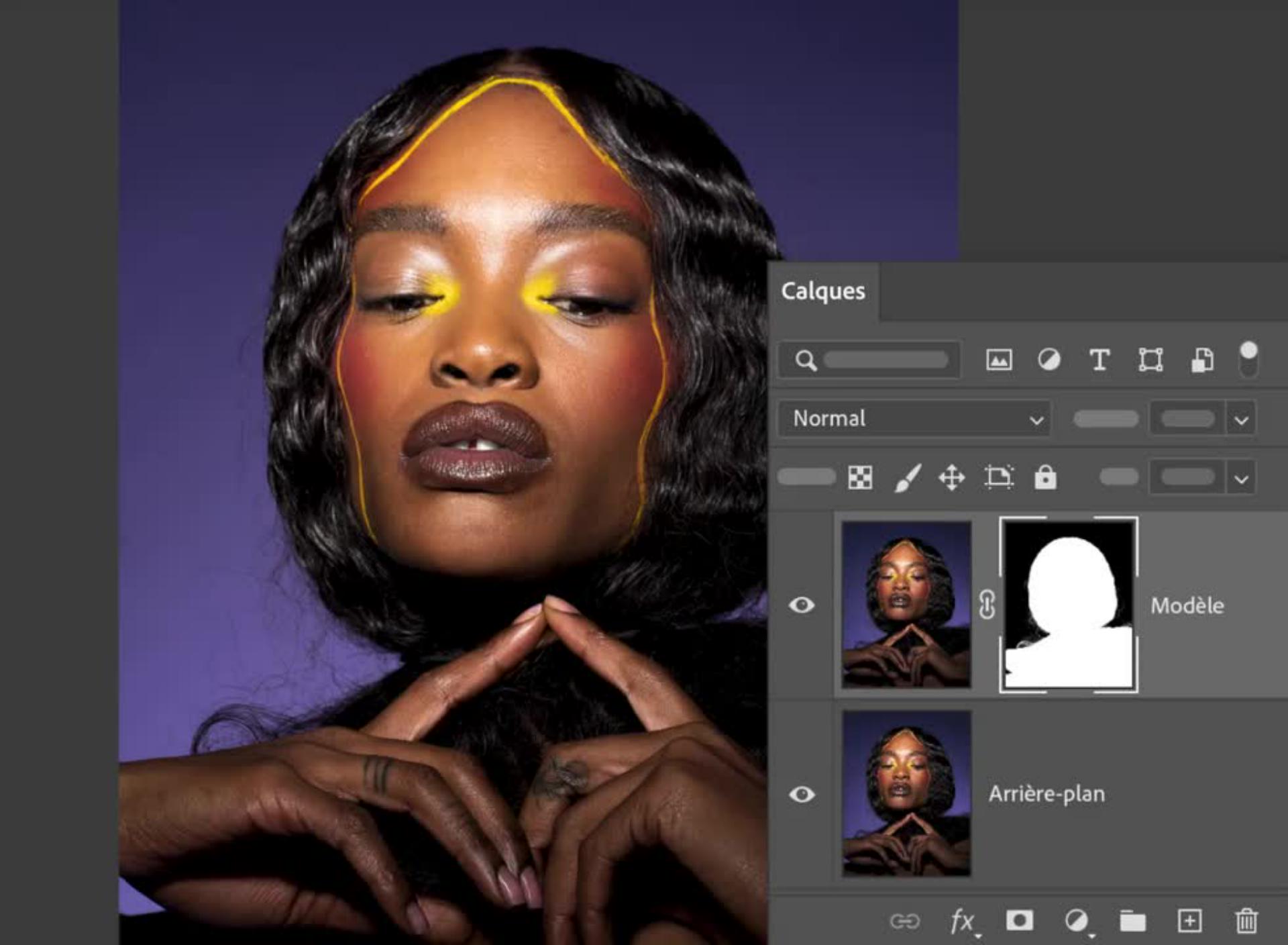
Dans Photoshop, dupliquez le calque Background et renommez-le. À l’aide de l’outil Sélection d’objet, cliquez sur l’image du calque Model afin de créer une sélection. Cliquez ensuite sur le bouton Masquer au bas du panneau Calques pour occulter l’arrière-plan du calque Model.
Conseil de pro : en détachant le sujet de l’arrière-plan, le masque vous permet de modifier le mannequin ou l’arrière-plan de manière totalement indépendante. Cette opération se révèle très pratique dès lors que vous souhaitez ajouter du bruit à l’arrière-plan.
Transcription non disponible
Éliminez les incohérences.
Sélectionnez l’outil Correcteur localisé dans la barre d’outils. Cliquez ensuite sur les petites taches que vous souhaitez supprimer ou peignez-les. Utilisez les crochets [ ] de votre clavier pour régler l’épaisseur du pinceau en cours de travail. Le Correcteur localisé analyse les pixels environnants pour assurer une correspondance de couleur et de texture.
Conseil de pro :
si le périmètre de la zone à retoucher est conséquent, servez-vous de l’outil Tampon de duplication ou peignez légèrement cette zone avec un pinceau souple sur lequel est appliquée une couleur analogue.
Impossible de charger la vidéo
Voyez la différence.
En quelques réglages, vous pouvez révéler le meilleur de vos photos en faisant appel aux outils de retouche les mieux adaptés au projet à réaliser dans Lightroom et Photoshop.
You can control how Adobe websites use cookies and similar technologies by making choices below. But note that if you disable cookies and similar technologies entirely, Adobe websites may not function properly.
Cookies are small text files stored by your web browser when you use websites. There are also other technologies that can be used for similar purposes like HTML5 Local Storage and local shared objects, web beacons, and embedded scripts. These technologies help us do things like remembering you and your preferences when you return to our sites, measure how you use the website, conduct market research, and gather information about the ads you see and interact with.
You can make choices in the menu below about what cookies and other technologies you want us to use on Adobe sites when you visit them from this browser. You can always change those choices later by clicking on the Cookie Preferences link at the bottom of the page.
If enabled:
We can improve your experience by tailoring the site and the content to things we think might be of interest
We can better keep track of your preferences — like what language you prefer to use
We will better understand your likely interests so we can provide you more relevant Adobe ads and content on non-Adobe websites and in non-Adobe apps
It will help us improve the performance of our website and those of our partners who use the Adobe Experience Cloud
If disabled:
We won’t be able to remember you from session to session so the experience may not be tailored to your interests
You’ll still have access to the content of the site but certain features that depend on cookies may not function
You’ll still see ads, they just may not be as relevant to you
General information
You can control how Adobe websites use cookies and similar technologies by making choices below. But note that if you disable cookies and similar technologies entirely, Adobe websites may not function properly.
Cookies are small text files stored by your web browser when you use websites. There are also other technologies that can be used for similar purposes like HTML5 Local Storage, web beacons, and embedded scripts. These technologies help us do things like remembering you and your preferences when you return to our sites, measure how you use the website, conduct market research, and gather information about the ads you see and interact with.
You can make choices in the menu below about what cookies and other technologies you want us to use on Adobe sites when you visit them from this browser. You can always change those choices later by clicking on the Cookie Preferences link at the bottom of the page.
If enabled:
We can improve your experience by tailoring the site and the content to things we think might be of interest
We can better keep track of your preferences — like what language you prefer to use
We will better understand your likely interests so we can provide you more relevant Adobe ads and content on non-Adobe websites and in non-Adobe apps
It will help us improve the performance of our website and those of our partners who use the Adobe Experience Cloud
If disabled:
We won’t be able to remember you from session to session so the experience may not be tailored to your interests
We’ll still count your use of our site and services
You’ll still have access to the content of the site but certain features that depend on cookies may not function
You’ll still see ads, they just may not be as relevant to you
Operate the site and core servicesOperate site and measure engagement
Always active
These cookies are required, and they are used to enable the site and related services core functionality. Without them the site could not operate, so they cannot be disabled.
These cookies enable the site and related services’ core functionality and collect statistics about user engagement, such as counting active use to help us understand trends. These cookies cannot be disabled.
Measure performance
These cookies are used to analyze site usage to measure and improve performance. Without them Adobe cannot know what content is most valued and how often unique visitors return to the site, making it hard to improve information we offer to you.
These cookies are used to analyze site usage to measure and improve performance. Without them Adobe cannot know what content is most valued, making it hard to improve information we offer to you.
Extend functionality
These cookies are used to enhance the functionality of Adobe sites such as remembering your settings and preferences to deliver a personalized experience; for example, your username, your repeated visits, preferred language, your country, or any other saved preference.
Personalize advertising
These cookies are used to enable Adobe and our partners to serve ads more relevant to your interests. Without them you will still see ads, but they might not be as relevant to you.
Personalize advertising
These cookies are used to enable Adobe and our partners to serve ads more relevant to your interests. Without them you will still see ads, but they might not be as relevant to you.