linear-gradient(180deg, rgba(255, 255, 255, 1) 50%, rgba(255, 255, 255, 0) 100%) , linear-gradient(180deg, rgba(255, 255, 255, 1) 35%, rgba(255, 255, 255, 0) 90%) , linear-gradient(90deg, rgba(254, 81, 70, 1) 0%, rgba(179, 11, 0, 1) 100%)
con-block-row-lockup (m-icon)
https://main--dc--adobecom.hlx.live/dc-shared/assets/images/product-icons/svg/acrobat-pro-64.svg Adobe Acrobat

Start a 7-day free trial of Acrobat Pro.

Get full access to advanced PDF tools so you can work anywhere, on any device.

7-day free trial, then PRICE - ABM - Adobe Acrobat Pro PRICE - ABM - Adobe Acrobat Pro {{small-tax-incl-label}} for the {{annual-paid-monthly-plan}}.

CTA {{start-free-trial}}

con-block-row-list
  • Premium features available on desktop, web and mobile
  • You will only be charged after the free trial ends

https://main--dc--adobecom.hlx.live/dc-shared/fragments/promo-banners/acrobat-ai-assistant

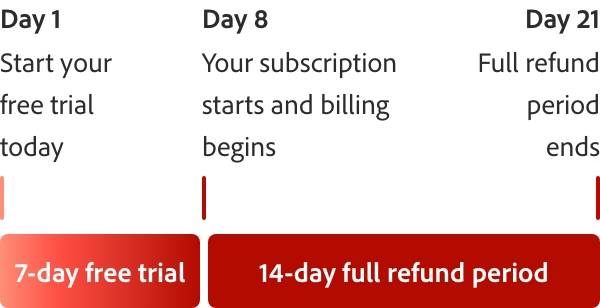
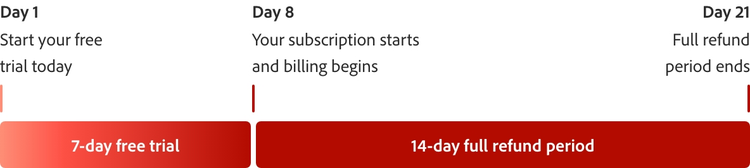
How the 7-day Acrobat Pro free trial works.

Try Acrobat Pro with a 7-day free trial. If you need more time to try all the features, you’ll still have an extra 14 days to cancel and receive a full refund.
What can you do with your Acrobat Pro free trial?

https://main--dc--adobecom.hlx.live/dc-shared/fragments/acrobat/free-trial-download/edit-text-and-images-mobile

#F8F8F8

Unlock insights and next steps with PDF Spaces.

Collect files and links to create knowledge hubs. Chat for faster insights with precise citations. Add notes and revisit any time.

Learn More

#f7f7f7

Your Acrobat Pro free trial comes with more than great tools.

https://main--dc--adobecom.hlx.live/dc-shared/assets/images/shared-images/acrobat/mobile.svg | Mobile icon

Adobe Scan and Acrobat Reader mobile apps included in Acrobat Pro free trial

https://main--dc--adobecom.aem.live/dc-shared/fragments/acrobat/pcworld-best-2025

https://main--dc--adobecom.aem.live/in/dc-shared/fragments/roc/acrobat/discover-small-business-video-blade-acrobat-pro

Frequently asked questions

What features are included in the Acrobat Pro free trial download?
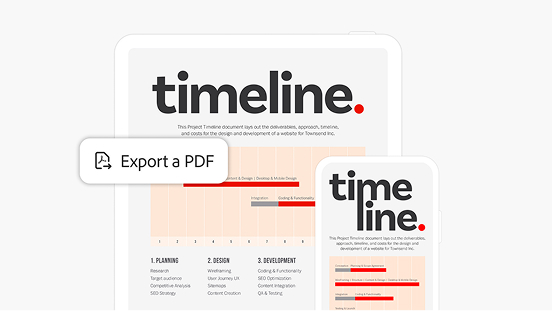
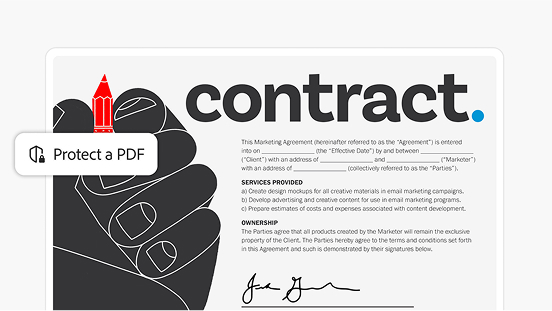
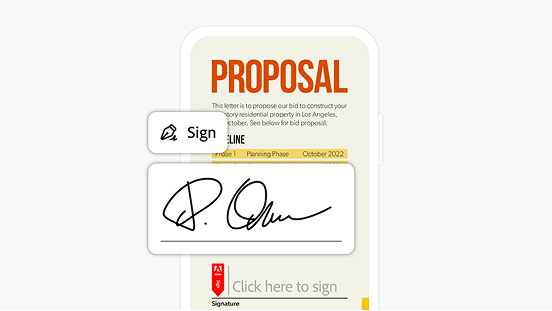
The Acrobat Pro free trial download includes the full set of features. You can edit text and images, convert PDFs to and from Microsoft Office formats, organise and combine files, protect documents with passwords, request e-signatures and share securely. All premium tools are available during the trial.
Which PDF editing tools are available in the Acrobat Pro free trial?
With the Acrobat Pro free trial you can add or update text, fix formatting, insert or replace images and adjust layouts directly in your PDF. You can also reorder, rotate or delete pages and make quick corrections without needing the original file.
Does the Acrobat Pro free trial give full access or a limited set of features?
The Acrobat Pro free trial is the full version, not a limited one. For 7 days you have complete access to every Acrobat Pro feature, so you can explore editing, conversion, security, e-signatures and integrations before subscribing.
What is the difference between Acrobat Pro and Acrobat Studio?
Acrobat Studio includes all the features of Acrobat Pro, and adds PDF Spaces, the Acrobat AI Assistant, and Adobe Express for enhanced productivity, collaboration, and content creation. Acrobat Pro is best for advanced PDF editing, signing, and document management, while Acrobat Studio is ideal for users who also need AI-powered support and creative tools.
How do I download and install my free trial version of Acrobat Pro?
After clicking “Start free trial” from this web page, you will be asked to provide your email address. If you already have an Adobe ID you’ll be asked to sign in. Otherwise follow steps to start your free trial.
When does the free trial period officially begin?
The free trial period begins on the day you sign up. At the end of the free trial period, your payment method will be charged unless you cancel. Cancel before your free trial ends and you won't be charged. When the free trial expires, you can still use Acrobat to view PDFs, comment and fill forms. To access premium features again, you will need to purchase Acrobat.
I have an older version of Acrobat installed on my computer. What will happen to it if I install the free trial version of Acrobat Pro?
Installation of Adobe Acrobat Pro free trial by default uninstalls any earlier version of Adobe Acrobat on Windows devices. If you choose to retain the existing Acrobat software on your machine, change the default by unchecking the “Remove earlier version” option in Acrobat downloader UI. If you have uninstalled the previous version, then you can reinstall it when you are finished with the trial. Make sure you have your original serial number and installation files.
Does the Adobe Acrobat Pro trial work for both Windows and Mac OS? (System Requirements)

Yes, this free trial is available for both Windows and Mac OS.

Windows

  • 1.5 GHz or faster processor
  • Microsoft Windows Server 2016 (64 bit), 2008 R2 (64 bit), 2012 (64 bit) or 2012 R2 (64 bit); Windows 7 (32 bit and 64 bit), Windows 8 (32 bit and 64 bit) or Windows 10
  • 1.5 GB of RAM
  • 2.5 GB of available hard-disc space
  • 1024 x 768 screen resolution
  • Internet Explorer 11; Firefox Extended Support Release (ESR); or Chrome
  • Video hardware acceleration (optional)

Mac

  • Intel® processor
  • Mac OS X v10.11, 10.12 or 10.13
  • 1.0 GB of RAM
  • 2.75 GB of available hard-disc space
  • 1024 x 768 screen resolution
  • Safari 9.0 for OS X 10.11, Safari 10.0 for OS X 10.12, Safari 11.0 for OS X 10.13 (browser plug-in for Safari is supported on 64-bit Intel processor only)

Browser

  • These requirements apply to the Acrobat Pro subscription plan and are in addition to the desktop requirements listed above
  • Microsoft Windows 10 using Microsoft Edge, Internet Explorer 11, Firefox or Chrome
  • Microsoft Windows 7 using Internet Explorer 11 or later, Firefox or Chrome
  • Mac OS X v10.12 (Sierra) or later using Safari 11 or later, Firefox or Chrome
  • iOS: Native browser based on the iOS release and Chrome
  • Android: Native browser that ships with the OS and Chrome
Can I get technical support or help during my free trial period?
To get support during your free trial, click here, where you can access a range of free information, including tutorials, forums and expert advice.
Can I continue to use Adobe Acrobat Reader during my Acrobat Pro free trial period?
Acrobat Pro will be set as your default PDF viewer, but you can reset Reader as the default by opening Reader DC application and going to Edit > Preferences > General. Click the Select As Default PDF Handler button and follow the on-screen instructions.
How do I uninstall my free trial software?

Windows: To uninstall your free trial version on a Windows device, close any open Adobe software on your computer, open the Windows Control Panel and double-click Programmes and Features. Click Acrobat Pro and select “Uninstall” from the menu.

Mac OS: To remove the trial on a Mac, use the Acrobat Uninstaller in the /Applications/Adobe Acrobat Pro folder.

What languages are supported in Adobe Acrobat Pro?
See the Acrobat system requirements page for information.

https://main--dc--adobecom.hlx.live/dc-shared/fragments/acrobat/get-acrobat-support

#fbfbfb

Try Acrobat Pro and save {{percentage-discount-acrobat-pro}}.

7-day free trial, then PRICE - ABM - Adobe Acrobat Pro PRICE - ABM - Adobe Acrobat Pro {{small-tax-incl-label}} for the {{annual-paid-monthly-plan}}.

CTA {{free-trial}} CTA {{buy-now}}