#1e1e1e

DESIGN

The art of ambigrams: Creating intriguing mirror-image designs.

Learn how to create stunning ambigrams using symmetry, rotation and Illustrator tools to elevate your typographic design.
Explore Illustrator

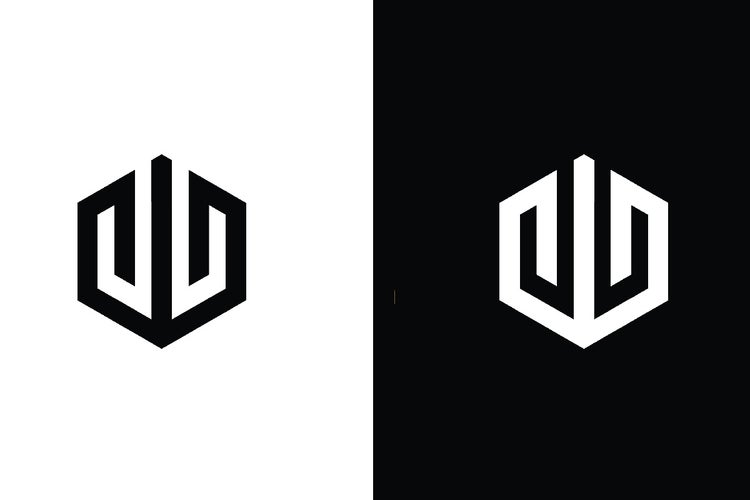
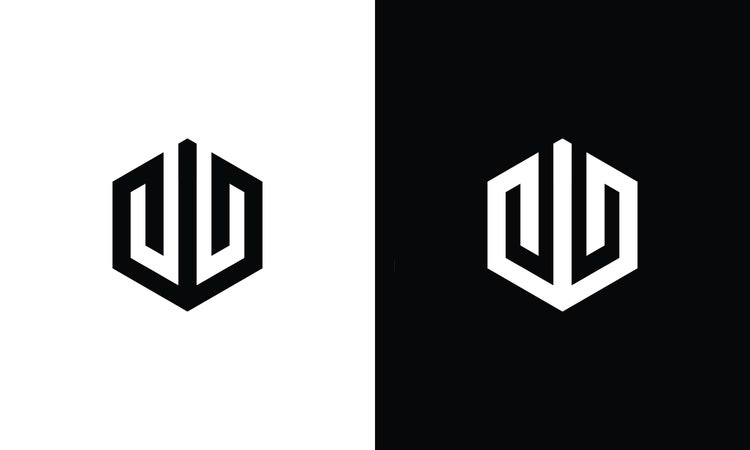
Modern hexagon logo design featuring stylised "UU" and "U" letterforms in an ambigram layout.
#F5F5F5
Have you ever come across a word that still makes sense when flipped or rotated? That is the charm of an ambigram. These clever typographic designs play with symmetry and perspective to create something unexpected. In this article, we explore what ambigrams are, walk you through the steps to create one, and show how apps like Adobe Illustrator can simplify your process. You will also discover a list of ambigram word ideas, tips to balance style with readability, and real-world examples from branding, social media content and collaborative design projects. Whether you are a freelance designer, illustrator, brand strategist or digital creator in India, ambigrams offer a fresh and engaging way to tell visual stories and stand out through design.

What is an ambigram and what makes it unique?

An ambigram is a typographical design that retains meaning or legibility when viewed from more than one orientation. This might include being:

  • Rotated (often 180 degrees)
  • Reflected (mirror image)
  • Symmetrically arranged (bilateral or radial symmetry)

Why are ambigrams important in design?

  • They create visual intrigue and double takes
  • They combine artistic flair with technical structure
  • They are powerful in logo design, tattoo art and conceptual branding

Tip: Not all words lend themselves naturally to ambigrams. Knowing which ones do is the first step toward effective creation.

https://youtu.be/vIy9JE6A8EU?si=aOLVCDUHHkU0gFwY

What are the different types of ambigrams?

Ambigrams come in several creative styles. Understanding the types helps you plan designs more strategically.

  1. Rotational ambigrams.
  • Can be read upside down (180 degrees)
  • Often used in tattoos or puzzle-based branding

Example: The word “NOON” reads the same when rotated 180 degrees.

  1. Mirror-image ambigrams.
  • Read the same when reflected horizontally
  • Common in ambigram tattoos or dual-purpose logos
  1. Figure-ground ambigrams.
  • Use negative space to create multiple interpretations
  • Advanced designs that play with visual perception
  1. Perceptual shift ambigrams.
  • Depending on how you look at the word, you see one of two possible words
  • Great for dual-branding or secret-message concepts
  1. Chain ambigrams
  • Letters are connected in a circular or linear sequence
  • Suitable for circular logos or seals

Troubleshooting tip: If symmetry is causing readability issues, adjust the angle or shift the baseline slightly to help distinguish letterforms.
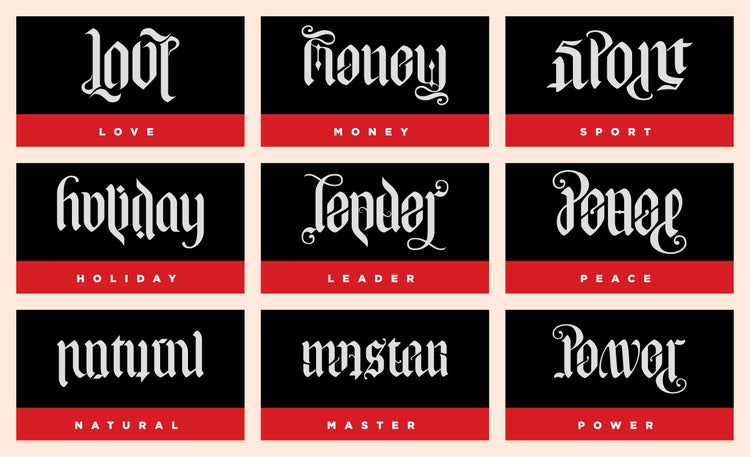
A curated set of ambigram word designs, each showcasing mirrored or rotational symmetry, highlighting the artistic fusion of typography and visual illusion.

How do you create an ambigram step by step?

Creating a compelling ambigram involves balancing visual harmony with functional legibility. Here's how to get started:

Step 1: Choose the right word.

  • Start with symmetrical letters like A, H, I, M, N, O, T, U, V, W, X, Y
  • Consider palindromes (e.g. “WOW”, “MOM”)
  • Reference an ambigram words list for ideas

Step 2: Sketch the rotation.

  • Draw the first half of the word normally
  • Rotate the paper (or use Illustrator’s rotate tool) and sketch what the second half will look like upside down
  • Find ways to merge or morph letterforms (e.g. turning "b" into "q")

Step 3: Refine the transitions.

  • Adjust letter pairs to look good both ways
  • Stylise ambiguous letters (like turning an “e” into a backwards “a”)

Step 4: Digitise in Illustrator.

  • Use the Pen Tool for custom letterform drawing
  • Create outlines from existing fonts and modify anchors
  • Use the Reflect Tool to test vertical symmetry
  • Try Rotate Tool (180°) to check rotational readability

Step 5: Adjust spacing and balance.

  • Ensure even kerning
  • Refine thickness, stroke weight and curves
  • Add embellishments or flourishes to hide visual compromises

Tip: Use Illustrator’s grid and guide features to maintain alignment while editing mirrored elements.

What are the best apps for creating ambigrams?

Adobe Creative Cloud provides a suite of apps ideal for creating ambigrams:

  1. Adobe Illustrator.
  • Ideal for precise vector drawing
  • Use the Reflect, Rotate and Transform tools
  • Create custom typography using the Pen Tool and Shape Builder
  1. Adobe Photoshop.
  • Great for adding effects and texture once the base ambigram is complete
  • Use layer masks and filters to apply shadow or 3D effects
  1. Adobe Fresco or Adobe Capture.
  • Sketch ambigrams freehand on iPad
  • Vectorise hand-drawn sketches and bring them into Illustrator

Tip: Store commonly used ambigram base shapes or mirrored letterforms in Creative Cloud Libraries for future reuse.

What are some effective ambigram words to start with?

Here's a beginner-friendly ambigram words list to help you practise:
Word
Ambigram Type
Notes
WOW
Rotational
Symmetrical letters make this easy to start with
MOW
Mirror
Often used in tattoos or family-themed artwork
NOON
Rotational
Clean symmetry, great for practising layouts
OXO
Mirror
Good for logo testing
LOVE
Custom
A favourite for romantic or poetic designs
ART
Stylised
Requires more visual interpretation but highly flexible
Tip: Combine two short words (e.g. “LOVE” and “HATE”) to practise dual-message ambigrams.
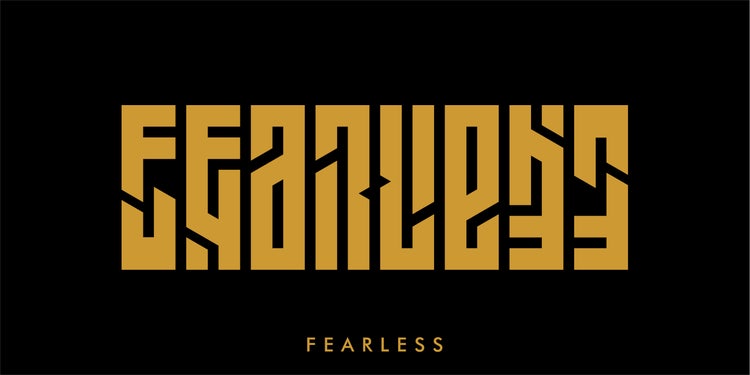
A bold ambigram design of the word "FEARLESS", crafted to read the same when flipped, showcasing symmetry and confident typography.
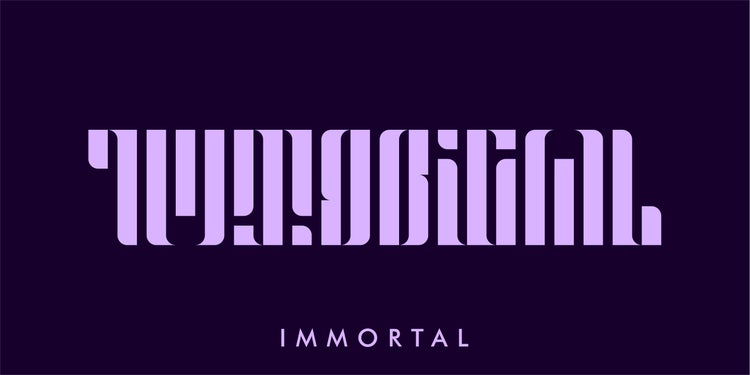
An artistic ambigram of the word "IMMORTAL", designed to maintain legibility when rotated, symbolising endurance and timelessness through type.

How ambigram design enhances branding, motion and communication.

Ambigrams can elevate branding and storytelling in several creative industries:

1. Social media videos.

  • Animate a word flip to reveal hidden meaning (e.g. LOVE becomes HATE)
  • Use ambigram logos in intro and outro animations
  • Add motion effects in Adobe After Effects to spin or mirror the text

2. Voiceovers for reels or animations.

  • Pair spoken metaphors with ambigram transitions (e.g. “truth vs lie”)
  • Enhance mood by rotating text mid-narration

3. Short-form branded content.

  • Use rotational ambigrams in event or festival branding
  • Post before and after carousel designs that show the ambigram from both sides

4. Narrated client proposals.

  • Showcase ambigram options in pitch decks to highlight concept versatility
  • Present animations or sketches during voice-narrated proposals

5. Remote collaboration via document sharing.

  • Share ambigram iterations via Creative Cloud Libraries
  • Invite feedback using comments in Illustrator or PDF review

Example: A graphic designer working with a wellness brand created an ambigram logo that read “HEAL” and “GROW” depending on the rotation, earning client approval after the first round of presentations.

How can Creative Cloud help you streamline your ambigram design process?

Adobe Creative Cloud offers an integrated ecosystem for typographic experimentation and collaborative delivery.

Workflow integration:

  1. Sketch in Fresco, sync to Illustrator
  2. Refine vector outlines and apply rotation or reflection
  3. Create a mockup in Photoshop using texture overlays
  4. Animate flip effects in After Effects
  5. Organise files in Creative Cloud Libraries for shared access
  6. Package final assets for clients via Adobe Acrobat or Share for Review

Recommended tools:

  • Pen Tool: For crafting custom letter shapes
  • Pathfinder and Shape Builder: To combine and reshape geometry
  • Type on a Path: For circular ambigrams
  • Smart Guides: To ensure alignment during reflection
  • Character Styles: To apply consistent weight and serif adjustments

Tip: Create your own ambigram brush or symbol set in Illustrator for faster prototyping.

Troubleshooting common ambigram challenges.

Challenge
Solution
1. Letters don’t pair symmetrically
Redesign with letter substitution (e.g. use "u" for "n")
2. Design looks forced or awkward
Add stylistic flourishes to improve flow
3. Readability drops after rotation
Use bolder strokes and reduce embellishments
4. Clients don’t understand the concept
Include animated samples or before and after mockups

Create unforgettable visuals with ambigram lettering.

Mastering the art of ambigram design blends creativity with clever problem-solving. Whether you're exploring the ambigram meaning, designing from an ambigram words list, or crafting a visual puzzle that enhances your client’s branding, ambigrams offer a powerful, playful way to elevate typography. With Adobe Creative Cloud apps like Illustrator, Photoshop and After Effects, you can seamlessly sketch, design, animate and share ambigrams in high-impact ways. For creative professionals in India, ambigrams not only sharpen typographic skills but also add a unique visual twist that sets your work apart. Start with one word, rotate your perspective and transform your typography today.

Frequently asked questions.

Can ambigrams be created in Indian languages like Hindi or Tamil?

Yes, ambigrams can be designed in Indian scripts such as Devanagari or Tamil, though it requires a deep understanding of the script's form and flow. The challenge lies in preserving both visual balance and linguistic accuracy, making it a rewarding creative exercise for bilingual typographers. To enhance your design process, you can explore various creative apps and resources available through Adobe Creative Cloud. Additionally, you can check out Adobe's photography apps for exploring typography and visual compositions.

Is there a market for ambigram design in India?

Absolutely. Ambigrams are increasingly used in logo design, tattoos, merchandise and brand identities. With India's growing start-up and design culture, unique typographic elements like ambigrams can help brands stand out. If you're looking to expand your skillset and explore different design possibilities, Adobe Stock offers a variety of resources for inspiration and asset downloads.

What skills should I develop to become better at ambigram design?

A strong foundation in typography, spatial reasoning and symmetry is essential. Understanding letterforms and how to morph them creatively will improve your designs. Adobe Illustrator is ideal for practising these skills. Explore design tools with Adobe Illustrator.

How can I make my ambigram work suitable for printing on physical products?

To ensure clarity and sharpness in print, always design using vector graphics. Apps like Adobe Illustrator allow you to create scalable ambigrams suitable for t-shirts, mugs or posters. Learn more about print-ready design using Adobe Illustrator.

Are there any online communities or contests in India for typographic artists?

Yes, platforms like Behance (popular in India) host typographic challenges. You can also find local design communities on Instagram and LinkedIn that showcase and critique ambigram and lettering work.

Can ambigrams be animated for use in videos or motion graphics?

Yes, animating ambigrams can create visually captivating effects in intros or explainer videos. Adobe After Effects lets you animate rotations and flips with precision. Get started with animation tools in Adobe After Effects.

What cultural or symbolic meanings can ambigrams hold in Indian contexts?

Ambigrams can reflect cultural themes such as duality, karma or eternity. They are also popular in spiritual and religious motifs, often symbolising deeper philosophical ideas when used in temple art, tattoo design or branding.

How do I convert a hand-drawn ambigram into a digital format?

Scan your sketch in high resolution, then trace and refine it using vector tools in Adobe Illustrator. This ensures clean lines and scalability for professional use. Learn how to digitise hand-drawn art in Adobe Illustrator.

Can I use ambigrams in multilingual branding strategies in India?

Yes, ambigrams can help bridge language gaps by blending visual elements of two scripts or languages. This is especially useful in India where bilingual branding, such as Hindi-English, can broaden market appeal.

What Adobe Creative Cloud apps are best for experimenting with ambigram styles?

Adobe Illustrator is excellent for vector-based ambigrams, while Adobe Photoshop is great for adding texture and visual effects. You can use Adobe Fonts to explore typefaces that may lend themselves to ambigram manipulation. Start exploring with Adobe Creative Cloud.

https://main--cc--adobecom.aem.page/cc-shared/fragments/creativity-for-all/default

You may also like

Content as a Service v3 - file-type graphic design collection - Monday 7 July 2025 at 18:12

https://main--cc--adobecom.hlx.page/cc-shared/fragments/seo-articles/do-more-illustrator-color-blade