
Photography
Bring your old photos back to life with these restoration tips.
Learn how to restore old photos and preserve precious memories with simple techniques and powerful photo restoration tools.
Photography
Learn how to restore old photos and preserve precious memories with simple techniques and powerful photo restoration tools.
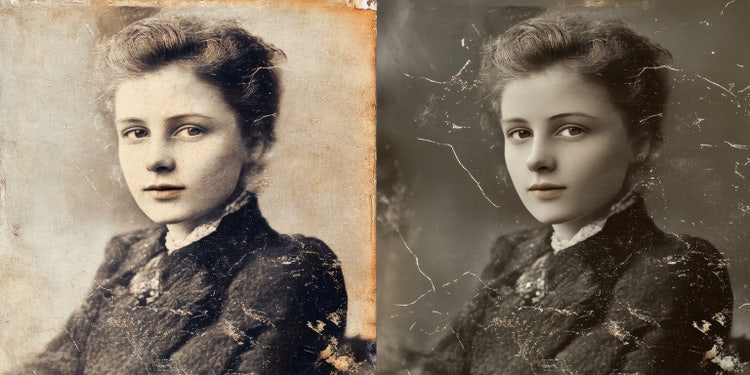
Old photo restoration is more than just improving image quality; it’s about preserving memories and ensuring that family history is kept alive for future generations. Restoring old photos can breathe new life into damaged old photos, allowing you to share and celebrate your past with loved ones. Whether you are working on a single treasured image or digitising an entire archive, learning how to restore old photos helps safeguard those precious moments from further deterioration. You can achieve this using industry-leading tools like Adobe Photoshop, which offers the precision and flexibility needed for high-quality restorations.
Before diving into digital photo restoration software, it’s important to prepare your old photos properly:
Once your photo is scanned, understanding the different image file types like TIFF, JPG, and PNG can help you choose the best format for restoration and long-term storage.
Once you have your scanned image, photo restoration software can help you repair damage and enhance photo quality. Here are some popular tools and their strengths:
If you are unsure which program suits your needs, check out this Lightroom vs Photoshop comparison to see how each tool excels at different aspects of photo editing and restoration.
For those using Photoshop, here are some photo restoration Photoshop techniques to repair and enhance images:
Need help removing unwanted objects or damage from your images? Learn how to remove objects in Photoshop using tools like Content-Aware Fill and the Clone Stamp for seamless repairs.
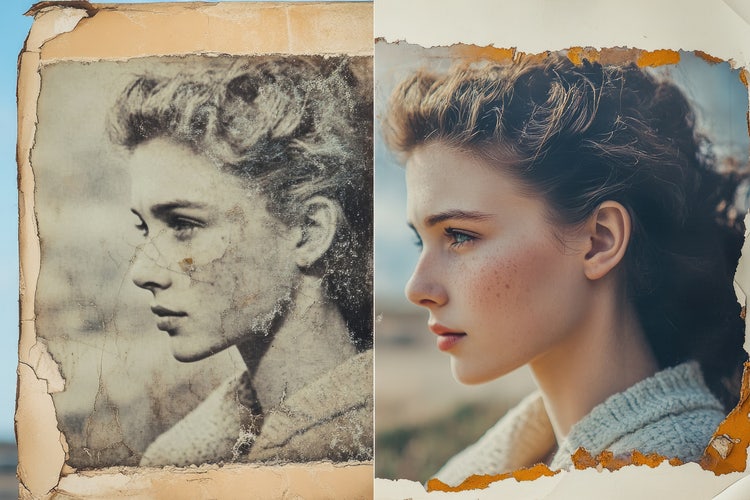
Restoring old photos is not only about repairing damage but also enhancing the overall appearance of an image. Here’s how to enhance old photos effectively:
To achieve precision when correcting brightness or enhancing colour, explore Photoshop’s adjustment tools for mastering brightness, contrast, and colour balance during your edits.
For more complex restorations, advanced Photoshop photo restoration techniques can help you achieve professional results:
When working with layers and masks, understanding Photoshop layers basics can help you work non-destructively and gain more control over your edits.
After restoring old photos, it’s essential to protect your newly restored images:
Based on your location, we think you may prefer the United States website, where you'll get regional content, offerings, and pricing.
