
Creativity for all
Photography, video, graphic design, illustration and so much more. Everything you need, wherever your imagination takes you.

TABLE OF CONTENTS
What turning MP3 into MP4 unlocks for creators
How to convert MP3 to MP4 with Creative Cloud
What makes Adobe’s MP3 to MP4 converter different?
Practical ways to turn MP3 files into client-ready video
Create once, publish everywhere: turn audio into scroll-stopping videos for every platform
An MP3 to MP4 converter isn’t just about changing formats. It’s about making your audio visually engaging. A talking head clip, a snippet of a podcast, or a snippet of voiceover work - these all become more powerful when paired with visuals.
Creative Cloud makes it easy to:
If you’re wondering how to convert MP3 to MP4 without losing creative control, here’s the process using Creative Cloud tools:
Drop your audio file into Premiere Pro or Adobe Express. No conversion needed - it’s compatible out of the box.
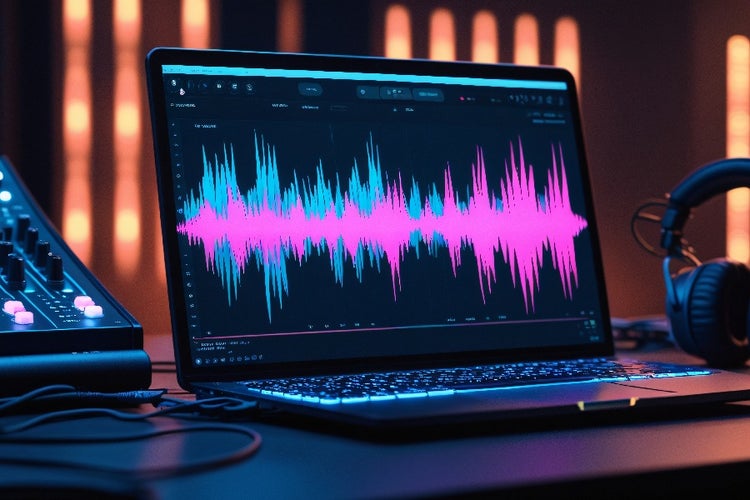
Choose from dynamic waveform styles that move in sync with your audio. Adjust colour, size and positioning to match your tone and format.
Use Adobe Stock or your own assets to set the visual mood. Smart Backgrounds use AI to adjust contrast and framing based on your waveform or titles.
Add your name, episode title or lyrics using motion text tools. Use Auto-sync to align visuals and captions to the beat or phrases.
Use Creative Cloud’s platform presets to export an MP4 for Instagram, YouTube, Spotify Canvas or client delivery.
Find the step-by-step guide on how to convert MP3 to MP4 files.

Most free MP3 to MP4 tools let you upload a file and get a static screen with basic visuals. With Creative Cloud, you get:
This turns your audio into something you can promote, pitch or publish.
Creative Cloud’s MP3 to MP4 tools help creators stand out with minimal effort:
1. Voice actors
Turn demo reels into visual portfolios with waveform motion and clean intros.
2. Podcast producers
Use a podcast intro, quote or highlight clip to make shareable reels or teaser content.
3. Musicians
Turn a track into an animated promo with custom artwork, lyrics and synced visual beats.
4. Educators
Convert lesson audio into video posts with captions and topic titles.
5. Freelancers
Use MP3 to MP4 tools to pitch work, showcase audio design, or win new briefs on Upwork and Fiverr.
Creating new content from scratch takes time. With Creative Cloud’s MP3 to MP4 tools, you can transform a single audio file into an entire content series. Use auto-sync to cut down editing time, apply waveform templates for instant visuals, and export platform-ready versions in just minutes.
One podcast can quickly become:
Many creators now turn highlight moments into MP4s using animated waveforms and branded templates. Each episode takes less than 20 minutes to convert, which helps reach new audiences and simplify client reporting. By converting once and publishing everywhere, creators save time, extend their reach, and get more out of every minute of content.

Photography, video, graphic design, illustration and so much more. Everything you need, wherever your imagination takes you.

Based on your location, we think you may prefer the United States website, where you'll get regional content, offerings, and pricing.

