
Creativity for all
Photography, video, graphic design, illustration and so much more. Everything you need, wherever your imagination takes you.


VIDEO
Lower third graphics are more than just labels, they’re a chance to reinforce your identity, deliver key info, and keep viewers engaged. With Adobe Premiere Pro, creating professional lower thirds is no longer time-consuming. Built-in AI features like Style Generator and Motion Text Templates help you create on-brand, polished graphics in just a few clicks.
The result is videos that look professional, feel cohesive, and communicate your message clearly with minimal effort.
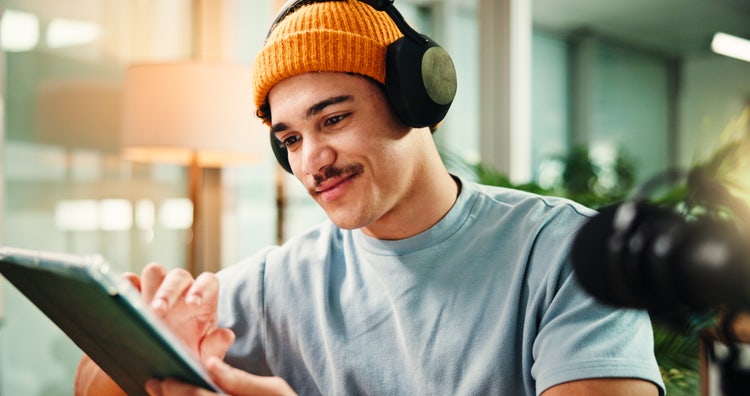
In modern content, a strong lower third can introduce a speaker, highlight a product, or reinforce your brand, all without interrupting the video flow. But if you’re not a motion designer, building them from scratch can be tricky.
Adobe Premiere Pro’s built-in AI features change that. With AI-powered tools in Premiere Pro, you can design smart, responsive lower thirds that look custom while skipping the hassle of manual animation.
Premiere Pro makes it simple to create, style, and position your lower thirds with features designed for speed and consistency:
Instantly build a graphic style that matches your brand colours and fonts. Premiere Pro uses your selections to generate coordinated lower third design options, no design background needed.
Ensures perfect placement of text, logos, and shapes across all your graphics. Whether your lower third is left-aligned, centre-weighted, or dynamic, everything stays visually balanced and platform-safe.
Choose from a library of animated lower thirds with built-in transitions, timing, and responsive text fields. Ideal for saving time while still achieving a premium look.
Here’s how to get more value from your lower thirds, especially when publishing across different platforms:
Lower thirds should communicate fast - think name, role, or product. Motion Text Templates include timed animations that support this visual rhythm without overwhelming the viewer.
Use Style Generator to match your brand colours, font pairings, and visual tone. This turns every graphic into a brand moment, even on short-form videos.
Auto Align ensures your lower thirds look consistent across different video formats, whether you’re publishing in landscape, square, or vertical aspect ratios.
Subtle slide-ins or fades from Motion Text Templates help direct the viewer’s focus without stealing attention from the content.
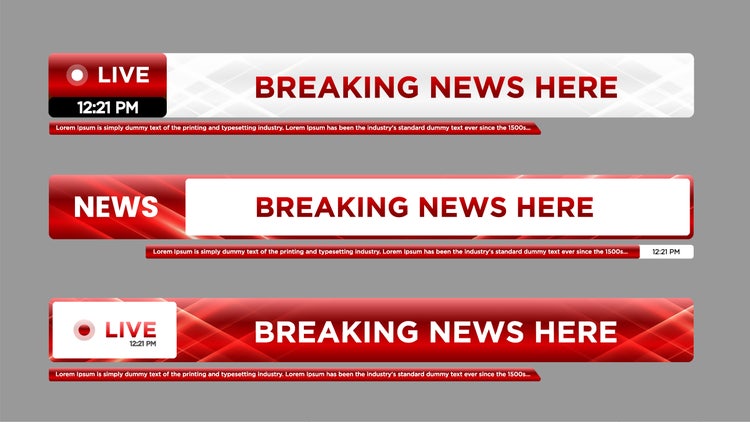
If you’re new to Premiere Pro, here’s a simple way to add your first lower third graphic:
You can even save your edited lower third as a custom template for future use making your workflow even faster next time.
From education content to interviews, brand reels to product explainers, Premiere Pro helps Indian creators deliver consistently clean, branded lower thirds at scale:
Whether you’re creating for YouTube, client reels, or mobile-first platforms, Adobe Premiere Pro helps your content look professional from the first frame to the final lower third. With built-in tools that streamline everything from social clips to feature films, it’s the all-in-one solution for video editors at every level. You can try Premiere Pro with a 7-day free trial and see how fast and polished your workflow can become.
Want to take your lower thirds even further? Here’s how Adobe Creative Cloud apps work together:
Together, these tools give you complete creative control and pricing options, from concept to final cut. With the Creative Cloud Pro plan, AI-powered features help you design, adapt, and manage lower third graphics across every platform quickly and consistently.

“I work across multiple apps for my branding projects. With Illustrator and Photoshop, I can move seamlessly between the two, without hampering my productivity.”
Nisha Droch, Designer & Co-founder, Creative Hatti
Photography, video, graphic design, illustration and so much more. Everything you need, wherever your imagination takes you.


Based on your location, we think you may prefer the United States website, where you'll get regional content, offerings, and pricing.


